
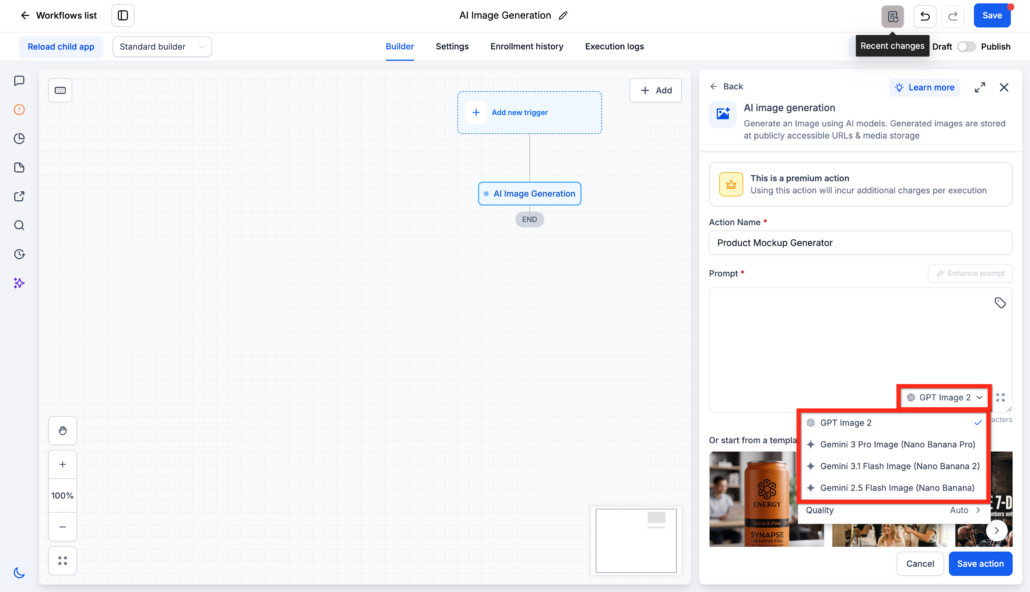
AI Image Generation Action in Workflows
Generate Images in Workflows
You can now generate an image inside a workflow. The AI Image Generation action is available under AI Actions. Give it a prompt. An AI model creates the image, stores it at a public URL, and returns that URL as text.
This is a premium action. Each execution has an additional charge.
Model Selection
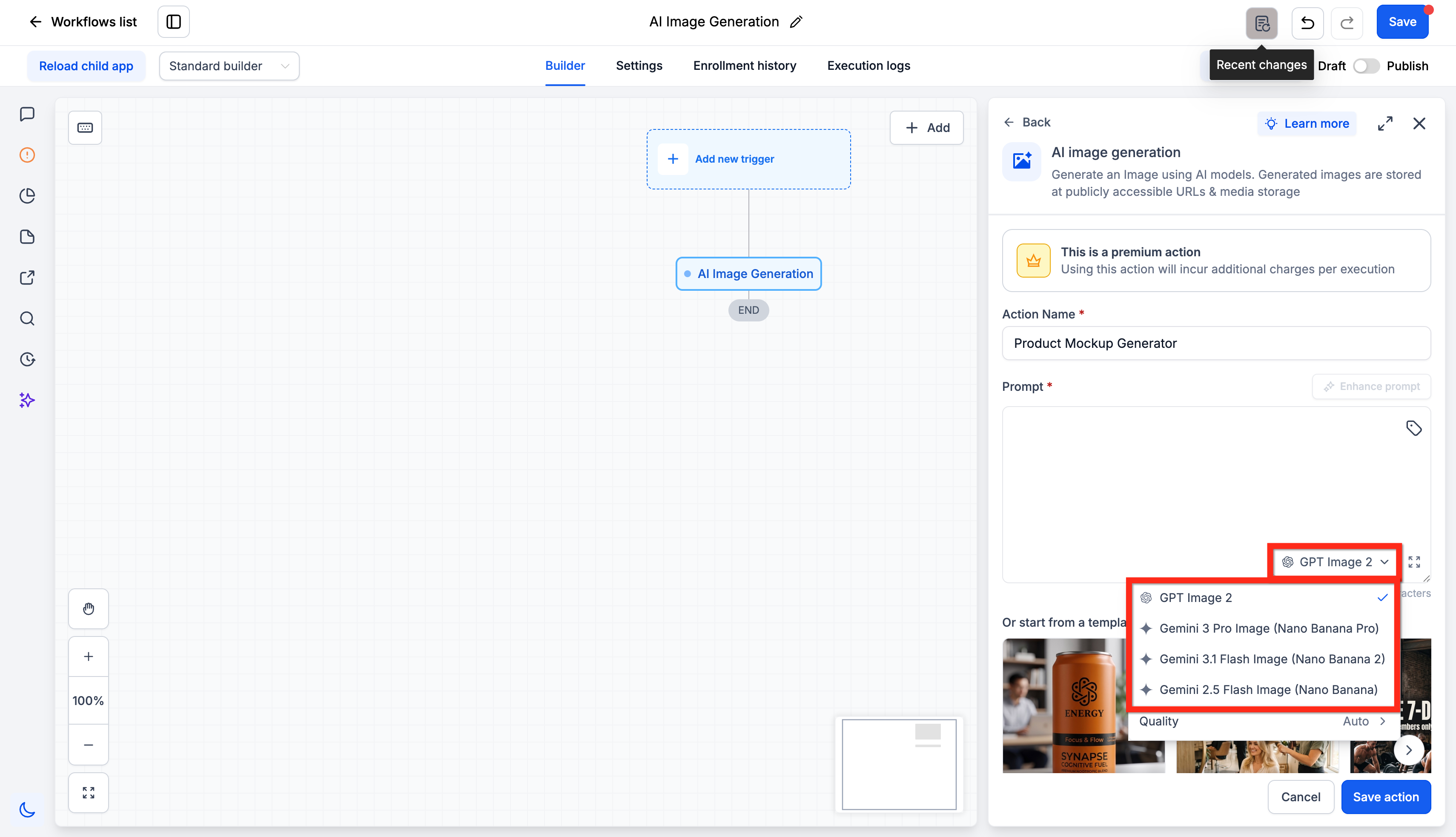
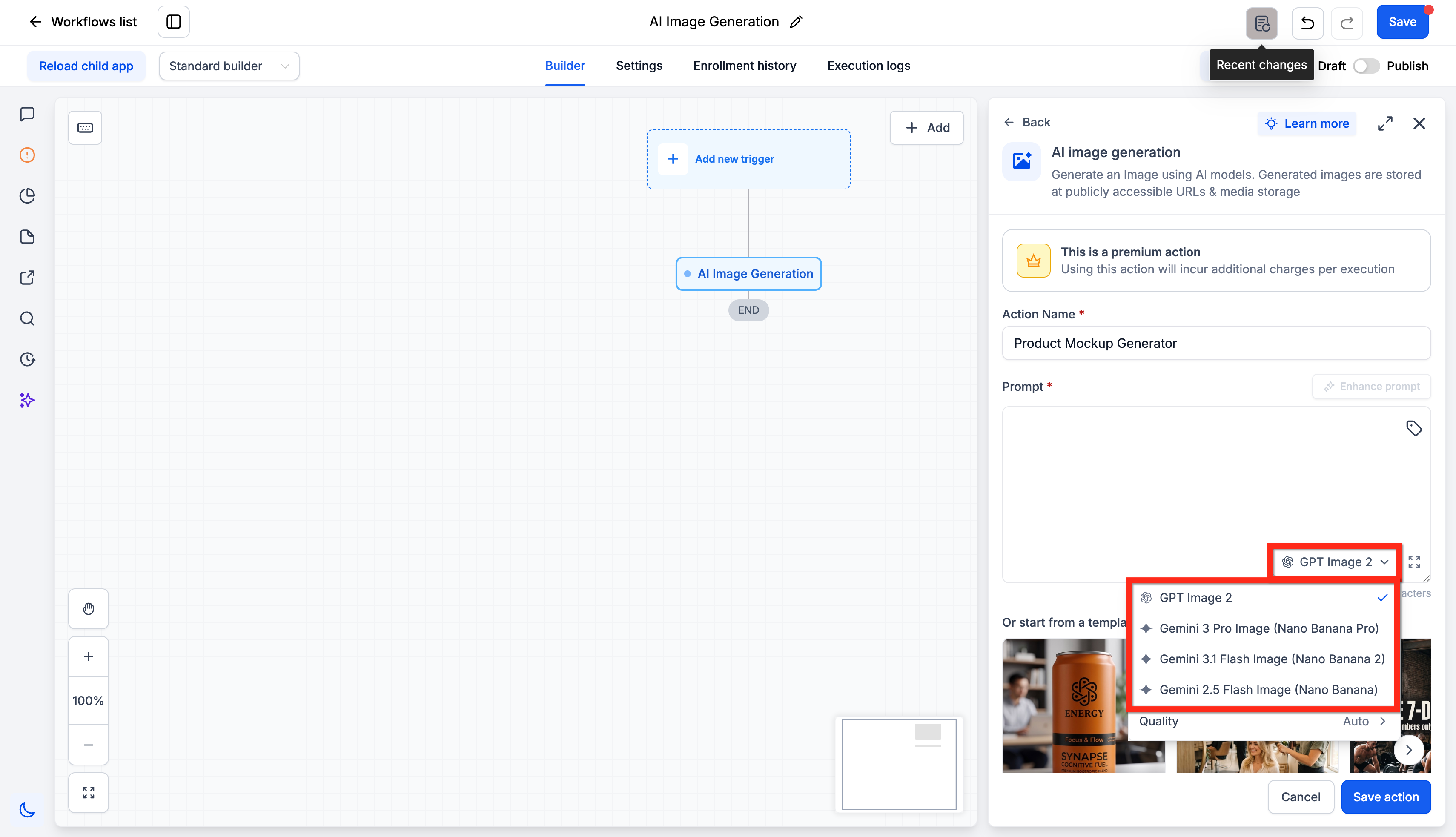
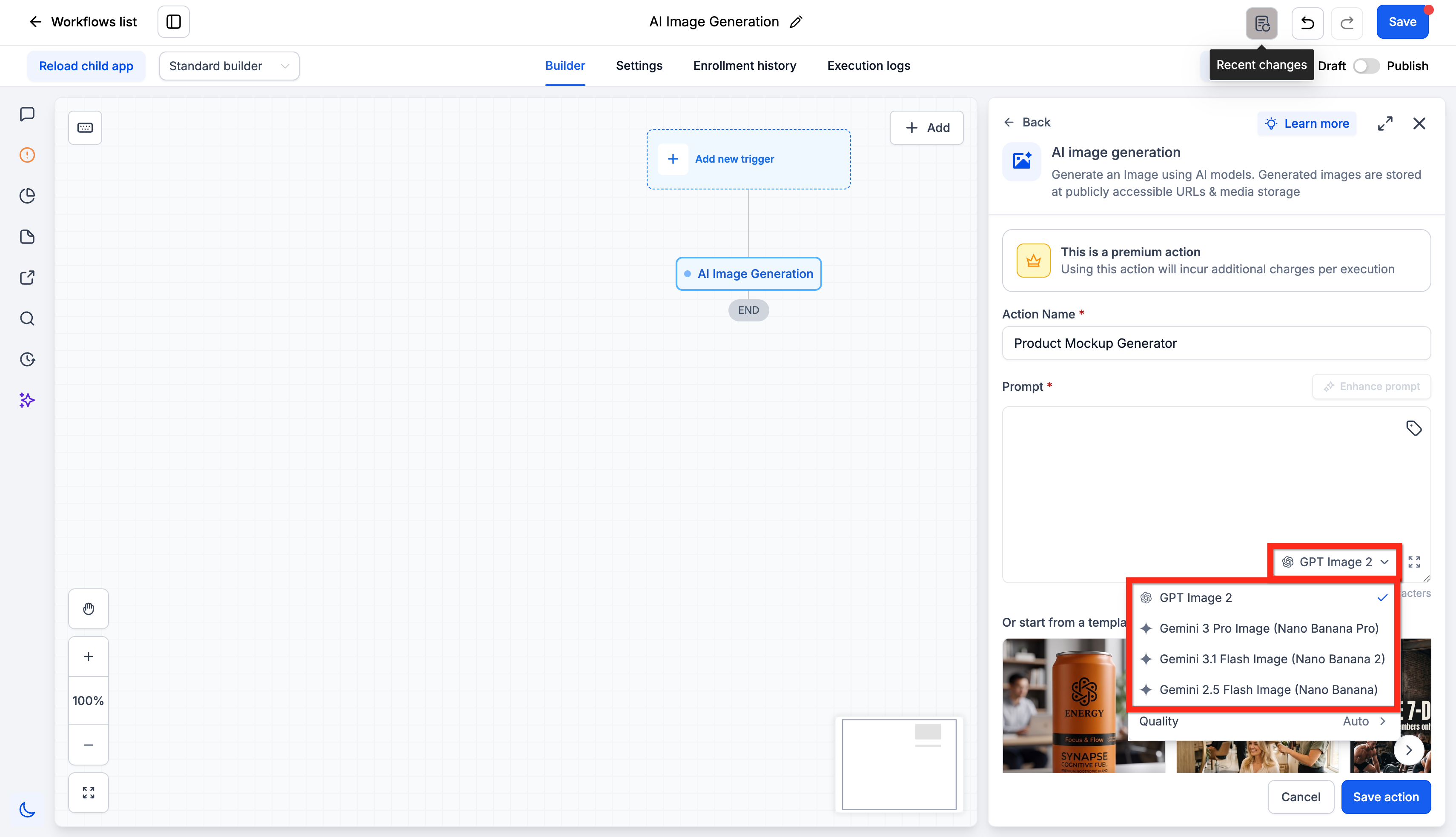
- Four models: Select GPT Image 2, Gemini 3 Pro Image (Nano Banana Pro), Gemini 3.1 Flash Image (Nano Banana 2), or Gemini 2.5 Flash Image (Nano Banana).
- Flexible prompts: Type the prompt yourself or insert a custom value. The prompt can come from a contact field, a webhook payload, or an earlier action.
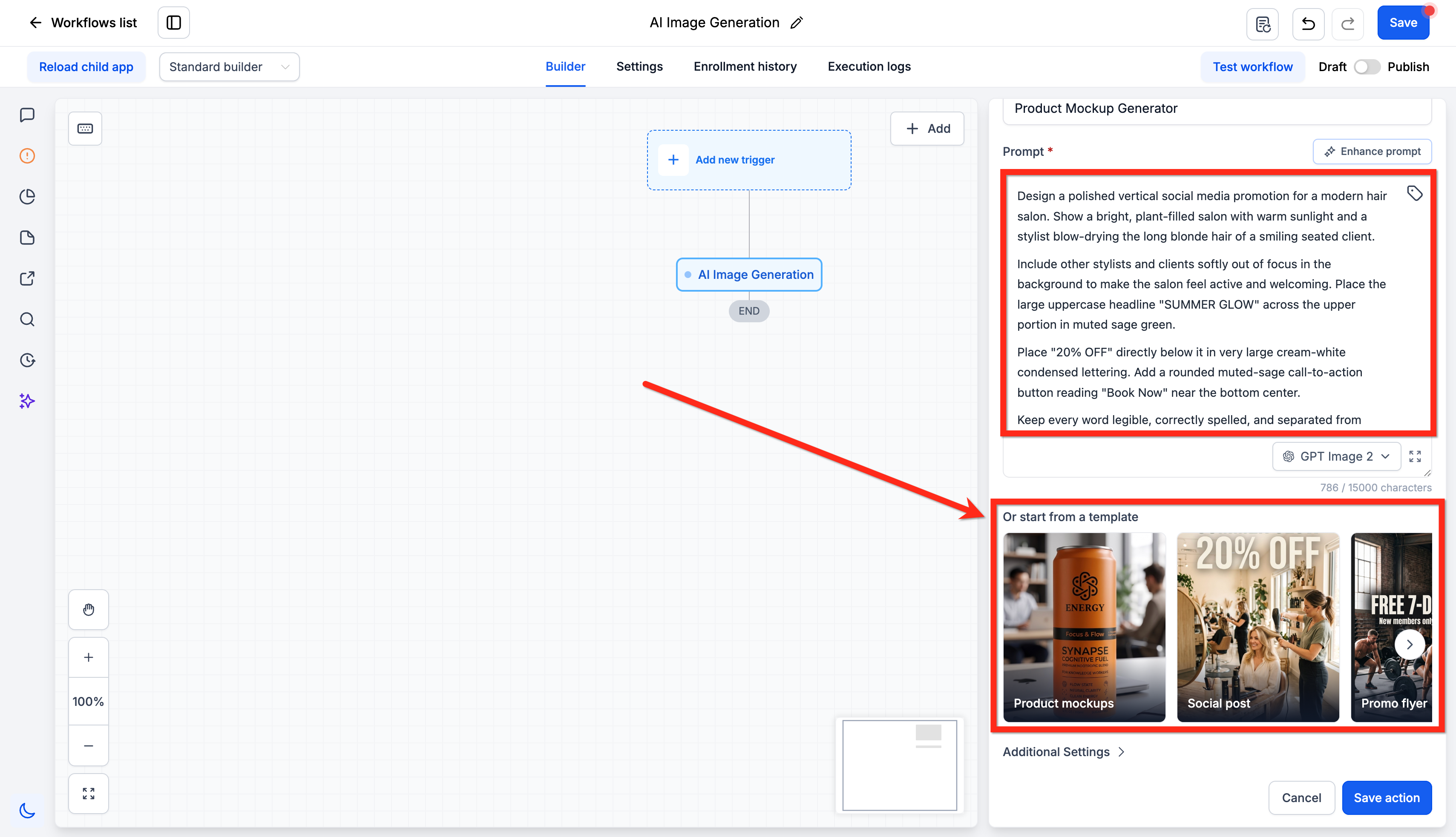
- Enhance Prompt: One click expands a short prompt into a detailed one.
- Templates: Start from Product Mockups, Social Post, Promo Flyer, or Lifestyle.
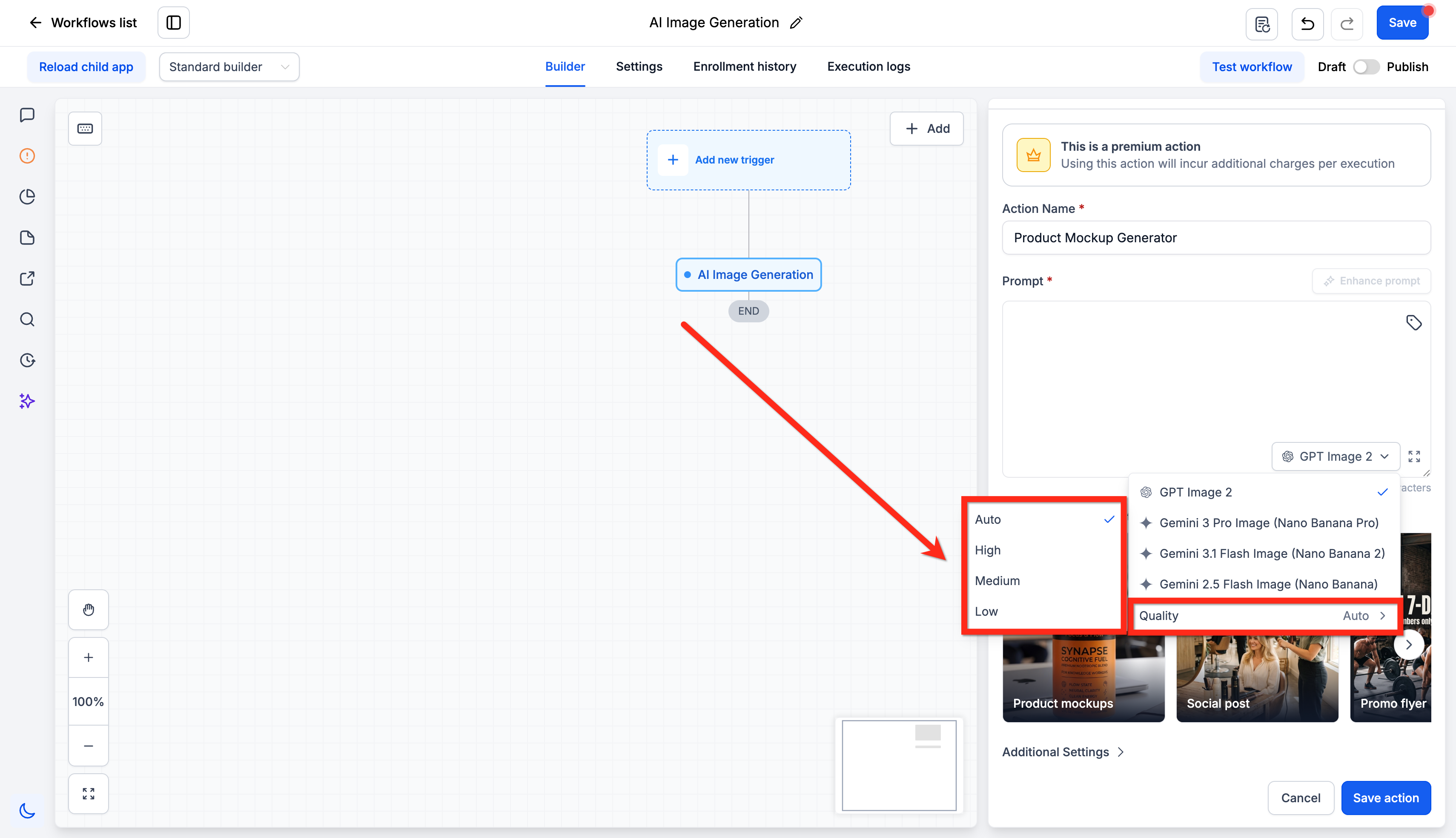
- Quality: Set Auto, High, Medium, or Low. The default is Auto.
- Brand control: Apply your Design Kit and Brand Voice.
- Output control: Set the size, the background, and the file format.
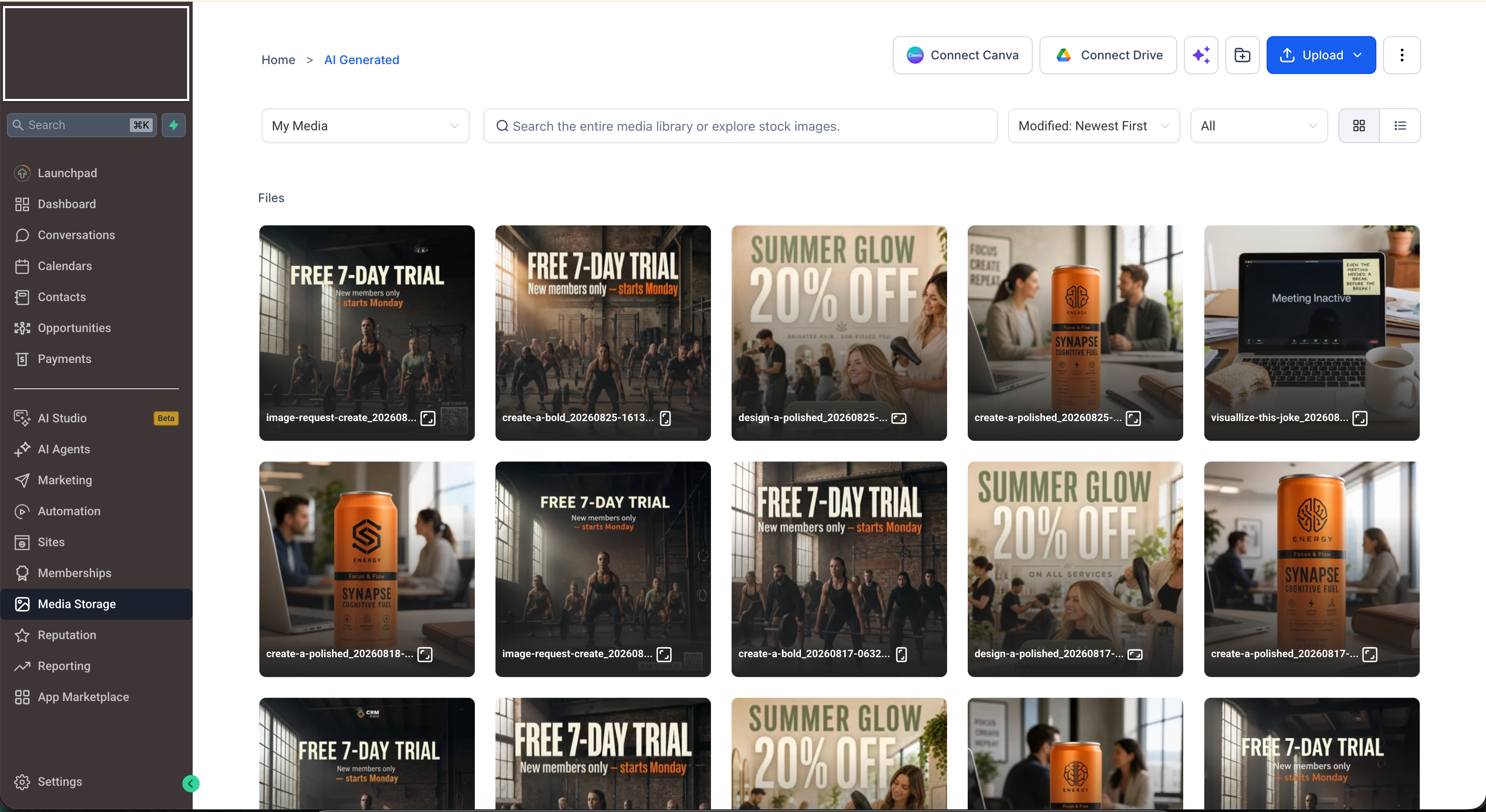
- Automatic storage: Each image goes to Media Storage and returns an Image URL variable for the actions that follow.
Cost Estimates
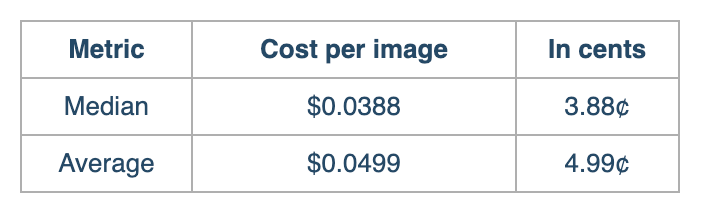
Image generation is billed per execution. The figures below show what a typical image costs. Most generations land in this range.
Note: Treat these figures as a planning estimate, not a fixed rate.
Your actual cost per image depends on how you configure the action. The main factors are:
- Model: The model you select.
- Quality: The level you set.
- Size: The size you generate at.
- Additional context: A Design Kit or Brand Voice passes extra context to the model, which can shift the cost.
Using AI Image Generation
- Go to Automation > Workflows.
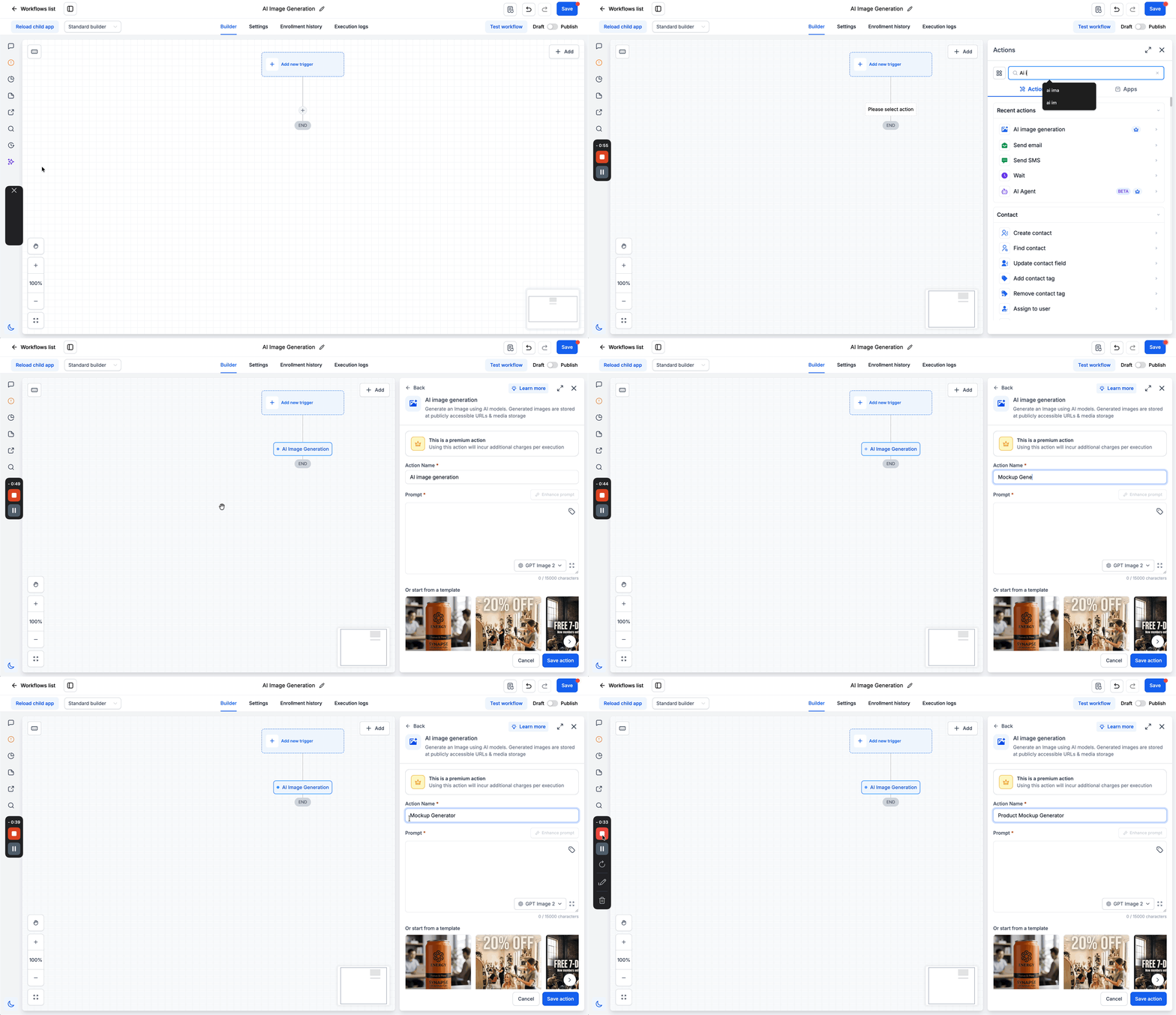
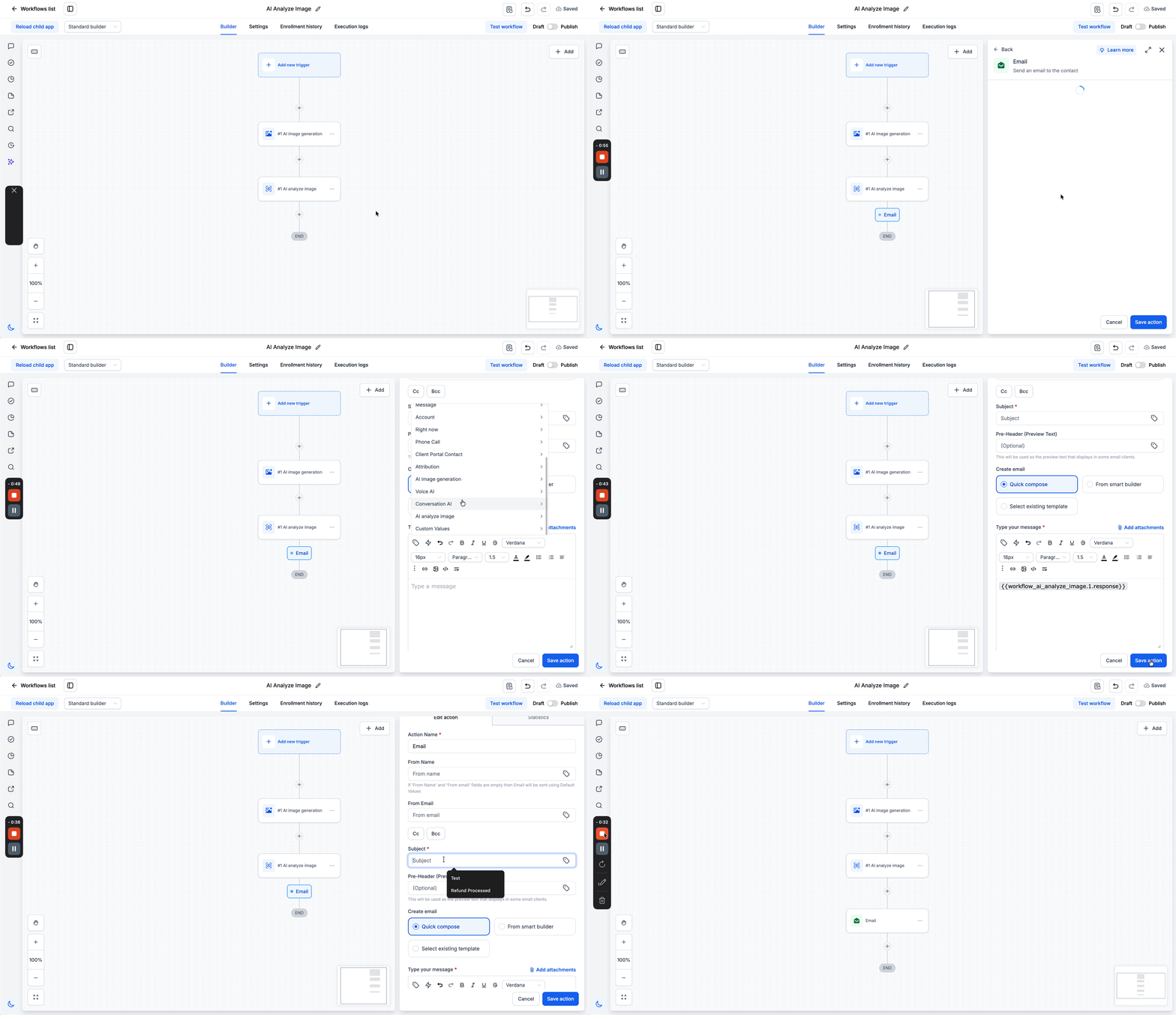
- Open a workflow, then add the AI Image Generation action.
- Select the model and set the quality. The default is Auto.
- Write the prompt. Type it in, or insert a custom value so the prompt comes from your data at run time.
- Click Enhance Prompt or start from a template. Both steps are optional.
- Open Additional Settings for the size, the background, the output format, the Design Kit, and the Brand Voice. This step is optional.
- Save the action.
Important Information
The generated image is stored at a public URL. Anyone with the link can open it without a login. Keep this in mind when a prompt pulls in customer data.
A workflow can now create a visual, not only move one you uploaded in advance. Use the Image URL in the actions that come after. You can attach it to an email or SMS, publish it to a social post, save it to a custom field, or pass it to a webhook. Because the prompt can come from your data, one workflow can produce a different image for every contact, or fill in an image URL for every row in a Google Sheet.
One change beyond the paste: your pricing copy revealed the quality levels, so I pulled Quality into its own bullet under What’s New and named them. That mirrors the Detail level bullet in the Analyze Image doc.