
AI Analyze Image: New Workflow Action
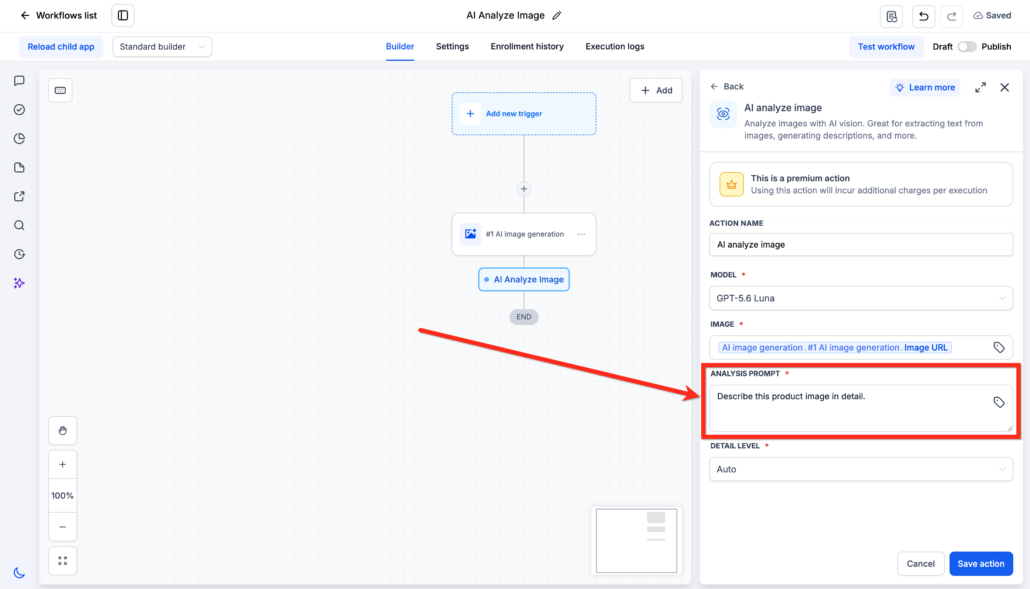
You can now analyse an image inside a workflow. The AI Analyse Image action is available under AI Actions. Give it an image URL and a prompt. An AI vision model examines the image and returns the answer as text.
This is a premium action. Each execution has an additional charge.
-
Text extraction:
Read the text from receipts, invoices, screenshots, and documents.
-
Image descriptions:
Receive a written description of the contents of an image.
-
Flexible prompts:
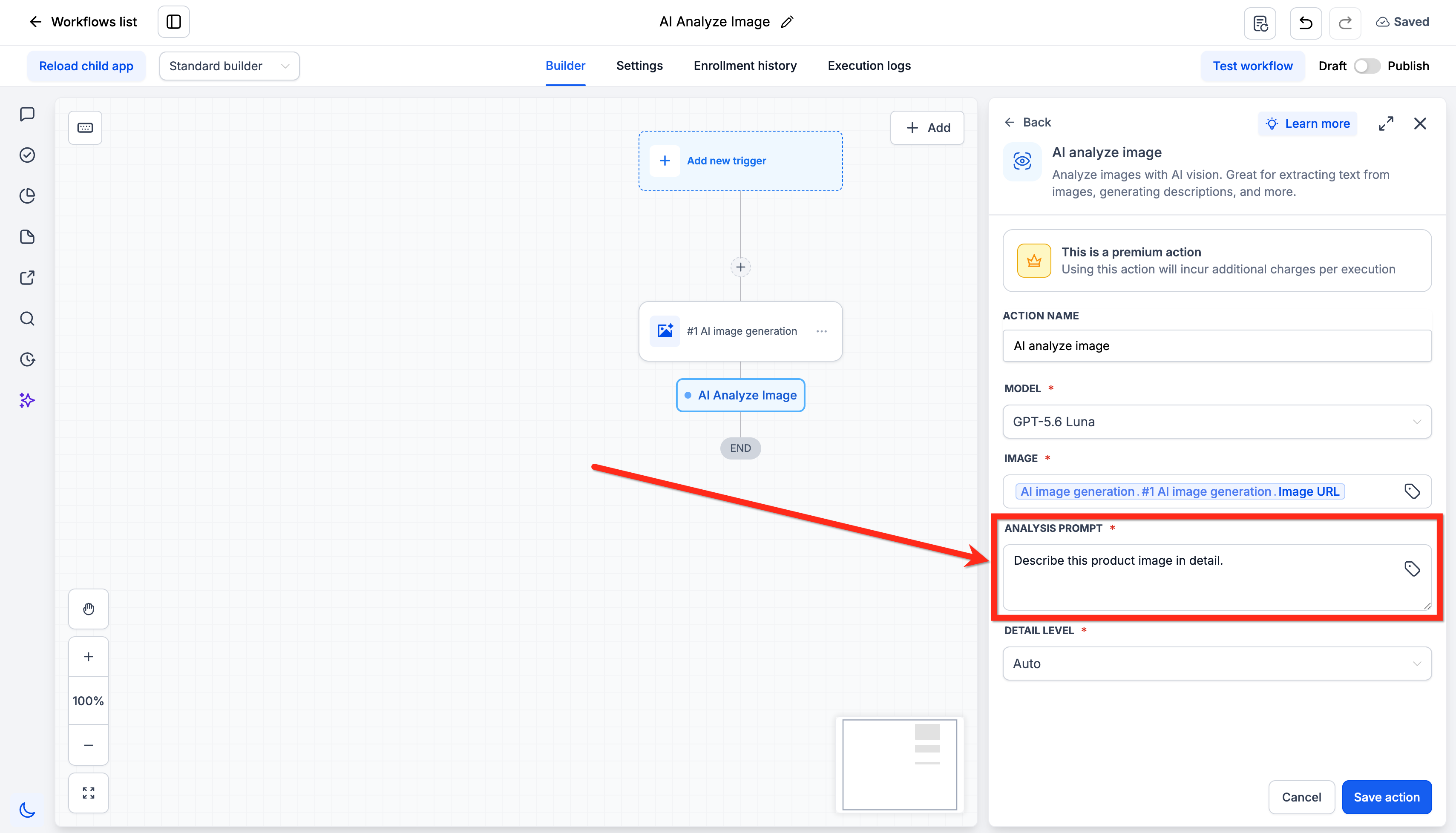
Tell the model what to look for and how to answer. The prompt field accepts custom values.
-
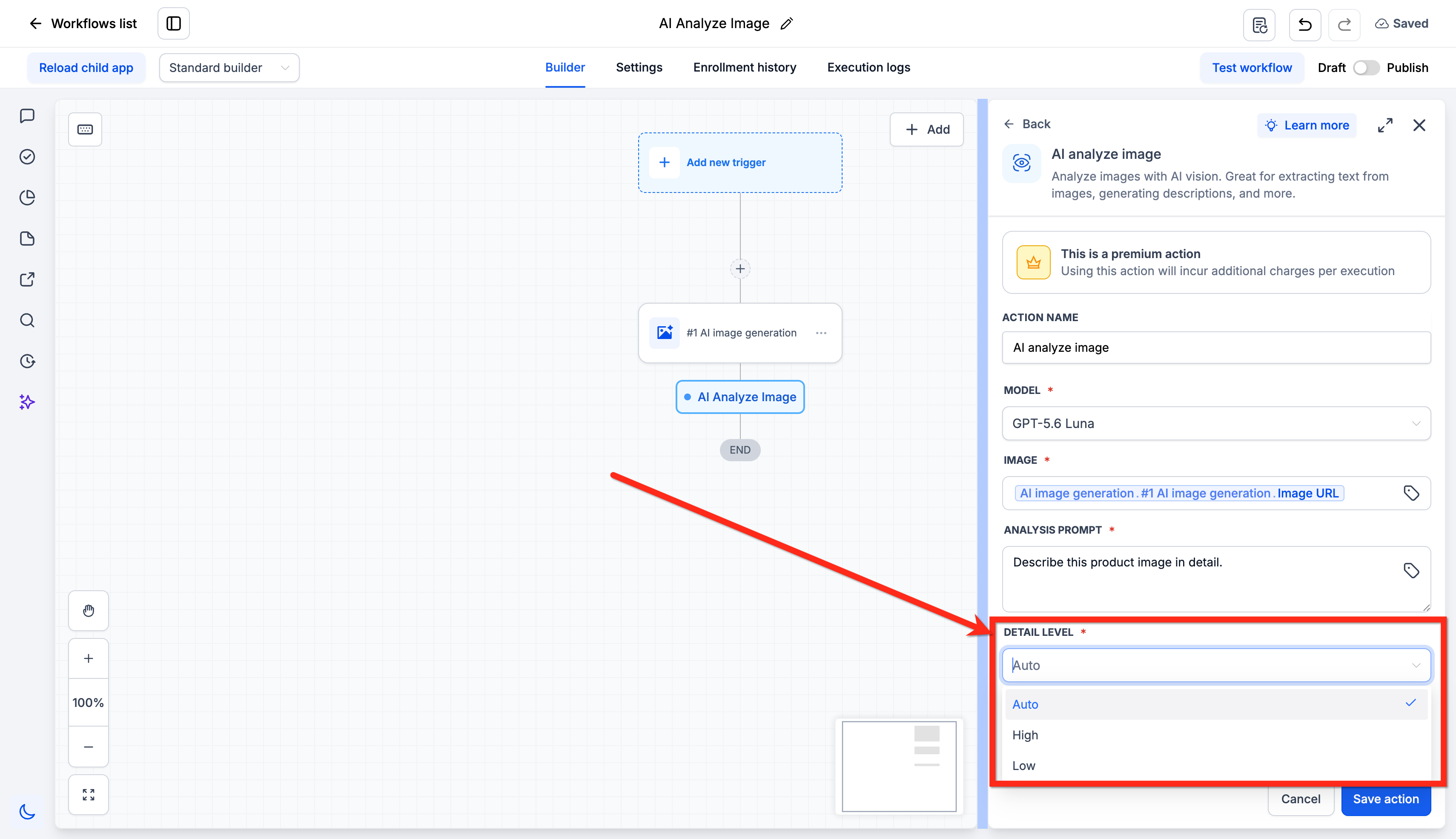
Detail level:
Set Auto, High, or Low. High is more accurate for small text. Low is faster.
-
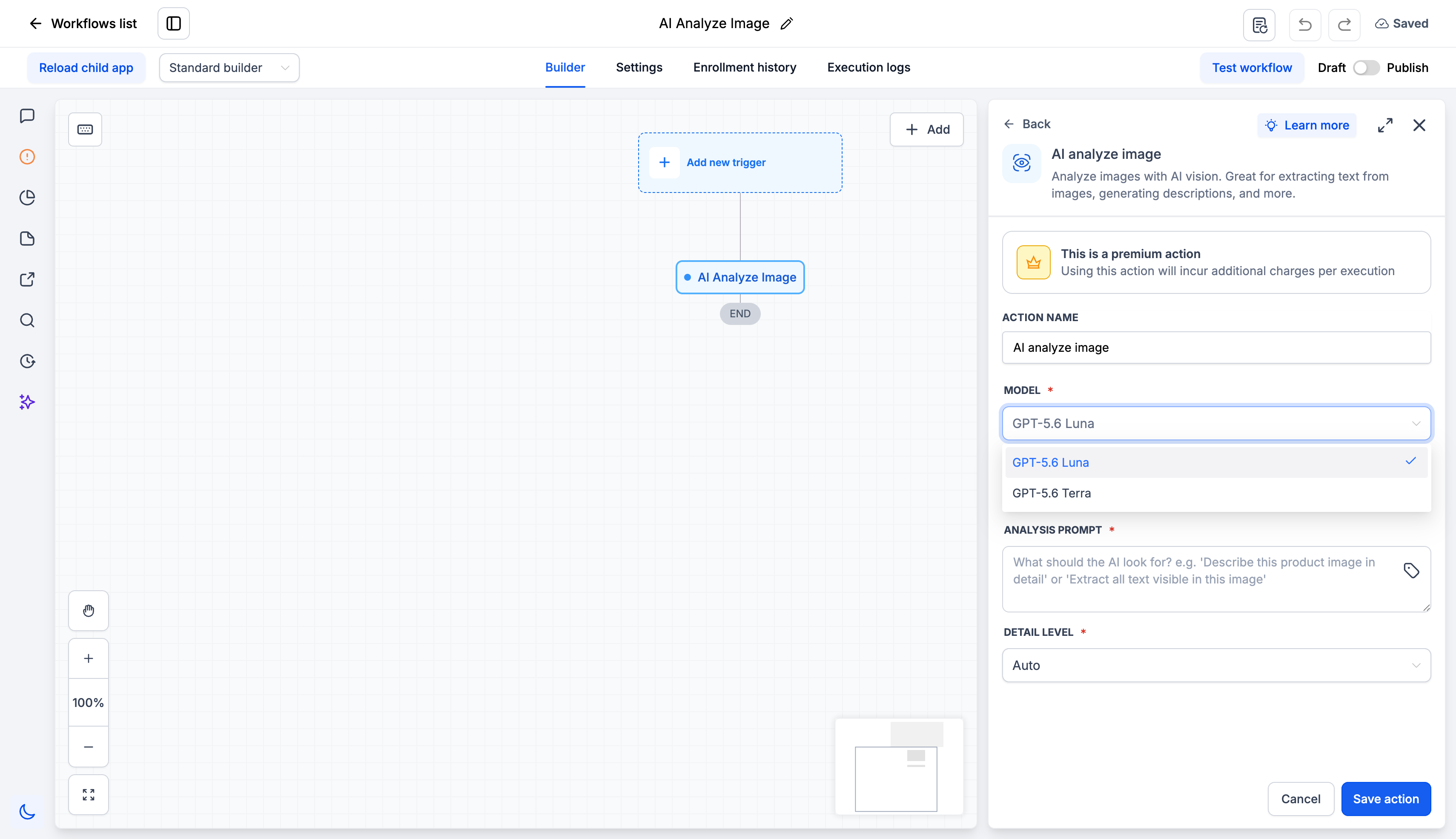
Two models:
Select GPT-5.6 Luna or GPT-5.6 Tera.
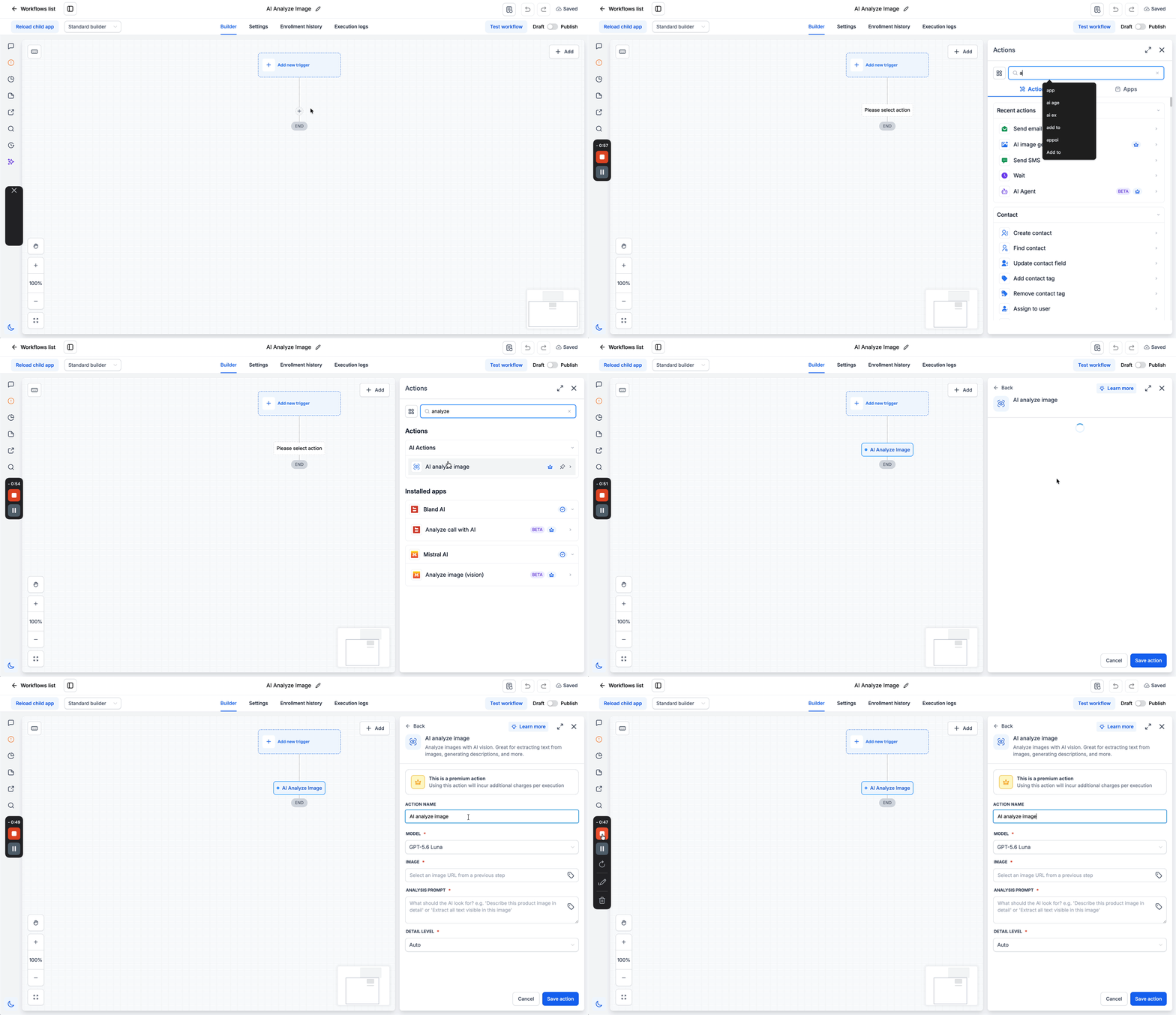
- Go to Automation > Workflows.
- Open a workflow, then add the AI Analyse Image action.
- Select the model.
- Enter the image URL. Use the output of an earlier step or a custom value.
- Write the analysis prompt.
- Set the detail level. The default is Auto.
- Save the action.
Important:
The image URL must be public. Anyone must be able to open it without a login. Do not use a link to a page that contains the image. Use the direct link to the image file. Files in Media Storage are already public.
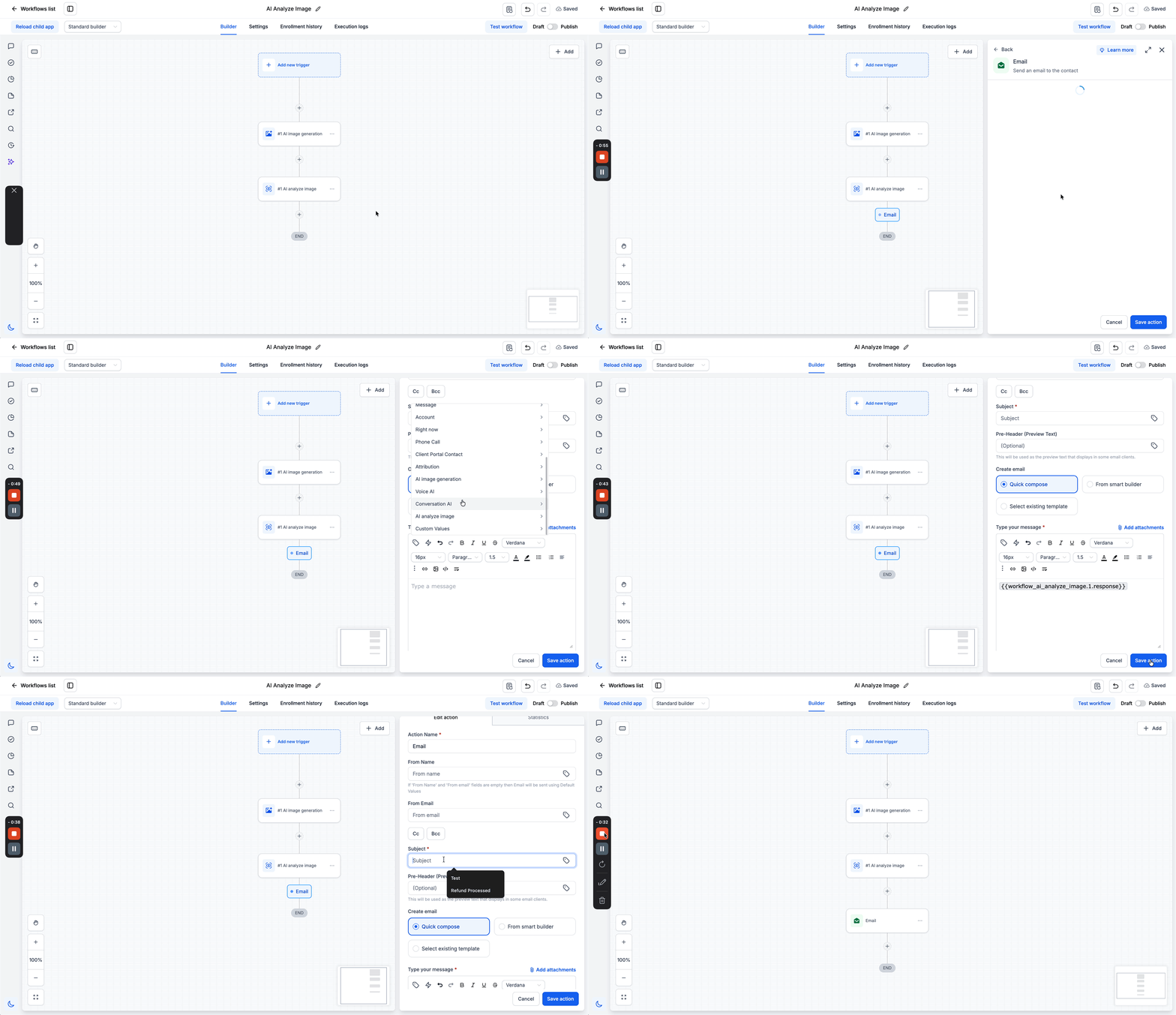
A workflow can now read the contents of an image, not only move the image from step to step. Use the output text in the actions that come after. You can save it to a custom field, send it in an email or SMS, pass it to a webhook, or send it to another AI action.