• Shopping Cart Shopping Cart
    0Shopping Cart
Clixio
  • Features
  • Pricing
  • FAQ
  • Blog
  • Log in
  • Free Trial
  • Menu Menu

Workflow Trigger for file uploads via Client Portal

June 30, 2026/in What's New? Automations, Client Portal, Documents & Contracts

Summary of the Release

Clixio now offers a new workflow trigger, Client Portal File Uploaded, enabling businesses to automatically start workflows whenever a contact uploads a document via the Client Portal Shared Documents feature.

What’s New? / Key Features / Benefits

New Workflow Trigger: Client Portal File Uploaded

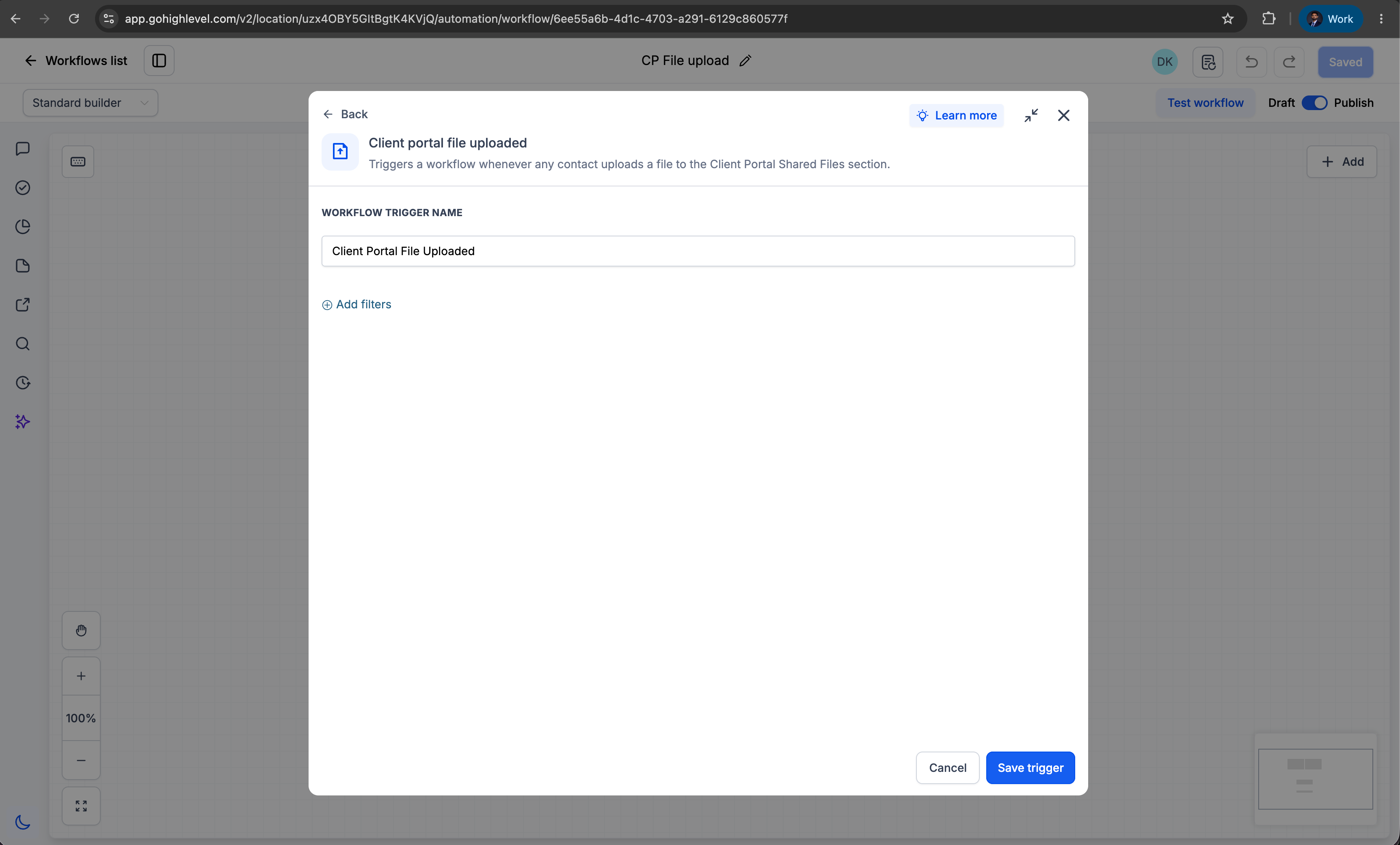
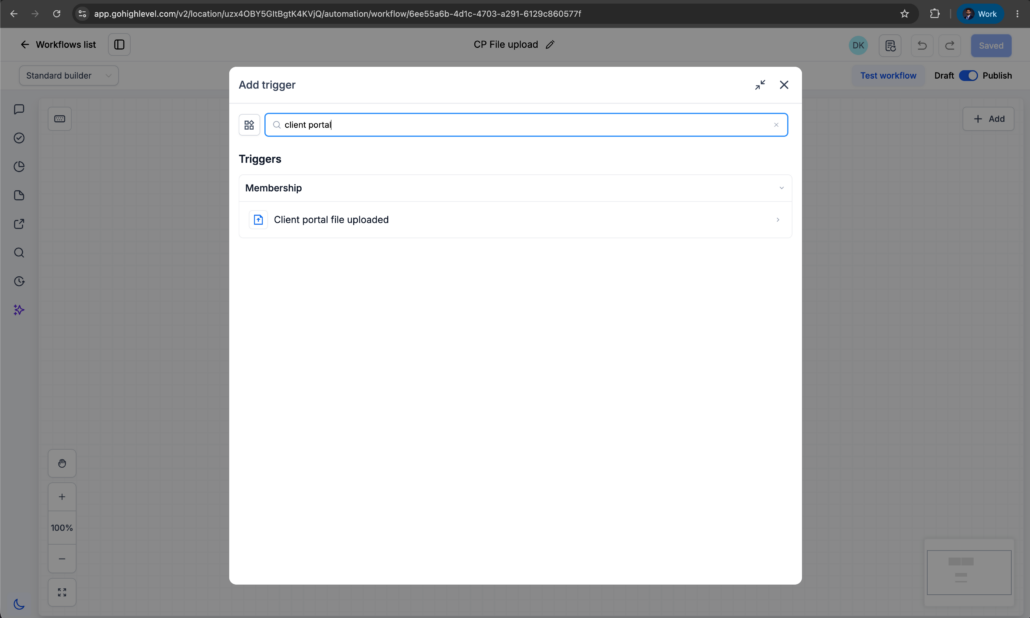
Workflows can now be automatically initiated when a contact uploads a file through the Client Portal Shared Documents feature.

  • Navigate to Automation โ†’ Workflows.
  • Create a new workflow or edit an existing one.
  • Add the trigger Client Portal File Uploaded.
  • Configure the workflow actions as necessary.
  • Publish the workflow.

How to Share a File with a Client via the Client Portal

  • Navigate to a specific contact.
  • Click the Files icon in the right-side navigation panel.
  • Upload a file.
  • Select the Upload to Client Portal checkbox.
  • Save the file.
  • The file will then be available to the contact in their Client Portal.

–

How to Upload a File as a Client Portal User

  • Log in to the Client Portal.
  • Navigate to the Shared Documents section.
  • Click Share File.
  • Upload a single file or multiple files (up to 10 files at a time).
  • Submit the files.

Multiple file types are supported. Once uploaded, the Client Portal File Uploaded workflow trigger will activate automatically.

This feature bridges the automation gap by enabling businesses to:

  • Eliminate the need for manual monitoring of uploaded documents
  • Reduce operational delays
  • Enhance compliance and review processes
  • Ensure that no important uploads are overlooked
  • Create seamless, document-driven customer journeys
  • Accelerate onboarding and approval workflows
image
image
https://clixio.io/wp-content/uploads/2026/06/ea4e334fad4cc883c92f46575317866f-scaled.png 1535 2560 Clixio.io https://clixio.io/wp-content/uploads/2023/08/clixio-logo-dark.png Clixio.io2026-06-30 04:24:002026-06-30 04:24:00Workflow Trigger for file uploads via Client Portal

RSS Latest Feature Updates

  • Pricing Update: SMS Costs for Select International Destinations Effective July 6, 2026 July 3, 2026
  • Ad Manager โ€“ Custom Values in ad copy July 2, 2026
  • Dashboards & custom reports โ€” refreshed UI components for a more consistent experience July 2, 2026
  • More control when adding prospects in Prospecting Tool July 2, 2026
  • Ad Manager: Opportunity Score for Meta Campaigns July 1, 2026
  • ๐Ÿ“ฒ SMS Notifications Now Available for Rentals July 1, 2026
  • ๐Ÿ’ฌ WhatsApp Notifications Are Here for Rentals July 1, 2026
  • Two-Step Checkout for Ecommerce Stores June 30, 2026
  • Contacts just got faster and clearer โ€“ Mobile App June 30, 2026
  • Workflow Trigger for file uploads via Client Portal June 29, 2026
Book a demo
See Clixio working
for your business, live.

30 minute call with our team. Personalised to your industry, no hard sell.

Book your free demo
14 day free trial ยท Cancel anytime
Clixio - Marketing and sales automation

Marketing & sales automation built for Australian service businesses. One platform, one flat rate, genuinely easy to use.

Product
Features Pricing How it works Latest updates
Company
Blog FAQ Get support Account transfers
Legal
Privacy Policy Terms & Conditions
ยฉ Clixio. All rights reserved. Made with โ™ก in Australia.