Enable or Disable Features for Multiple Accounts at Once
Update Feature Access for Accounts
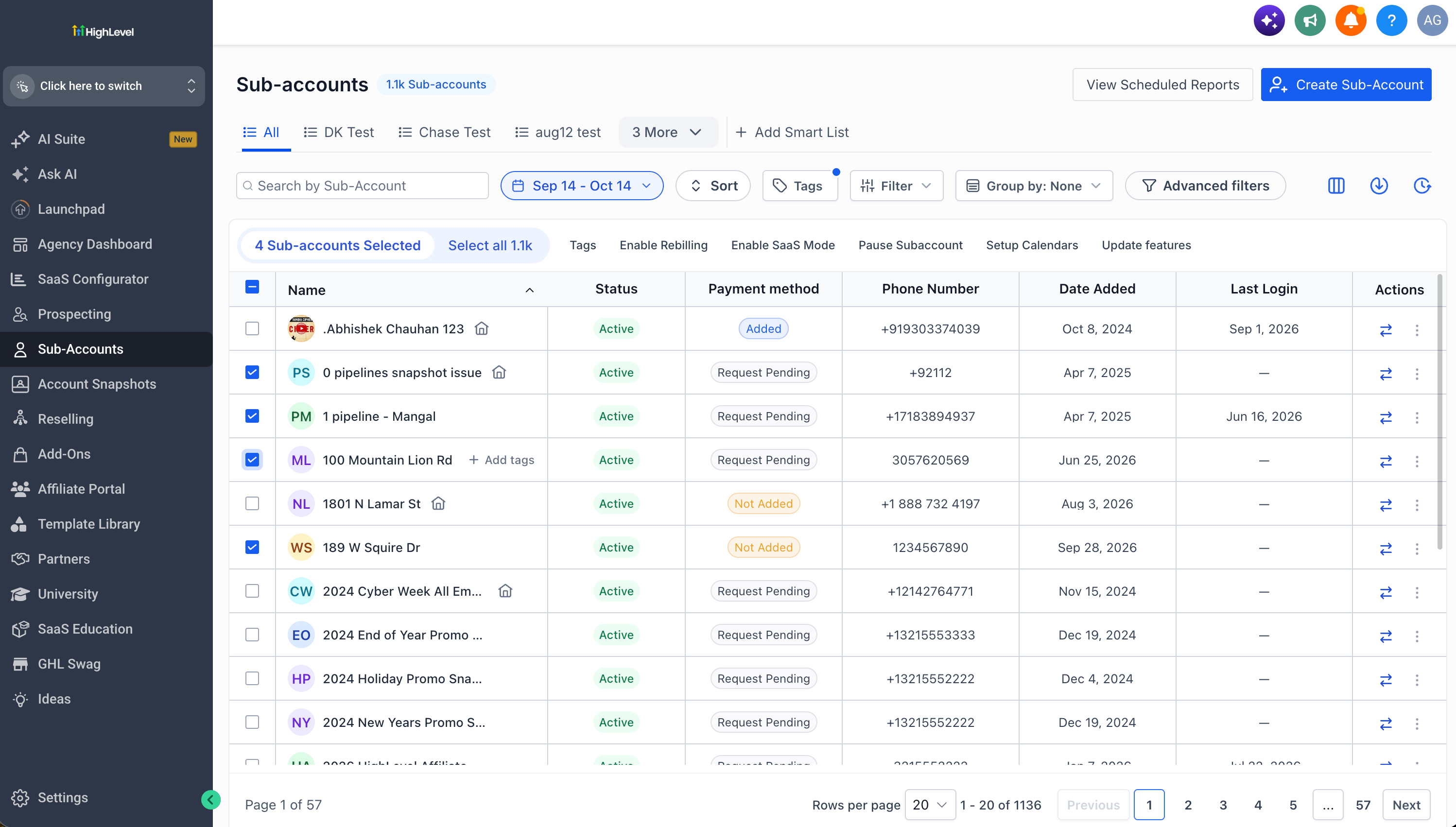
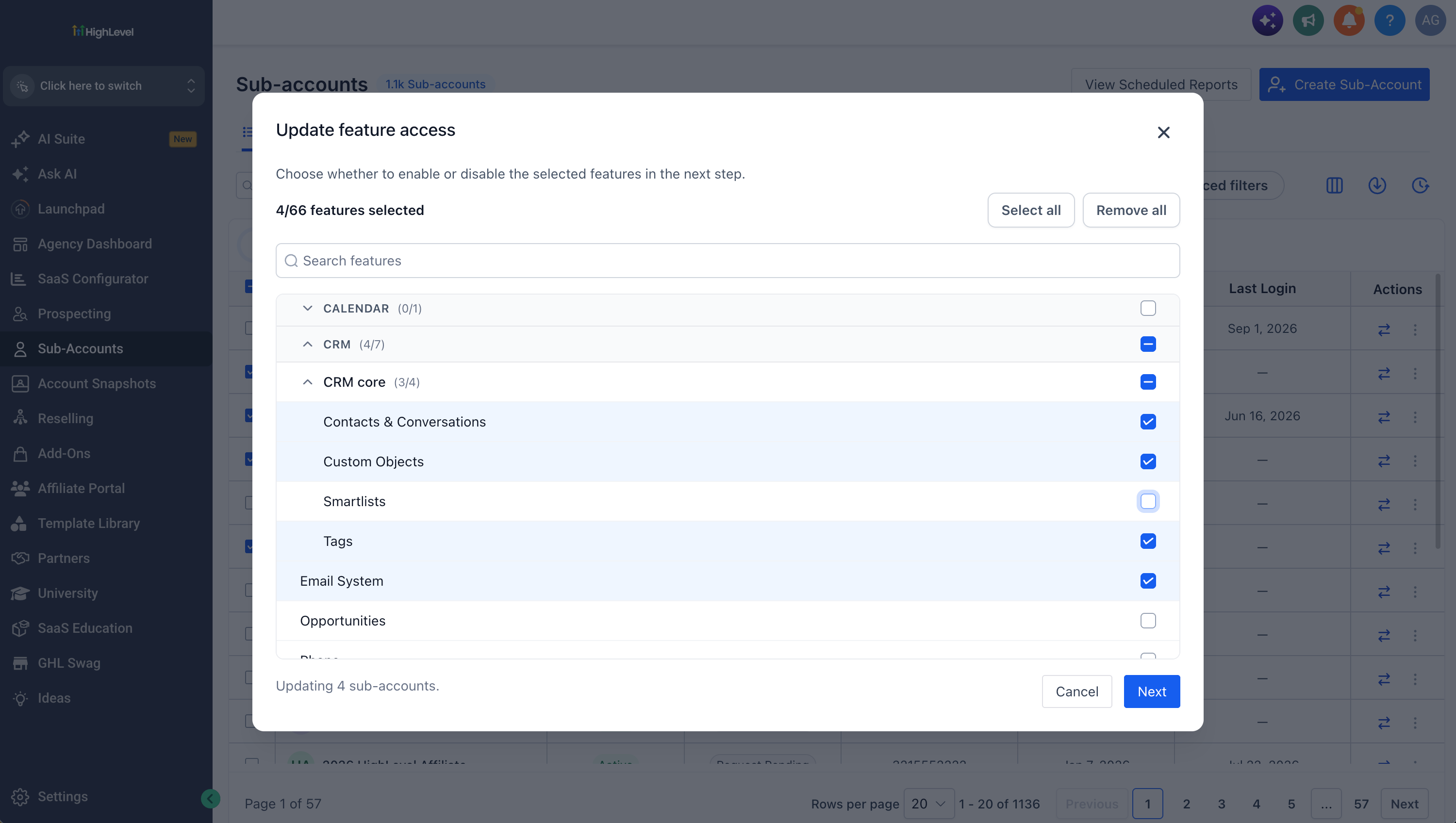
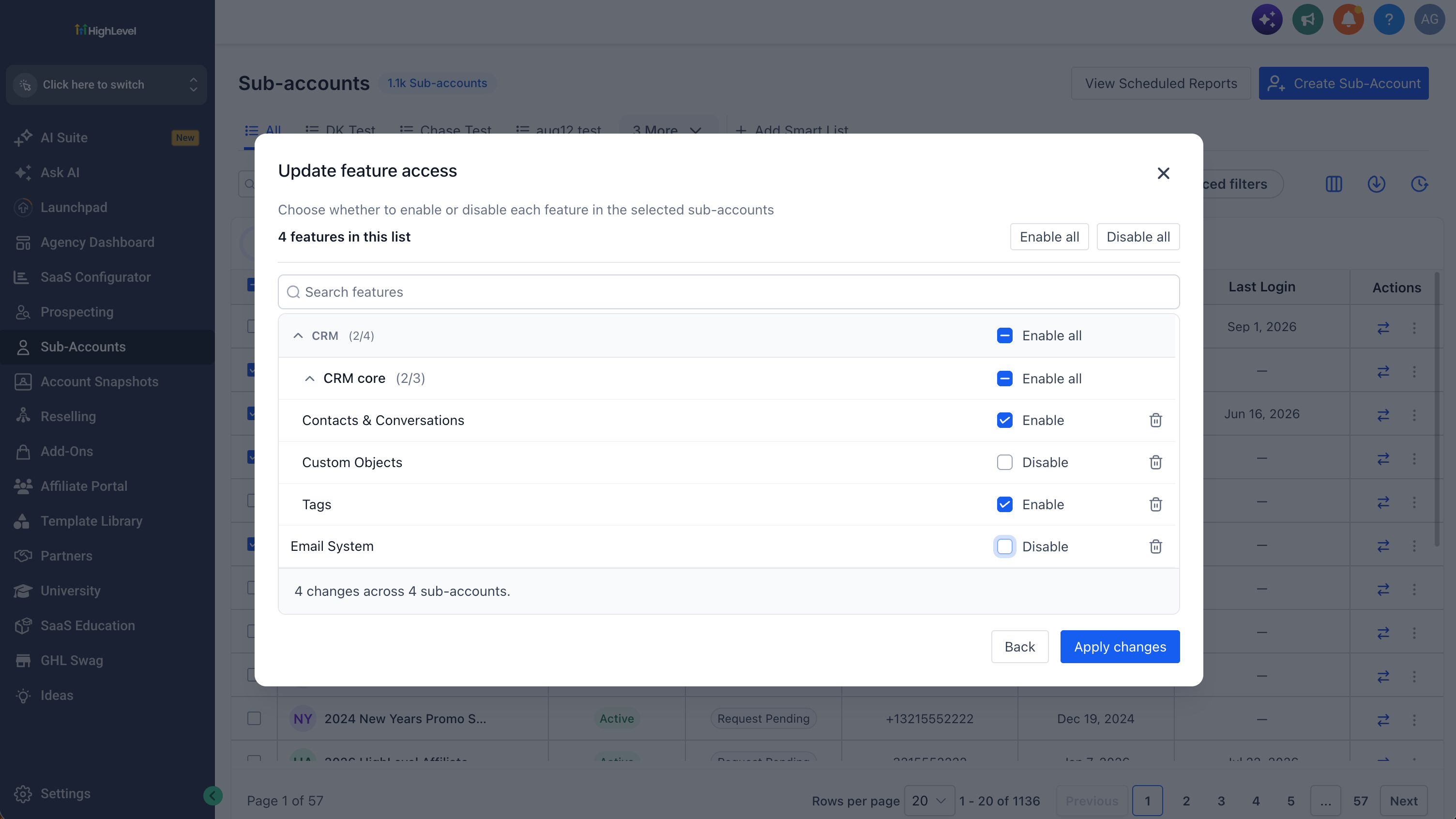
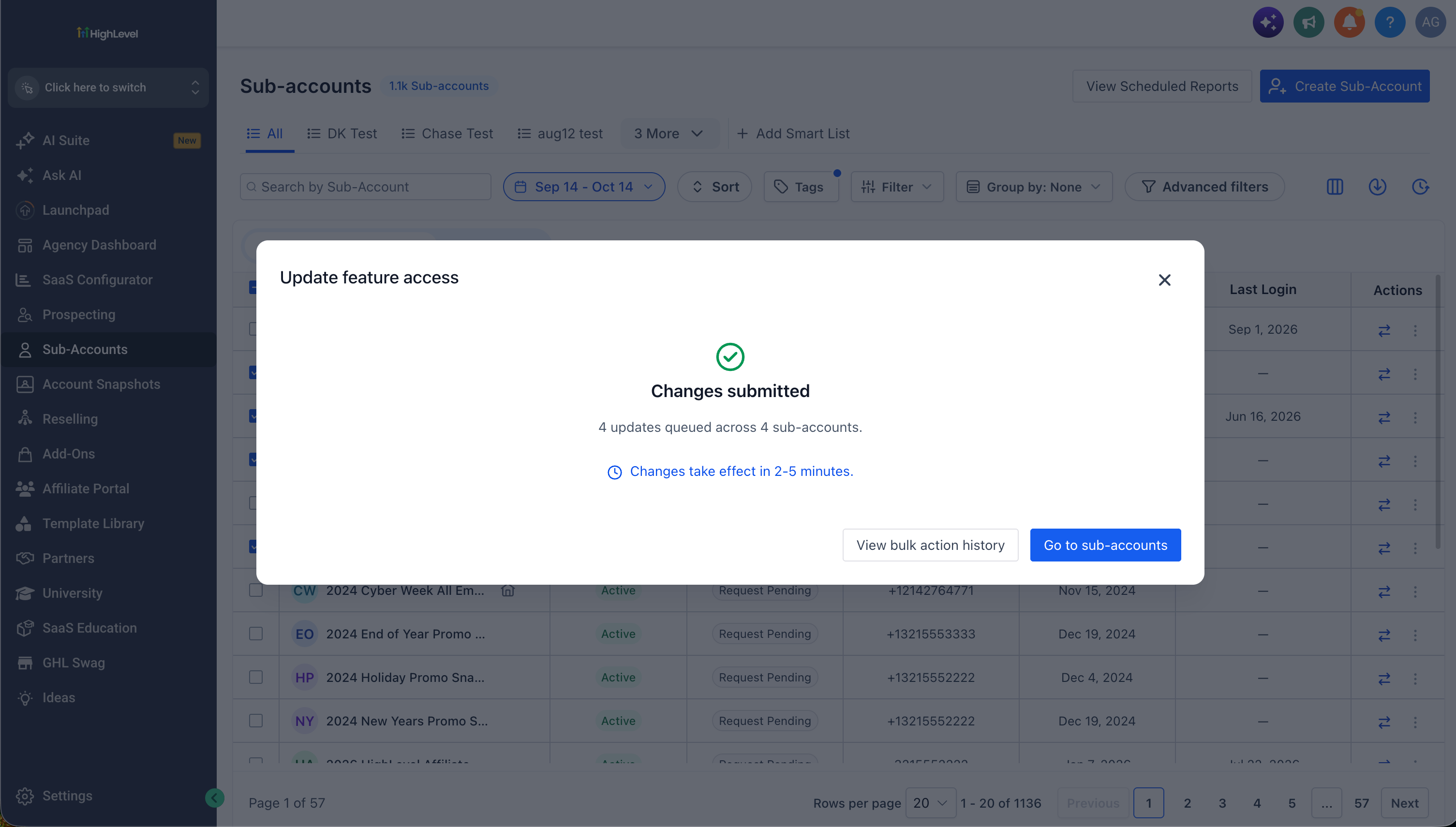
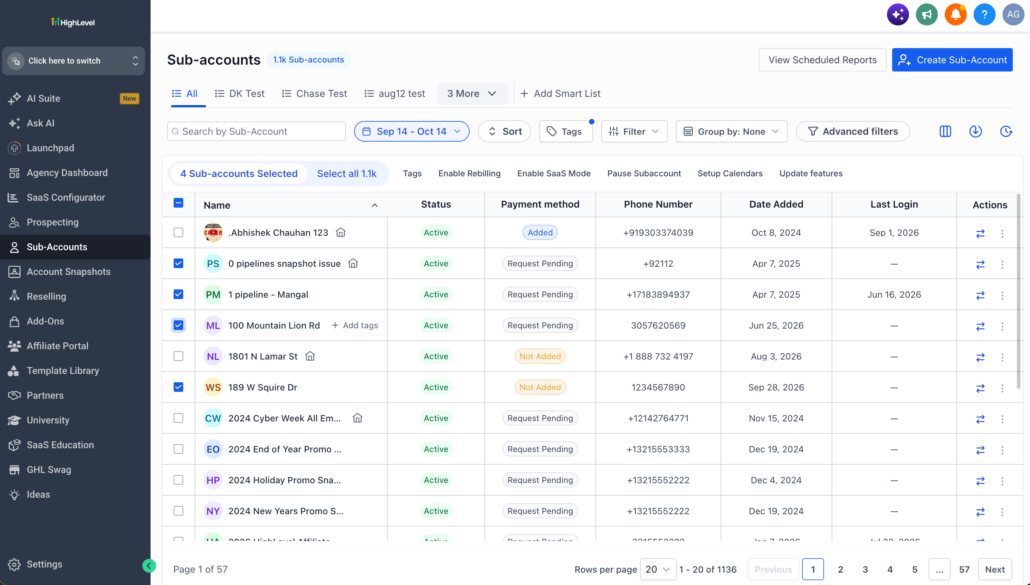
You can now update feature access for many sub-accounts in one go. Select the sub-accounts you want on the Accounts page and click Update features. Choose the features you want to change, then pick whether each one should be enabled or disabled. When you apply the changes, they’re queued and processed for you.
- Select sub-accounts on the Accounts listing page.
- Click Update features.
- Choose the features you want to change, then click Next.
- For each feature, choose Enable or Disable.
- Click Apply changes.
You can search for features, select whole groups at once, and use Enable all or Disable all to speed things up. You can also remove a feature from the list before applying.
You no longer need to open each sub-account to change its features. Rolling out a new feature, restricting access, or standardising setups across many sub-accounts now takes a few clicks, so you spend less time on repetitive admin.
- Changes take effect in about 2–5 minutes after you apply them.
- You can follow the status of every request in Bulk Actions History.