
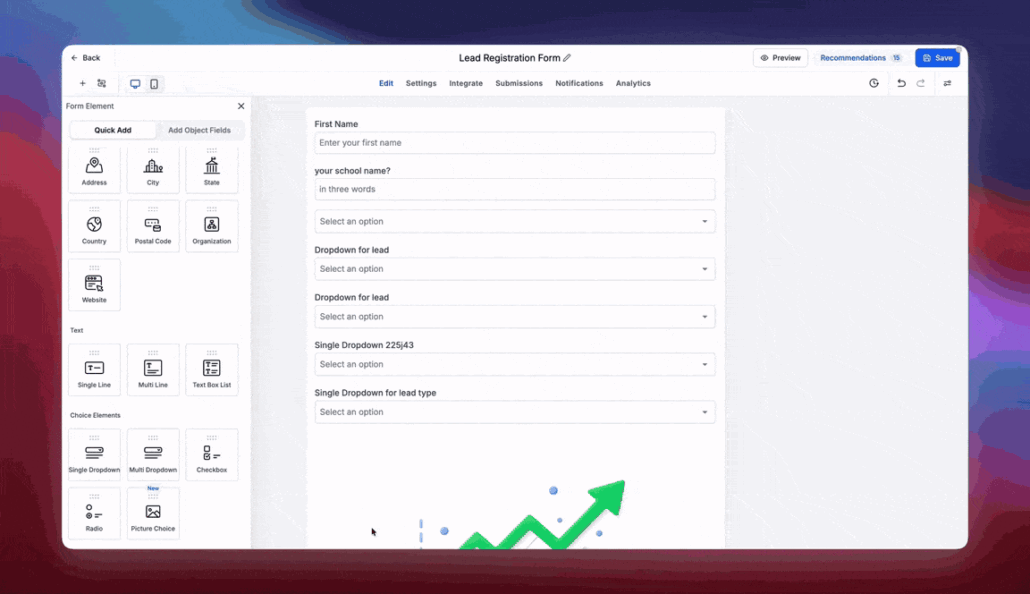
Introducing Recommendations & Error Detection in Forms, Surveys & Quizzes
We’re making building Forms, Surveys & Quizzes smarter, smoother, and a whole lot easier! 🎉
Introducing Recommendations & Error Detection — a new experience designed to help users identify and resolve errors effortlessly, catch common mistakes, and optimize their Forms, Surveys & Quizzes before they go live.
No more guessing what’s wrong or reaching out to Support for every error. We’ve got you covered! ✨
Error Detection — Find It. Fix It. Done!
Previously, when users encountered errors while building their Forms, Surveys, or Quizzes, it wasn’t always clear which field was causing the issue or what needed to be fixed. This often resulted in frustration and unnecessary Support tickets. We’re changing that experience completely!
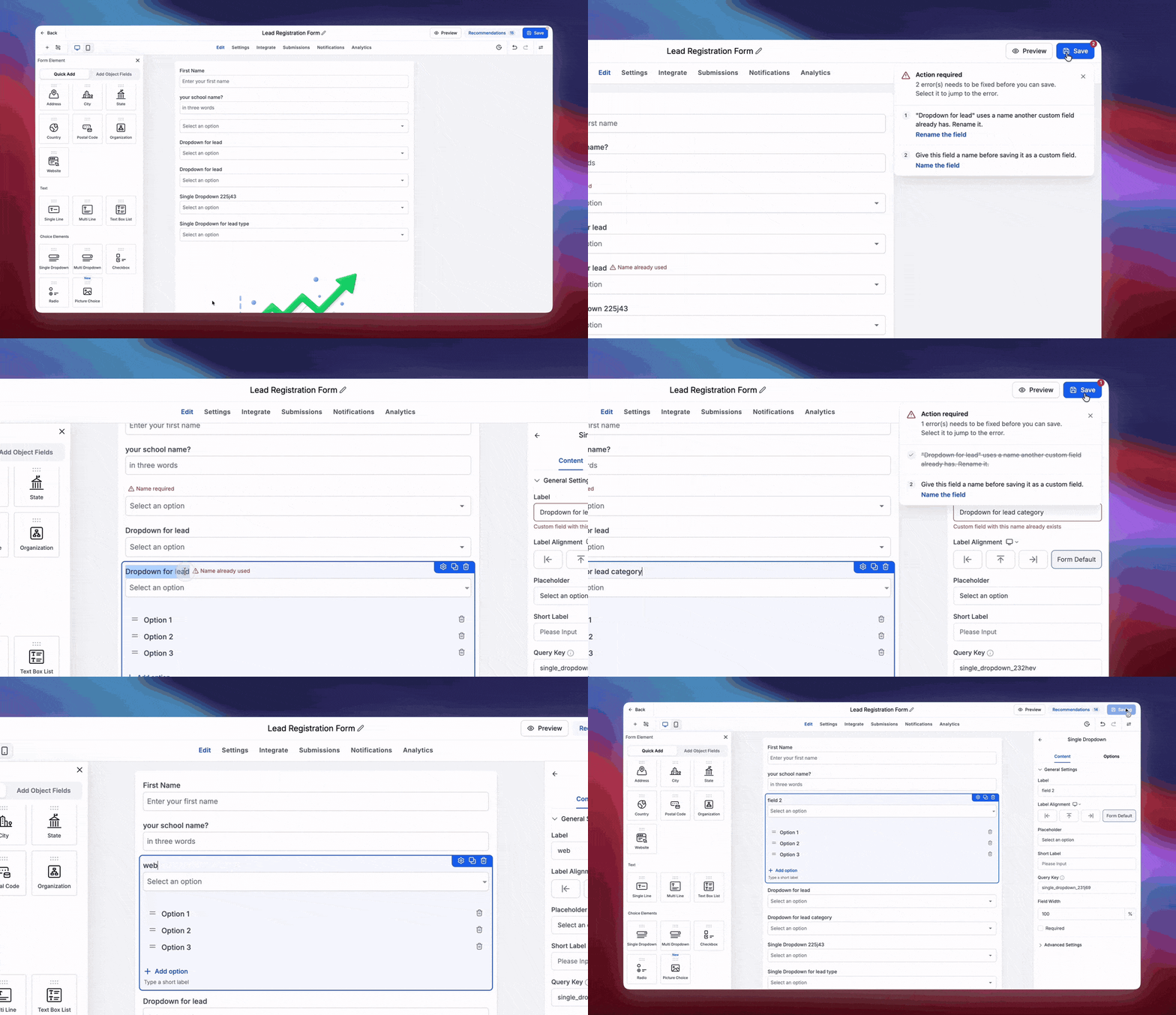
Here’s how it works:
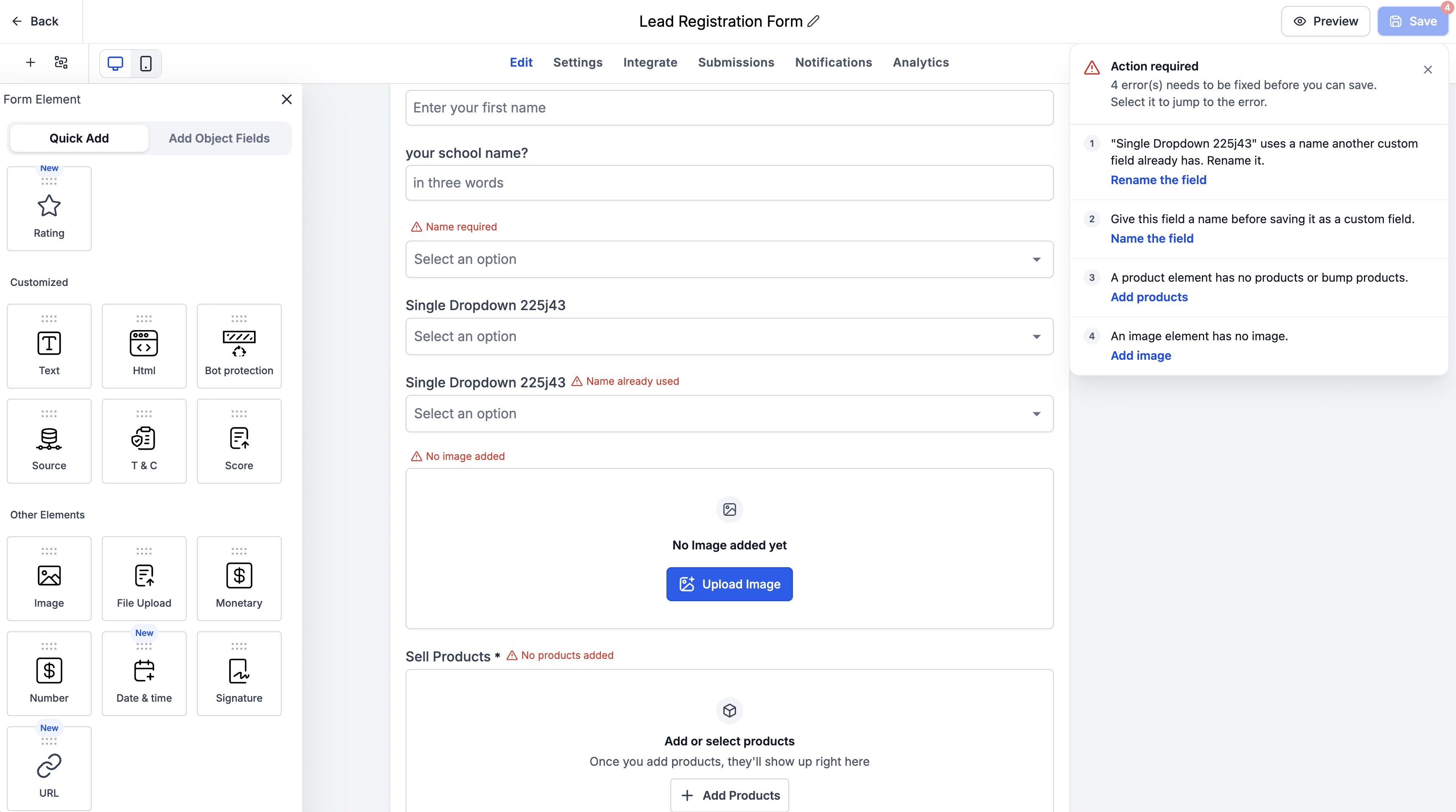
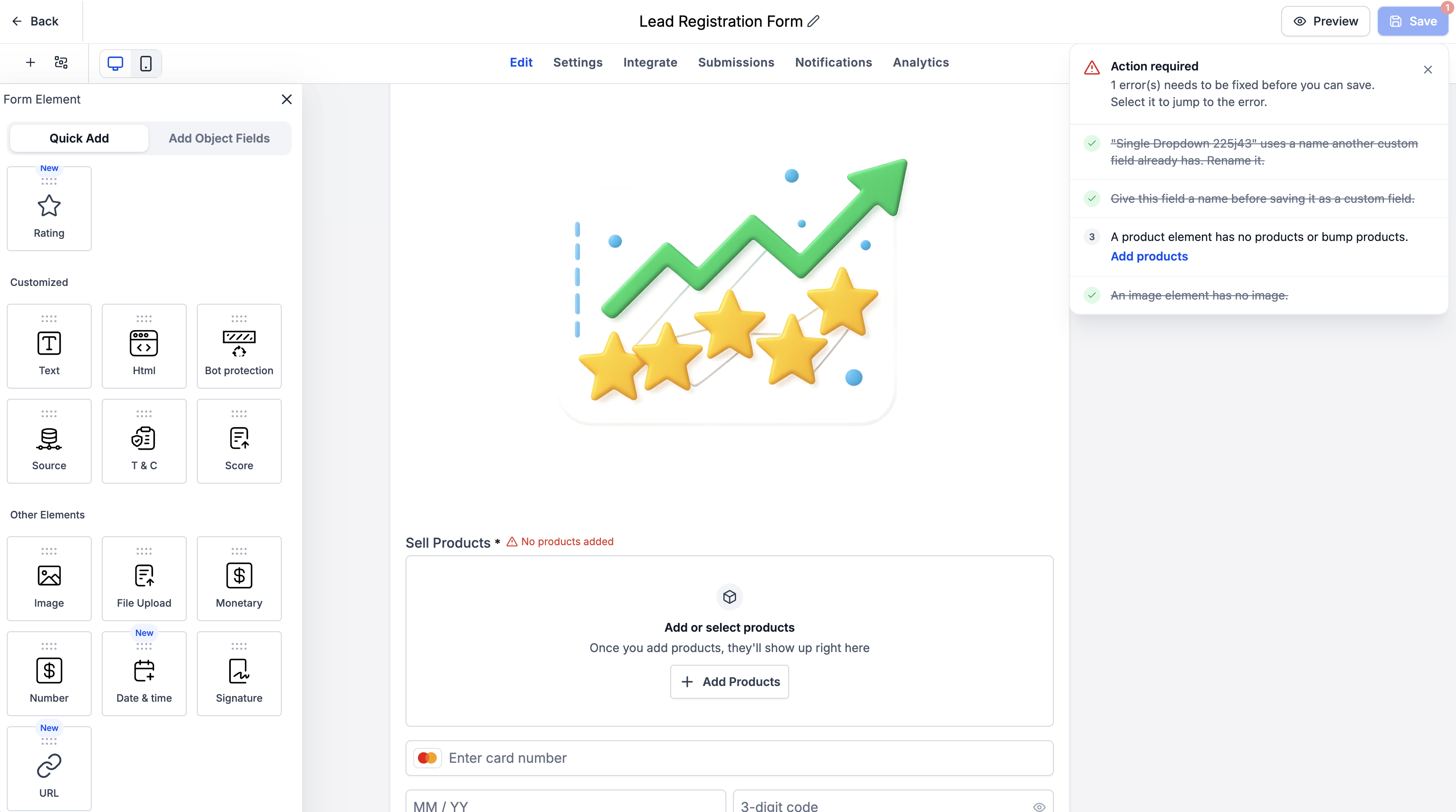
- 🔍 Automatic Error Detection: When a user attempts to save a Form, Survey, or Quiz, we automatically detect any existing errors and display them in a dedicated modal as well as next to the concerned field.
- 📋 Clear Error Breakdown: Each error highlights the exact field causing the issue, along with a description of what’s wrong.
- 🎯 Click to Navigate: Users can simply click on an error to jump directly to the field that needs attention.
- ☑️ Real-Time Error Resolution: As soon as an error is resolved, we automatically detect the fix and strike it off the error list. No manual tracking needed!
What errors are covered?
The new experience focuses on existing validation errors related to:
- Custom field creation
- Duplicate custom fields
- Form, Survey & Quiz elements
💡 The best part? We’re not introducing more errors or restrictions. We’re making existing errors easier to understand, locate, and resolve — empowering users to fix issues independently without contacting Support.
Recommendations — Smart Suggestions for Better Forms
Ever published a form only to realize you forgot to update a CTA URL or left your payment element in Test Mode? 😬
With Recommendations, we’re helping users catch common mistakes and discover opportunities to improve their Forms, Surveys & Quizzes.
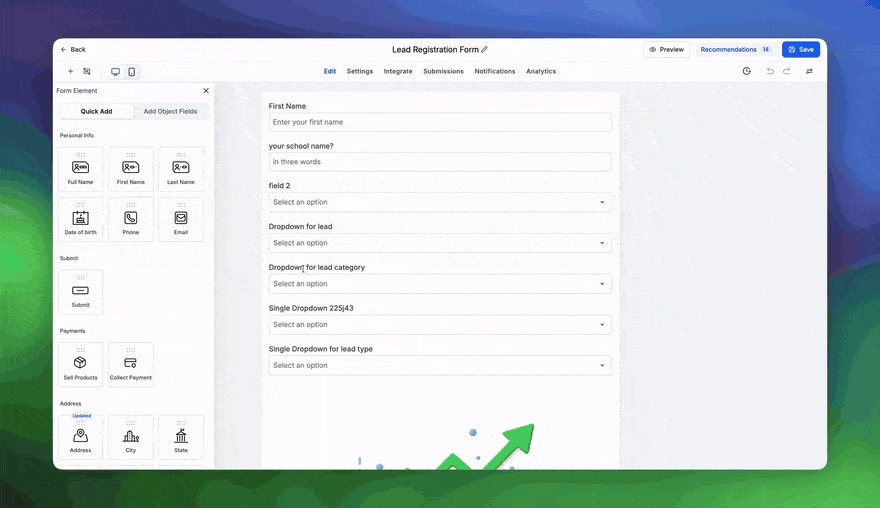
Some recommendations include:
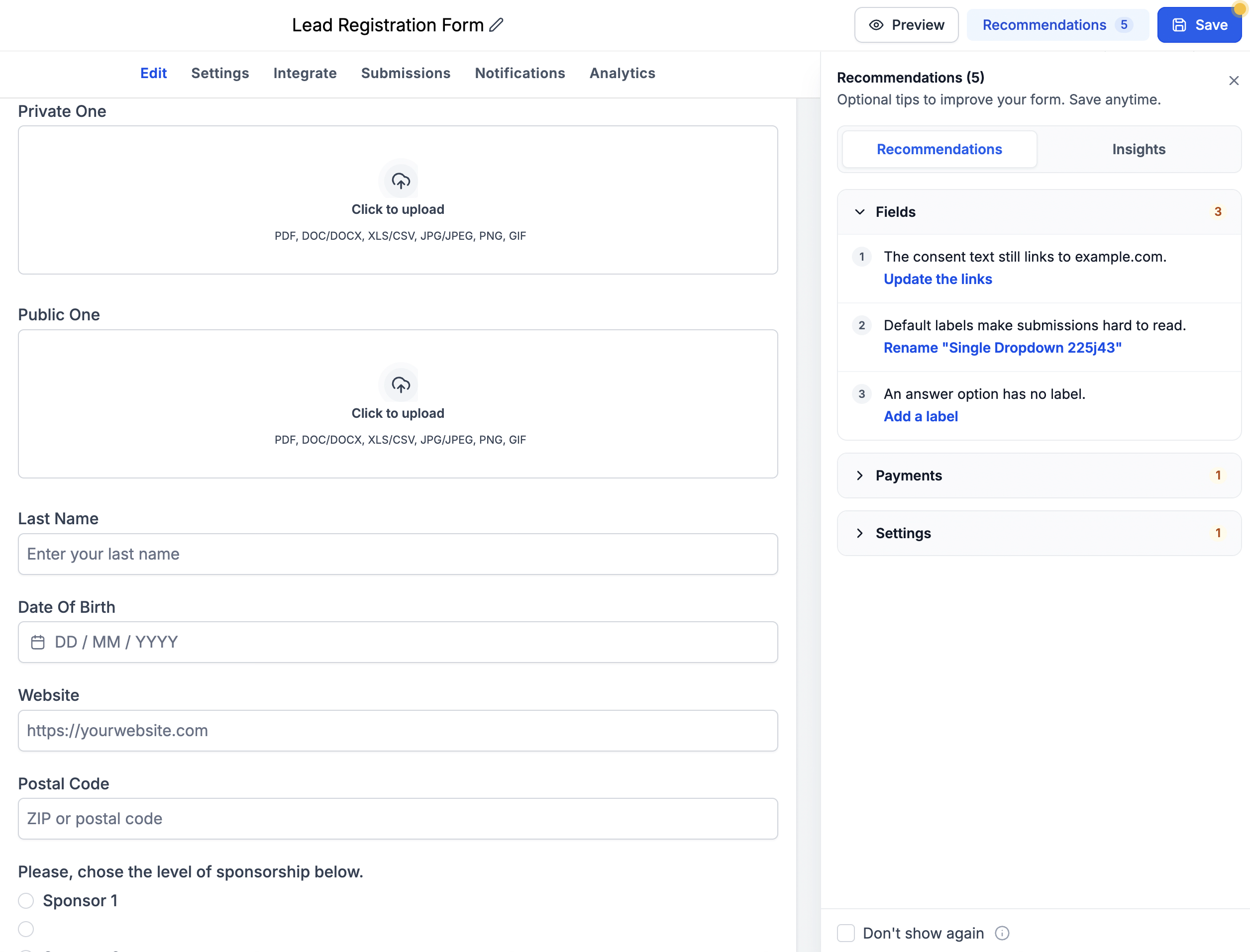
- 🔗 Placeholder URLs: Get reminded to replace placeholder URLs like example.com with your actual destination URLs.
- 🏷️ Custom Field Placeholder Names: Get notified when a newly created Custom Field still has its default placeholder name, so you can rename it appropriately and keep your fields organised.
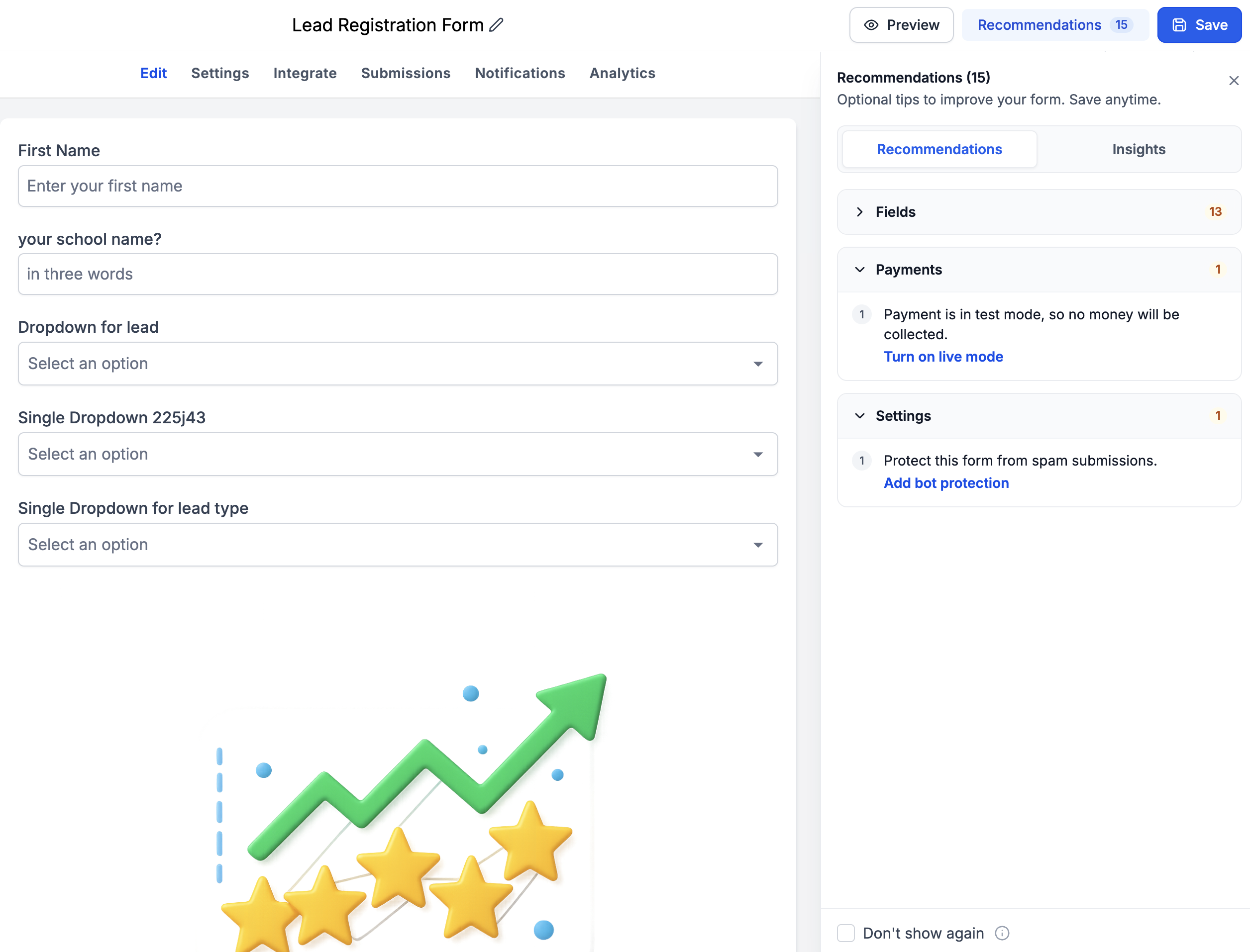
- 💳 Payment Mode Alerts: Know when your Sell Products element is still configured in Test Mode instead of Live Mode.
- 🛡️ Bot Protection: Get recommendations to enable Bot Protection and reduce unwanted spam submissions.
These contextual suggestions help users catch overlooked configurations and make their Forms, Surveys & Quizzes more reliable and ready for real-world use.
Insights — Know Your Form Inside Out!
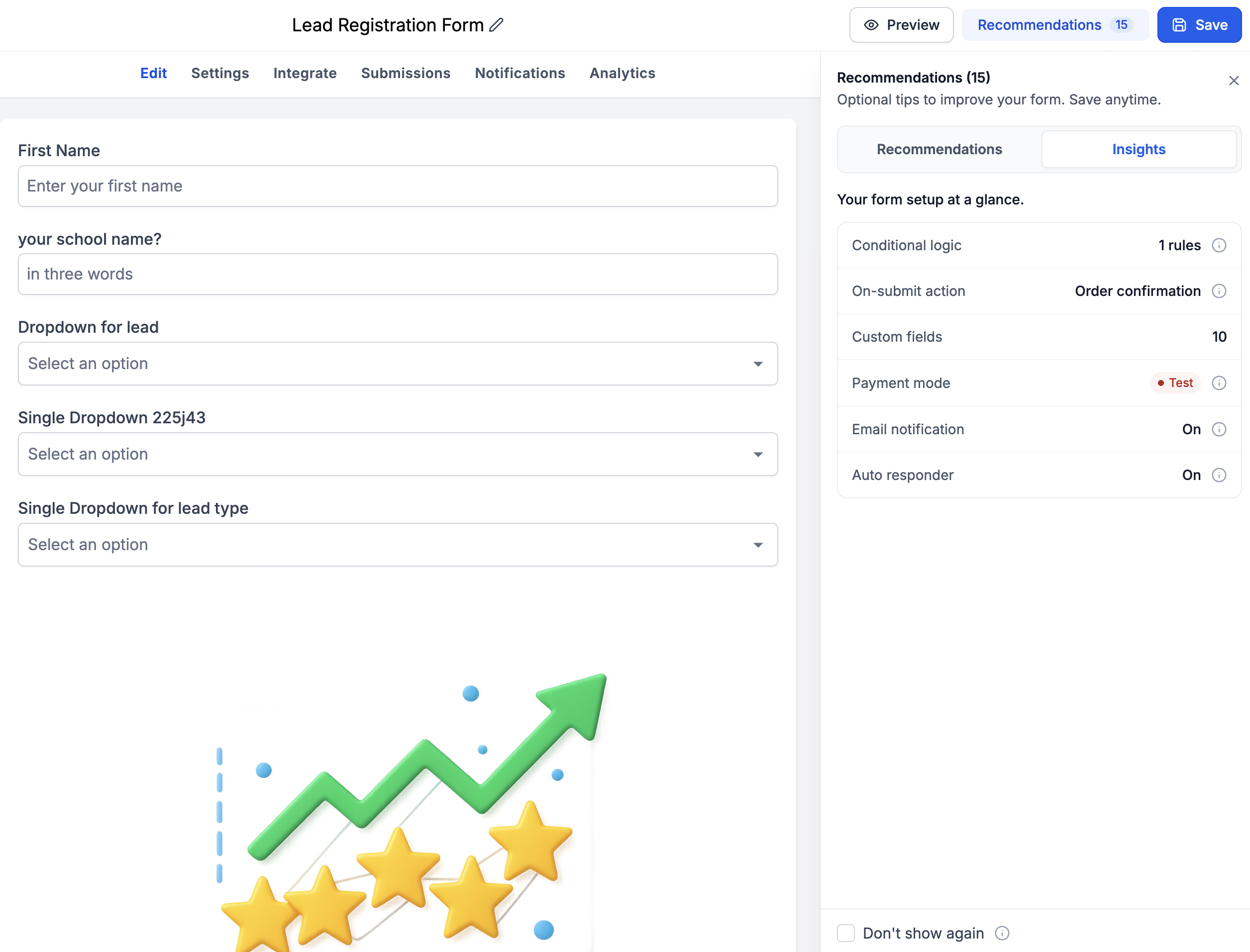
Alongside Recommendations, we’re introducing a dedicated Insights tab that provides a quick overview of how your Form, Survey, or Quiz is configured.
Users can now get visibility into:
- 🔀 Conditional Logic: Number of conditional logic rules implemented.
- 🧩 Custom Fields: Number of custom fields being used.
- 📩 Auto Responder: Whether automated responses are enabled.
- 🔔 Email Notifications: Whether email notifications are enabled.
- 💰 Payment Configuration: Whether the Payment element is operating in Test Mode or Live Mode
All the important configuration details, in one convenient place!
-
Build
: Create or edit your Form, Survey, or Quiz as usual.
-
Detect
: When saving, any existing validation errors are automatically surfaced in a modal.
-
Navigate & Resolve
: Click an error to jump to the affected field, fix the issue, and watch it get crossed off the list automatically.
-
Optimize
: Explore Recommendations to identify common mistakes and suggested improvements.
-
Review Insights
: Use the Insights tab to understand your current configuration at a glance.
- 🎯 Faster Troubleshooting: Identify exactly what’s wrong and where, without manually searching through fields.
- 🙌🏻 Self-Service Error Resolution: Empower users to resolve validation errors independently, reducing reliance on Support.
- ⚡️ Less Friction, More Building: Spend less time debugging and more time creating great experiences.
- 🧠 Proactive Recommendations: Catch common configuration mistakes before they impact your users.
- 📊 Better Visibility: Understand important Form, Survey & Quiz configurations through Insights.
- 🔄 Works Across Old & New Forms: The experience is available for both existing and newly created Forms, Surveys & Quizzes.
- Availability: Available for both old and new Forms, Surveys & Quizzes.
- Recommendations Toggle: Recommendations can be enabled or disabled from the Settings section.
- Error Coverage: Error Detection currently focuses on existing validation errors related to custom field creation, duplication, and Form/Survey/Quiz elements.
- No New Validations: This release improves how existing errors are communicated and resolved rather than introducing additional validation rules.
This release is a major step toward making Forms, Surveys & Quizzes more intuitive and self-service. By combining actionable error detection, proactive recommendations, and configuration insights, we’re helping users build with greater confidence, avoid common mistakes, and resolve issues without needing assistance. Fewer errors. Fewer Support tickets. Better Forms. Happier users!🚀