• Shopping Cart Shopping Cart
    0Shopping Cart
Clixio
  • Features
  • Pricing
  • FAQ
  • Blog
  • Log in
  • Free Trial
  • Menu Menu

Workflow Dynamic Values: New Chip Interface with Quick Add and Edit

August 19, 2026/in What's New? Automations

Dynamic Values in Workflow Text Fields

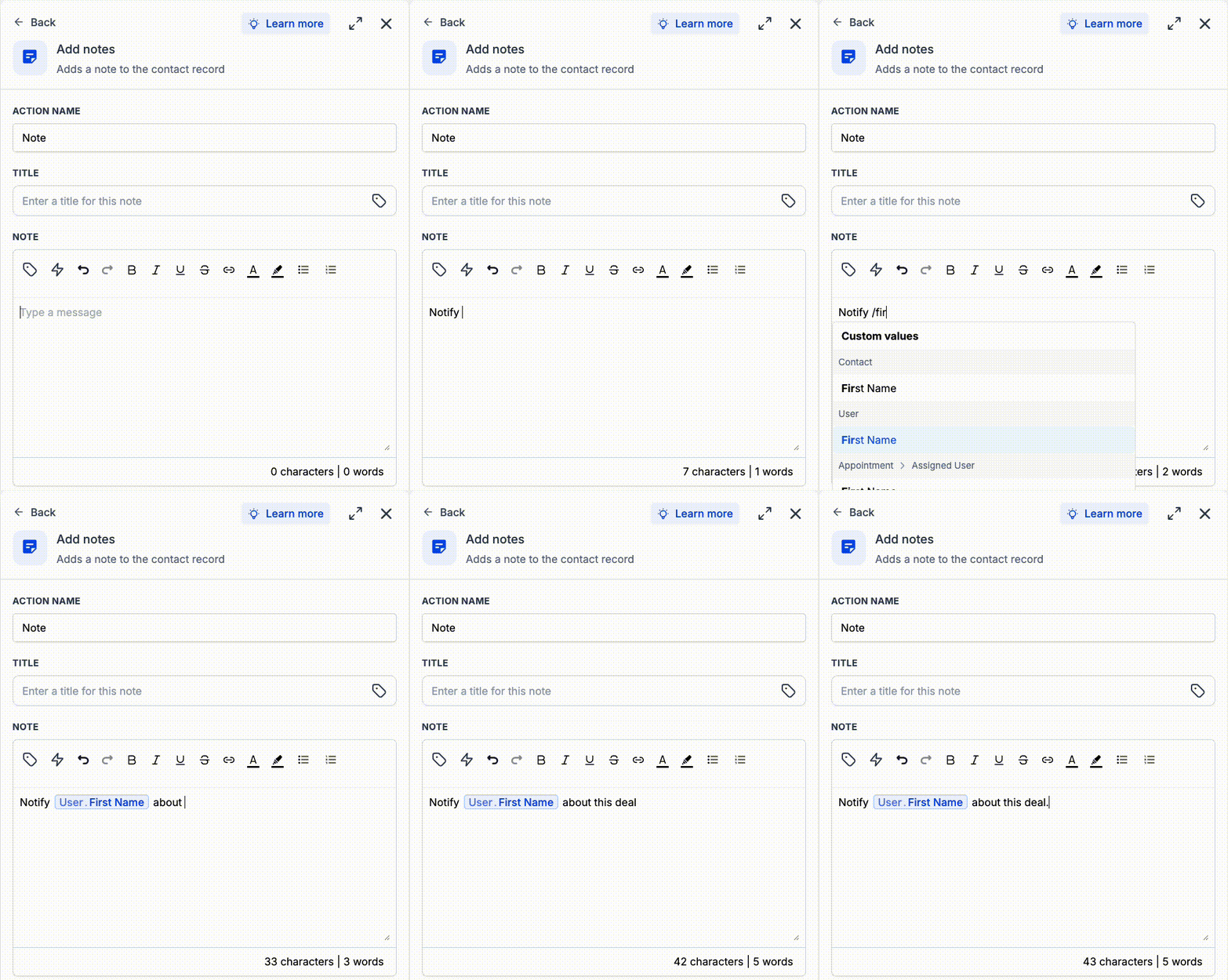
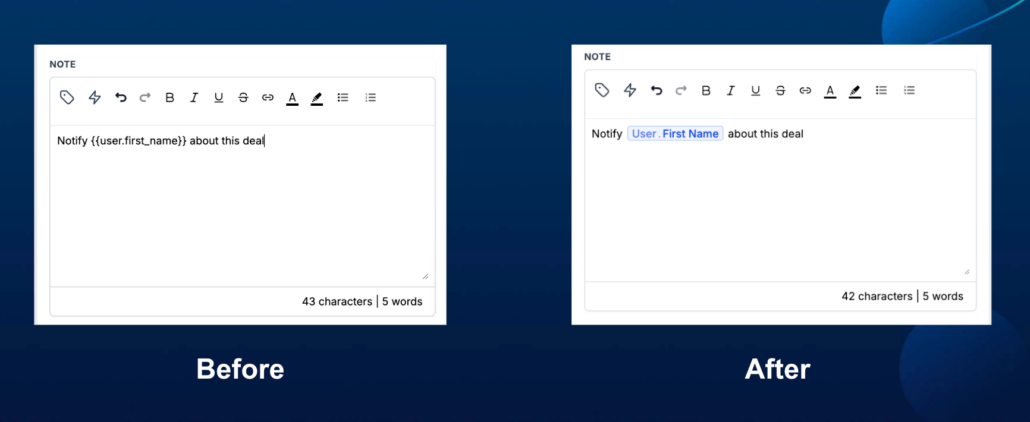
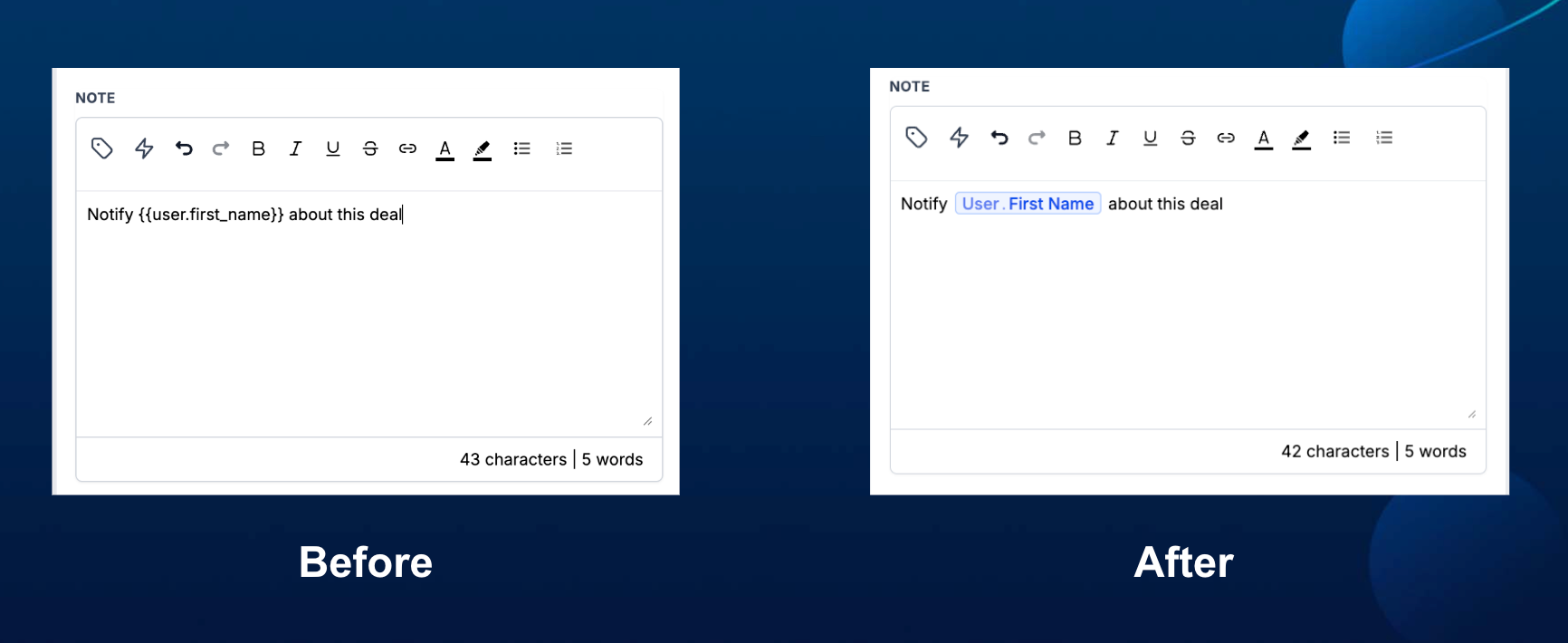
Dynamic values inside workflow text fields now appear as chips, making dynamic values easier to distinguish from static text. You can also type ‘/’ to quickly search for and insert a custom value directly in the text box.

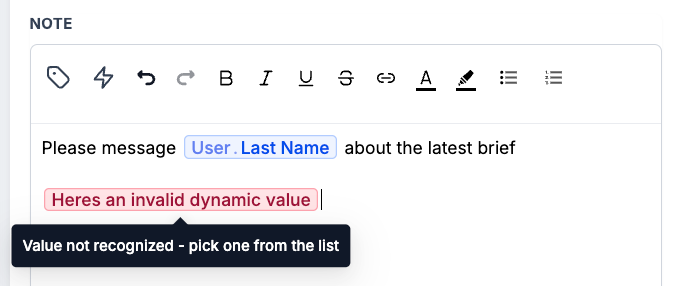
This is a UI-only change. Existing custom values are not impacted, and there is no change to how custom values are rendered or resolved when a workflow runs. Valid custom values appear as chips, while stale or unrecognised values are highlighted in red so you can quickly spot and fix them.

  • Type ‘/’ inside a workflow text field to search for and insert a custom value.
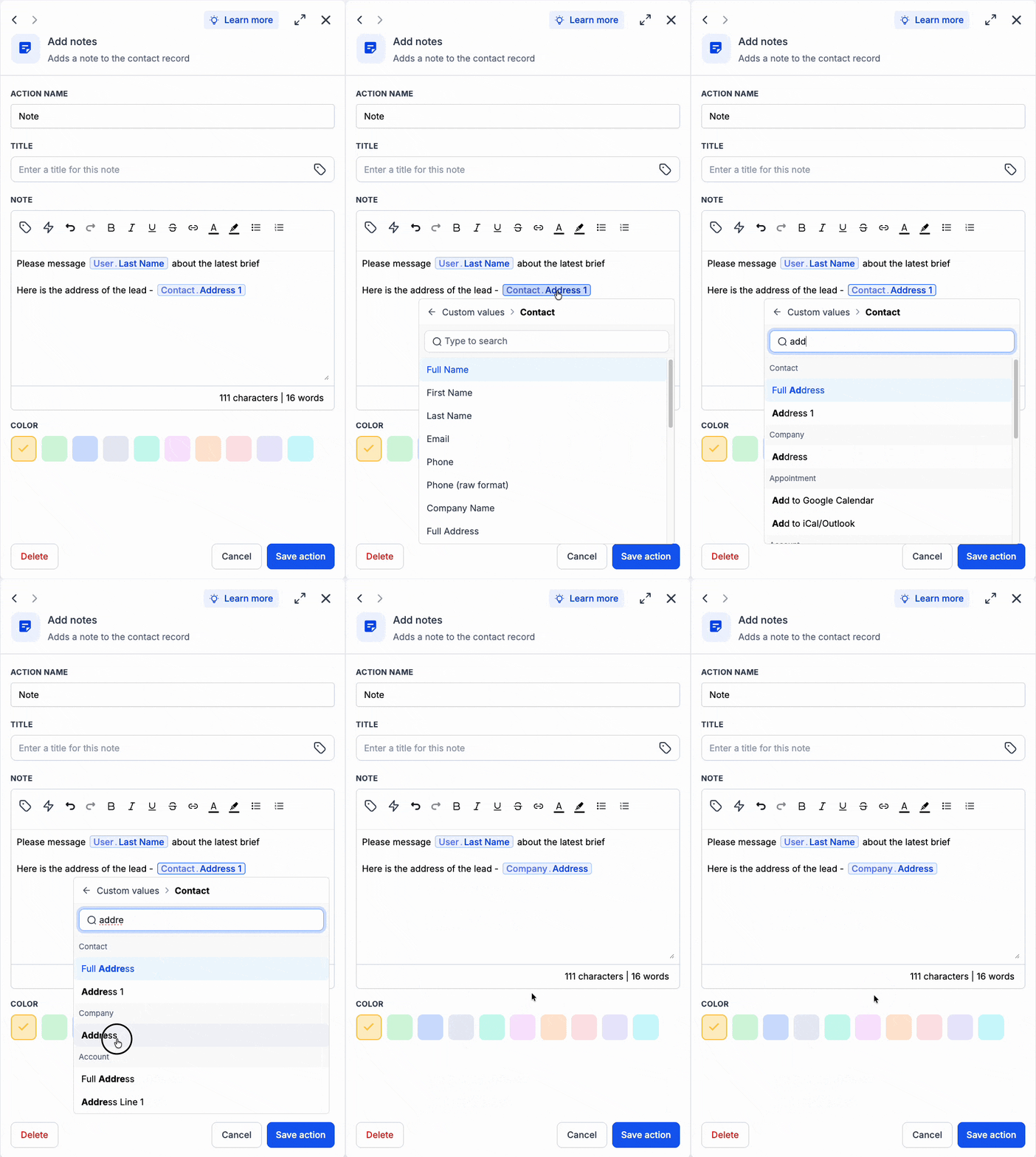
  • Click an existing custom value chip to replace it with another value in the same place.
  • If a value appears in red, replace it with a valid custom value from the list.

Custom values can be difficult to spot or validate when mixed with static text. The new interface makes dynamic content easier to identify, speeds up editing, and clearly flags values that are no longer valid.

Add the User Last Name custom value from user data to a workflow message and it appears as a chip. If the text contains a stale or unrecognised value such as not a name, it appears in red so you know it needs to be replaced.

  • Existing custom values are not changed or affected.
  • There is no change to custom value rendering or workflow behaviour.
  • Chips are only a visual representation inside workflow text fields.
  • Type ‘/’ to quickly search for and add a custom value.
  • Click an existing chip to replace it with another custom value in the same position.
  • Stale or invalid values are highlighted in red and must be replaced with a recognised value.
image
Kapture 2026-08-18 at 23
image
https://clixio.io/wp-content/uploads/2026/08/2e1b430eeb5bdaa93c0139d802d99d11.png 710 1732 Clixio.io https://clixio.io/wp-content/uploads/2023/08/clixio-logo-dark.png Clixio.io2026-08-19 04:27:002026-08-19 04:27:00Workflow Dynamic Values: New Chip Interface with Quick Add and Edit

RSS feed: Latest Feature Updates Latest Feature Updates

  • Instagram Explore Feed Placement Discontinued by Meta August 20, 2026
  • 🚀 Calendar AI — AI-powered Calendar setup August 20, 2026
  • Clearer Card-on-File & $0 Payment Handling for Calendars August 20, 2026
  • Fixed: ‘Create/Update Record’ Picklists Now Accept Dynamic Values August 19, 2026
  • Fixed: Pinned and Recent Now Show Only Relevant Actions August 19, 2026
  • Fixed: Pinned and Recent Tabs Now Match the Workflow Type August 19, 2026
  • Rental Booking Page Gets Smarter CTAs, Clearer Checkout & Polished UI August 19, 2026
  • Workflow Builder: Array/List Values Now Supported in Text Fields August 18, 2026
  • Workflow Dynamic Values: New Chip Interface with Quick Add and Edit August 18, 2026
  • WhatsApp: composer reliability and faster Settings August 18, 2026
Book a demo
See Clixio working
for your business, live.

30 minute call with our team. Personalised to your industry, no hard sell.

Book your free demo
14 day free trial · Cancel anytime
Clixio - Marketing and sales automation

Marketing & sales automation built for Australian service businesses. One platform, one flat rate, genuinely easy to use.

Product
Features Pricing How it works Latest updates
Company
Blog FAQ Get support Account transfers
Legal
Privacy Policy Terms & Conditions
© Clixio. All rights reserved. Made with ♡ in Australia.
Scroll to top Scroll to top Scroll to top