
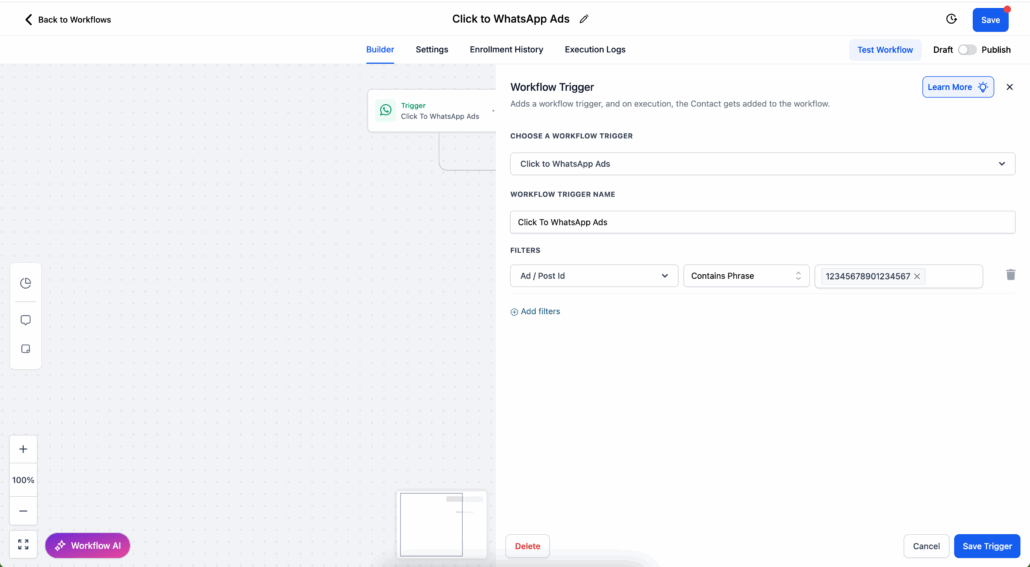
WhatsApp Workflow Trigger: Click-to-WhatsApp Ads & Facebook Page CTA
Turn Ad Clicks into Instant Conversations
A new workflow trigger activates the moment a prospect messages you through a Click-to-WhatsApp Ad or a Facebook Page Call-to-Action button. This allows you to automate replies, assign leads, and initiate follow-ups the instant high-intent users reach out.
Click-to-WhatsApp Ads / Page CTA Trigger
Start any workflow as soon as a customer taps an ad or Page button and sends a WhatsApp message.
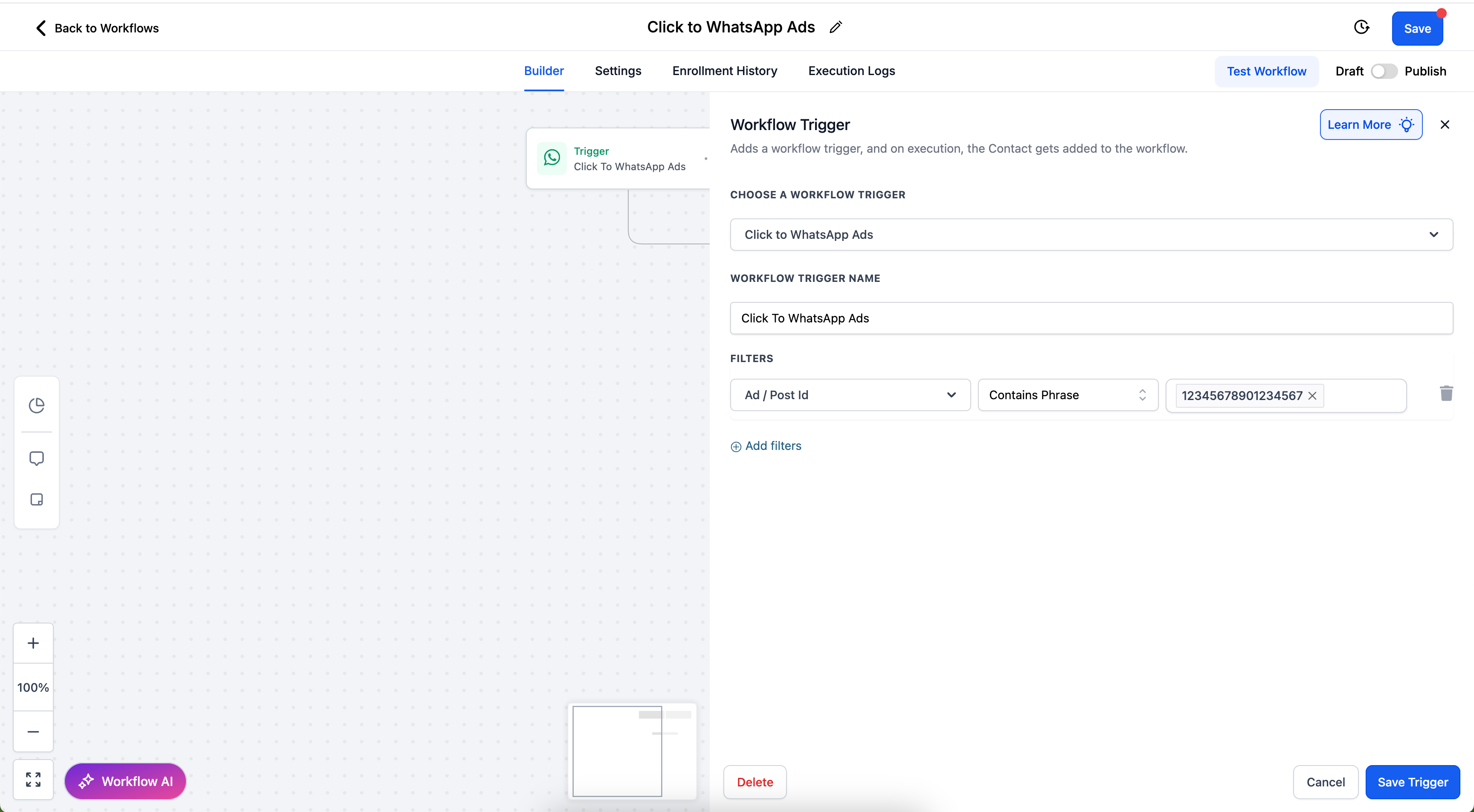
Narrow automation to a specific Ad ID, Post ID, or URL for finer control.
Free Entry-Point Conversations
Respond within 24 hours to unlock a free 72-hour messaging window—no template fees and unlimited sends.
Instant Lead Engagement – Act while interest is at its peak to boost ad ROI.
Cost-Efficient Messaging – Access 72-hour free entry-point sessions when you respond promptly.
Seamless Follow-Up – Automatically route, tag, or nurture leads instead of relying on manual outreach.
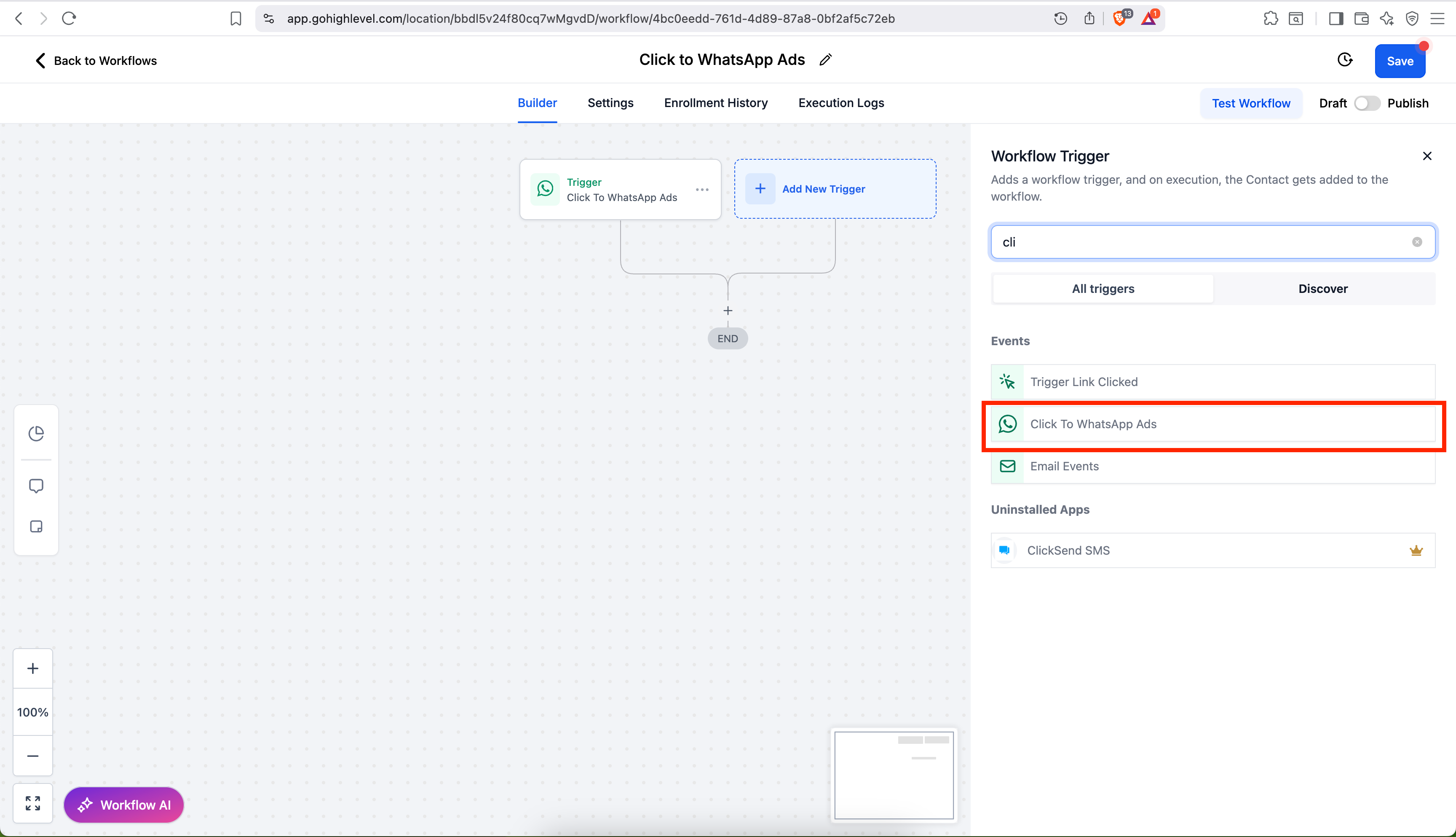
Automation Steps
Add New Trigger → Click-to-WhatsApp Ads
(Optional) Add filters: Ad/Post ID or URL.
Save, then add the actions you want—send a message, assign a pipeline stage, trigger a webhook, etc.
Free Entry-Point Conversation Rules
This rule opens when:
- A user taps your ad or Page CTA on Android/iOS and messages you.
- You respond within 24 hours.
Duration: 72 hours from your first delivered reply.
Cost: All messages (both templates and free-form) are free during this window.
Other conversations will automatically close until the 72 hours expire.
What counts as a trigger event?
Any WhatsApp message initiated from a Click-to-WhatsApp Ad or Facebook Page CTA on mobile.
What if I reply after 24 hours?
No free session will open; you must use a paid template to re-engage.
Can I mix template and non-template messages?
Yes. Free-form messages are allowed while the 24-hour customer service window is open; otherwise, use templates.
How are charges handled?
While within the 72-hour free entry-point conversation, no messaging fees apply. After that, standard WhatsApp conversation rates will resume.
Automate your ad responses today—convert clicks into conversations without delay or extra cost.