
WhatsApp statistics in Workflows | Clixio Changelog
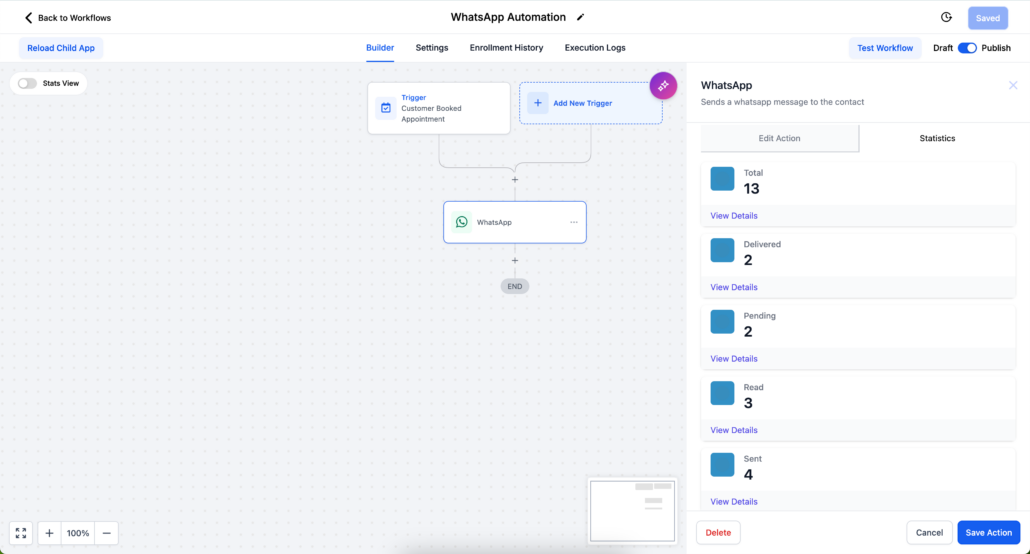
See exactly how your WhatsApp messages perform without leaving your automation. WhatsApp statistics are now integrated into Workflows, allowing you to track the entire delivery lifecycle of every message sent by a workflow and dive into individual message details—all in one place.
📊 Detailed message status tracking
-
Full message lifecycle:
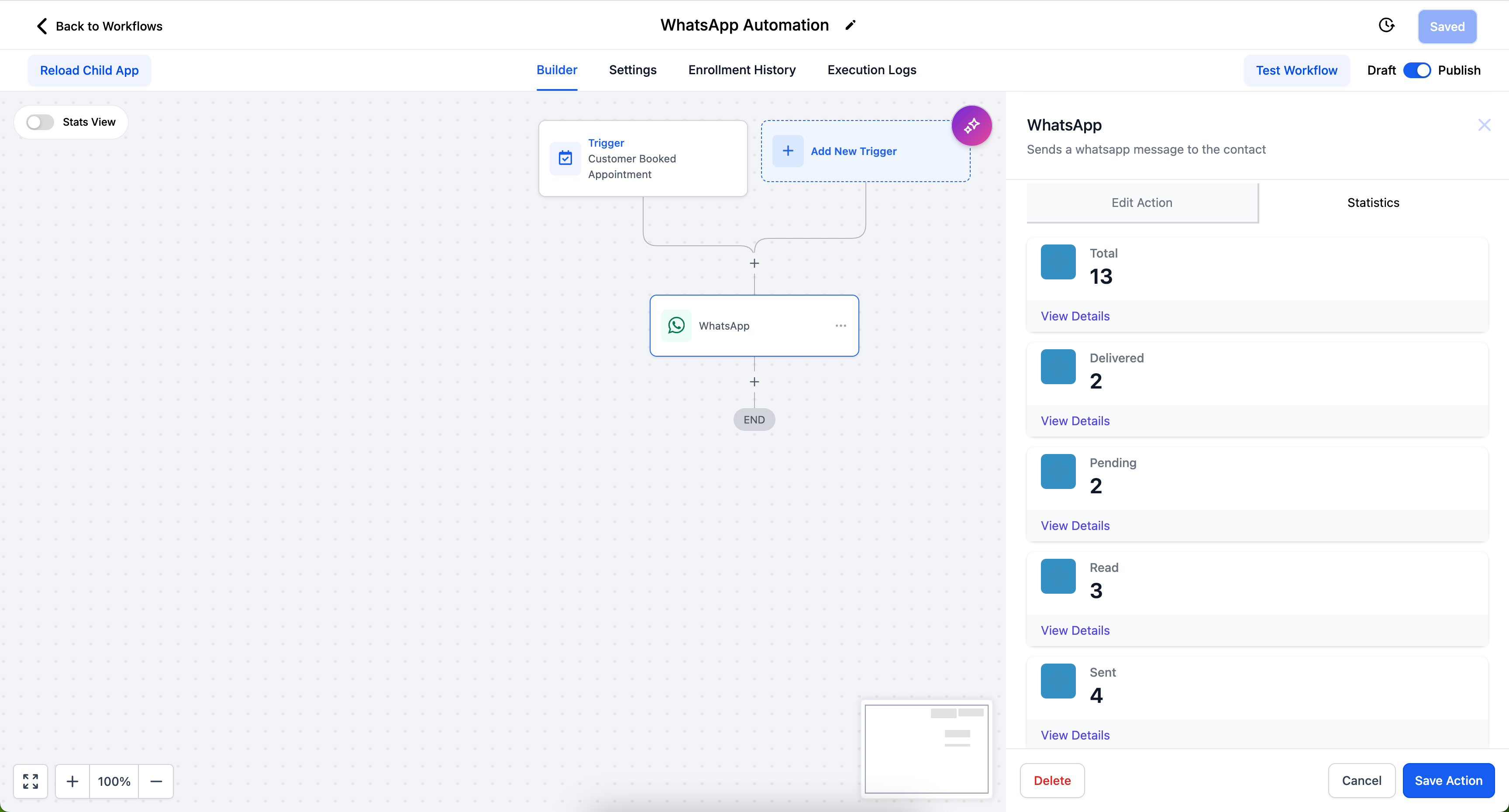
Monitor total sent, pending, delivered, read, and failed messages for a workflow’s WhatsApp action. These are the same statuses that Meta reports for every message.
🗓️ Custom date range analysis
-
Pick your window:
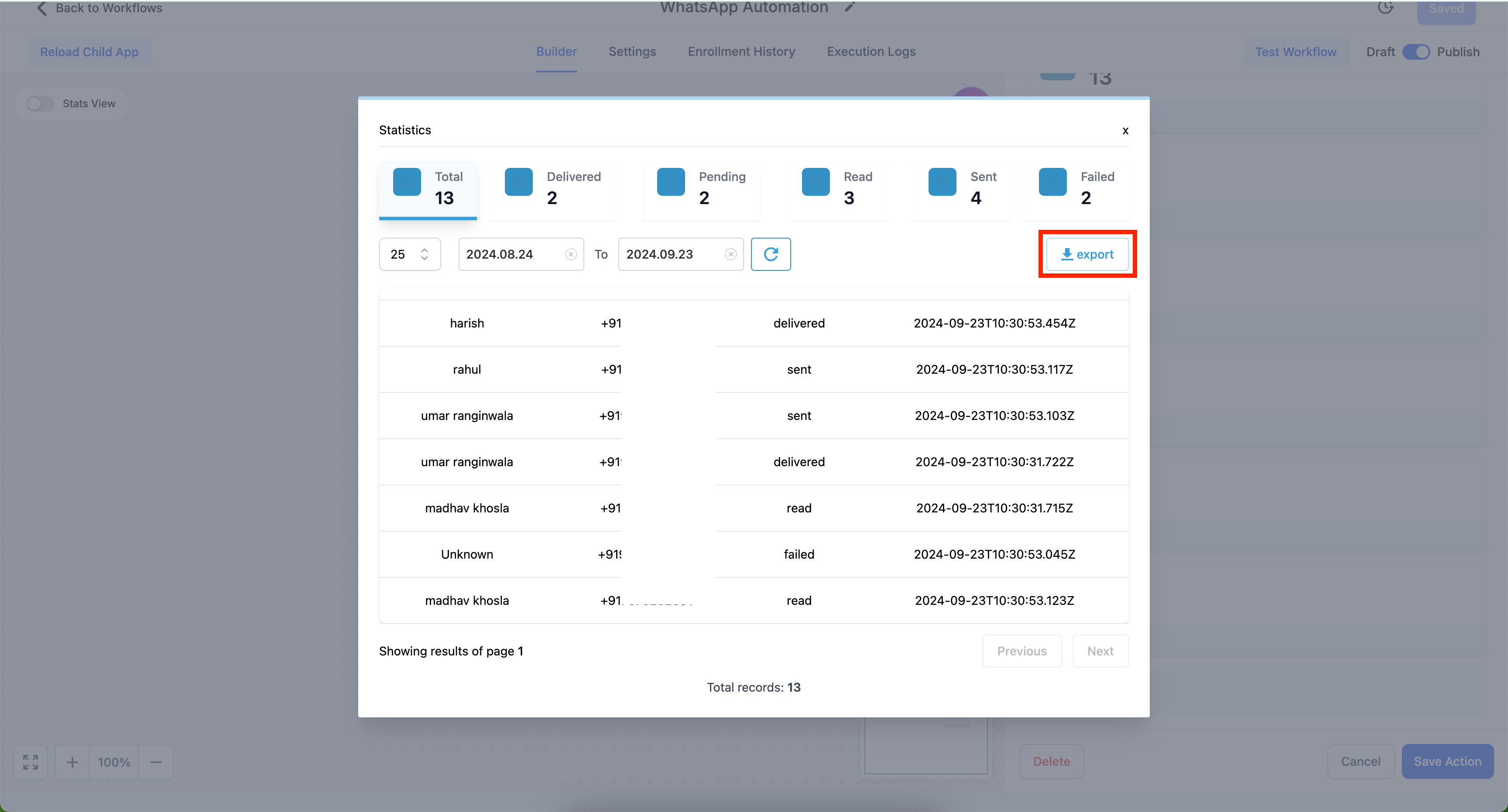
View statistics for a specific time period to assess performance for a particular campaign or sending window.
🔍 Individual message details
-
Message-level breakdown:
Open any message to see recipient information and precise timestamps.
📤 Export functionality
-
Take the data with you:
Export statistics for further analysis or reporting.
-
Refresh in place:
Pull the latest status using a refresh button; no full reload is necessary.
- Go to Automation and select the workflow with a WhatsApp action.
- Click the WhatsApp action and select Statistics.
- View the statistics and individual message details.
- Use the date range selector to customise your view.
- Open all statistics and click Export to download.
WhatsApp message delivery is not guaranteed: messages may remain pending, fail, or go undelivered. Until now, these outcomes lived outside your automation. By surfacing delivered, read, and failed counts against the workflow that sent them, you can identify any drops in delivery or spikes in failures at the source, and export the details when you need to investigate or report.