💬 WhatsApp Notifications Are Here for Rentals
We’ve added
as a new
notification
channel
for Rentals
. This provides a direct and reliable way to communicate with clients via one of the world’s most popular messaging platforms — ensuring your messages are seen and acted upon.
✅ WhatsApp Support for Rental Notifications
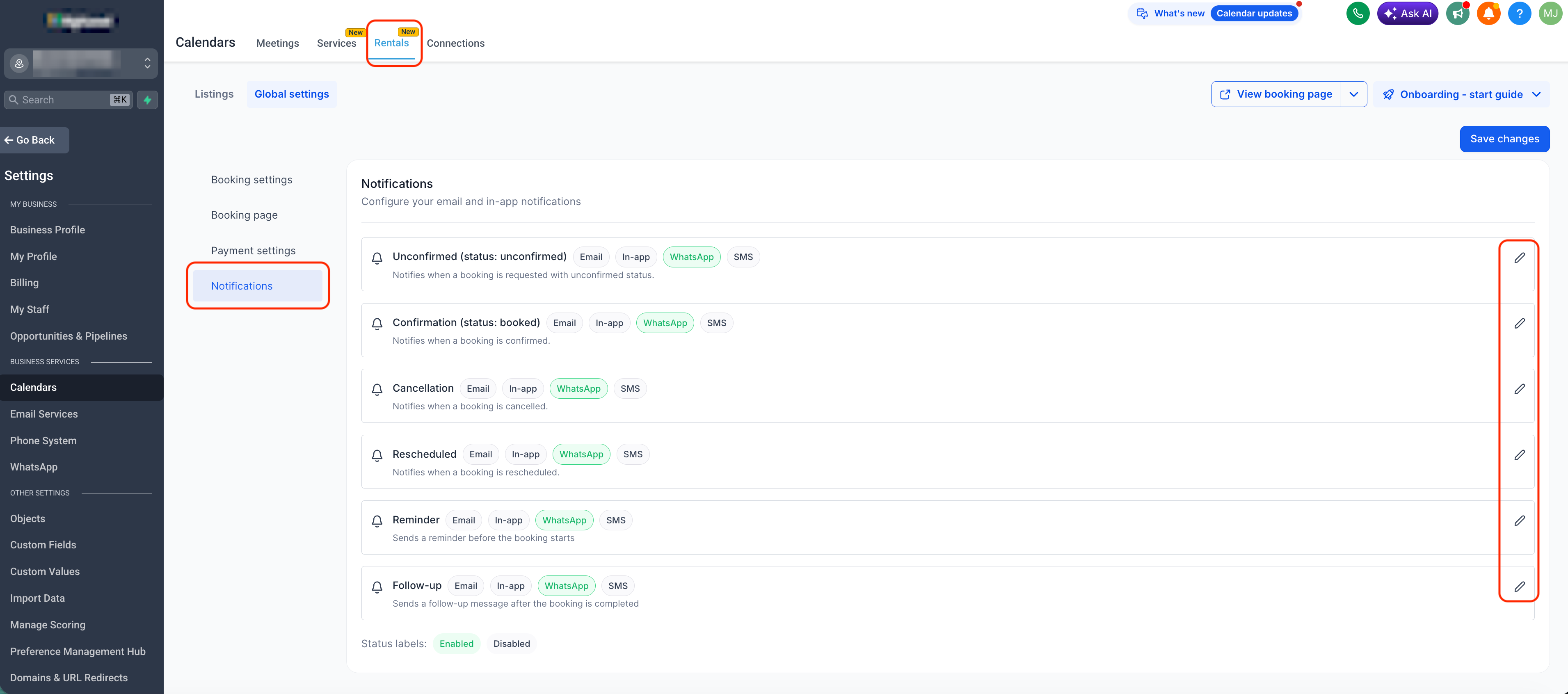
WhatsApp is now available for all event types — Unconfirmed, Booked, Cancelled, Rescheduled, Reminder, and Follow-up. You can enable it for each notification type.
✅ Recipient Configuration Options
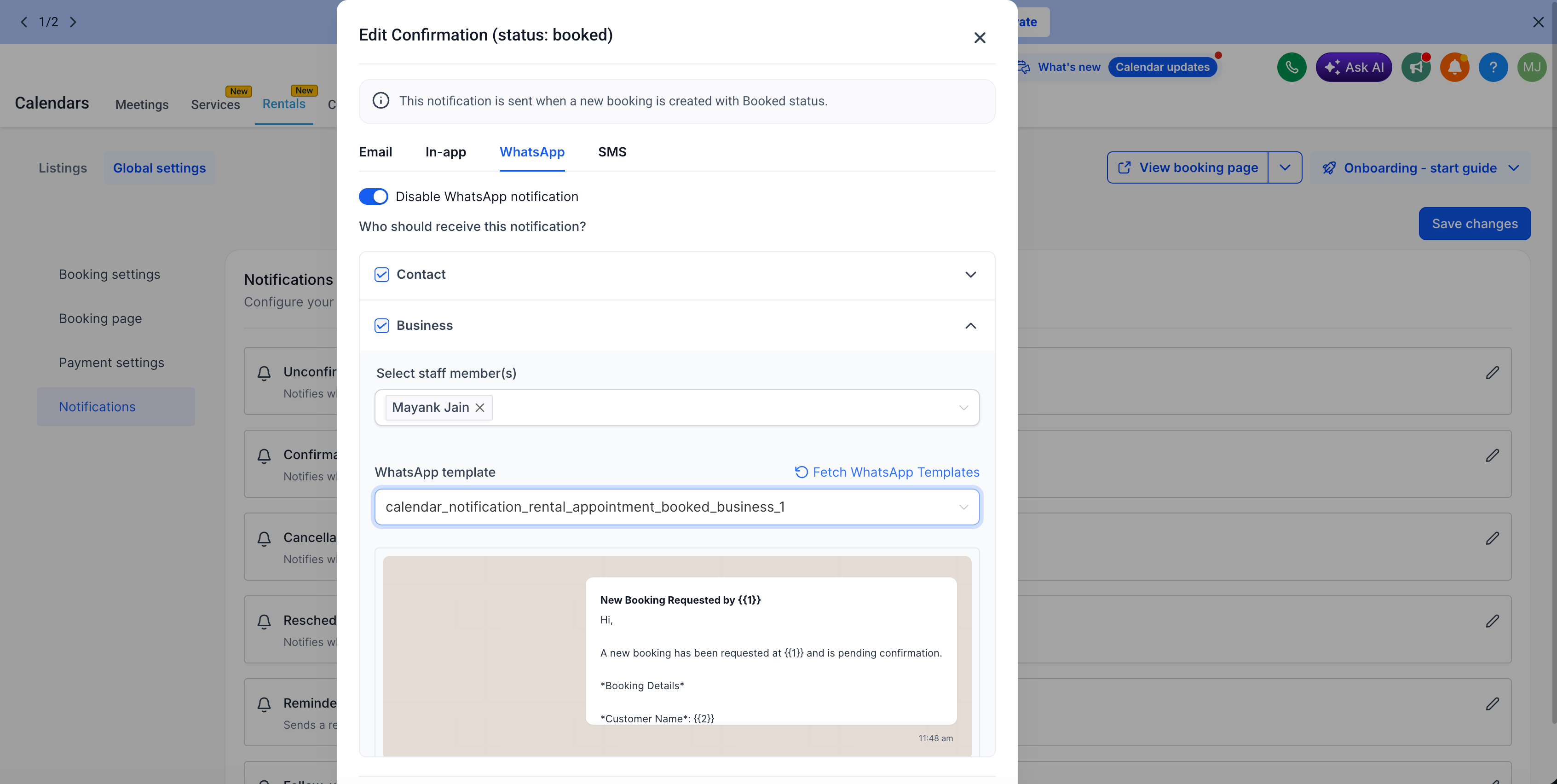
You can choose to send WhatsApp messages to either Contacts or Business accounts. This allows you to customise who receives notifications and how.
✅ Per-Recipient Templates
Set different WhatsApp templates for Contacts and Businesses, giving you greater control over how each party is notified.
✅ Template Selection & Creation
Each notification type comes with a default template. You can choose to keep it, use an existing approved WhatsApp template, or create a new one using the in-app template builder. Use the Fetch WhatsApp templates feature to refresh your list in real time.
✅ Send Test WhatsApp Messages
Utilise the Send test WhatsApp notification feature to preview your message before enabling it for actual bookings.
- Go to
Calendar Settings > Rentals > Global Settings > Notifications
- Under each notification type,
toggle ON WhatsApp
- Choose the
recipients
-
Select
or create an approved WhatsApp
template
- Use Send test WhatsApp notification to validate message content
-
Save
your configuration — WhatsApp messages will now be sent automatically
- Increases show-up rates with faster, mobile-first communication
- Reduces the need for manual follow-ups
- Gives users full control over template messaging and delivery
- Allows businesses flexibility in choosing how to reach different recipients