📅 Week Start Preferences Are Now Consistent Across Calendars
Week Start preferences
function across Meetings, Services, and Rentals, ensuring your preferred start of the week remains consistent throughout the scheduling experience.
Saturday, Sunday, or Monday
, and Calendars will now honour this preference across all in-app scheduling experiences.
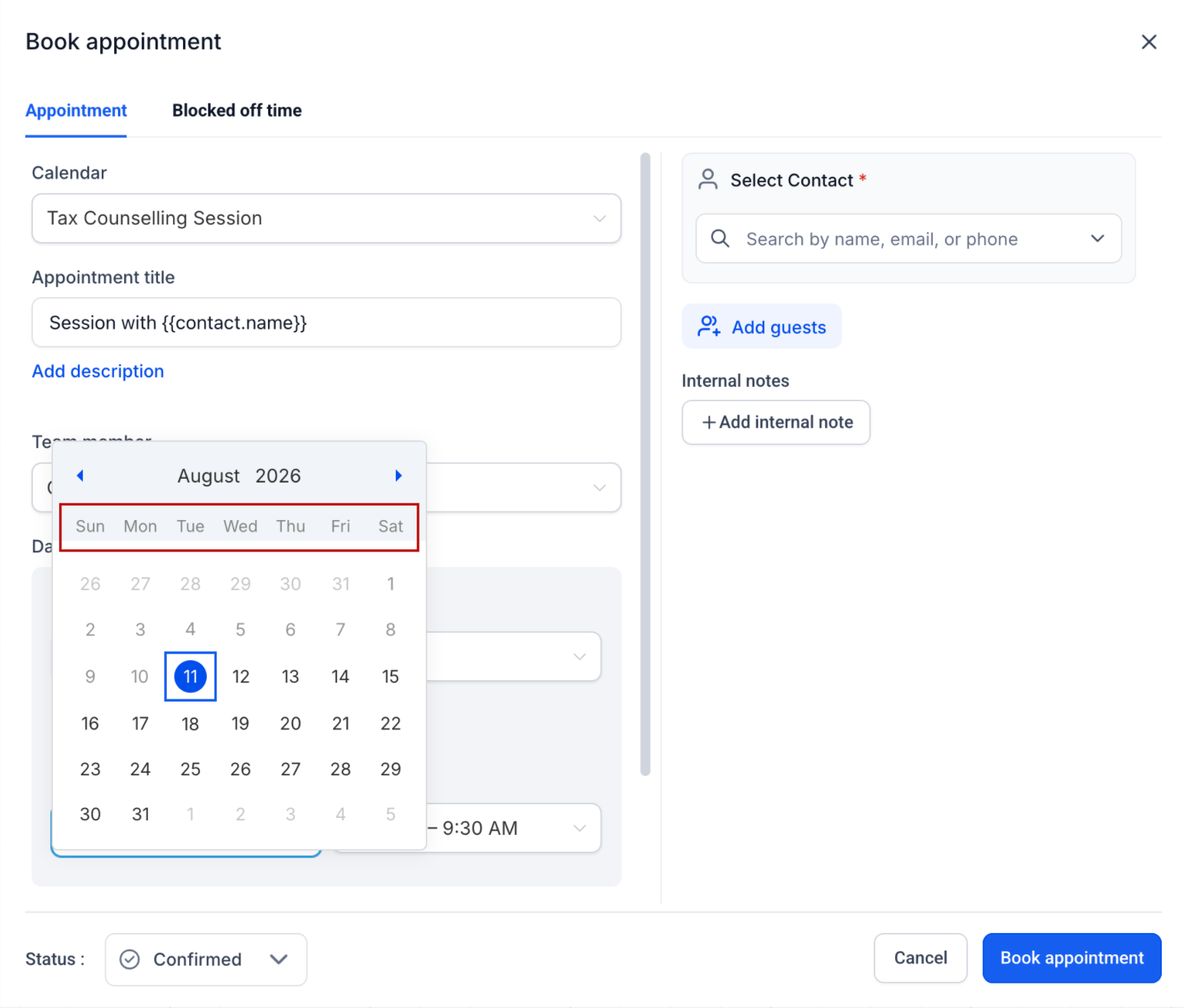
Your Week Start preference is now visible across various touchpoints, including:
- Calendar views
- Appointment creation and editing
- Schedules and availability settings
- Staff availability
- Date pickers
- Business operating hours
This enhancement provides a more uniform experience as you navigate through different parts of Calendars.
⚙️ How to Configure It
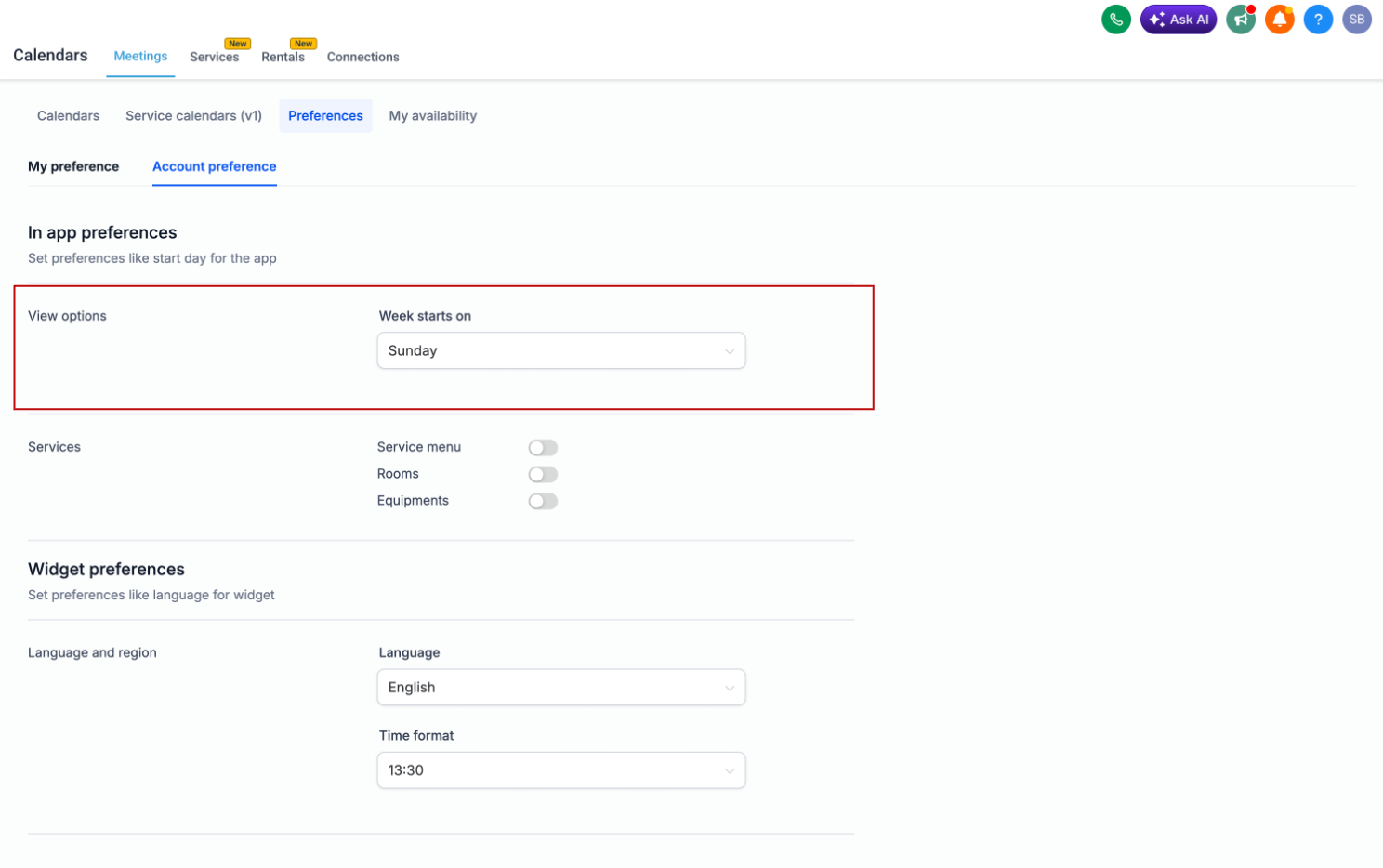
Week Starts On
day individually for Meetings, Services, and Rentals via Calendar Settings:
-
Meetings:
Meetings > Preferences
-
Services:
Services > Global Settings > In-App Settings
-
Rentals:
Rentals > Global Settings > In-App Settings
Select your desired start day of the week:
Once saved, your preference will be automatically reflected across the relevant in-app Calendar and scheduling experiences.
🌐 Booking Widget Preferences Remain Independent
booking widgets are independent
.
Your in-app preference will not override your widget configuration, allowing you to customise the customer-facing booking experience separately from your internal scheduling experience.