Wait Step: Now with Support for User Replies!
The Wait Action Enhancements
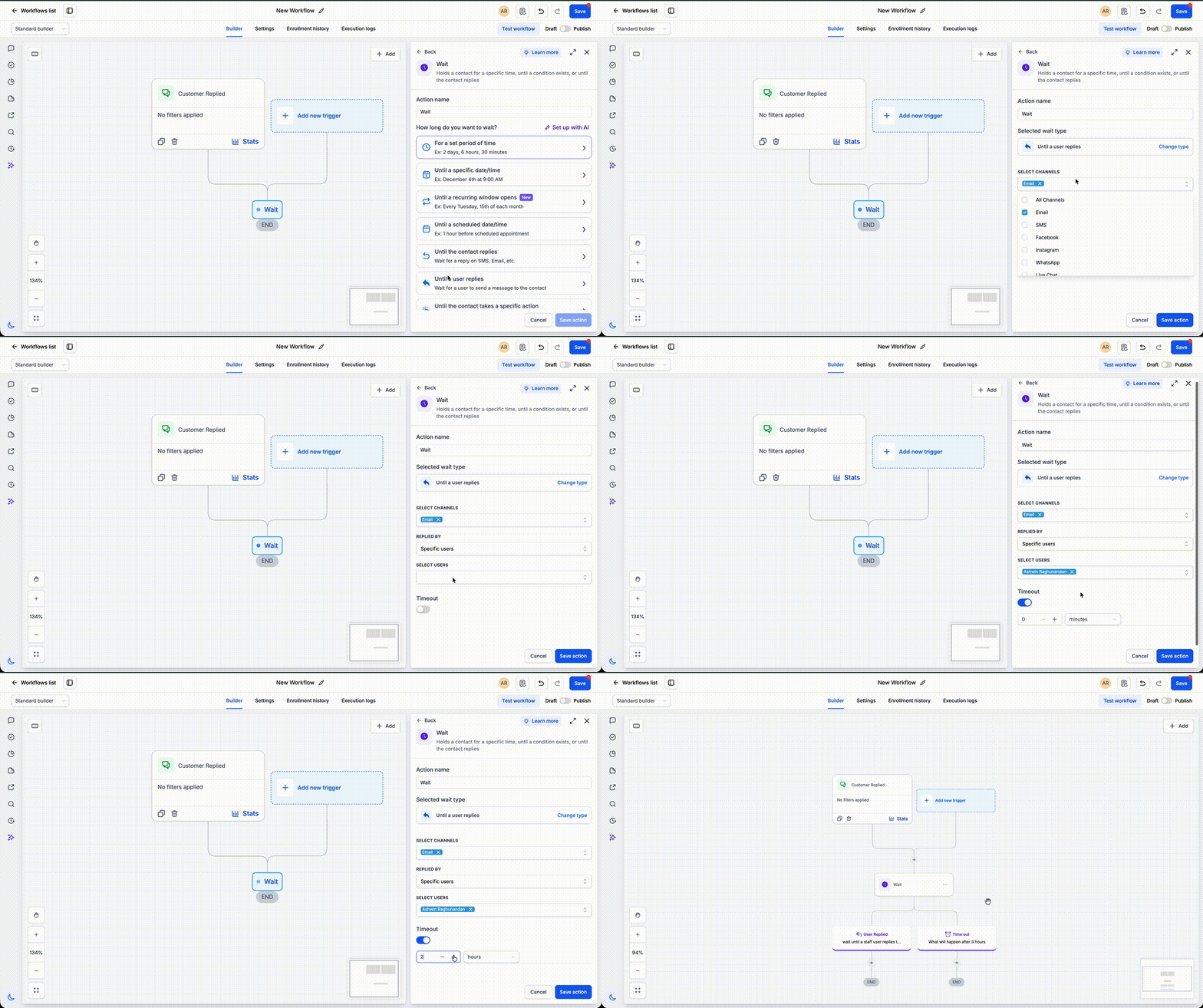
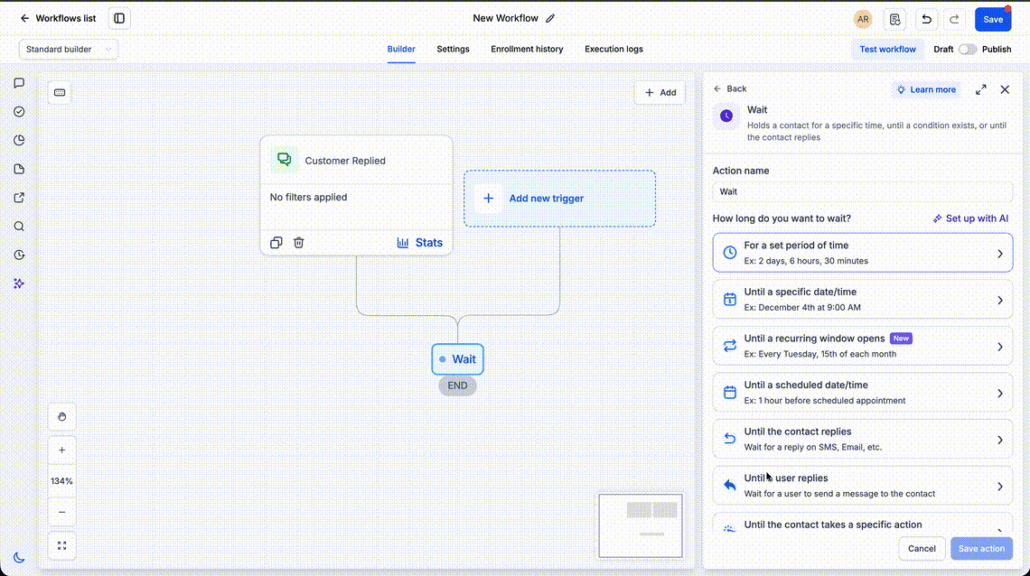
The Wait action now includes ‘User Replied’ as a wait condition. In addition to waiting for a contact’s reply, you can choose to keep the contact on hold until a team member responds to the conversation before moving on to the next step. Coupled with the timeout option, this feature allows you to create robust SLA workflows that automatically escalate when no user reply is received within your predetermined response time.
When setting up a Wait action, simply select ‘User Replied’ as the wait condition and optionally define a timeout. The workflow will pause until either a user replies or the timeout is reached—whichever occurs first. If a reply is detected, the workflow will resume immediately. If the timeout expires first, you can direct the contact through escalation steps such as notifications, reassignments, or reminders.
- Add a Wait action to your workflow.
- Select ‘User Replied’ and configure an optional timeout.
- Define the actions to be taken after a user replies or when the timeout is reached.
The Importance of Response-time SLAs
Response-time SLAs are crucial for sales and support teams. This enhancement facilitates the automation of first-response tracking, minimizes manual monitoring, and ensures that conversations are escalated when response targets aren’t met—all without the need for complicated workflow logic.
- A support workflow waits for a maximum of 30 minutes for a user reply. If an agent responds within the SLA, the workflow proceeds as planned. If the timeout is reached first, it alerts a supervisor and reassigns the conversation.
- A sales workflow waits 15 minutes for a representative to reply to a new lead. If no reply is received before the timeout, the workflow creates an urgent task and notifies the sales manager to prevent missed opportunities.
- The contact resumes as soon as a user sends a reply or when the configured timeout is reached.
- If no timeout is set, the workflow will wait indefinitely until a user reply is received.
- This feature is ideal for first-response SLAs, escalation workflows, and internal response-time automation.