• Shopping Cart Shopping Cart
    0Shopping Cart
Clixio
  • Features
  • Pricing
  • FAQ
  • Blog
  • Log in
  • Free Trial
  • Menu Menu

Typeform – Actions & Triggers in workflows

October 14, 2025/in What's New? Automations, CRM, Forms, Integrations, Reporting

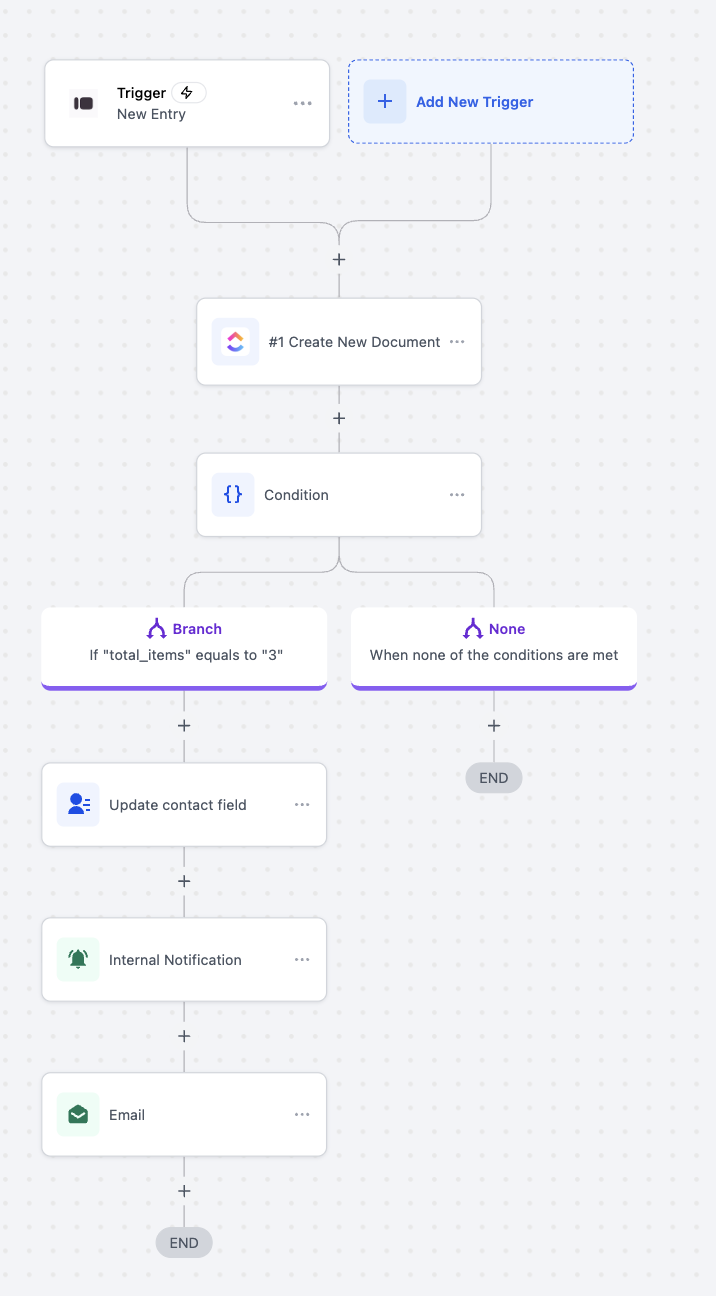
We’ve introduced Typeform actions and an instant trigger to Workflows. You can now initiate automations as soon as a Typeform response is received and manage Typeform forms directly from within Workflows. This enhances lead capture, onboarding, and feedback automation processes.

Trigger (from Typeform → Clixio):

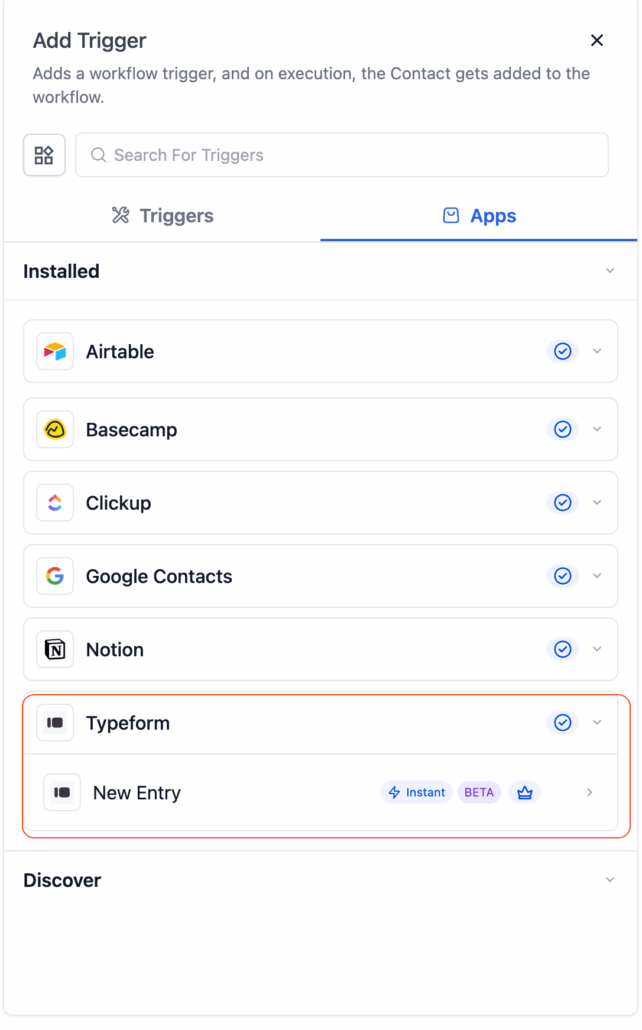
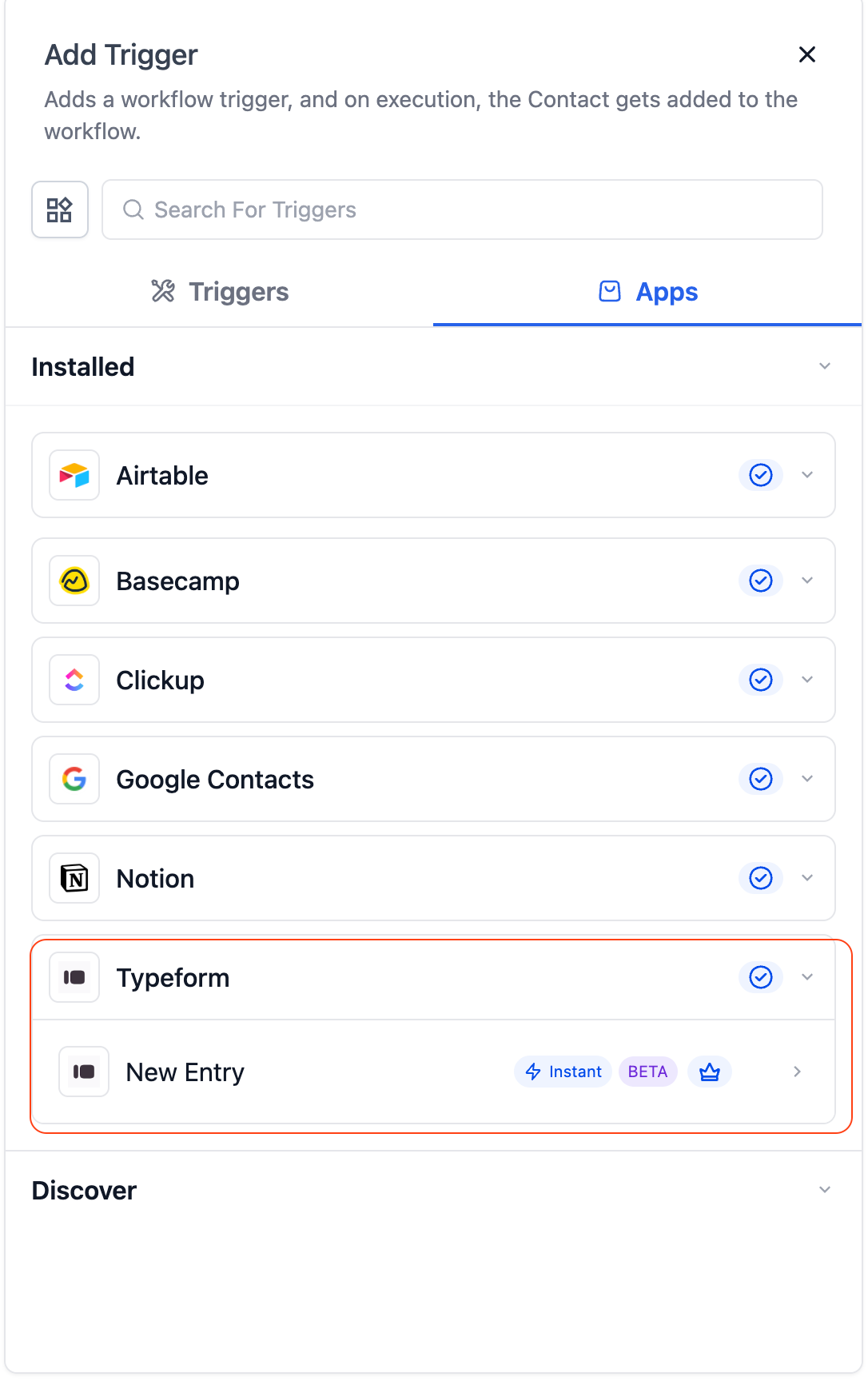
  • New Entry (Instant) — Triggers the moment a new Typeform submission is received.
Screenshot 2025-10-14 at 01

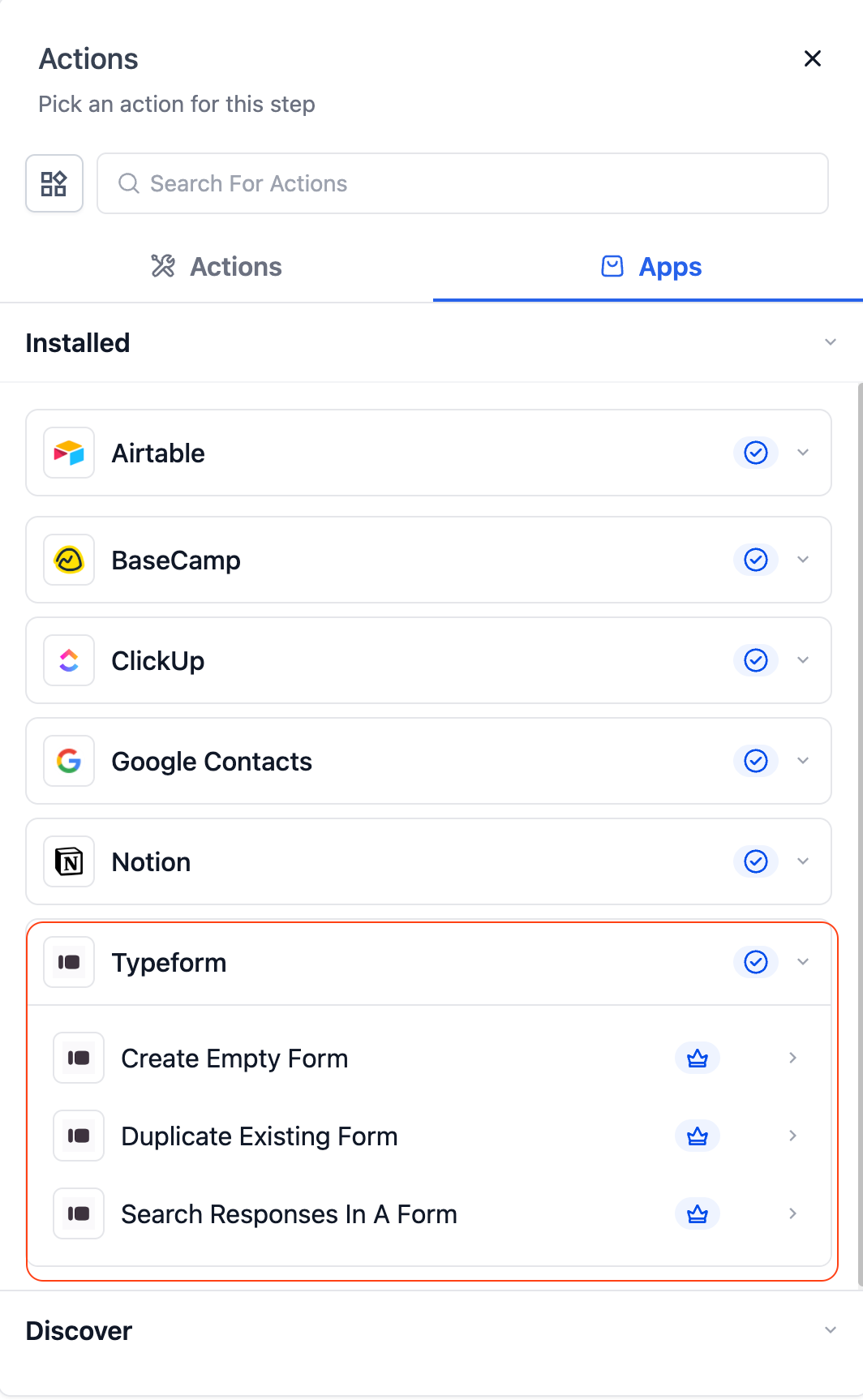
Actions (from Clixio → Typeform):

  • Create Empty Form — Instantly create a new blank Typeform.
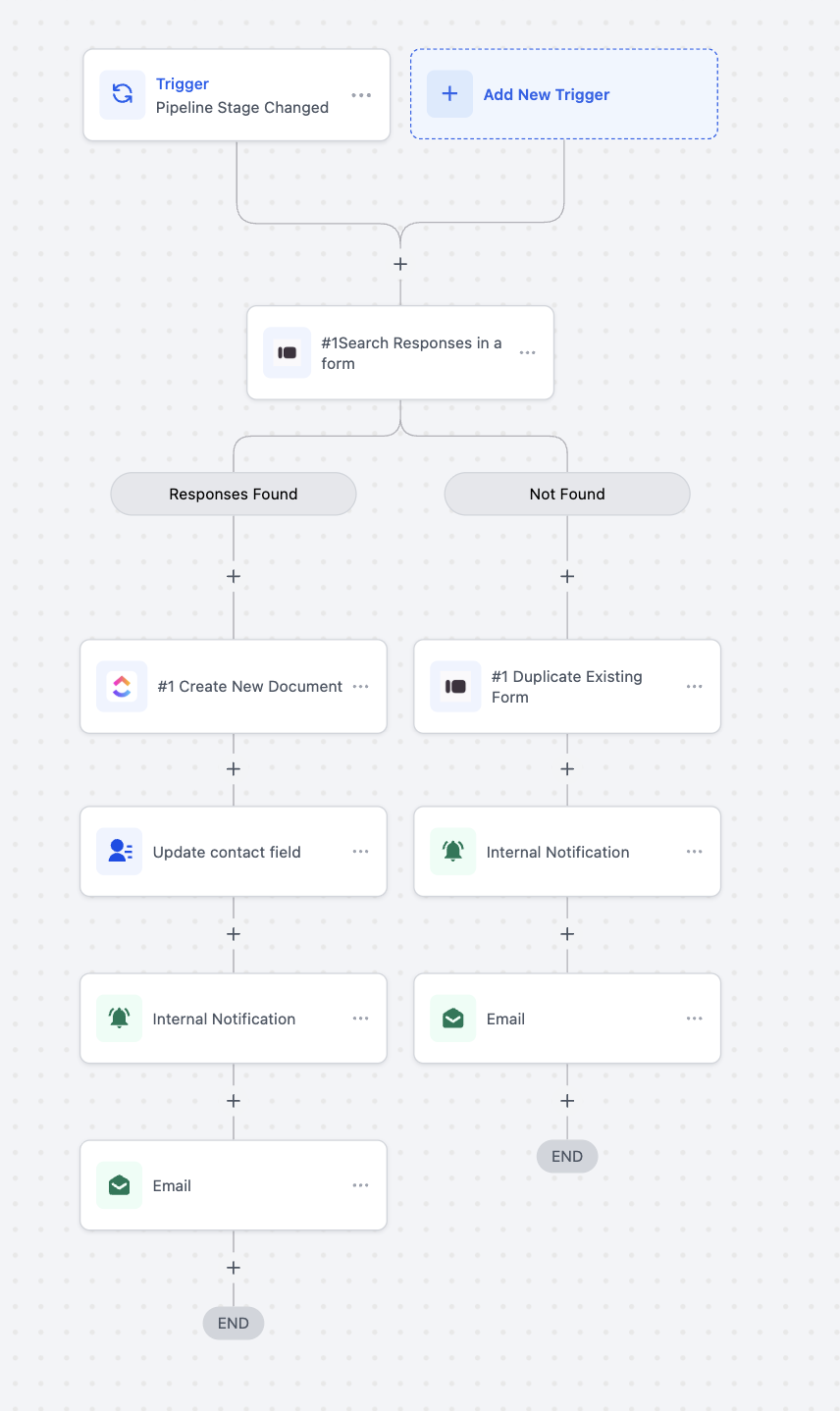
  • Duplicate Existing Form — Copy an existing Typeform along with its structure.
  • Search Responses in a Form — Retrieve and review responses from a specific Typeform.
Screenshot 2025-10-14 at 01

Forms are often the first step in capturing client intent, ranging from lead generation to onboarding surveys. Until now, agencies had to manually bridge responses between Typeform and Clixio or depend on third-party tools.

With this native integration, you can:

  • Instantly trigger automations when a form is submitted.
  • Automatically create and manage Typeforms directly from workflows.
  • Eliminate manual data syncing and expedite lead handling.
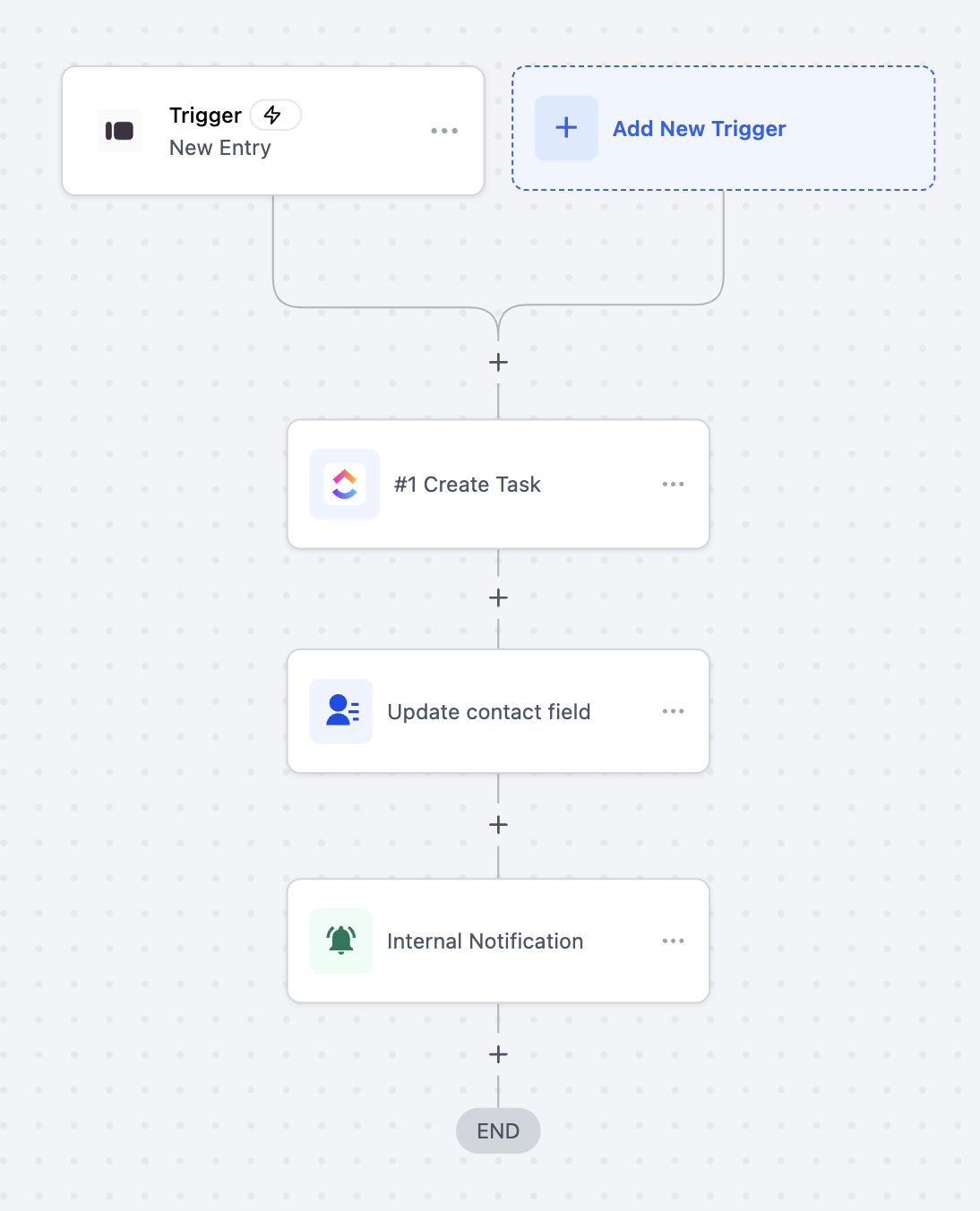
  • Lead Capture Automation: When a new Typeform entry is submitted, automatically create or update a contact in Clixio and send a follow-up email.
  • Client Onboarding: On form submission, generate a new Typeform for onboarding feedback and notify the team.
  • Response Management: Search and fetch form responses for CRM enrichment or reporting automation.
image
image
image
  • In Workflows, search for “Typeform.”
  • Select a trigger or action → click Connect Now.
  • Log in with your Typeform account to authorise access.
  • You can also connect through Settings → Integrations → Typeform.
  • The New Entry trigger is instant (webhook-based) — responses are captured in real time.
  • This feature works with both free and paid Typeform plans.
  • Typeform actions are premium and billed per execution.
  • Sync Direction: The current release supports one-way sync (Basecamp → Clixio for triggers, Clixio → Basecamp for actions).
https://clixio.io/wp-content/uploads/2025/10/5a9982c81f687ef5b8627799bd932543.png 1742 1086 Clixio.io https://clixio.io/wp-content/uploads/2023/08/clixio-logo-dark.png Clixio.io2025-10-14 05:49:002025-10-14 05:49:00Typeform – Actions & Triggers in workflows

RSS feed: Latest Feature Updates Latest Feature Updates

  • Introducing Recommendations & Error Detection in Forms, Surveys & Quizzes October 21, 2026
  • Introducing the Quiz Element in Funnels & Websites! October 21, 2026
  • Action needed: move your WhatsApp marketing to MM Lite before October 2027 October 19, 2026
  • Get the right ad platform on your number pool calls October 16, 2026
  • Send number pool calls to multiple users who can answer it on any device they choose October 16, 2026
  • Localized Gift Card Communications | Clixio Changelog October 15, 2026
  • A rebuilt WhatsApp template builder, plus per-contact media October 15, 2026
  • Checkout upgrades for AI Studio Payments October 15, 2026
  • AI Studio Chat Widgets: Native Live Chat Built Into Your AI Studio Apps October 14, 2026
  • Enable or Disable Features for Multiple Accounts at Once October 14, 2026
Book a demo
See Clixio working
for your business, live.

30 minute call with our team. Personalised to your industry, no hard sell.

Book your free demo
14 day free trial · Cancel anytime
Clixio - Marketing and sales automation

Marketing & sales automation built for Australian service businesses. One platform, one flat rate, genuinely easy to use.

Product
Features Pricing How it works Latest updates
Company
Blog FAQ Get support Account transfers
Legal
Privacy Policy Terms & Conditions
© Clixio. All rights reserved. Made with ♡ in Australia.
Scroll to top Scroll to top Scroll to top