Two-Step Checkout for Ecommerce Stores
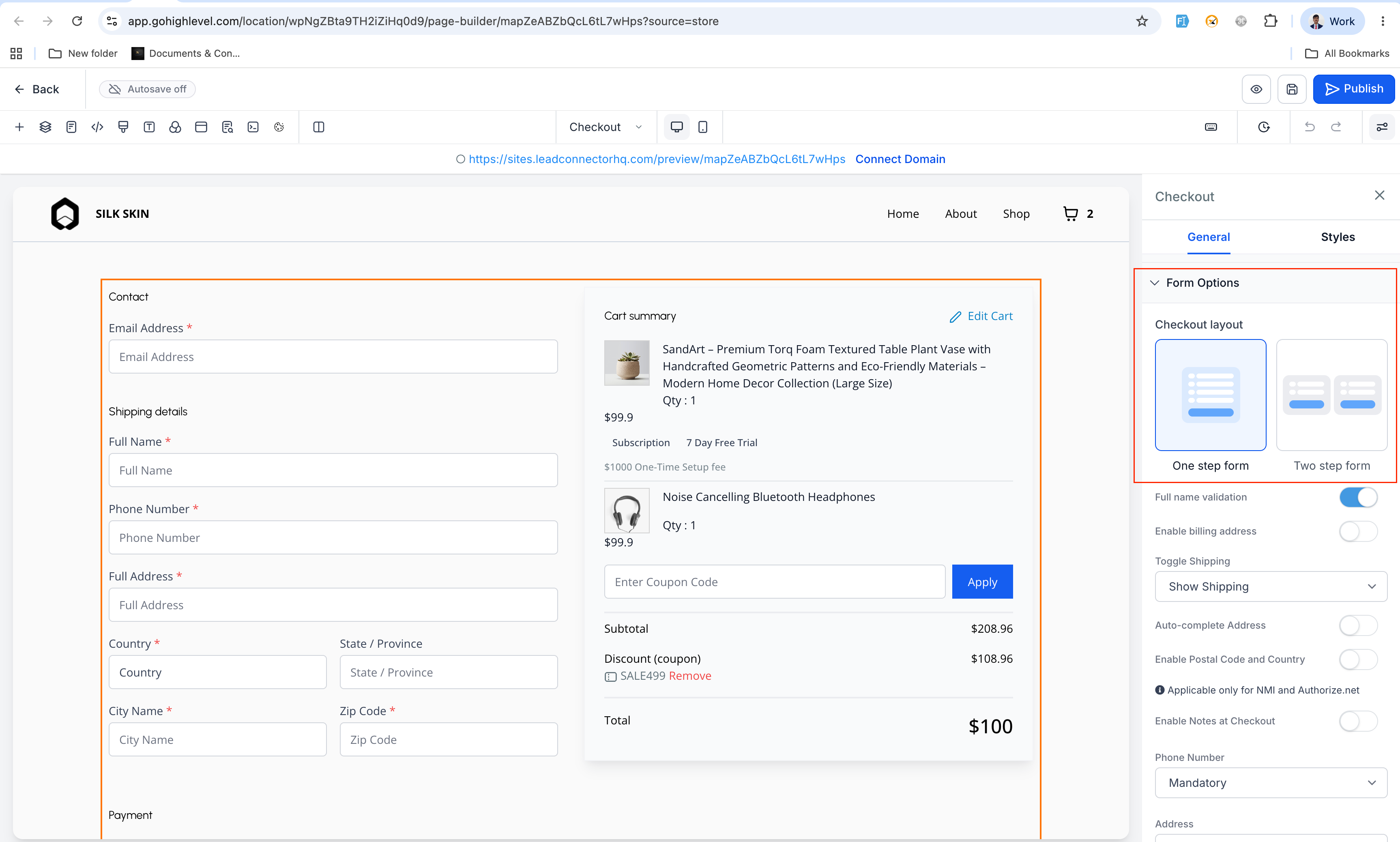
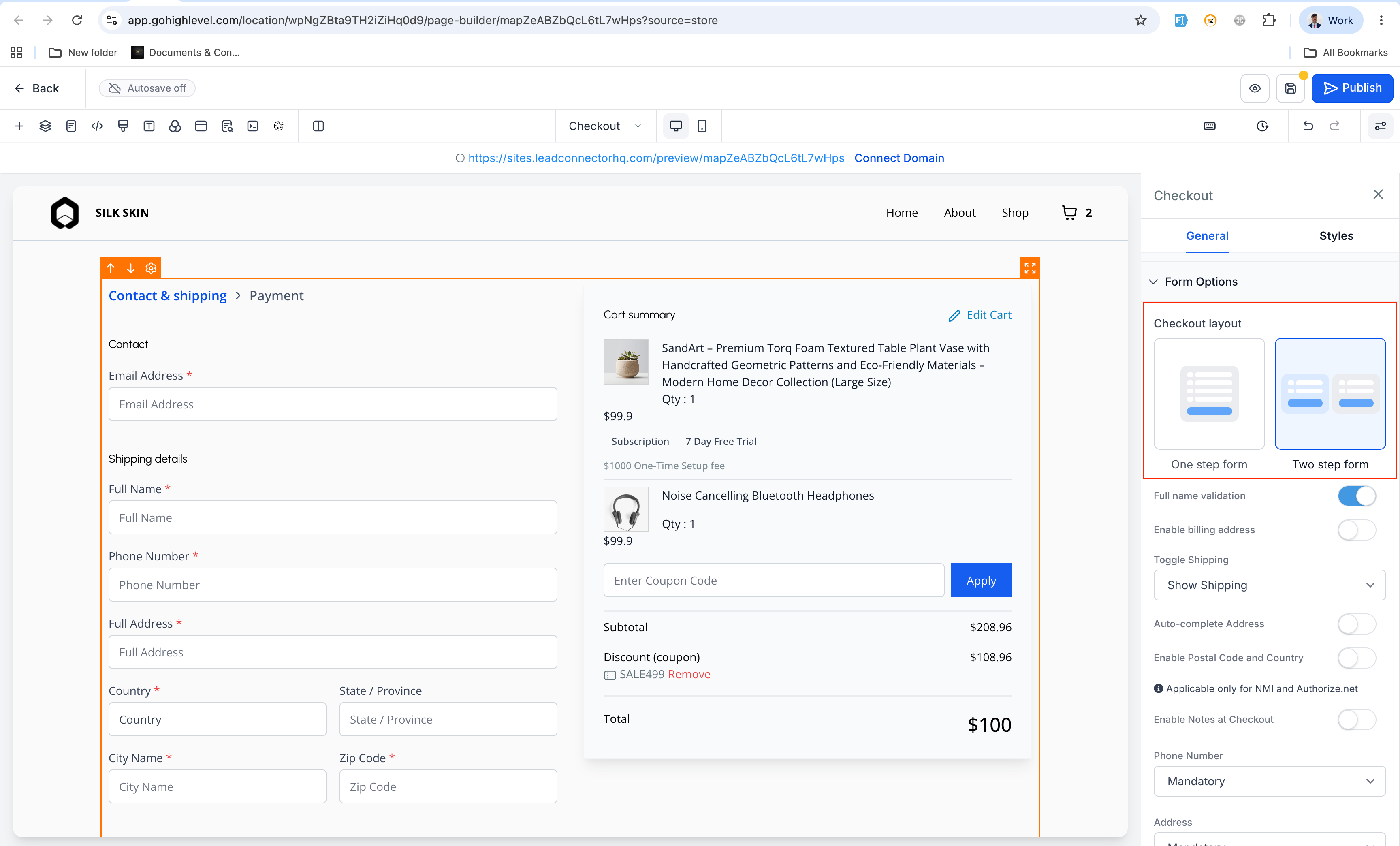
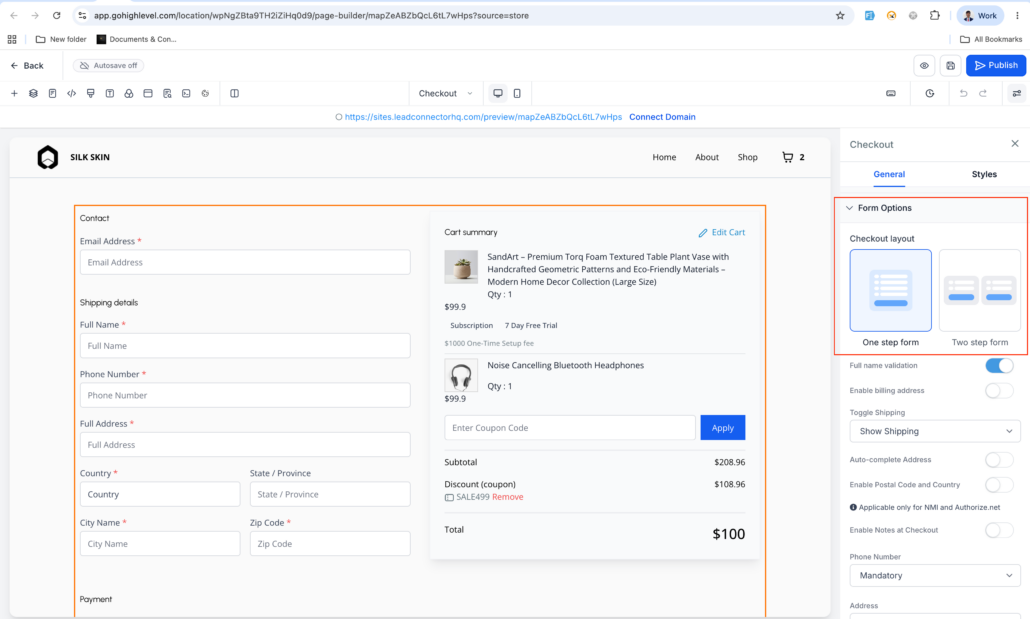
Store owners can now select between One-Step Checkout and Two-Step Checkout from the Checkout element’s Form Options in the Builder.
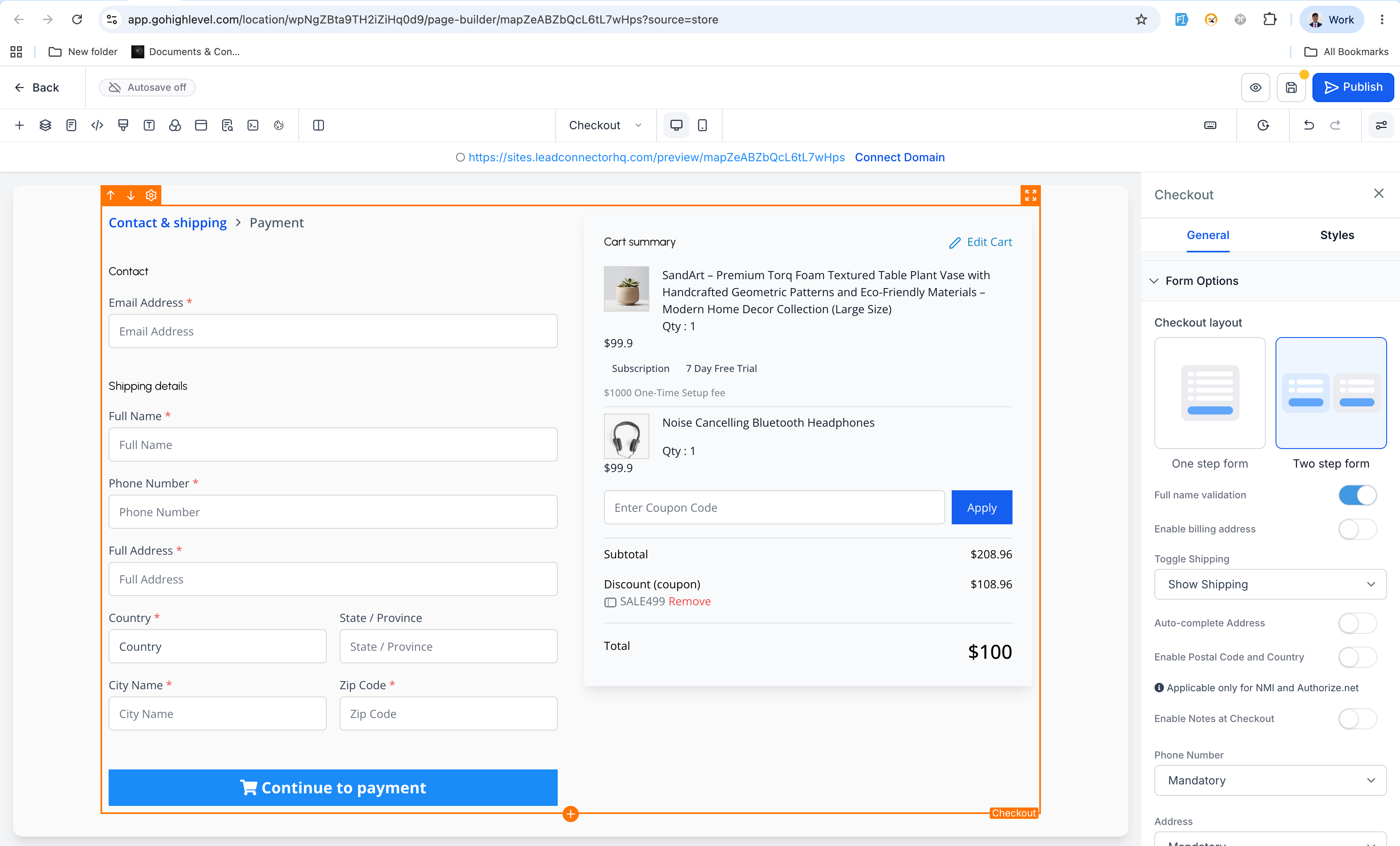
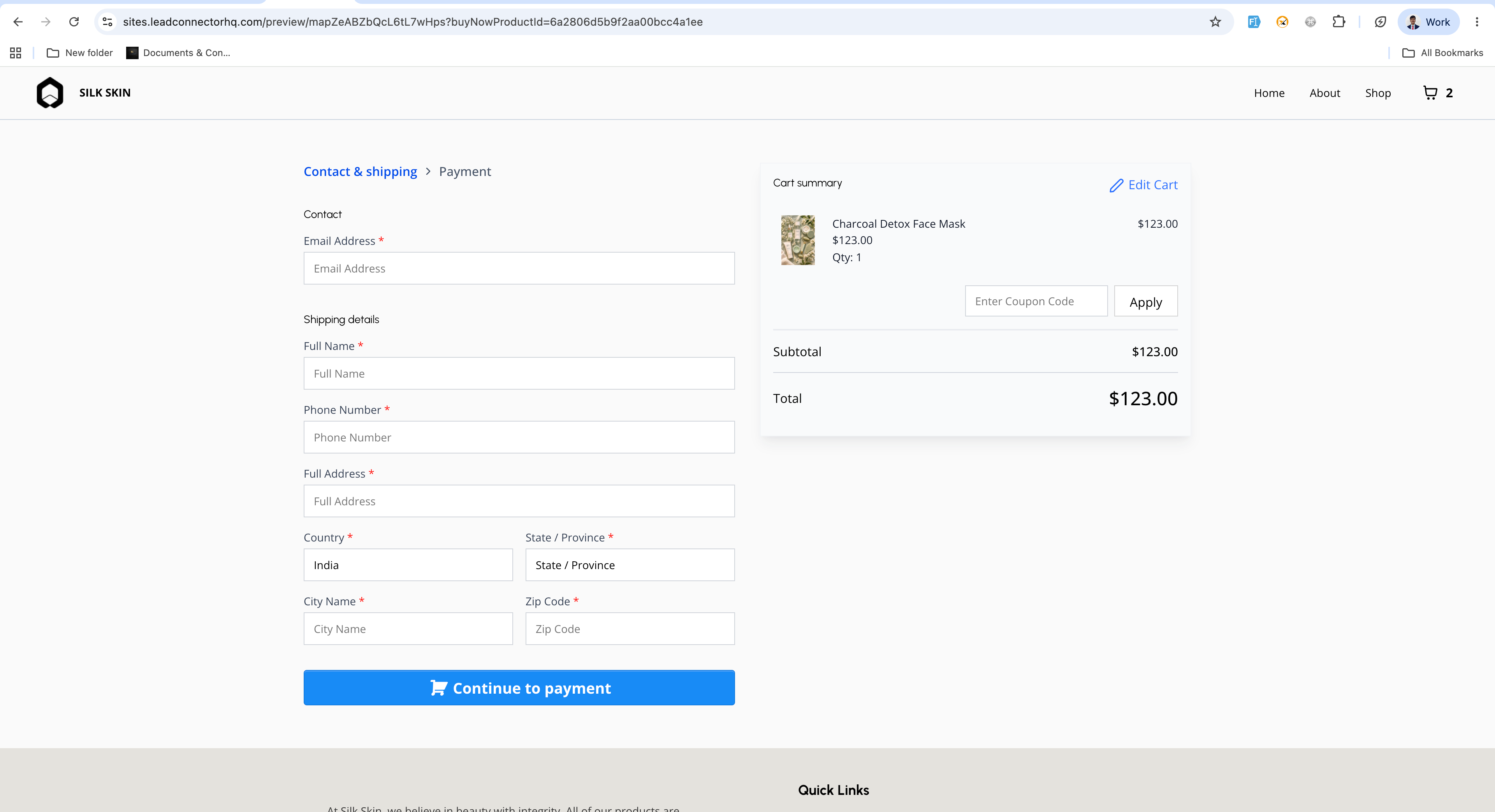
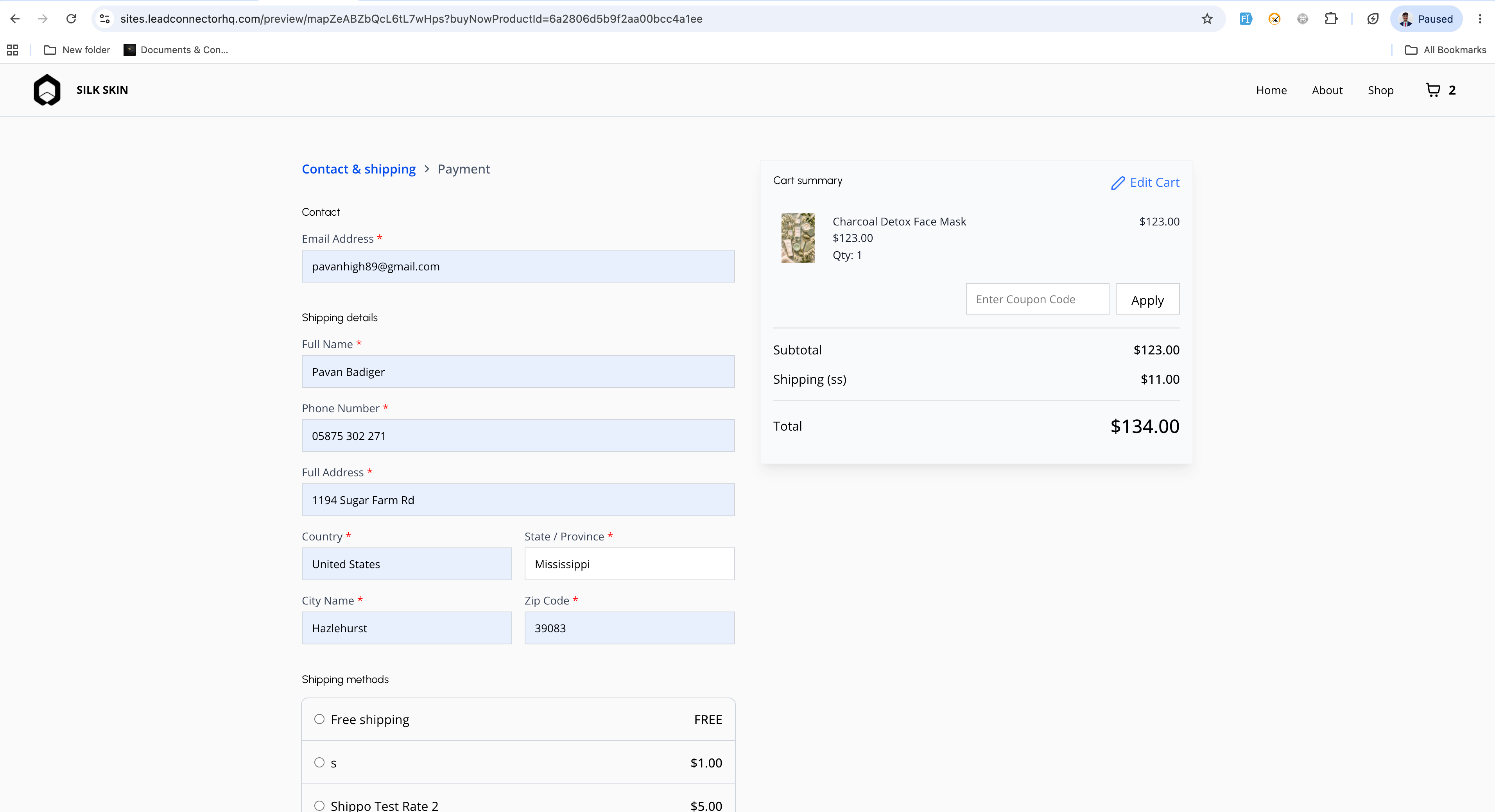
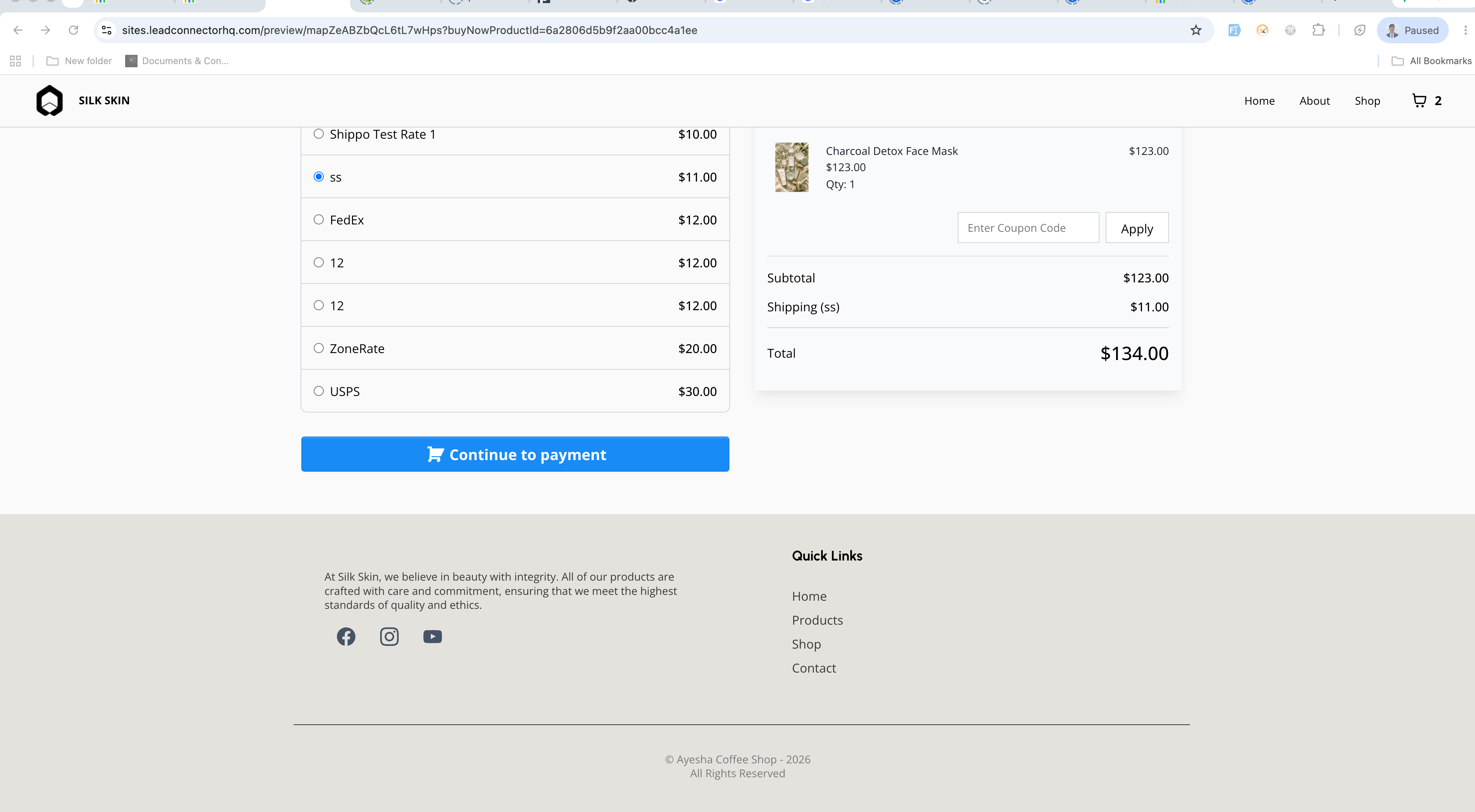
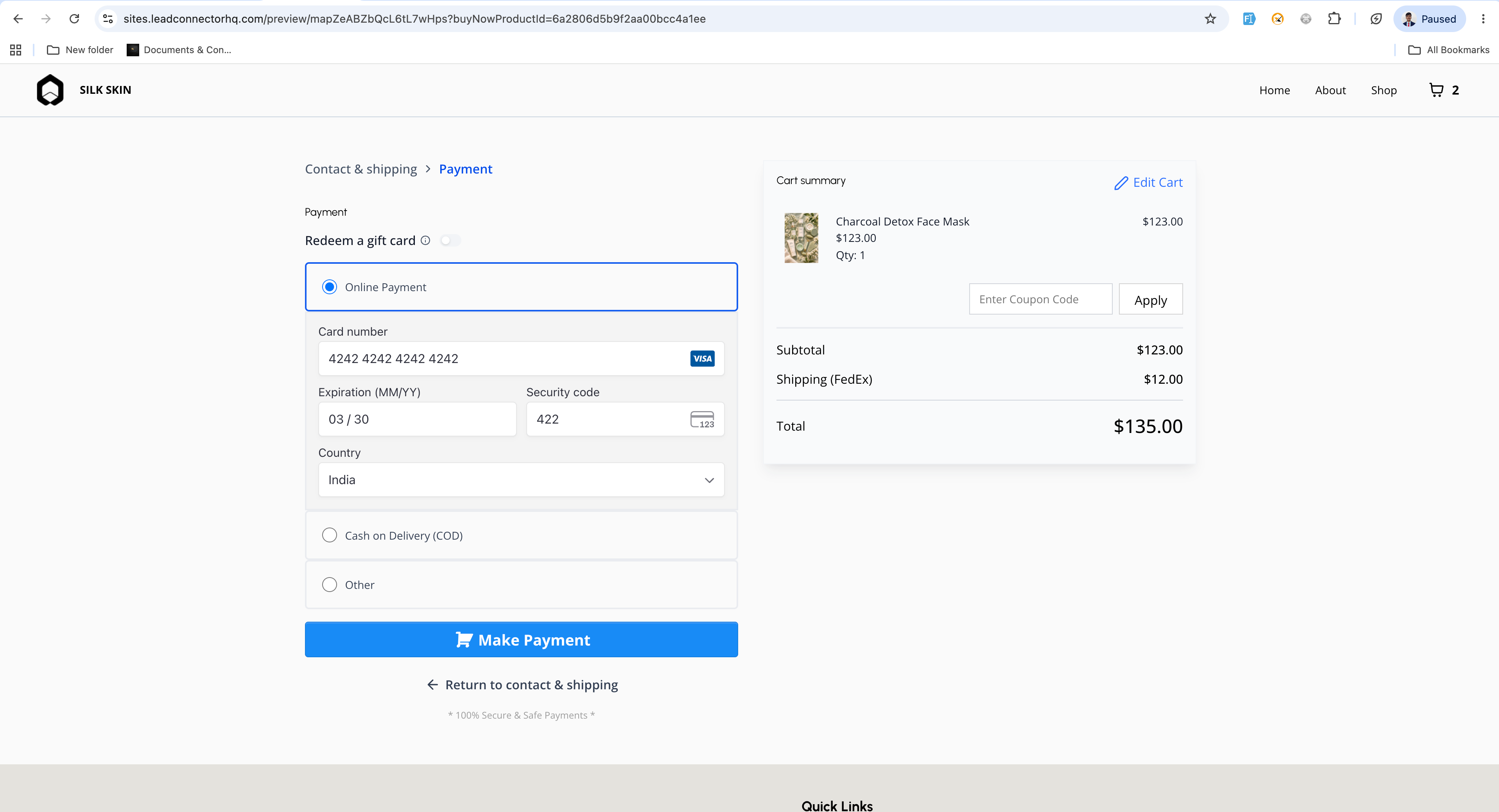
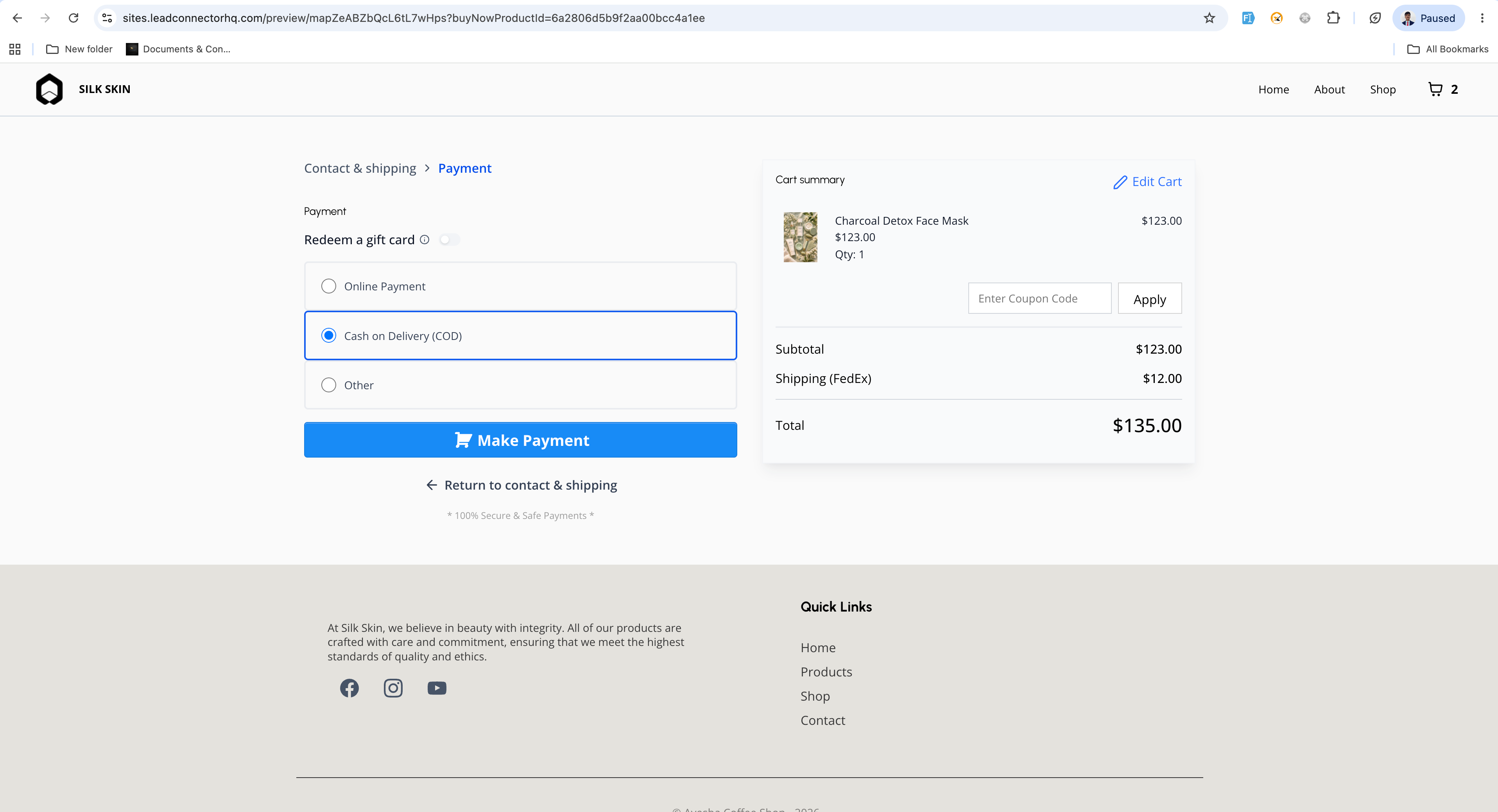
With Two-Step Checkout, customers first provide their contact details and shipping information, followed by billing, payment, and order review in the second step.
- Checkout Type Selection
- A new Checkout Type setting is available for the Checkout element.
- Options include: One-Step Checkout, Two-Step Checkout.
- Two-Step Checkout Flow
- Step 1: First Name, Last Name, Email, Phone Number, and Shipping
- Step 2: Billing, Payment, Order Review, and Place Order
- Default Behaviour
- One-Step Checkout remains the default setting.
- Existing checkout pages will continue to function as they do currently.
- Open the Store Builder and edit the Checkout Page.
- Select the Checkout element.
- Navigate to Form Options in the settings panel.
- Choose either One-Step Checkout or Two-Step Checkout.
- Save and publish the page.
- Two-Step Checkout enables the collection of customer contact and shipping details earlier in the process.
- Customers can only proceed to Step 2 after valid details have been entered in Step 1.
- This setting operates at the Checkout element level, allowing different pages to employ different checkout types.