
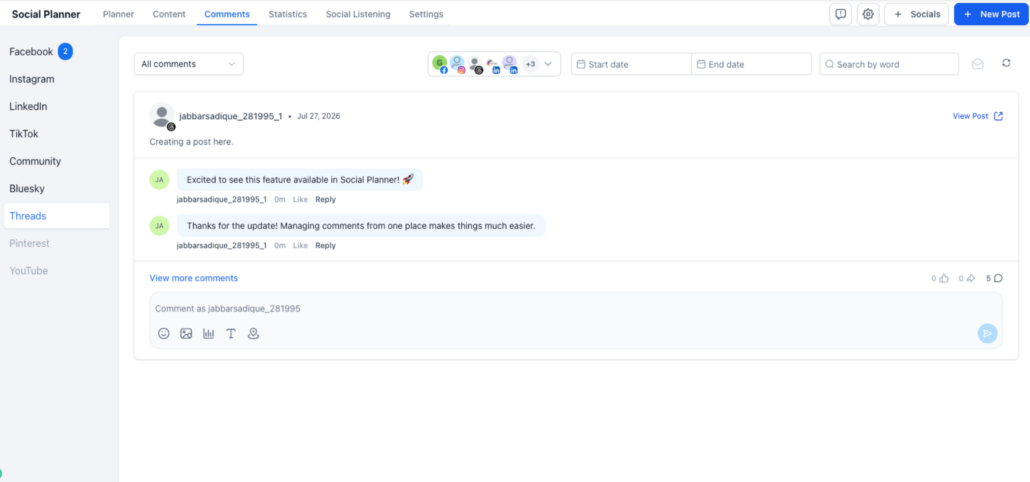
💬Threads Comment Management: Now Available in Social Planner
We’re bringing even more conversations into one unified inbox. ✨
With this update, Comment Management now supports Threads, allowing you to view, manage, and reply to Threads comments directly from Social Planner.
No more switching between platforms; stay on top of your Threads conversations alongside all your other social engagement.
🚀 What’s new
- Manage Threads Comments in One Place
View and reply to Threads comments directly from Social Planner without leaving your workflow.
- Rich Reply Support
Respond to Threads comments using supported native capabilities, including:
- Text
- Images
- Emojis
- Location attachments
- Real-Time Comment Sync
Comments stay synchronised with Threads using webhook-based updates, ensuring you always see the latest conversations.
- Unified Engagement Inbox
Threads is now supported alongside:
- TikTok
- Communities
- Bluesky
Manage conversations across all supported platforms from a single inbox.
👷 How to use this feature
- Go to Marketing → Social Planner → Comment Management
- Select your Threads account
- Open the Comments tab
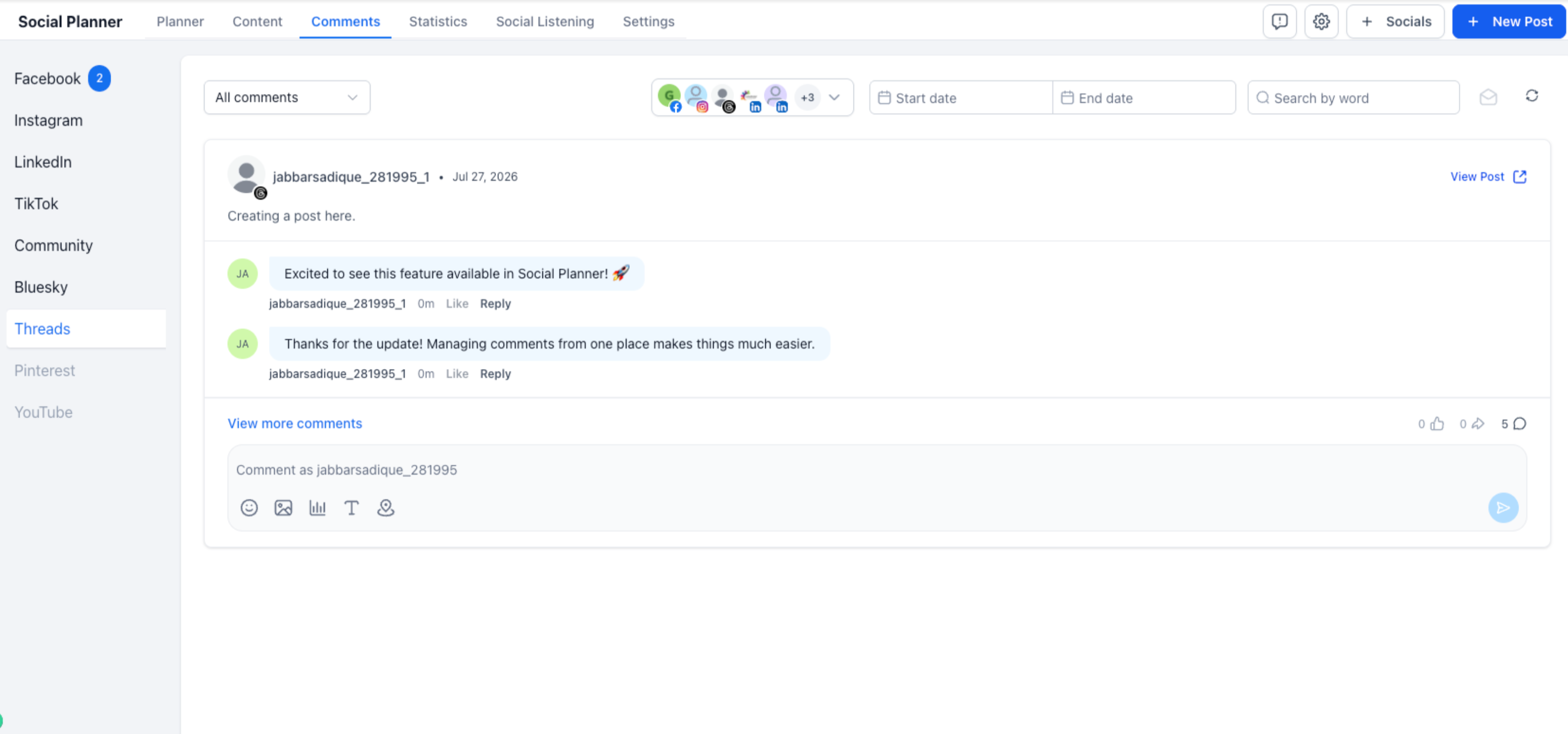
- View and reply to comments directly from the unified inbox
💡 Why it matters
- Manage Threads conversations without switching platforms
- Respond faster from a centralised inbox
- Maintain consistent engagement across multiple social channels
- Improve team productivity with a unified comment management experience
📝 Notes
- Existing Threads users must reconnect their account once to enable the additional permissions required for Comment Management
- Comments are synchronised for near real-time updates
- Rich replies support text, images, emojis, and location attachments based on Threads platform capabilities