
Tags for Courses | Clixio Changelog
🏷️ **Organise & Discover Courses Faster with Course Tags**
Course Tags
to assist creators in organising their courses and enabling learners to discover relevant content more efficiently.
Language
,
Difficulty
, and
Topic
tags from
Course Settings
.
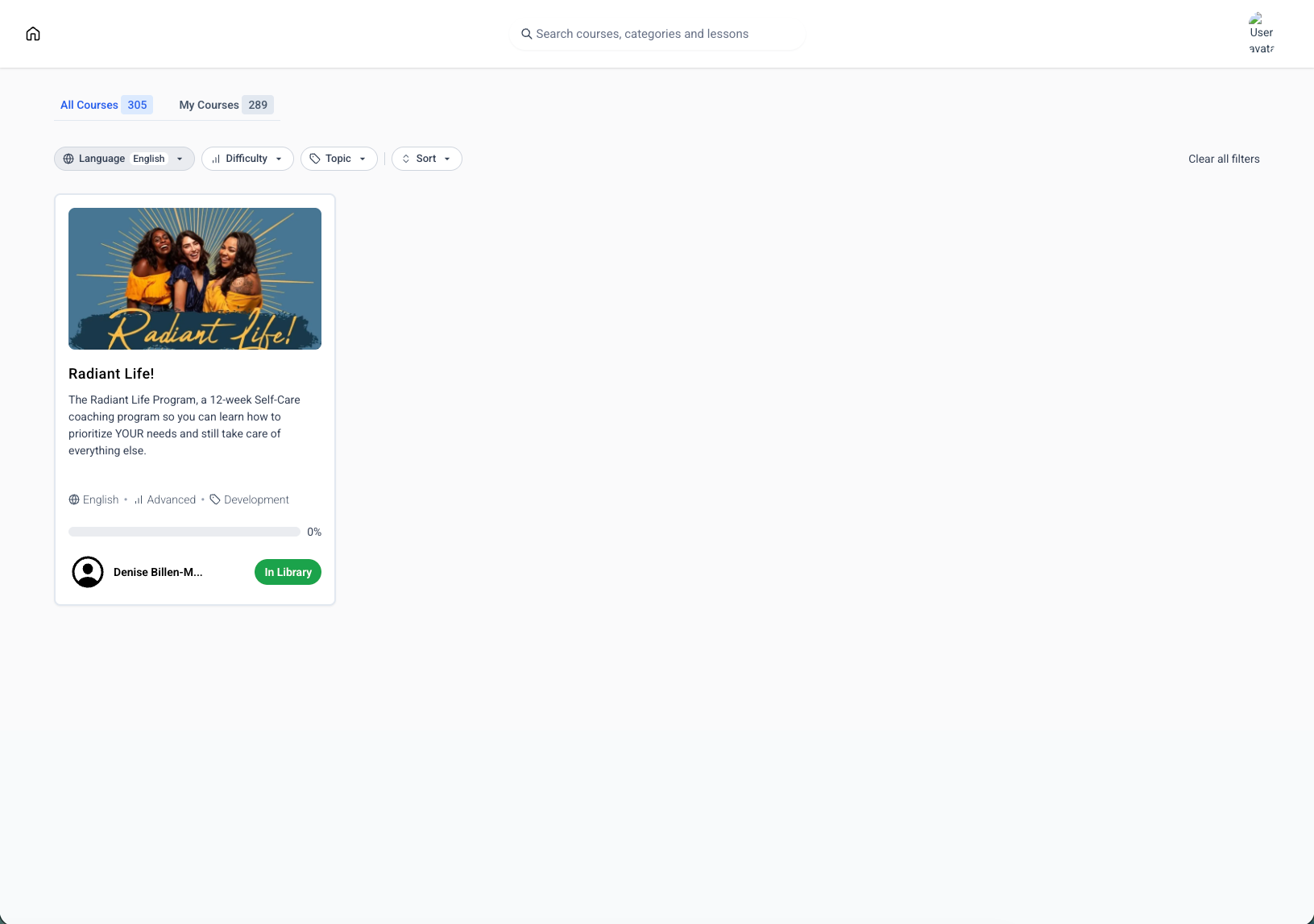
* 🔍 Learners can filter the course library using these tags.
* 📚 Tags are displayed directly on course cards for quick identification.
* 🌐 Standardised, predefined tags ensure consistent categorisation across all courses.
All Courses
and
My Courses
library views.
* Help learners quickly find courses that match their language, skill level, and interests.
* Create a cleaner, more organised learning library.
* Categorise courses without relying on custom fields or manual organisation.
* Deliver a more polished, catalogue-like browsing experience within the Client Portal.
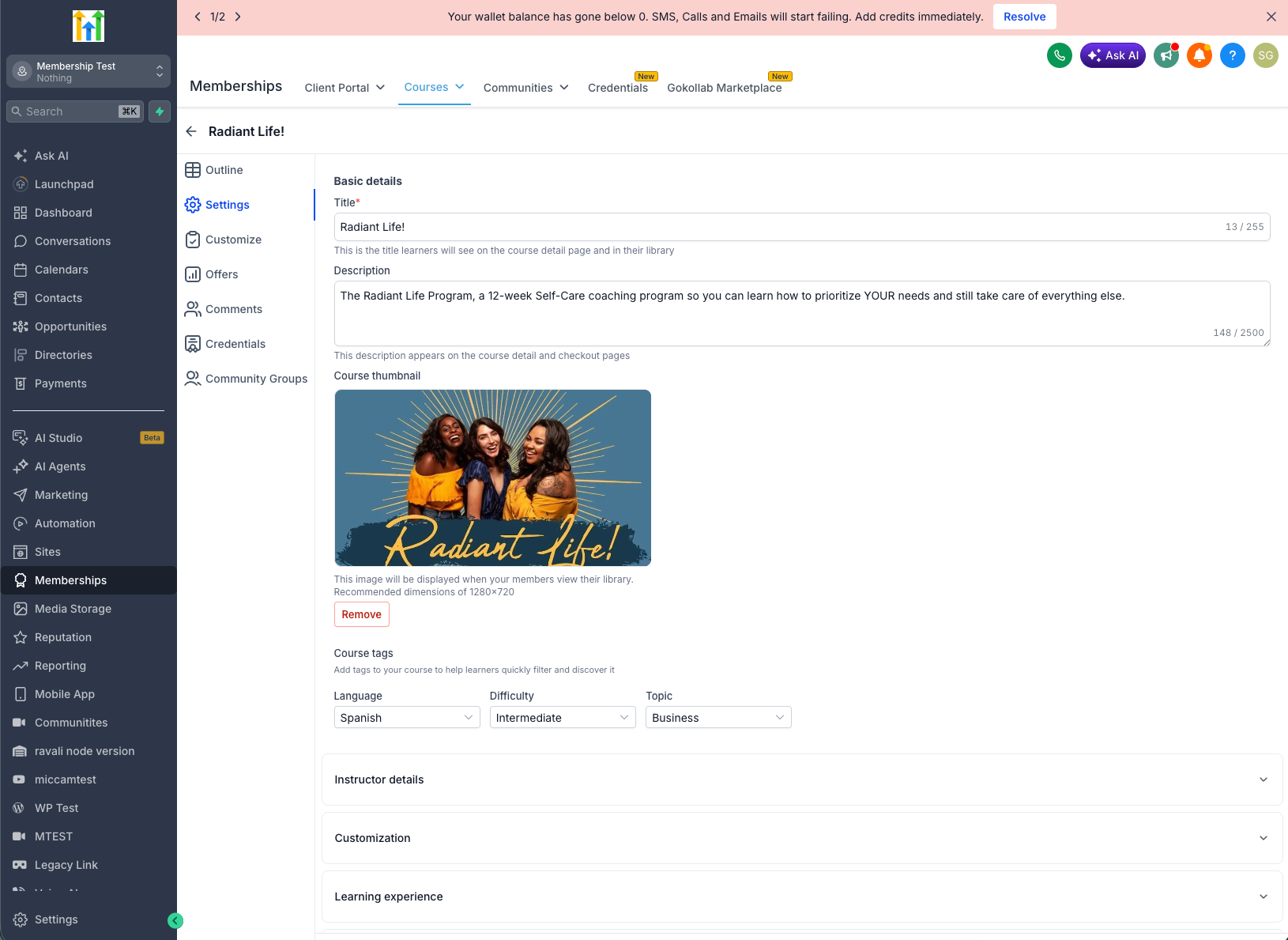
- Navigate to
Memberships → Courses → Settings
.
- Under
Course Tags
, select the appropriate
Language
,
Difficulty
, and
Topic
.
- Save your course.
- Your learners can immediately start using the new filters to discover courses more easily.
We will soon be introducing the ability to create tags as well.