
Sub-account Snapshot Load History | Clixio Changelog
Introducing Sub-account Snapshot History
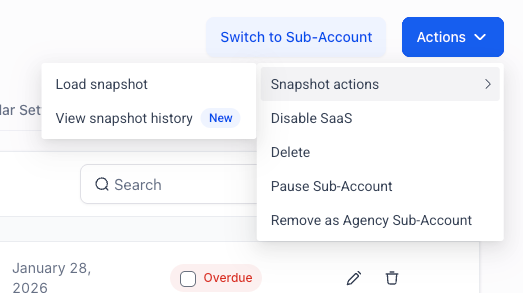
This feature provides a new way to track every snapshot ever loaded into a sub-account. You can now view a complete, organised history of snapshot activity directly from the Actions menu on the Sub-accounts page.
* A new View Snapshot History option has been added alongside the existing Load Snapshot action in the Actions menu.
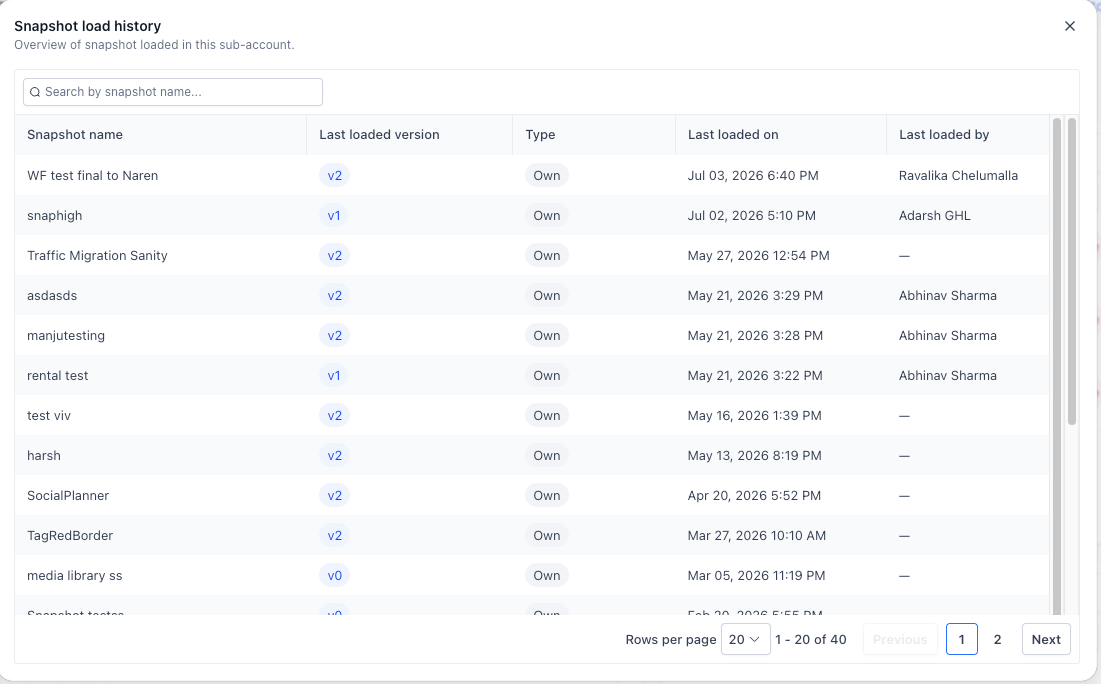
* View a complete list of all snapshots that have been loaded into a sub-account.
* Open any snapshot to see its detailed load history, including every time that specific snapshot was applied.
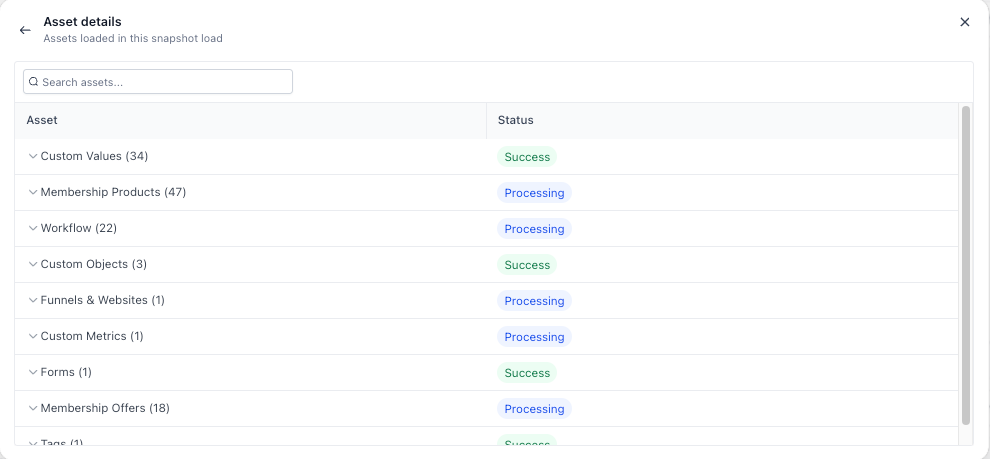
* Drill down further to view the exact assets—such as workflows, calendars, and more—that were included in each snapshot load.
* Each history entry displays:
- Who loaded the snapshot
- When it was loaded
- The snapshot version
- The snapshot type (Template, Created, Imported, or Marketplace)
Previously, there was no straightforward way to determine when a snapshot was loaded into a sub-account, who loaded it, or which version was used. This made troubleshooting, auditing account changes, and understanding account setup history challenging and time-consuming.
With Sub-account Snapshot History, all this information is now readily available in one place, making it easier to investigate changes and maintain visibility into your account setup.
* Faster troubleshooting: Quickly identify what was loaded and when without the need for support tickets or team members.
* Improved accountability: See exactly who initiated each snapshot load.
* Greater visibility: Access the complete snapshot history of any sub-account in just a few clicks.
* Detailed auditing: Drill down from the overall history to individual snapshot loads and the exact assets included in each load.
We are continuing to enhance the Snapshot History experience with improvements such as search and filtering capabilities, making it even easier to navigate and audit snapshot activity as your accounts grow.