Sub-account Billing -> Invoice list: Clearer, Smarter, More Useful
We’ve updated the invoice list in sub-account billing to make it significantly easier for you to understand your charges at a glance.
-
See What You Were Charged For — Instantly
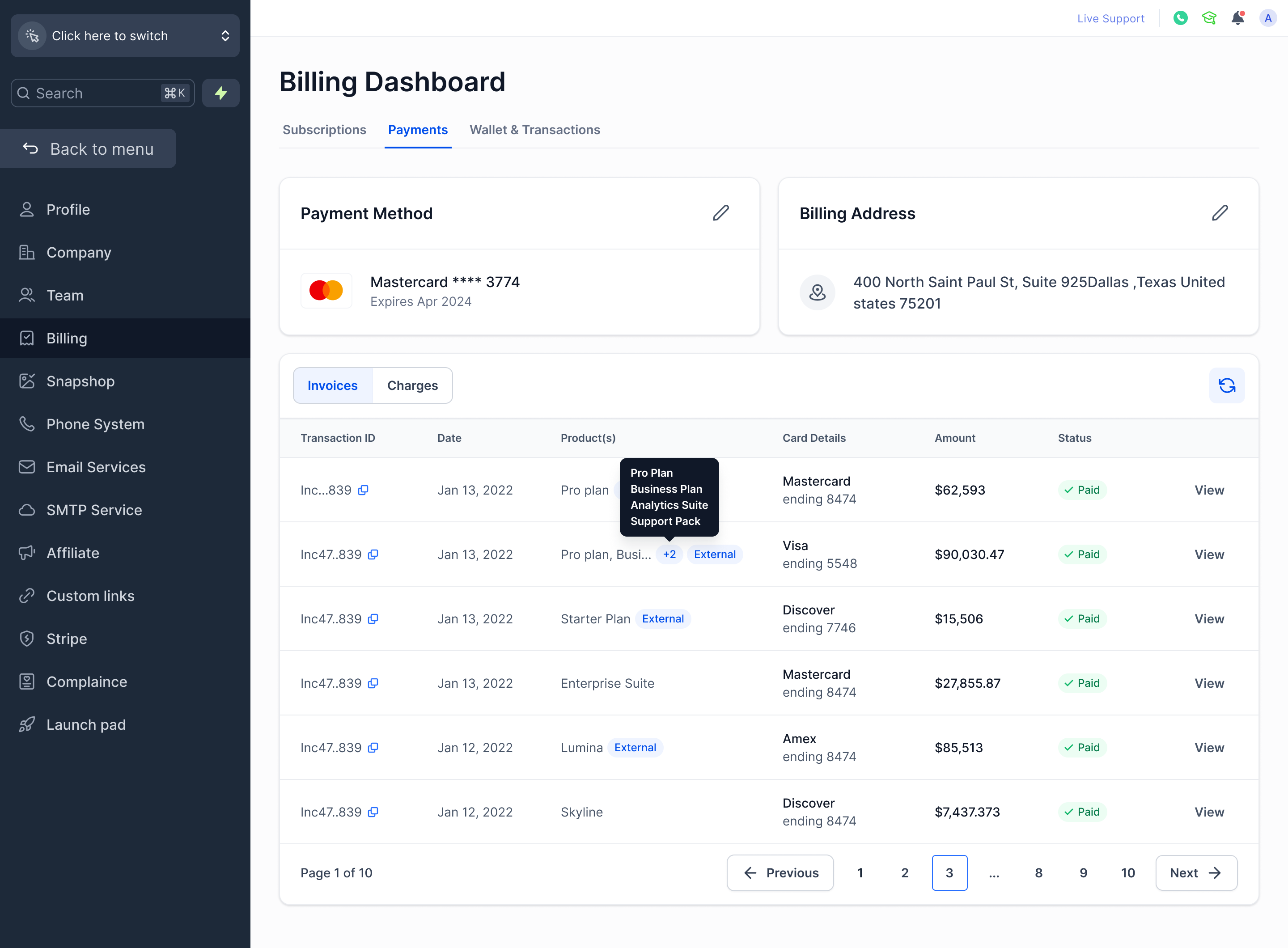
The invoice list now displays product names instead of raw invoice codes in the Products column. For invoices with multiple items, you’ll see the first product name along with a count of additional items — hover over it to view the complete list.
-
Cleaner Invoice Table
The old Invoice ID column has been removed. In its place, a truncated Transaction ID is shown, complete with a one-click copy icon, allowing you to easily grab the full ID whenever you need it.
-
Review Invoices Without Auto-Downloading
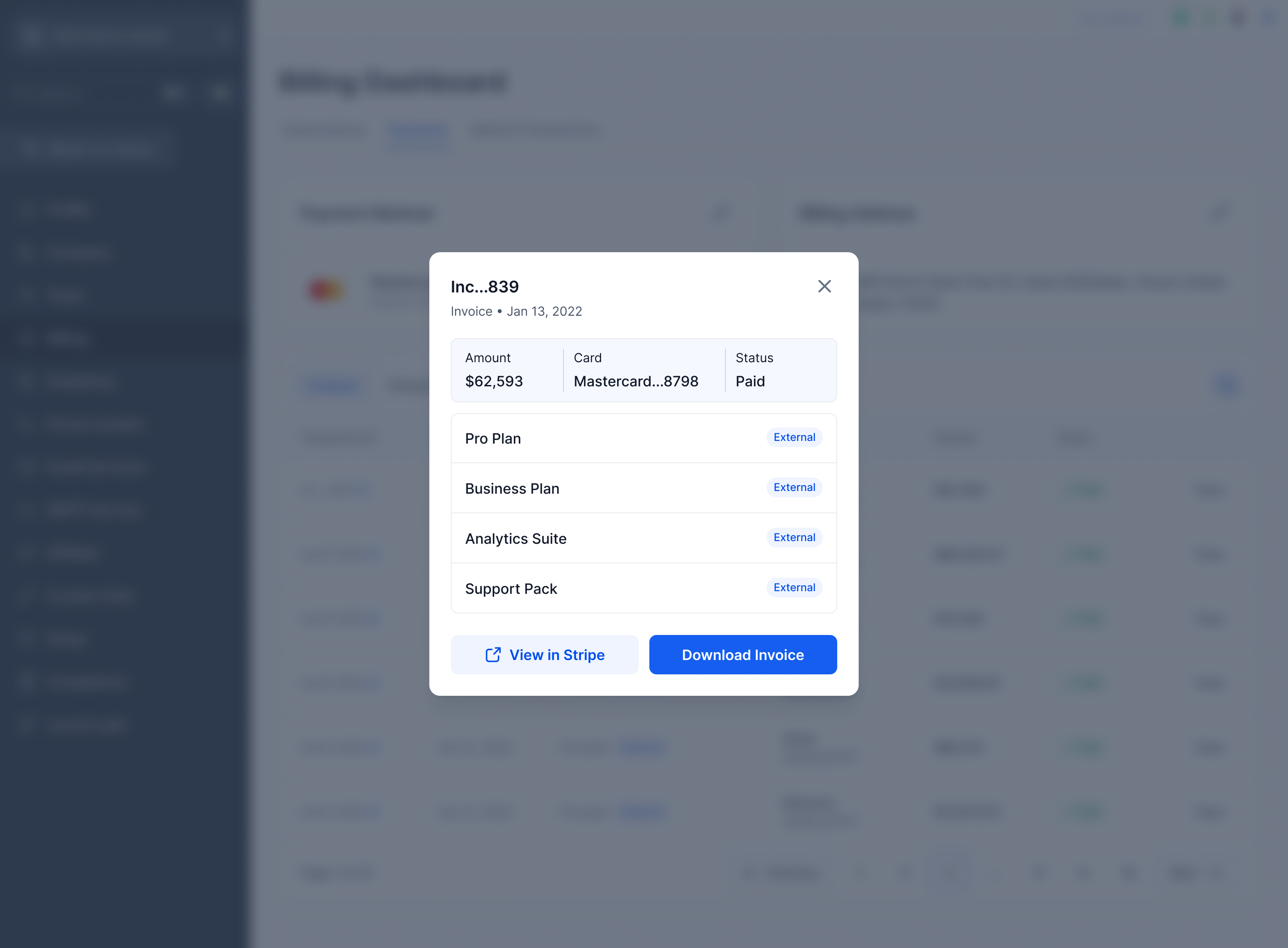
Clicking “View” on an invoice now opens a detailed panel instead of immediately downloading a PDF. From there, you can review the amount, payment method, status, and line items — then choose to View in Stripe or Download Invoice at your convenience.
-
Know What’s a Platform Charge vs. an External Charge
Invoices and products that originate from outside the Clixio platform are now clearly labelled as “External”, making it easy to distinguish between your platform subscription and any third-party charges.
These updates minimise guesswork when reviewing your billing history. You can now identify charges instantly, review invoices without unintentional downloads, and clearly see the source of each charge.