
🔗 Social Planner: Share & Approve Posts via Magic Links
⭐ What’s New
We haven’t just simplified approvals; we’ve eliminated the need for logins entirely. ✨
The new External Approval Flow in Social Planner allows you to share posts with clients and stakeholders using secure magic links. This enables them to review, approve, or request changes without ever needing to access Clixio.
No more screenshots, emails, or endless back-and-forth. Just faster, cleaner collaboration.
🚀 What’s New
- Magic Link-Based Approvals
- Generate a secure, shareable link for one or multiple posts.
- No login required; simply send it via email, WhatsApp, Slack, or wherever your team operates.
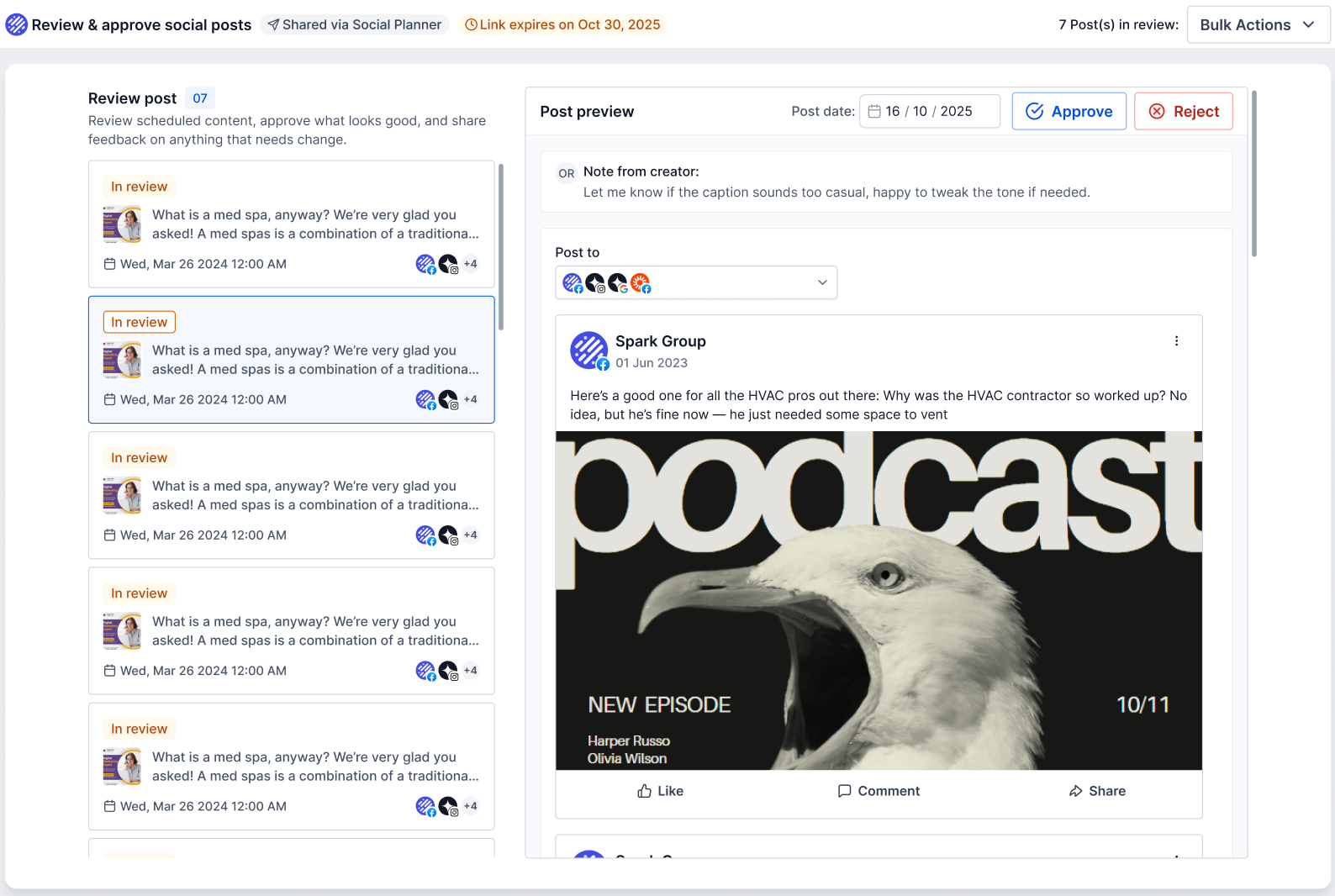
- Approve, Reject & Reschedule (Even in Bulk)
Approvers Can:
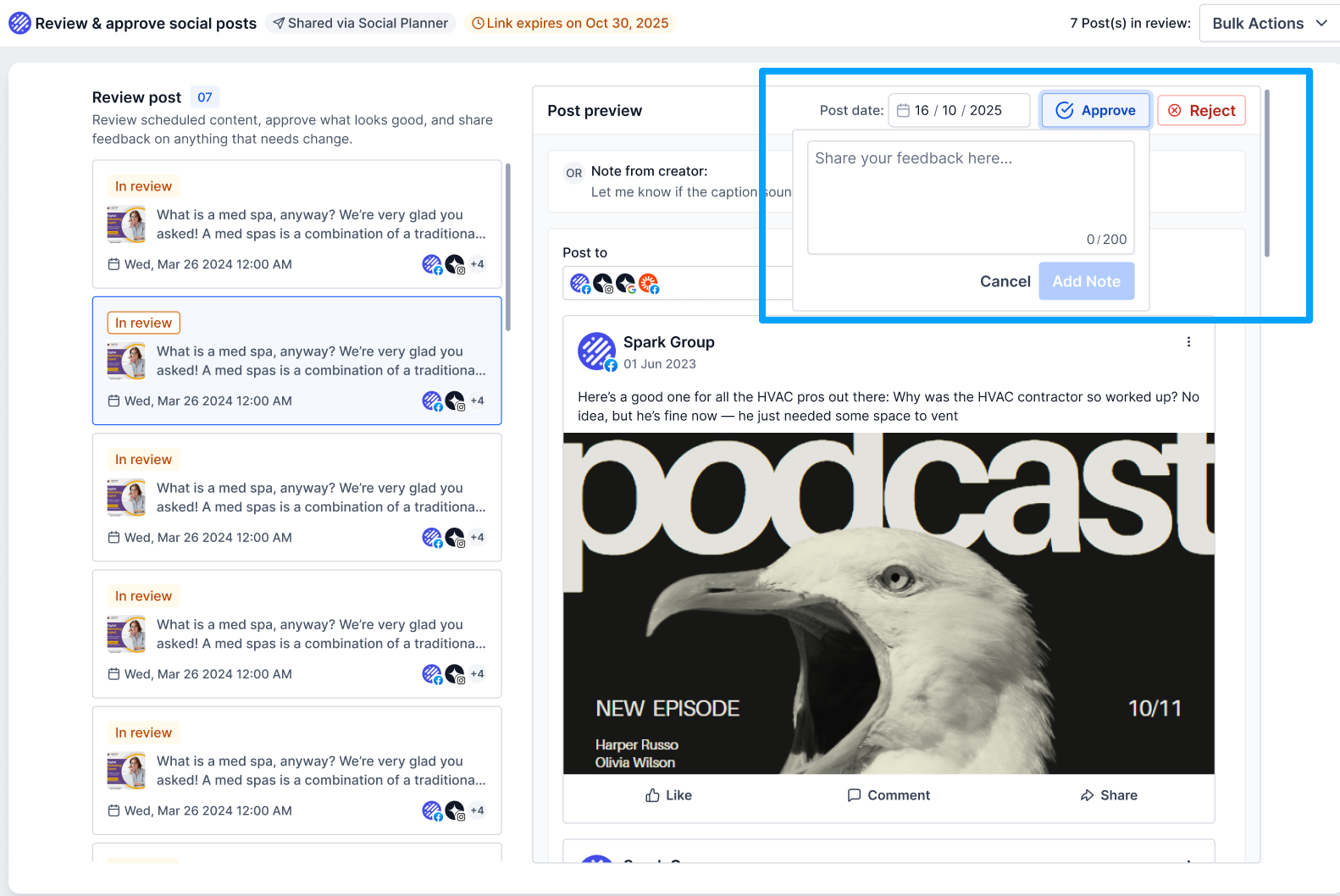
- Approve or reject posts with notes
- Reschedule posts
- Use bulk actions such as Approve All / Reject All
- All updates sync instantly back to Social Planner.
Rich Post Preview for Better Decisions
- Approvers can see everything they need before taking action:
- Post preview (image/video + caption)
- Scheduled time
- Platform details
- Creator notes
Secure, Password-Protected Access
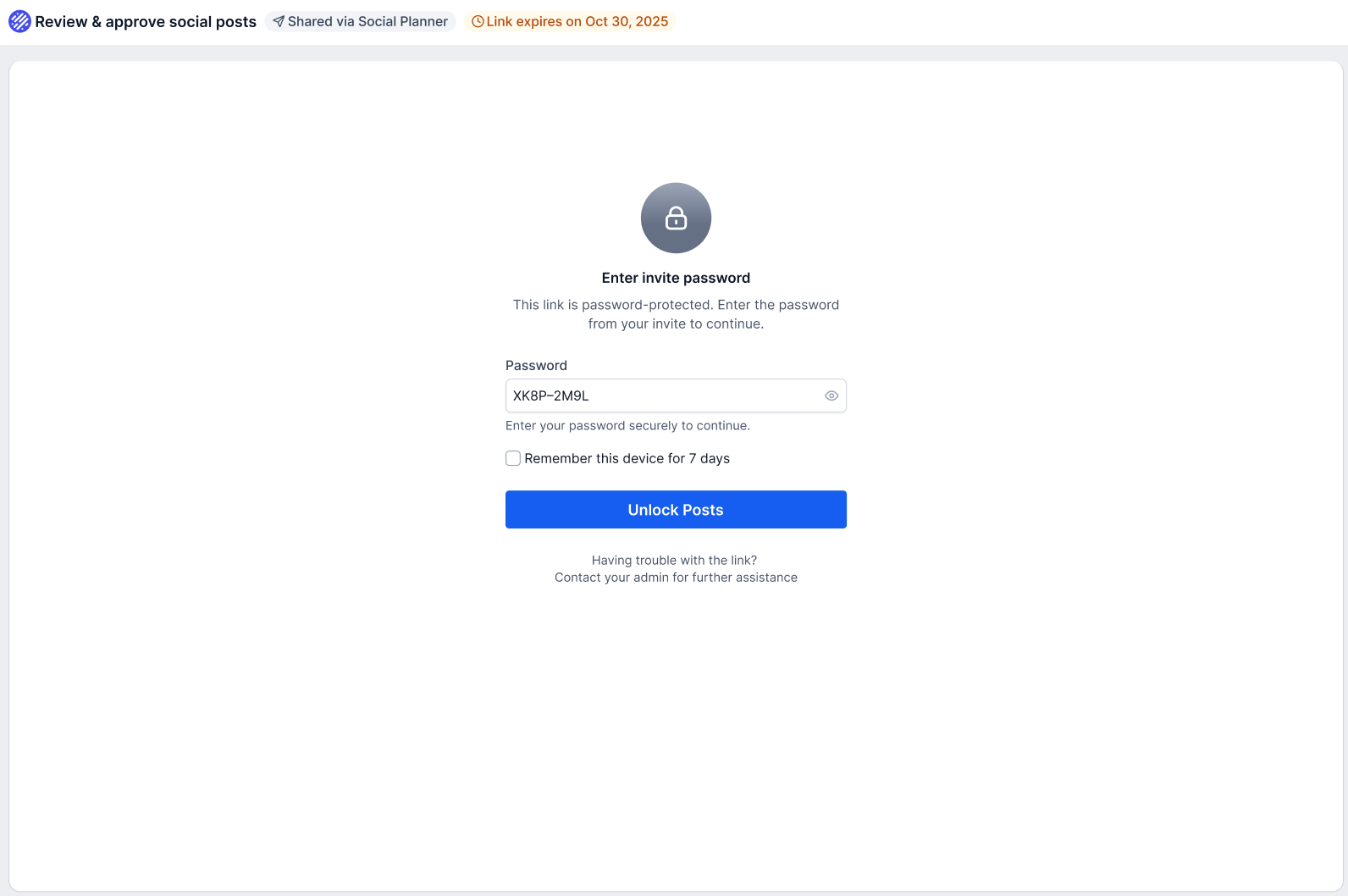
Each link is protected with an auto-generated password and expires after 30 days, ensuring approvals remain safe and controlled.
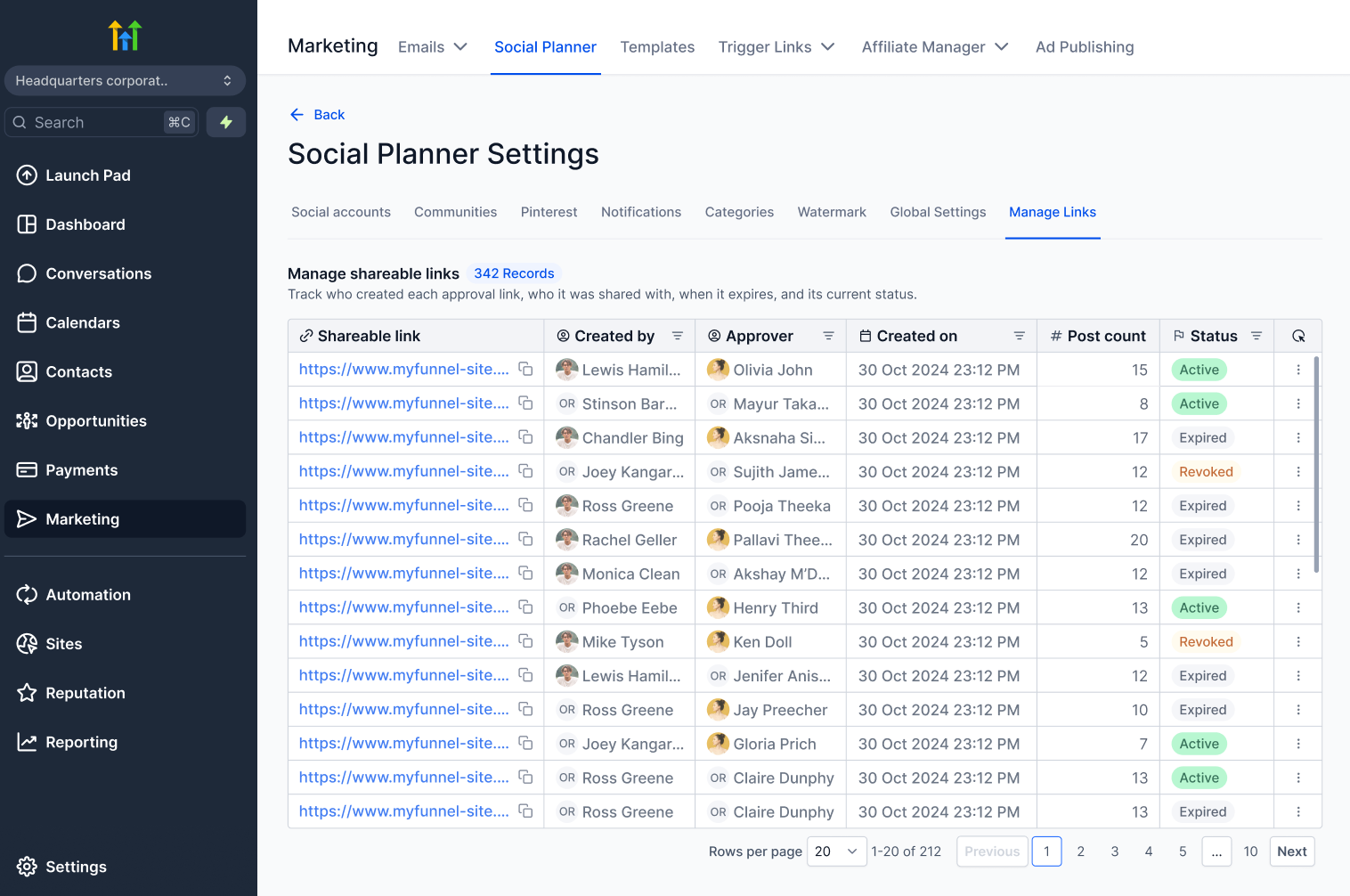
Manage All Links in One Place
Track and control every approval link from a new Manage Links section:
- View status (Active, Expired, Revoked)
- Regenerate or revoke access
- Extend validity
Smart Expiry & Recovery Flow
Expired link? No problem.
Approvers can request a new one, and creators can regenerate links instantly with clear system guidance.
👷 How to Use This Feature
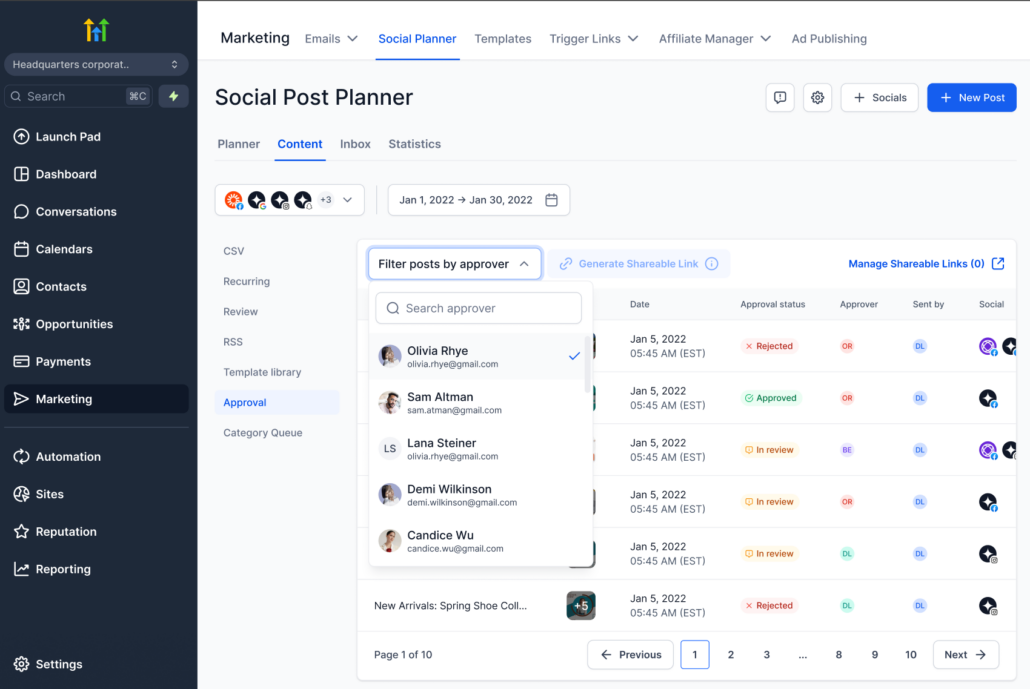
Go to Marketing → Social Planner
Select the approver needed for the approval from the drop-down menu
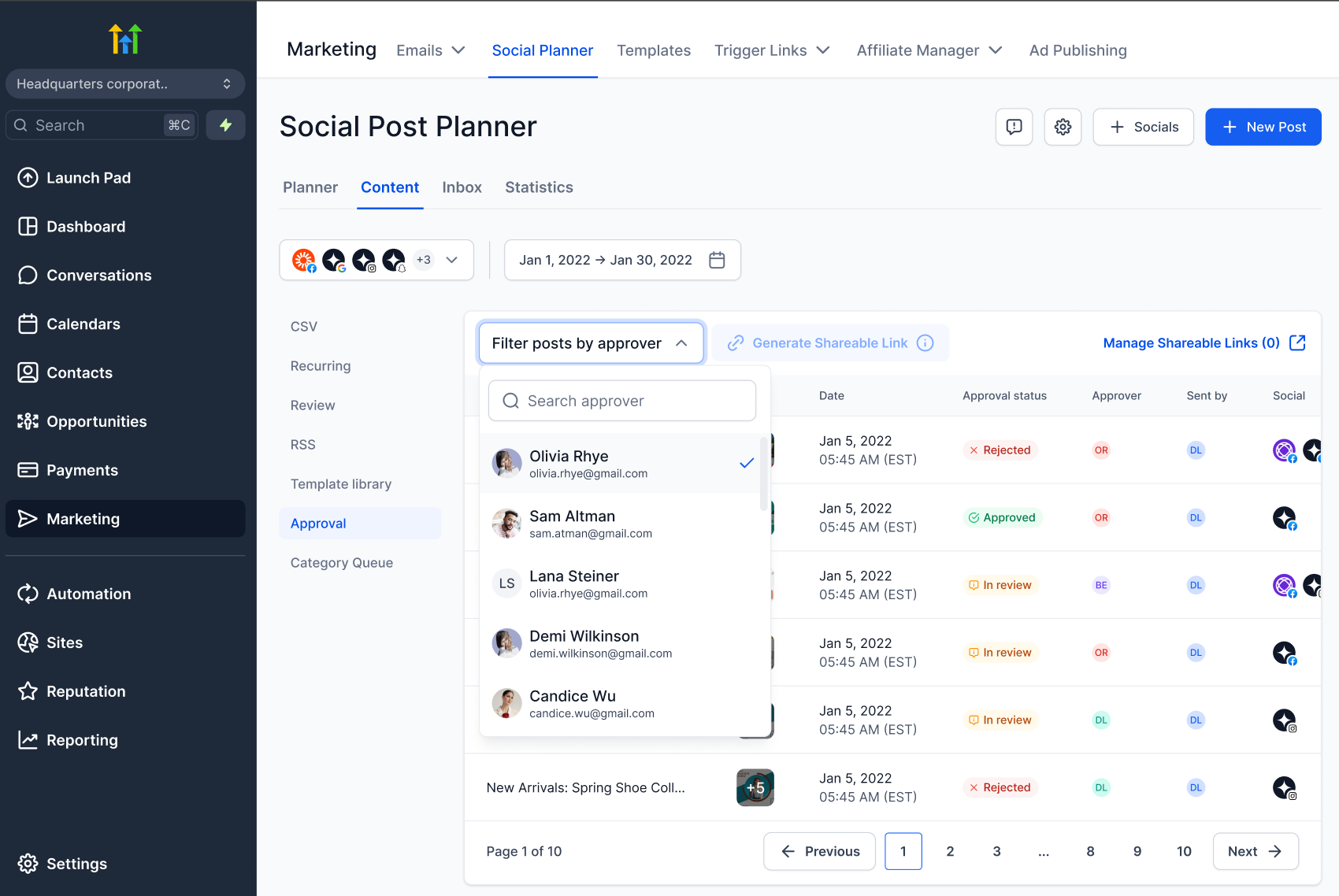
Click Generate Approval Link
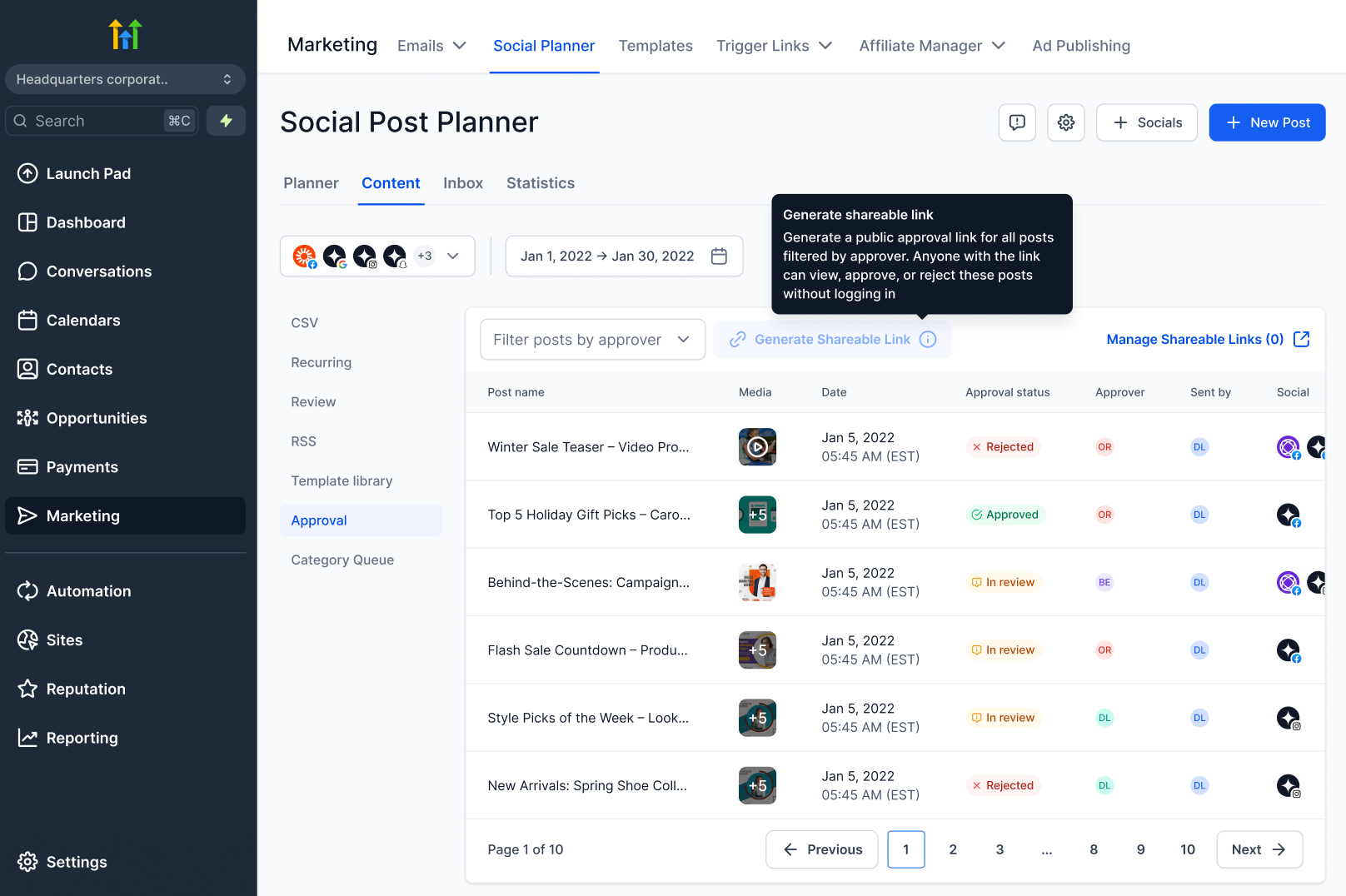
Auto-generate a password or create a custom password
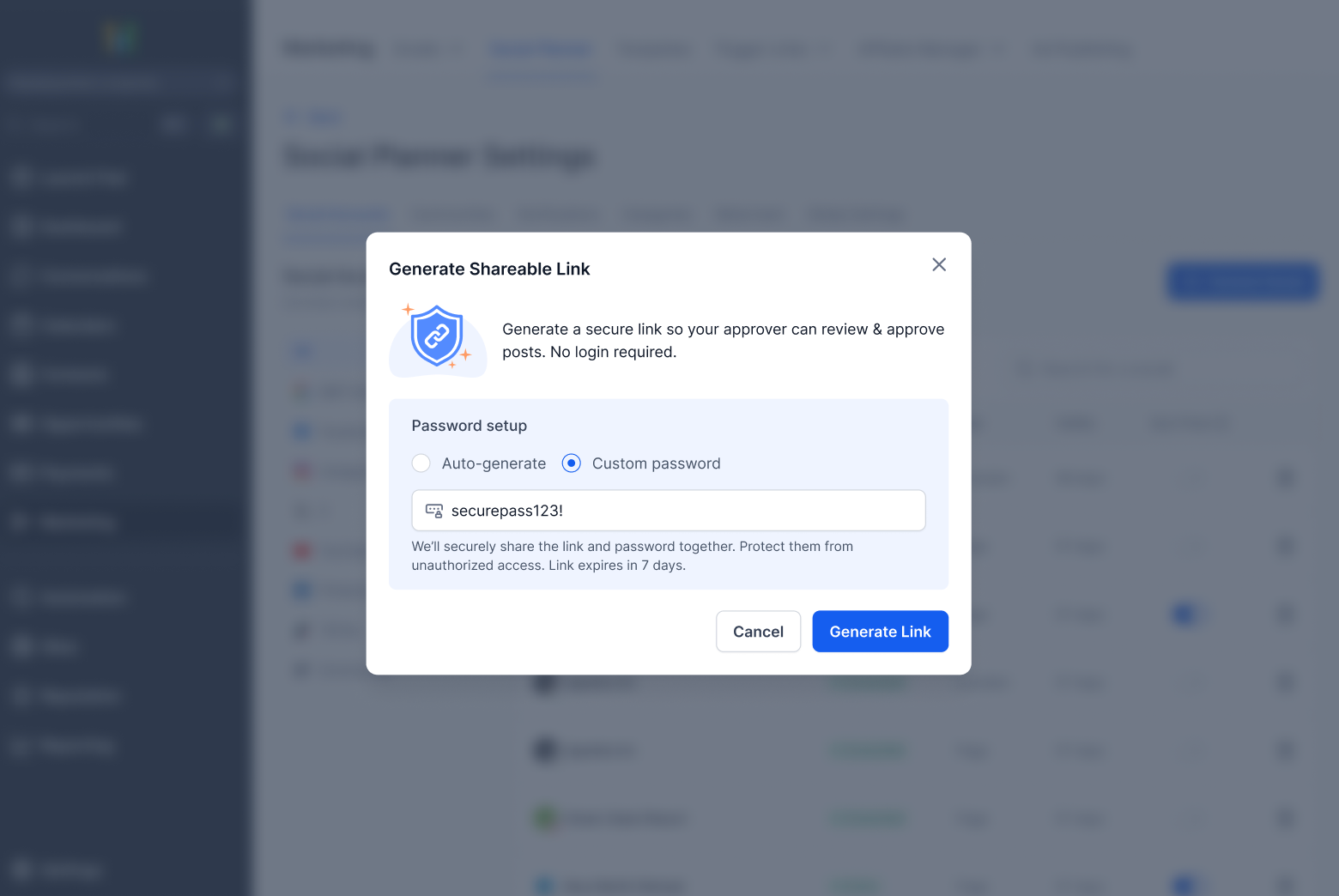
Share the link with your client or stakeholder
They can review and take action via the link
Add notes while approving or rejecting the post
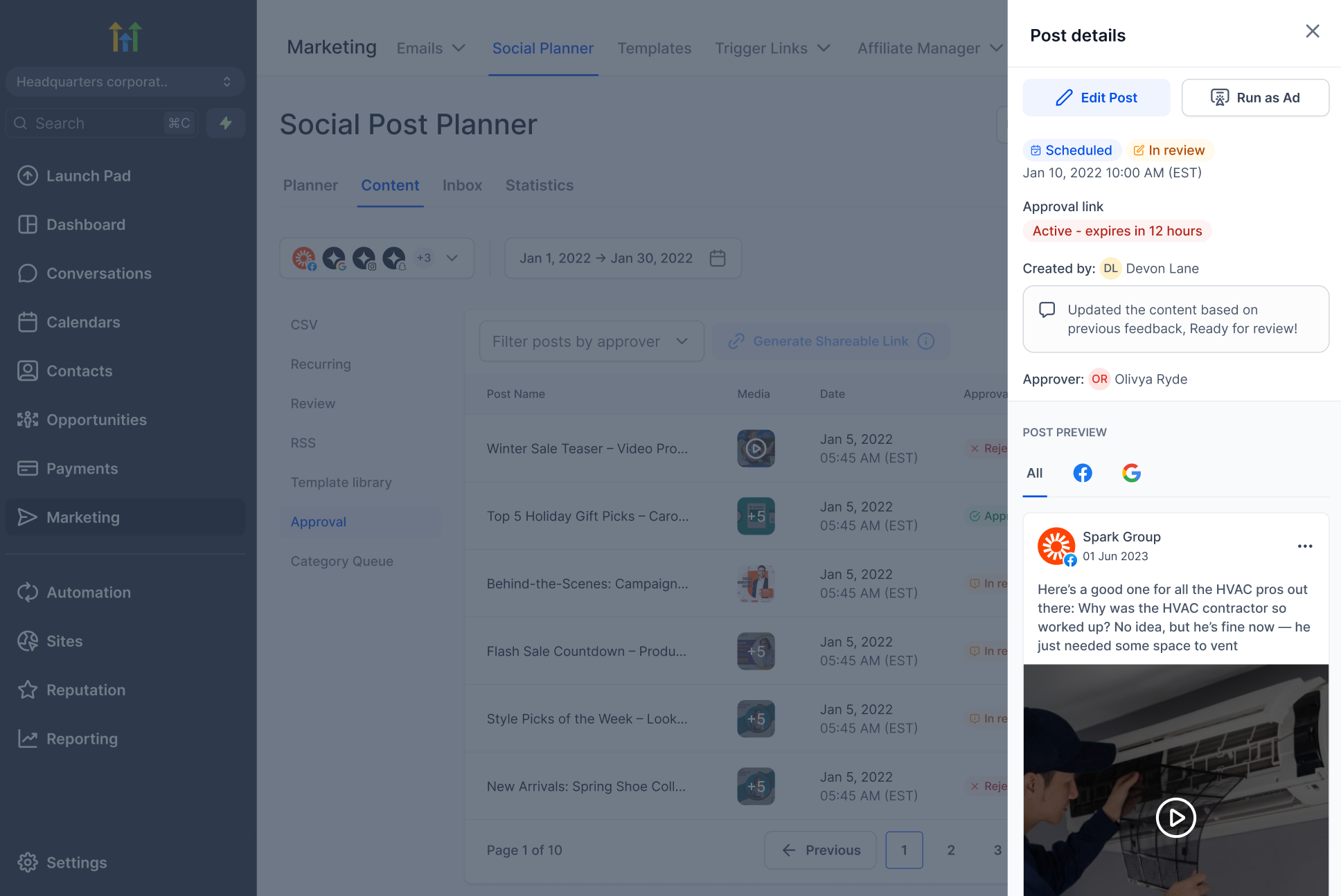
The post creator can view the notes and details inside Social Planner
Users can go to Settings >> Manage Links and adjust link settings
📝 Note
- Approval links are valid for 30 days
- Links can be regenerated or revoked at any time
- Actions are restricted once a post is published
- Only users with the necessary permissions can generate approval links