• Shopping Cart Shopping Cart
    0Shopping Cart
Clixio
  • Features
  • Pricing
  • FAQ
  • Blog
  • Log in
  • Free Trial
  • Menu Menu

Social Planner – Category Queue add category and new post from scratch 🤩

June 13, 2025/in What's New? Social Planner
🤩

What’s New?

The Category Queue in Social Planner has been significantly enhanced to provide more flexibility and control over content scheduling. Previously, users could only queue posts from existing scheduled or published category posts. With this update, users can now:

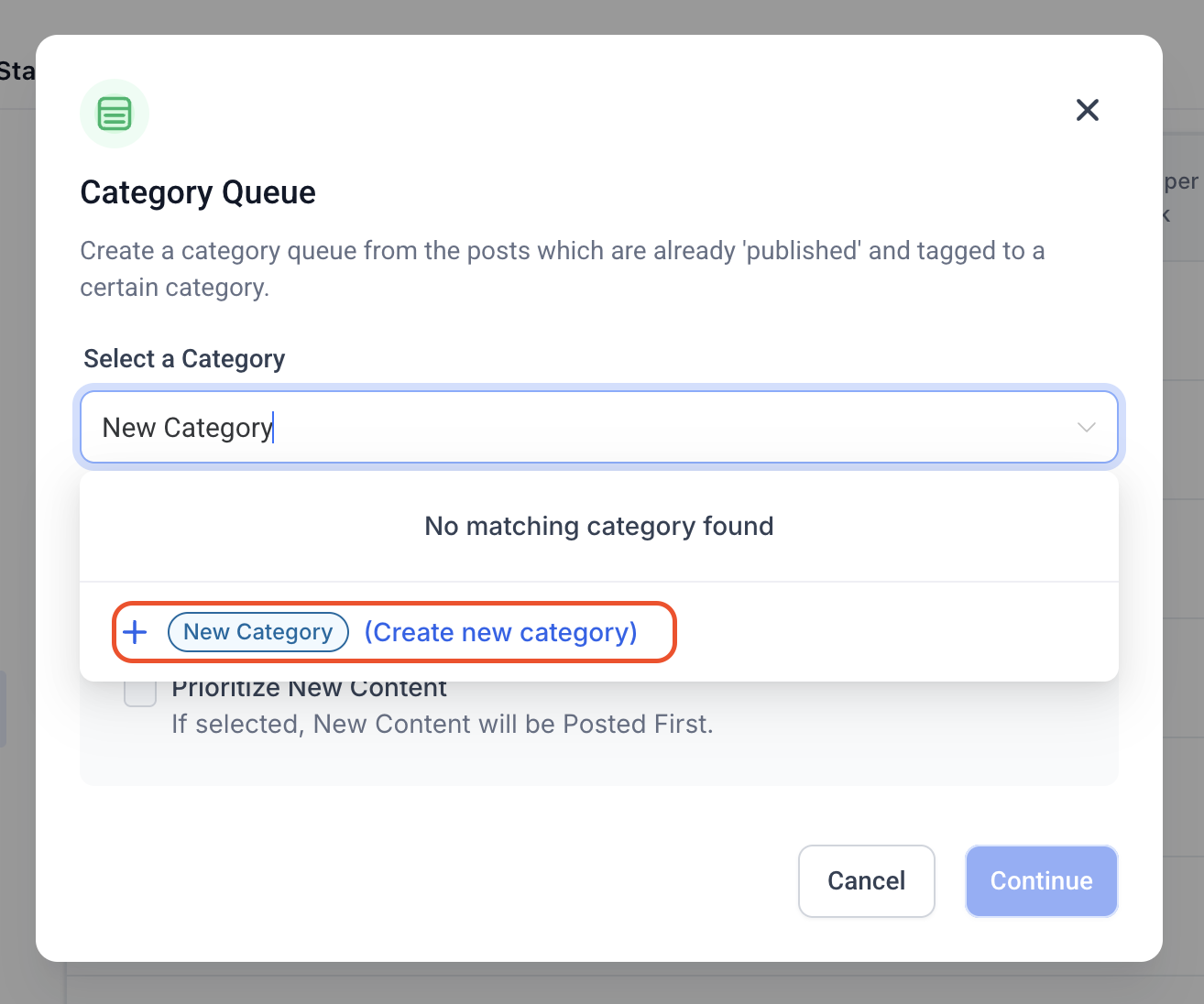
  • Create new categories on the fly
  • Easily search and select existing categories
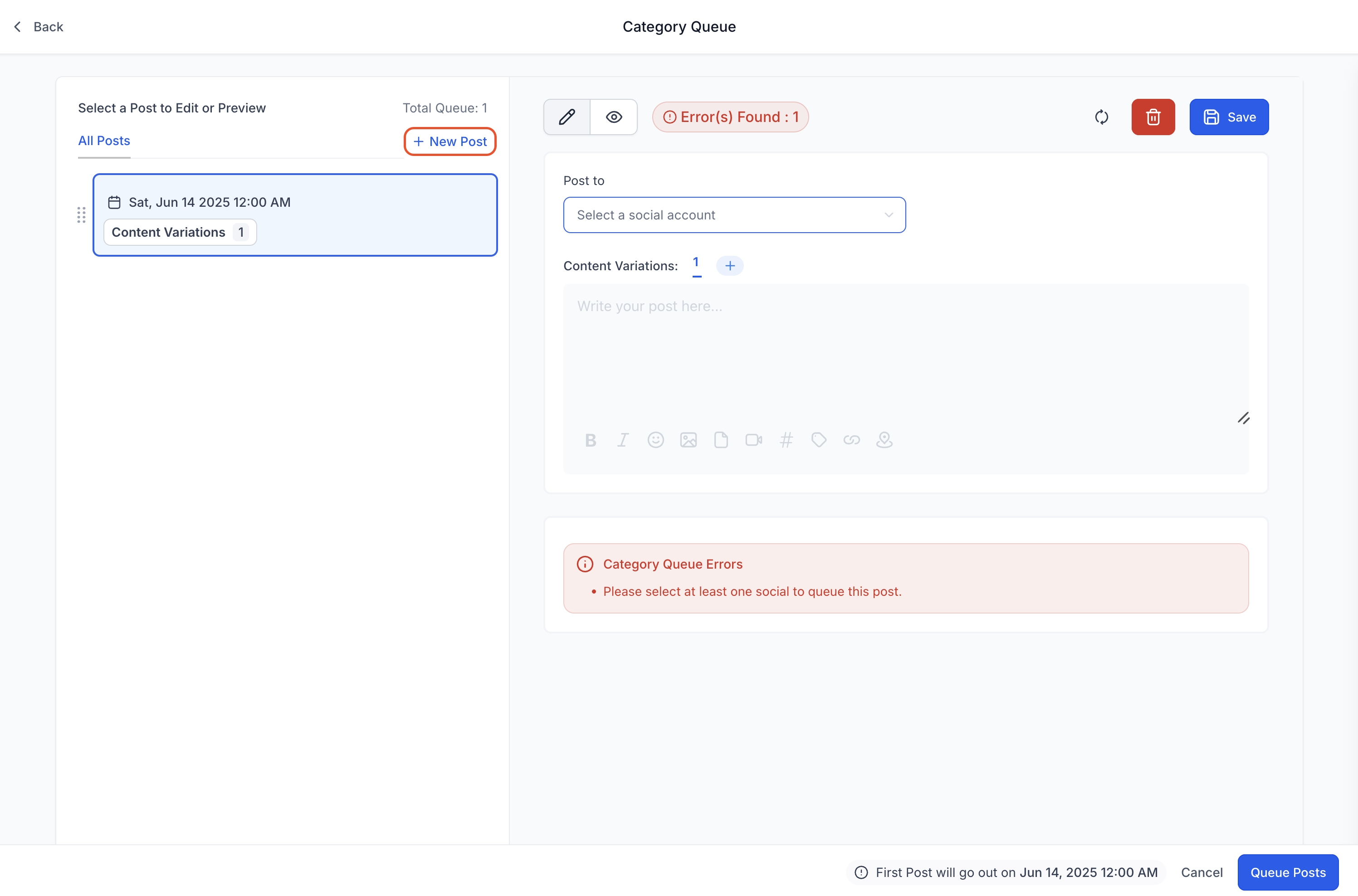
  • Add brand-new posts from scratch directly into the category queue
  • Insert multiple new posts at any position in the queue

This enhancement allows for a more dynamic and streamlined content planning experience.

🤩

How to Use the New Category Queue

  1. Navigate to: Marketing > Social Planner
  2. Integrate Social Accounts: Connect your social accounts via the Integrations tab.
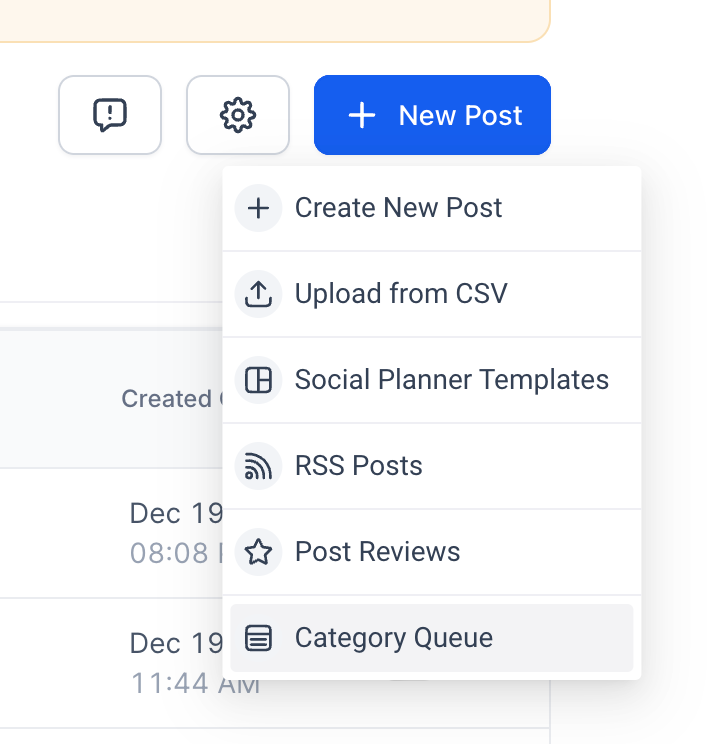
  3. Create a New Post: Choose Category Queue as the post type.
image
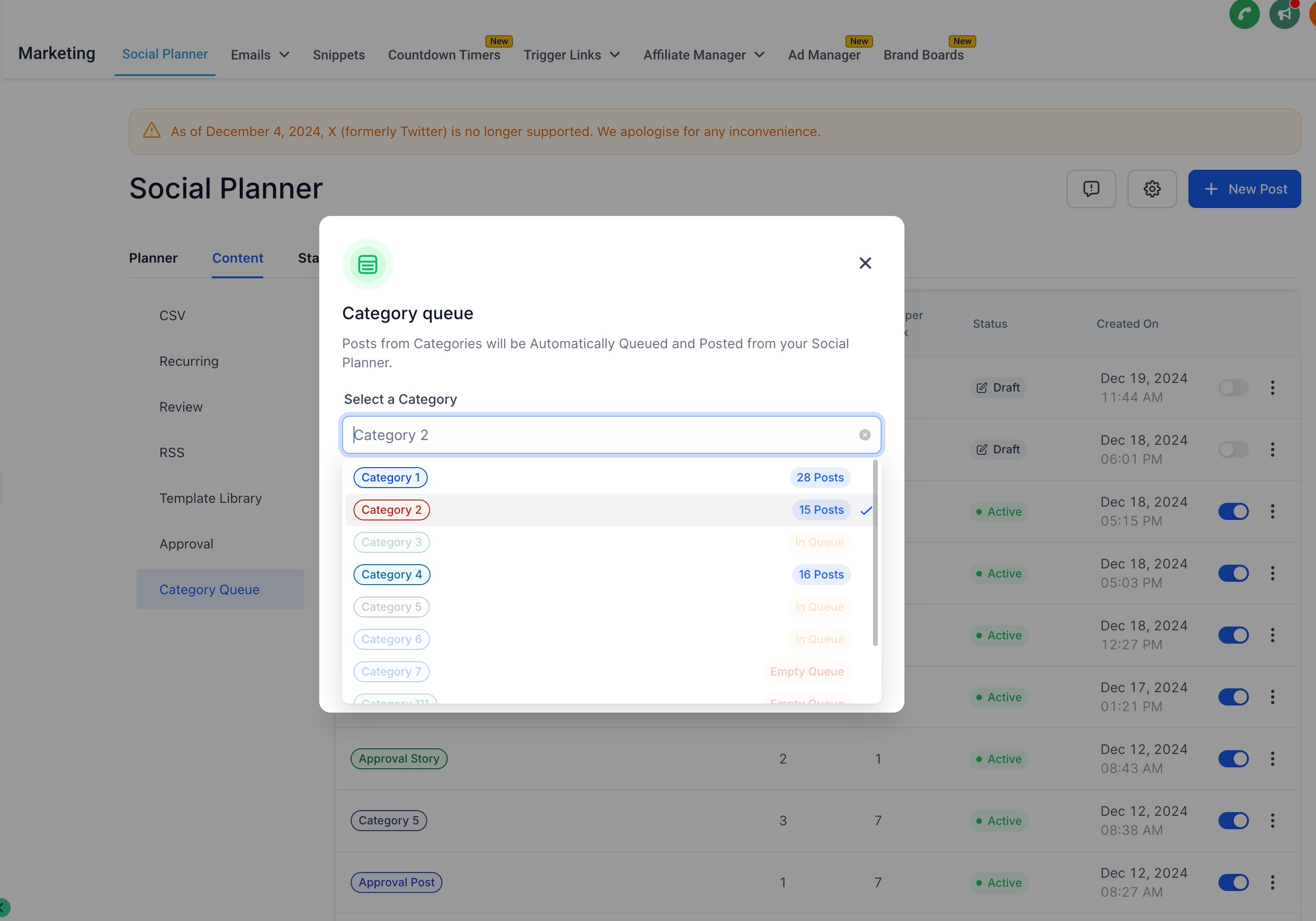
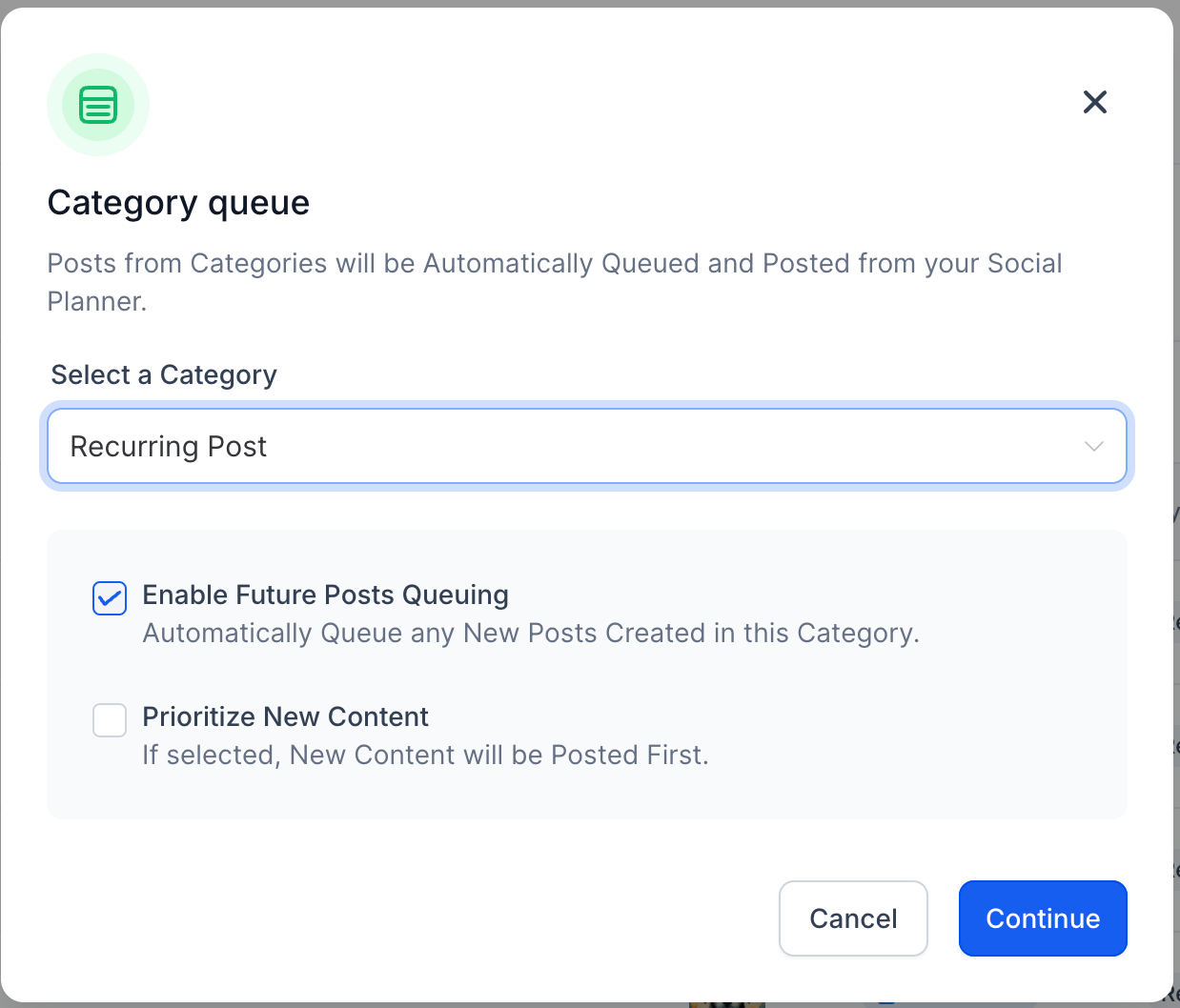
  1. Configure Your Queue: Select or create a new category on the first screen via the dropdown. Configure two optional settings: What content should go first and whether newly published items are automatically added to the queue.
image
image
image
  1. Set the Schedule: Define the days and time slots when queued posts should publish.
  2. Add & Edit Content:
  • View queued posts, add content variations, or correct any errors.
  • Insert new posts at any position in the queue—even in between existing ones.
image
  1. Go Live: Once everything is configured, publish the queue to activate it.
🤩

Help Article – How can I publish evergreen content using Category Queue?

https://clixio.io/wp-content/uploads/2025/06/7d053f06974f4653b802a42ff32ea0c1.png 744 720 Clixio.io https://clixio.io/wp-content/uploads/2023/08/clixio-logo-dark.png Clixio.io2025-06-13 00:31:002025-06-13 00:31:00Social Planner – Category Queue add category and new post from scratch 🤩

RSS feed: Latest Feature Updates Latest Feature Updates

  • Improved: Dynamic Value Chips with Improved error segmentation September 4, 2026
  • 📞 More Reliable Missed Call Text Back with Smarter Number Selection September 4, 2026
  • 🔐 Client Portal: “User login” Workflow Trigger Now Supports the New Client Portal Experience September 3, 2026
  • 📢 Carrier Fee Pricing Update – Effective October 1, 2026 September 3, 2026
  • Privacy Policy + T&C URLs on Toll-Free Verification September 2, 2026
  • Workflow Builder: Pick an Email Sender Domain for Each Workflow! August 28, 2026
  • Certificate AI Beta is now live August 27, 2026
  • 📅 Date Range Setting Can Now Count Only the Days You Actually Work August 27, 2026
  • Schedule Availability with Custom Open & Expiry Experiences – Form, Survey & Quiz August 27, 2026
  • WhatsApp messaging limits: now shown at the portfolio level August 27, 2026
Book a demo
See Clixio working
for your business, live.

30 minute call with our team. Personalised to your industry, no hard sell.

Book your free demo
14 day free trial · Cancel anytime
Clixio - Marketing and sales automation

Marketing & sales automation built for Australian service businesses. One platform, one flat rate, genuinely easy to use.

Product
Features Pricing How it works Latest updates
Company
Blog FAQ Get support Account transfers
Legal
Privacy Policy Terms & Conditions
© Clixio. All rights reserved. Made with ♡ in Australia.
Scroll to top Scroll to top Scroll to top