Smarter, Customizable Profile & Business Cards
We’re excited to introduce a significant update to our QR Code Profile and Business Cards. This upgrade features a refreshed design, enhanced customisation options, and innovative ways to connect with your audience.
🎨 Modernised Profile & Business Card Design
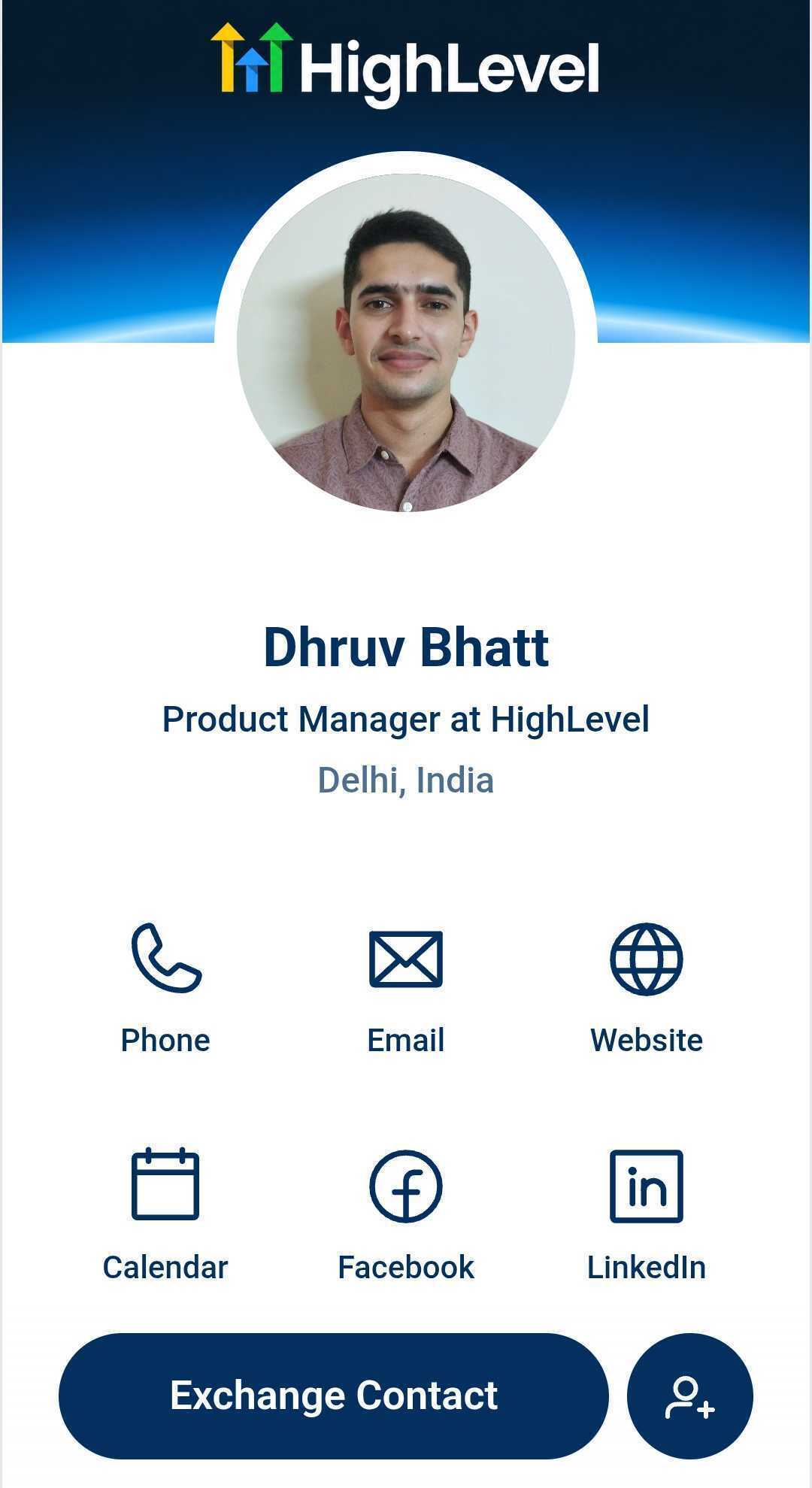
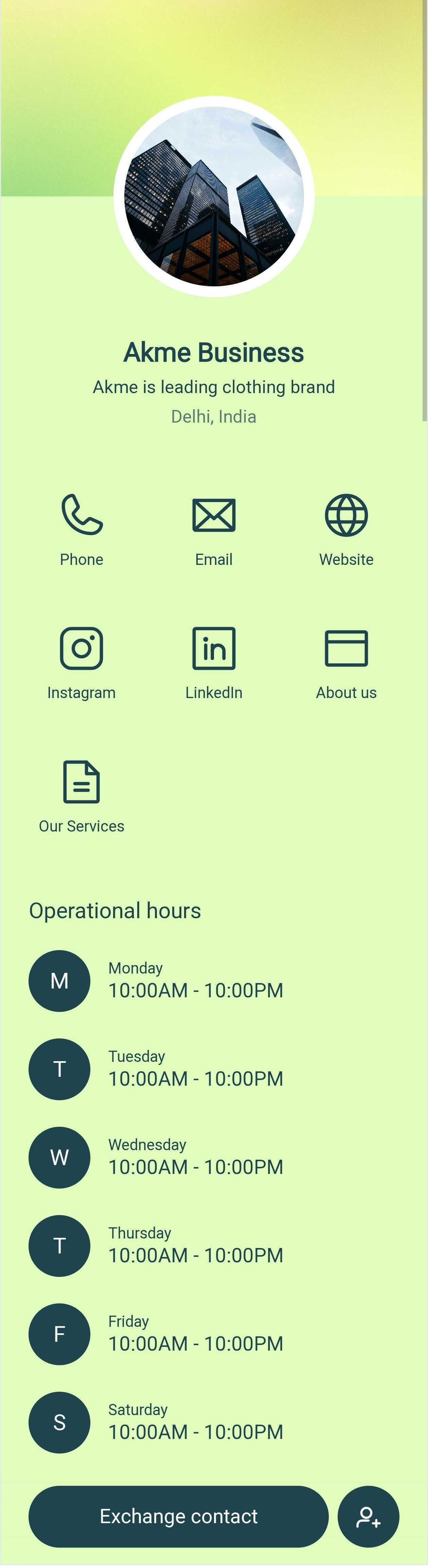
We’ve completely revamped the design of our existing Profile and Business Cards, providing a cleaner, more modern, and professional appearance. This helps you create a stronger first impression.
📲 Built-in “Save Contact” Button
Each Profile and Business Card now includes a Save Contact button by default. This enables visitors to save your contact information directly to their device with a single tap.
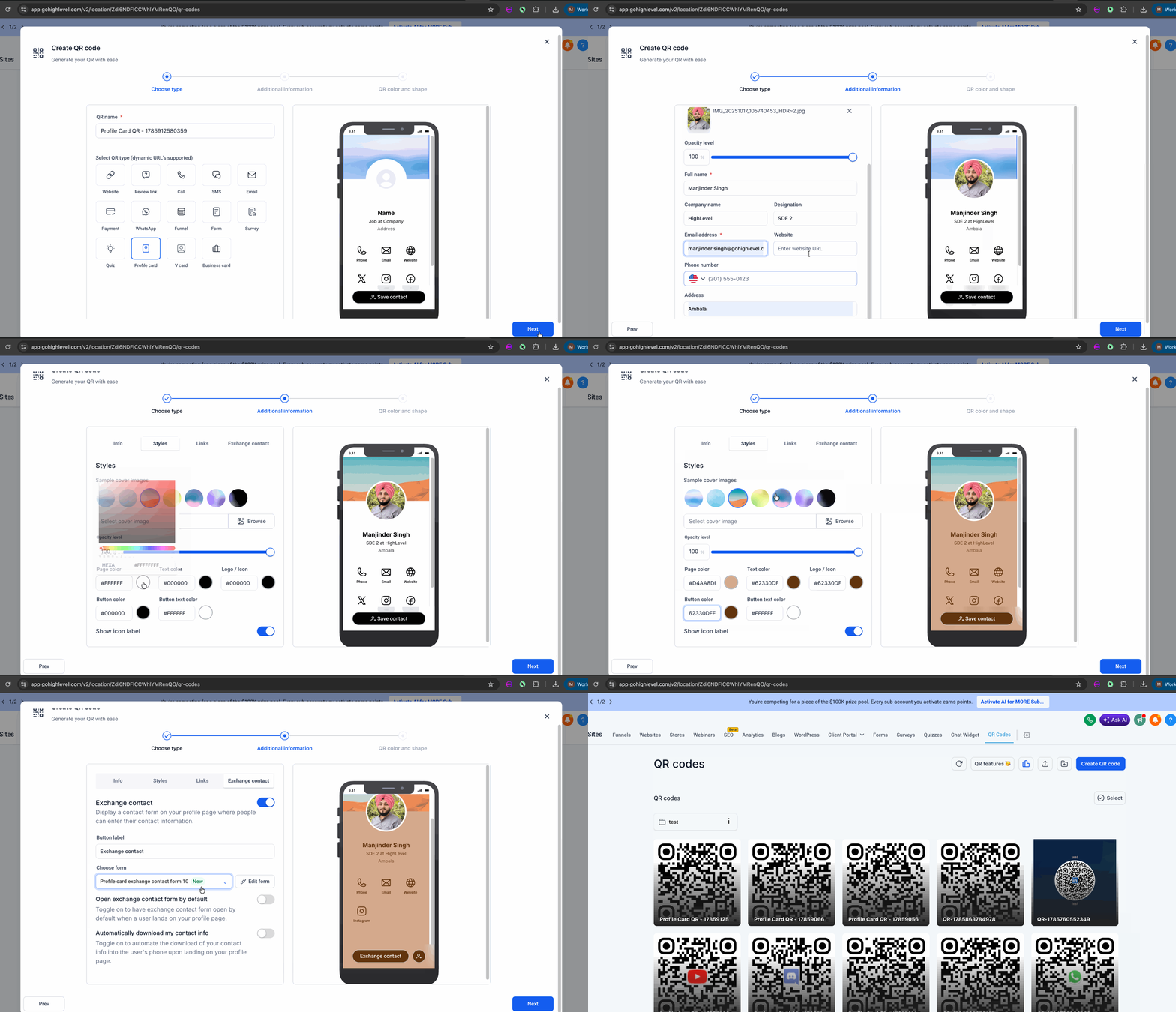
🎨 Personalisation & Styling Options
Your digital card is now more customisable than ever:
- Cover Images: 🖼️ Upload your own custom Cover Image or choose from our professionally designed templates.
- Custom Colour Palette: 🎨 Personalise specific elements of the page, including:
- Page background
- Text
- Icons
- Buttons
- Button text
- Minimalist View: 🏷️ Use a new toggle to hide icon labels for a cleaner look.
🔗 Custom Links Support
Add custom links to your Profile or Business Card to share:
- 🌐 Websites
- 📅 Calendar booking links
- 💼 Portfolios
- 📱 Social profiles
- 📄 Landing pages
Each custom link can be assigned a matching icon using our built-in Icon Picker, making your card both functional and visually appealing.
🤝 Exchange Contact Forms & CRM Lead Tracking
Collect visitor information directly from your digital card:
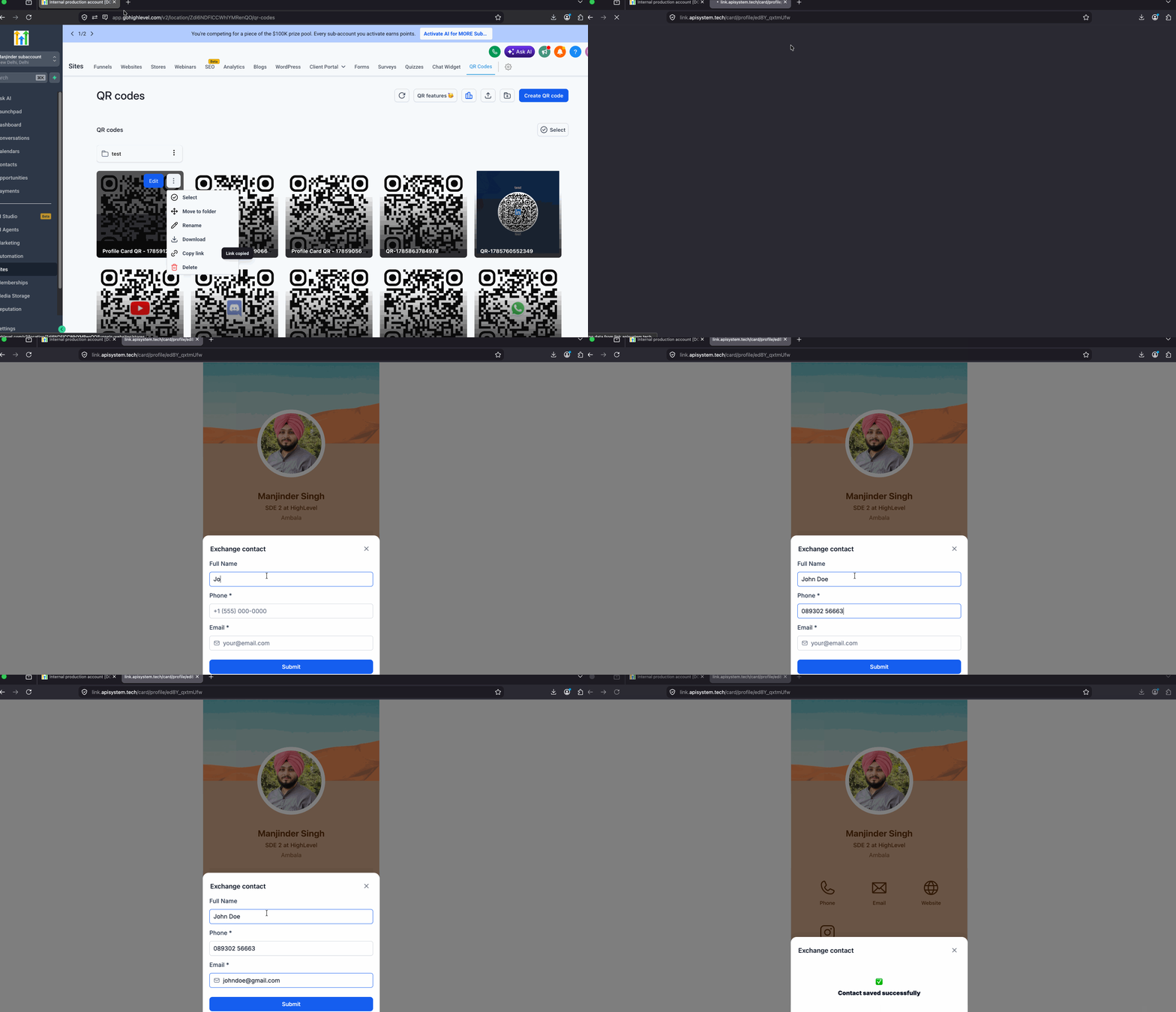
- Form Builder: Create a new Exchange Contact form using our built-in option, or select an existing Clixio form.
- Seamless Editing: The form builder opens in a 90% screen popup, allowing you to customise without leaving the QR Code Builder.
- Custom Call-to-Action: Rename the Exchange Contact CTA button to align with your branding.
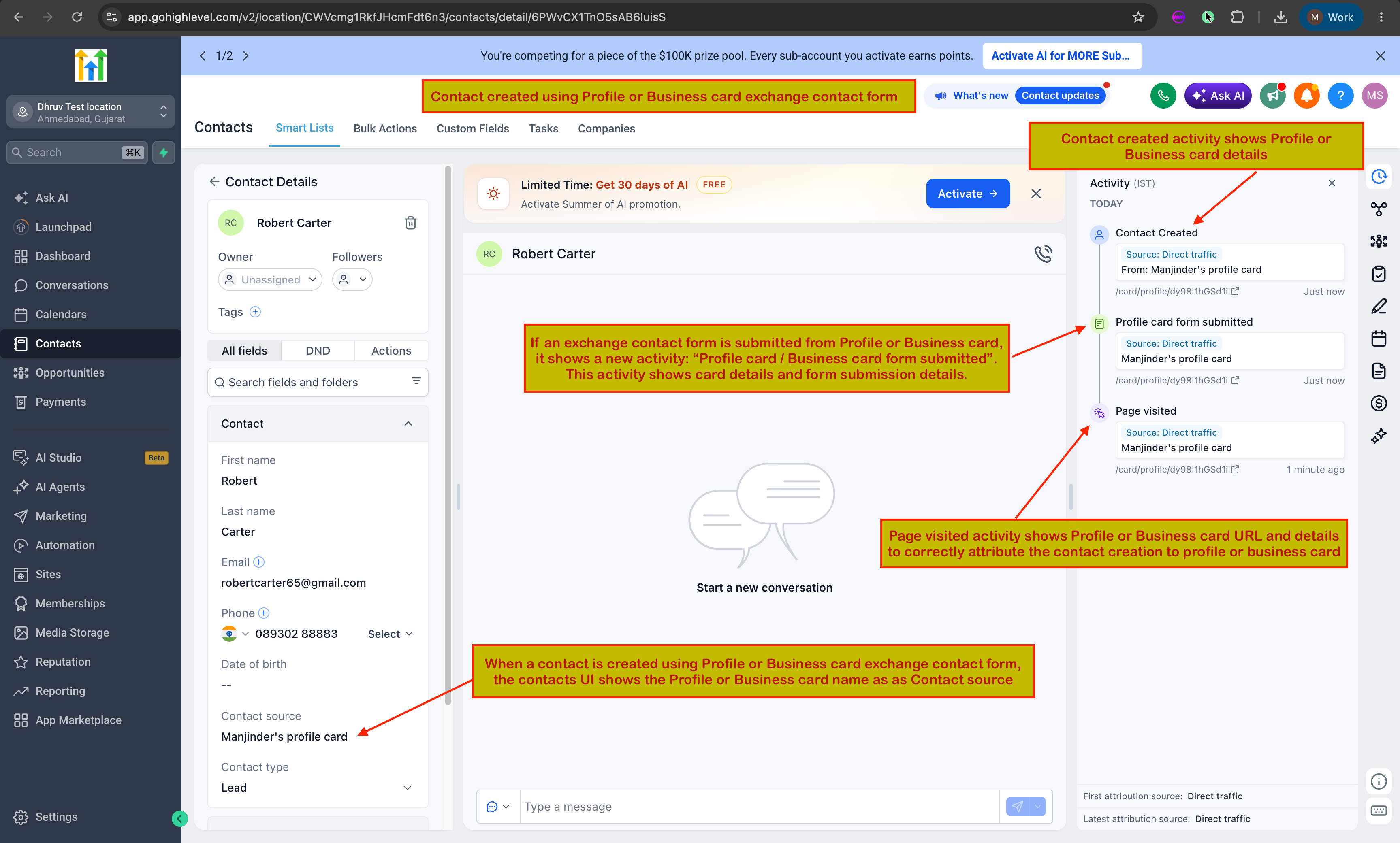
- CRM Integration: When visitors share their details, a new contact is automatically created in your CRM. The activity log will track that the lead originated from your Profile or Business Card.
⚡ Smart Automation Toggles
Streamline contact capture with two new optional automation settings:
- 📄 Open Exchange Contact Form by Default: Automatically shows the Exchange Contact form as soon as someone opens your card.
- 📥 Automatically Download Contact Info: Downloads your contact info directly to the visitor’s device as soon as they access your card.
- ✨ Brand-new modern designs for Profile and Business Cards
- 📲 Default “Save Contact” functionality
- 🎨 Extensive styling and branding customisation (cover photos, colours, label toggles)
- 🔗 Custom links support with an integrated Icon Picker
- 🤝 Integrated Exchange Contact forms with Clixio CRM tracking
- ✏️ Editable CTA text for contact exchange forms
- ⚡ Smart automation options for automated downloads and form popups
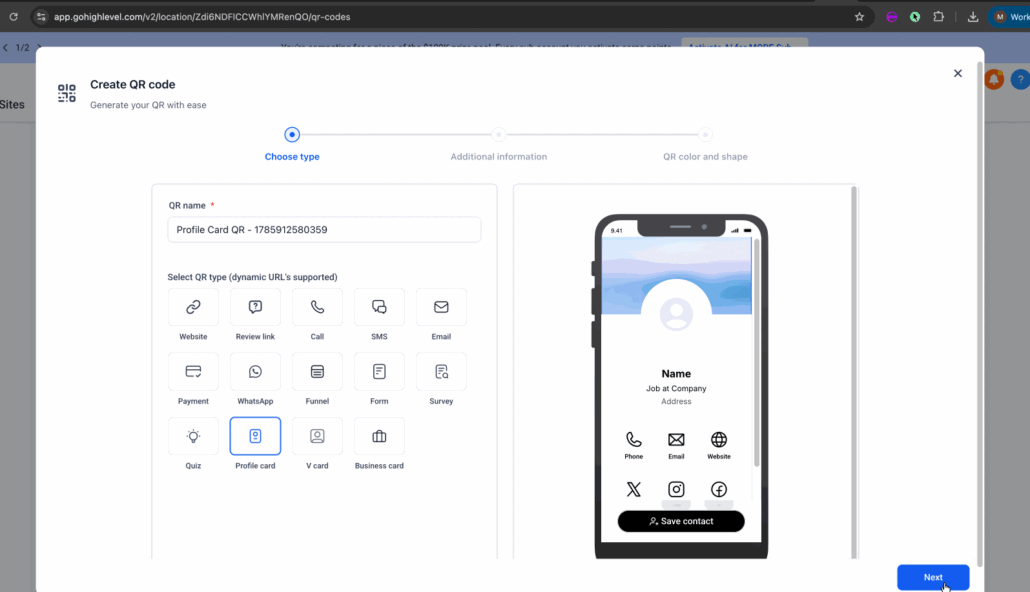
- Open the QR Code Builder.
- Customise your Profile or Business Card using the new styling options.
- Add your custom links and assign icons.
- Configure your Exchange Contact form (either built-in or existing Clixio form).
- Enable optional automation toggles if desired.
- Publish your QR Code and begin sharing your upgraded digital business card!
📝 Note:
All new customisation options are available directly within the QR Code Builder. Existing Profile and Business Cards will need to be updated manually to take advantage of these new features.