🏷️ Smarter Calendar Sync for Rentals
We have enhanced how imported calendars impact availability in Rentals.
Many OTA platforms and external calendar providers synchronise availability as date-only bookings without specifying start and end times. Previously, these events were blocked from 12:00 AM to 12:00 AM.
For rentals that utilise pre-defined rental times (for instance, a 3:00 PM rental start and an 11:00 AM rental end), this could unintentionally block the listing on adjacent dates, making them appear unavailable when they shouldn’t be.
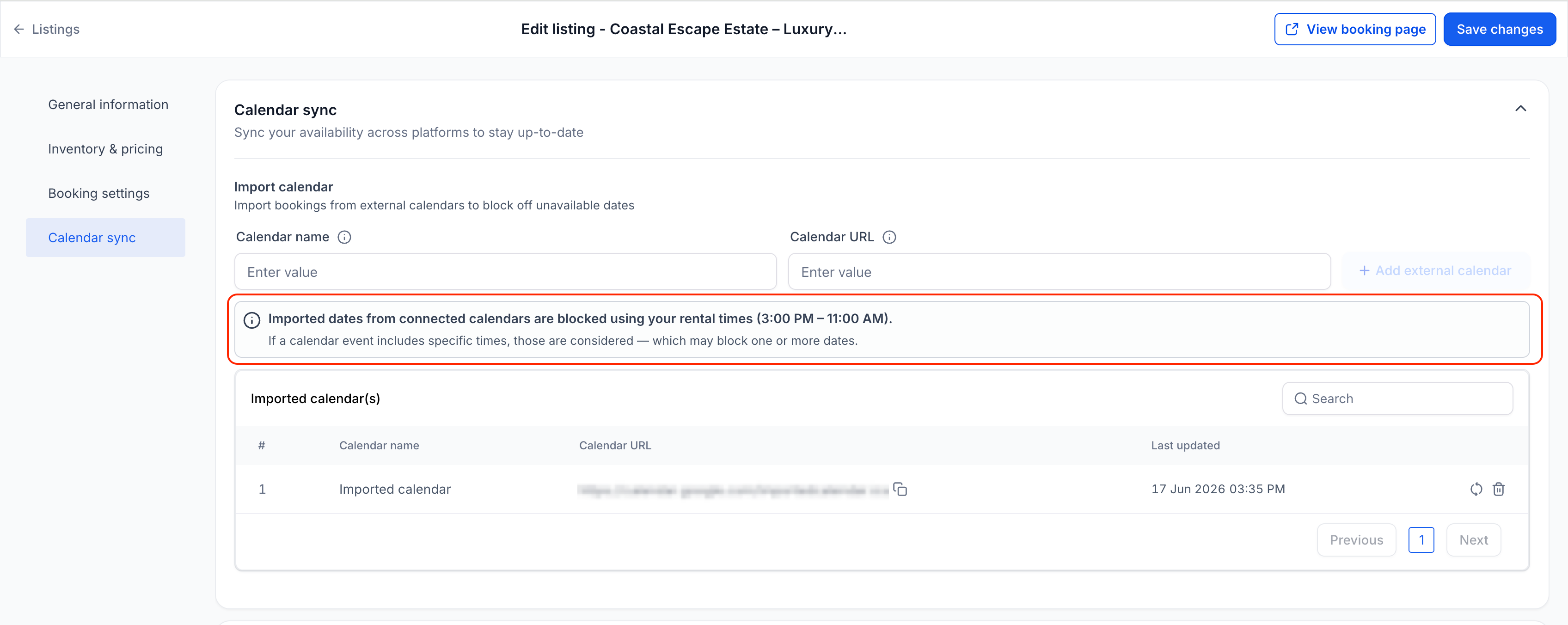
With this update, imported calendar bookings now adhere to your listing’s booking period configuration and the configured rental times, providing a more accurate representation of availability across your booking page and calendar views.
✅ Imported Dates Now Respect Your Rental Times
For relevant rental booking periods, imported calendar bookings that lack specific times are now blocked using your configured rental times or hours, rather than generic midnight-to-midnight blocks.
This applies to the following booking periods:
- Date Selector mode
- Fixed Durations mode (Daily/Weekly/Monthly)
If your rental operates on 3:00 PM – 11:00 AM rental times and an imported calendar blocks April 15 – April 17, Rentals will now block availability from April 15, 3:00 PM to April 17, 11:00 AM.
Previously, the same event would be interpreted as midnight-to-midnight blocking, which could unintentionally block the listing on neighbouring dates.
✅ Timestamped Bookings Use Exact Times
- When imported calendar events include specific start and end times, those exact times are now respected.
- This ensures that shorter events, partial-day events, and overnight events only block the actual time range specified by the connected calendar.
- For booking modes that allow customers to select a time, imported events will continue to block availability using their precise timestamps. If the external calendar does not provide exact start and end times, the block will still be applied for the entire day.
✅ Future Imported Events Stay in Sync
- When booking modes or rental times are updated, future and ongoing imported events are automatically recalculated using the most recent configuration.
- This ensures that connected calendars consistently reflect your current rental setup without requiring manual adjustments.
- Past events will remain unchanged.
- Edit a rental listing.
- Connect an external calendar through Calendar Sync.
- Configure your booking mode and rental times.
- Imported bookings will automatically be blocked using the appropriate logic for that listing.
If you later update your booking mode or rental times, future imported events will automatically reflect the latest configuration.
- More accurate availability from connected calendars
- Better compatibility with OTA platforms that synchronise date-only events
- Prevention of inventory being unintentionally blocked on neighbouring dates
- Improved transparency regarding how synced calendars influence bookings