Self-Serve Cancellation Links for Rental Bookings
Rentals Customers Can Now Cancel Bookings Easily
Customers can now cancel their own bookings directly through a cancellation link without the need for phone calls or emails. This release includes the core self-service cancellation flow, an optional cancellation window that operators can configure, and the necessary visibility for operators to act on cancellations while keeping control over refund and security deposit decisions.
✅ Self-Service Cancellation
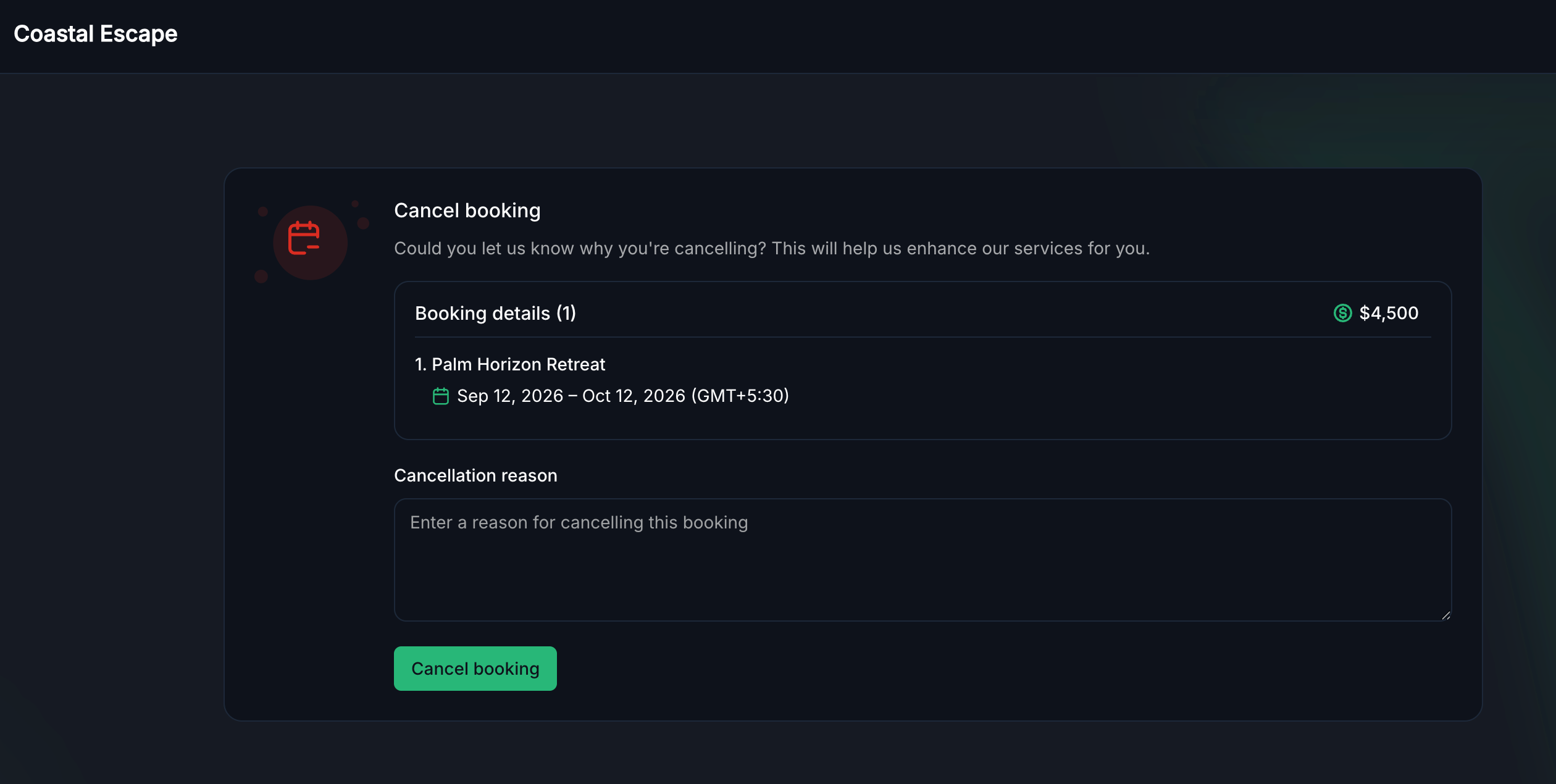
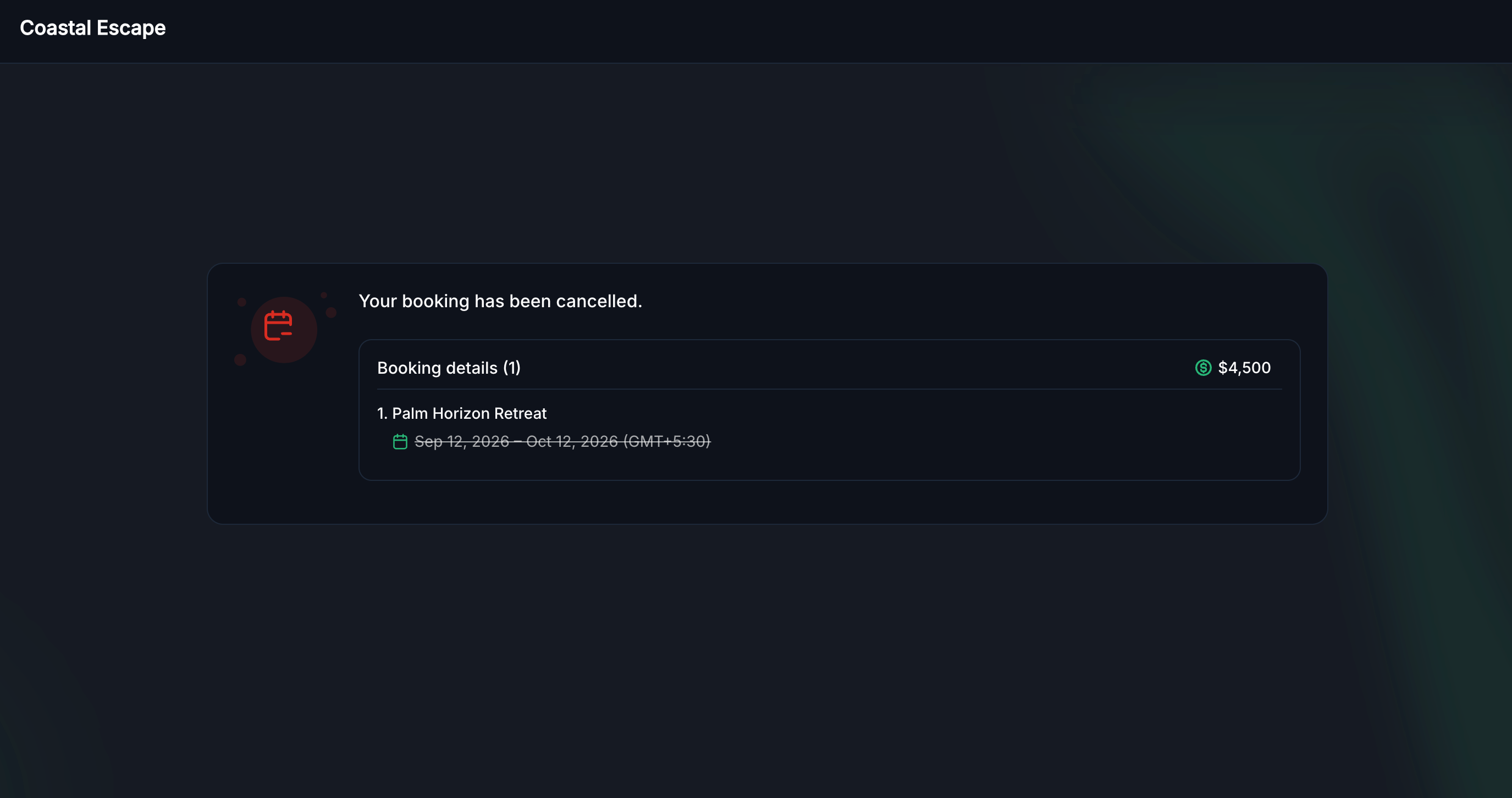
Customers have the option to cancel an upcoming booking directly from their confirmation link. The booking will be released immediately without the need for approval. This feature is available at any time before the booking starts (self-service cancellation is not offered once the booking is in active or completed status).
An optional Cancellation Reason field allows customers to share why they are cancelling in their own words. This information is saved directly to the booking, giving operators context without the need for follow-up.
✅ Configurable Cancellation Window
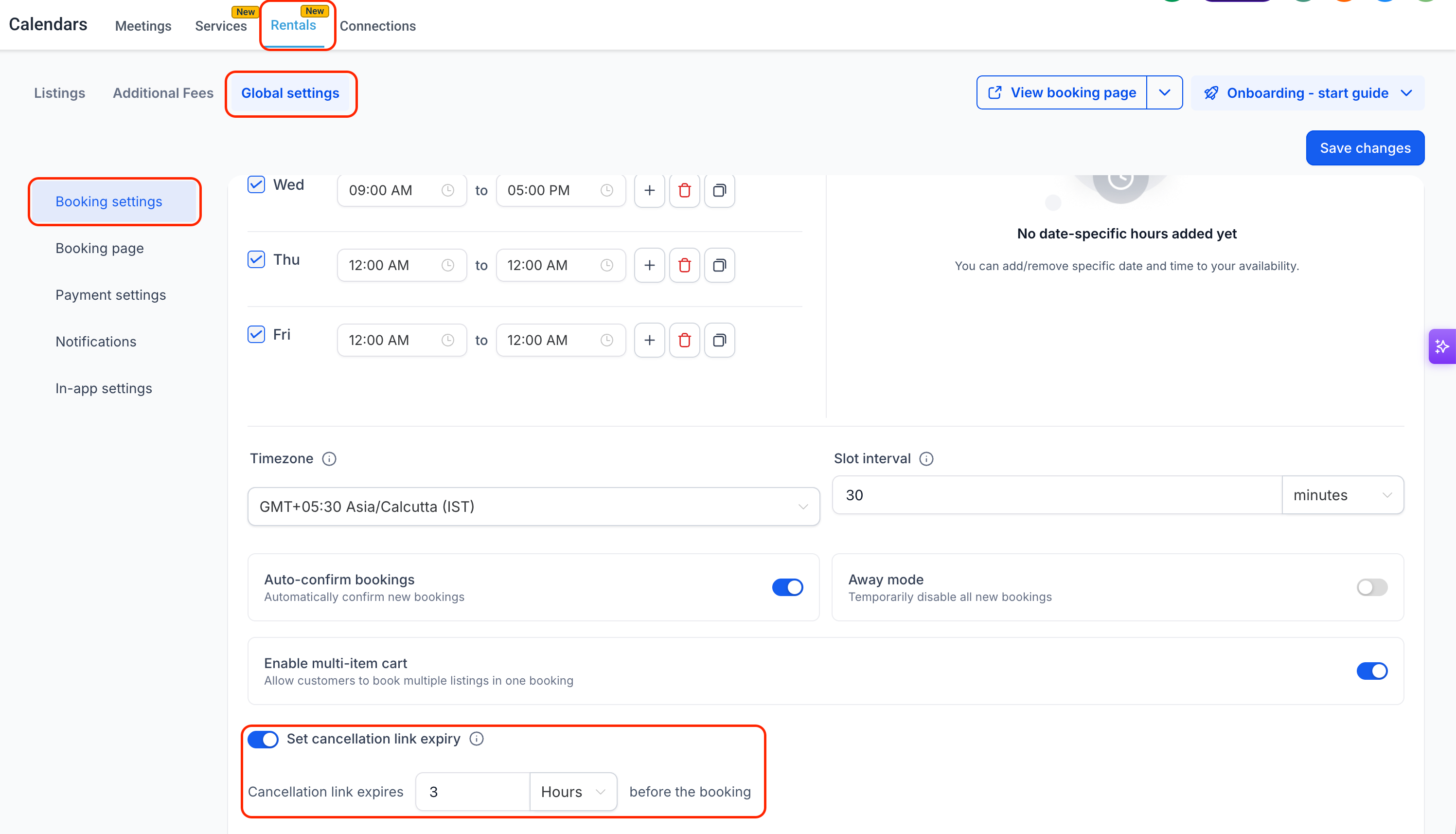
A new setting under Global Settings → Booking settings allows operators to set a cancellation link expiry. This setting gives operators the choice to cut off self-service cancellation some time before a booking starts, by minutes, hours, or days. If left off, customers can cancel at any time before the booking begins.
✅ Multi-Listing Booking Support
For bookings that include multiple listings, the Booking details panel displays each listing with its own dates. Cancelling applies to the entire booking as a whole.
✅ Clearer Messaging for Expired or Invalid Links
When a customer opens a cancellation link that has already been used or is no longer valid, they will now see a clear and friendly message instead of a technical error page. This ensures customers always understand what has happened and how to seek assistance.
- No setup is required for the core cancellation flow as it is automatically live on every Rentals booking’s confirmation and reminder notifications.
- Operators can go to Rentals → Global settings → Booking settings to optionally enable the Set cancellation link expiry feature and choose a cutoff window.
- To add the cancellation link to a notification template or confirmation page, operators can insert the {{rentalBooking.cancellation_link}} custom value wherever the link should appear.
This update:
- Reduces the number of support requests operators receive for routine, advanced cancellations.
- Provides customers with a self-service solution for managing their cancellation requests easily.
- Protects operators by ensuring that financial decisions, such as refund amounts and security deposits, remain manual and require human intervention.
Screenshots: