
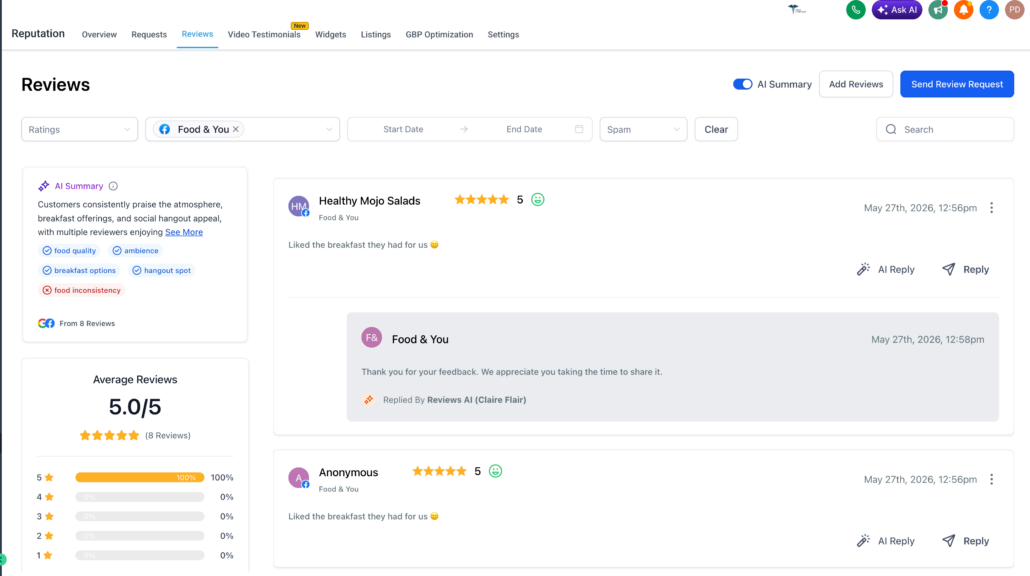
Reviews AI now supports Facebook replies 🤩
Reviews AI now supports replies on Facebook in both suggestive and auto-response modes.
You can now utilise AI to respond to Facebook reviews directly from Reputation Management. This helps businesses respond more quickly, maintain consistency, and manage engagement across both Google and Facebook.
🚀 What’s New
🤖 AI Reply for Facebook Reviews
- Generate AI-assisted replies for Facebook reviews directly from the Reviews page.
- Users can review, edit, and send AI-generated replies manually, ensuring faster responses while retaining control.
- Specific connected Google or Facebook pages supported.
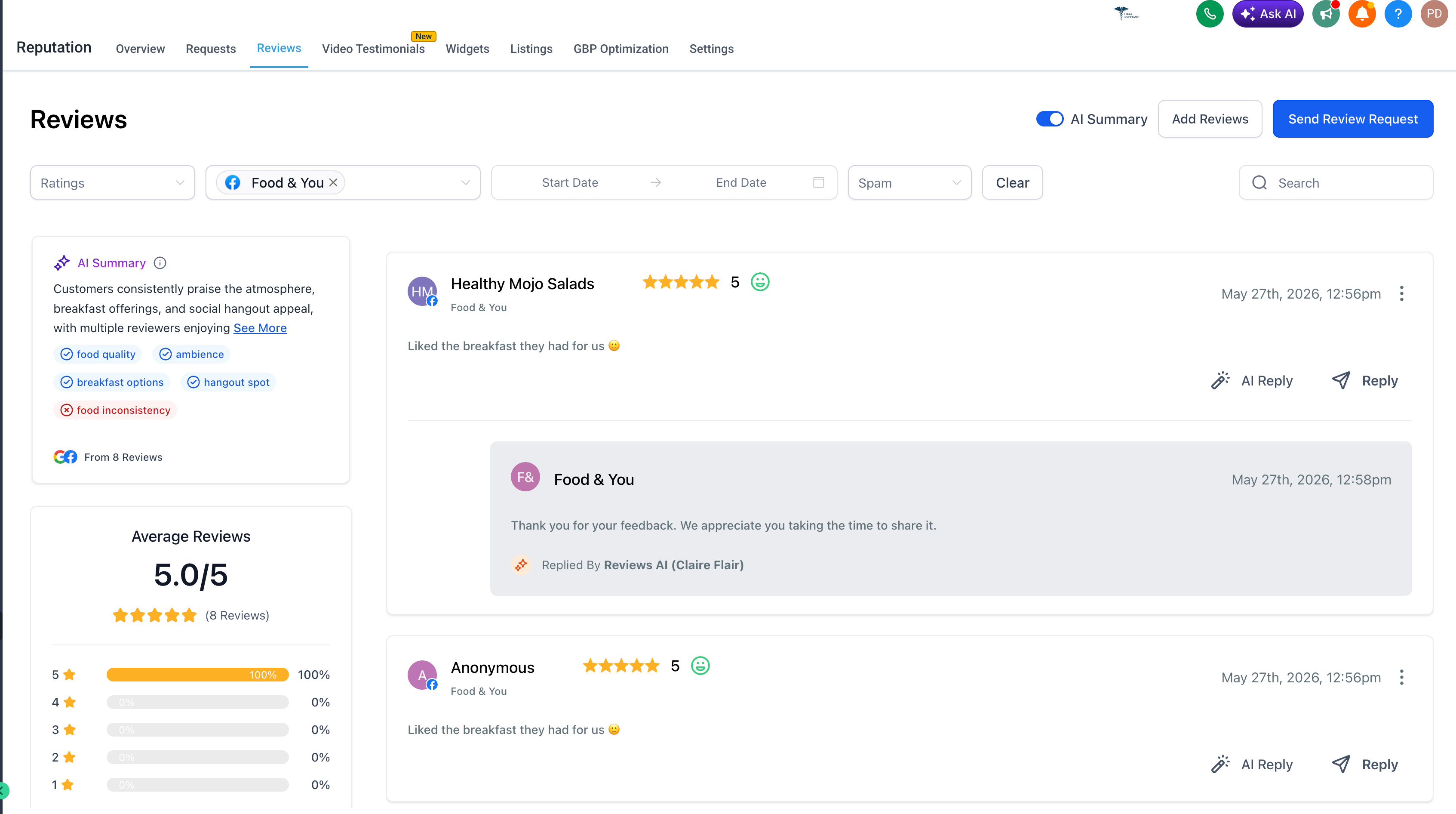
⚡ Auto Responses for Facebook Reviews
- Reviews AI Agents can now automatically respond to Facebook reviews based on configured rules.
- Once an AI Agent is created, it can automatically respond to matching Facebook reviews, aiding teams in improving response coverage with less manual effort.
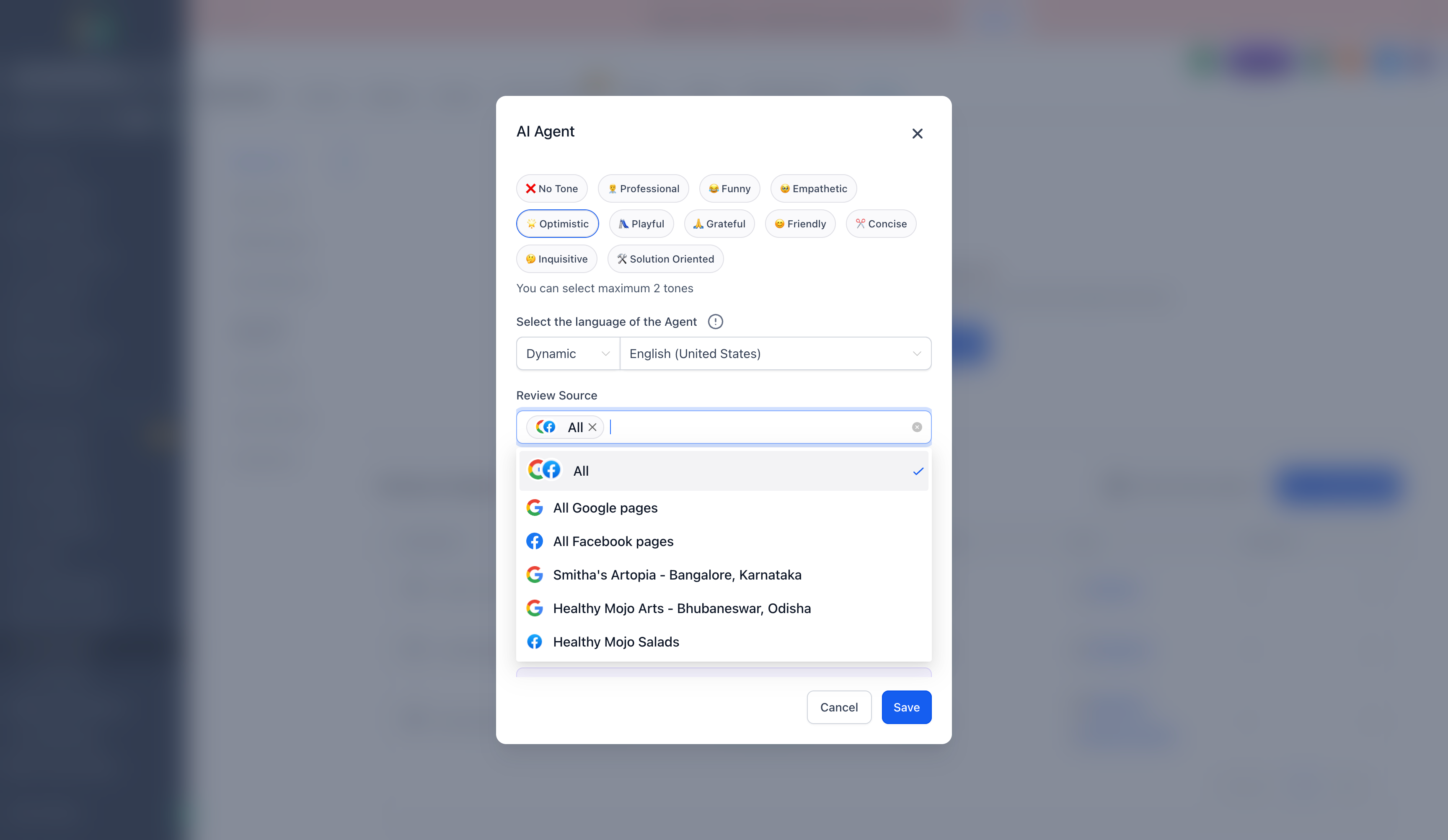
📄 Choose Facebook Pages for Auto Response
When creating or editing an AI Agent, users can now select which Facebook pages should receive auto-responses.
Supported review source options include:
- All sources
- All Google pages
- All Facebook pages
This feature gives agencies and multi-location businesses greater control over where automation is applied.
🎯 Custom AI Agent Rules
Facebook auto-responses support the existing Reviews AI Agent settings, including:
- Review type or rating conditions
- Tone selection
- Language preference
- Review source selection
- Page-level source control
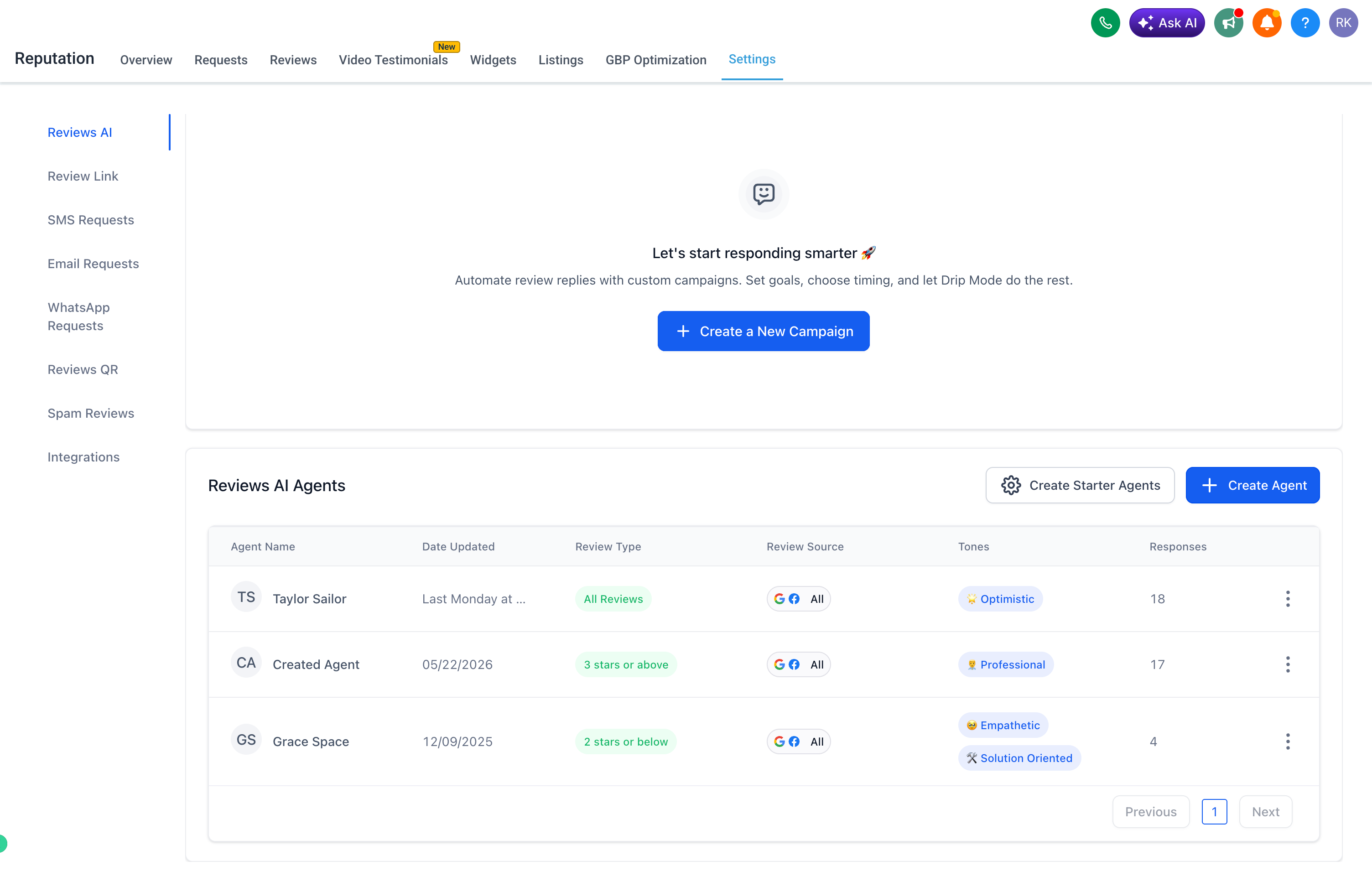
💬 Suggestive + Auto Response Modes
Reviews AI for Facebook supports both workflows:
✨ Suggestive Mode
The AI drafts a reply that users can review, edit, and send manually.
🔁 Auto Response Mode
AI Agents automatically respond to Facebook reviews based on the selected pages and configured rules.
- Respond to Facebook reviews more quickly
- Enhance review response coverage
- Reduce manual effort for agencies and businesses
- Ensure replies are consistent with the selected tone and language
- Enable page-level automation for multi-location clients
- Expand Reviews AI beyond Google to another major review source
To get started:
Go to Reputation → Reviews
Click AI Reply to generate a suggested response.
For auto responses:
- Go to Reputation → Settings → Reviews AI
- Click Create Agent
- Choose tone, language, and review conditions
- Select All Facebook pages or specific Facebook pages under Review Source
- Save the agent
Your AI Agent will now automatically respond to matching Facebook reviews.