
Request contact info: collect phone numbers from WhatsApp username adopters
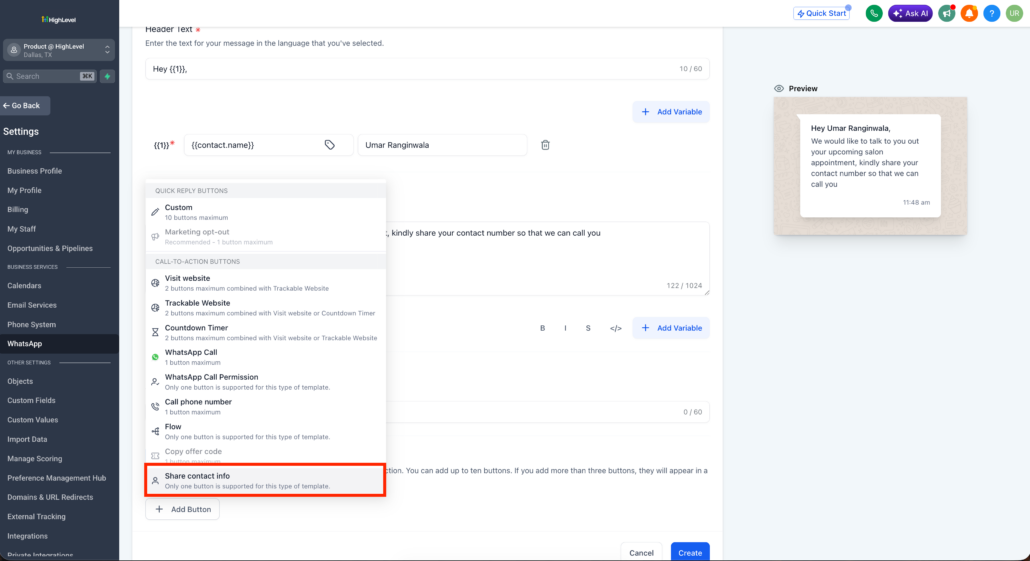
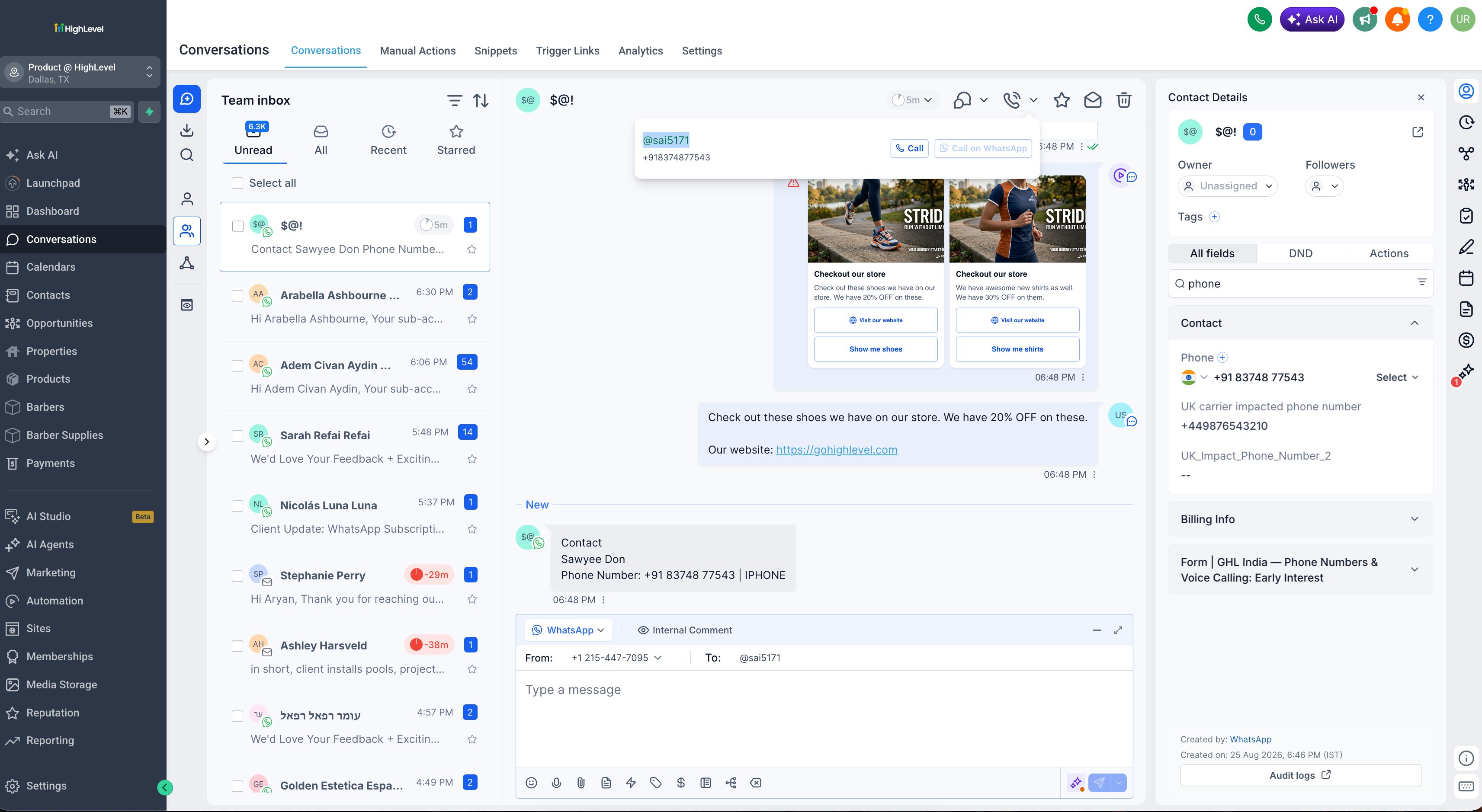
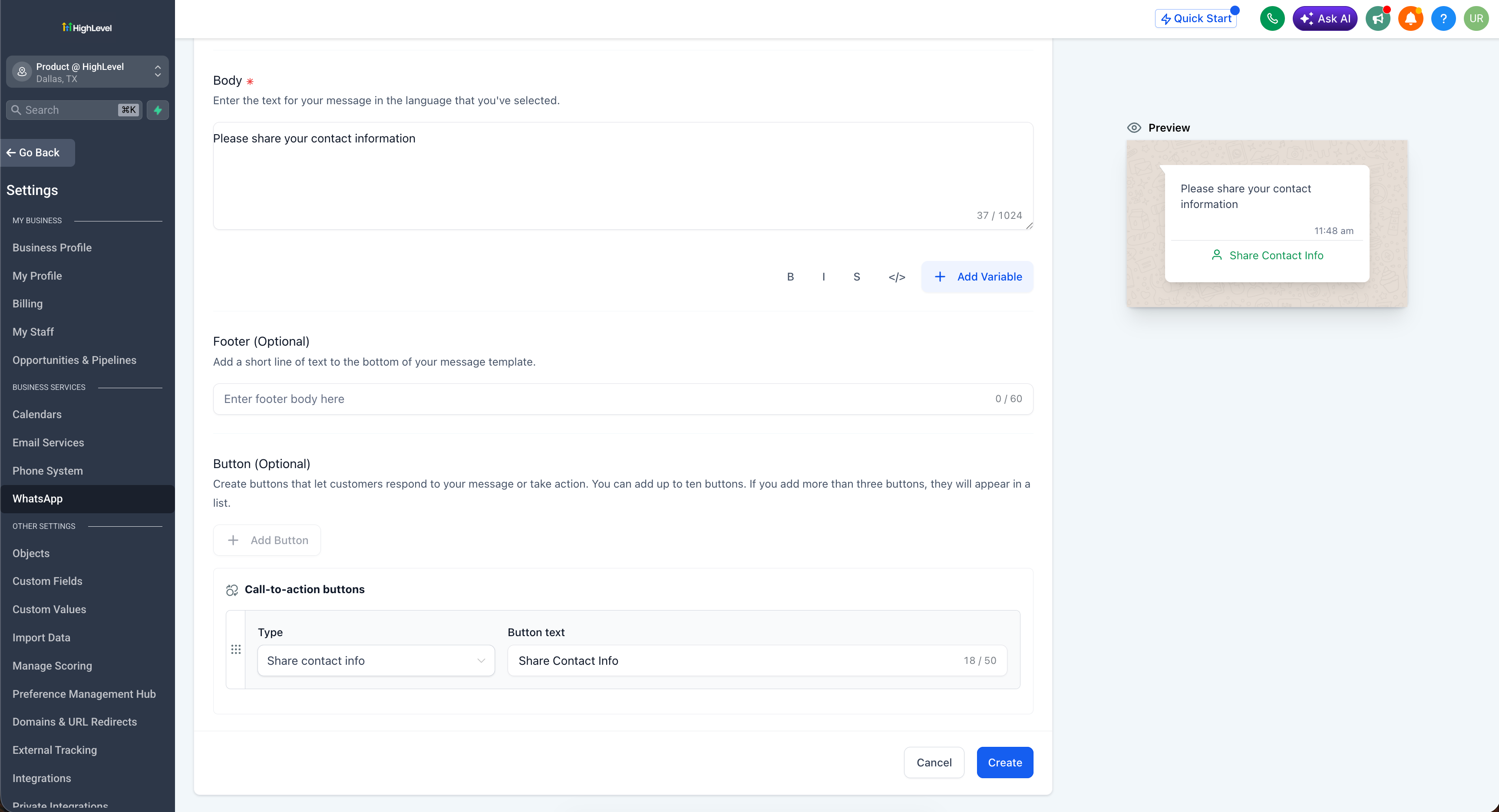
When a customer who uses a WhatsApp username messages you, WhatsApp shares only their username, not their phone number. You can now add a “Share contact info” button to a WhatsApp template, or send it from a workflow, so the customer shares their phone number in one tap and a username-only lead becomes a fully contactable one.
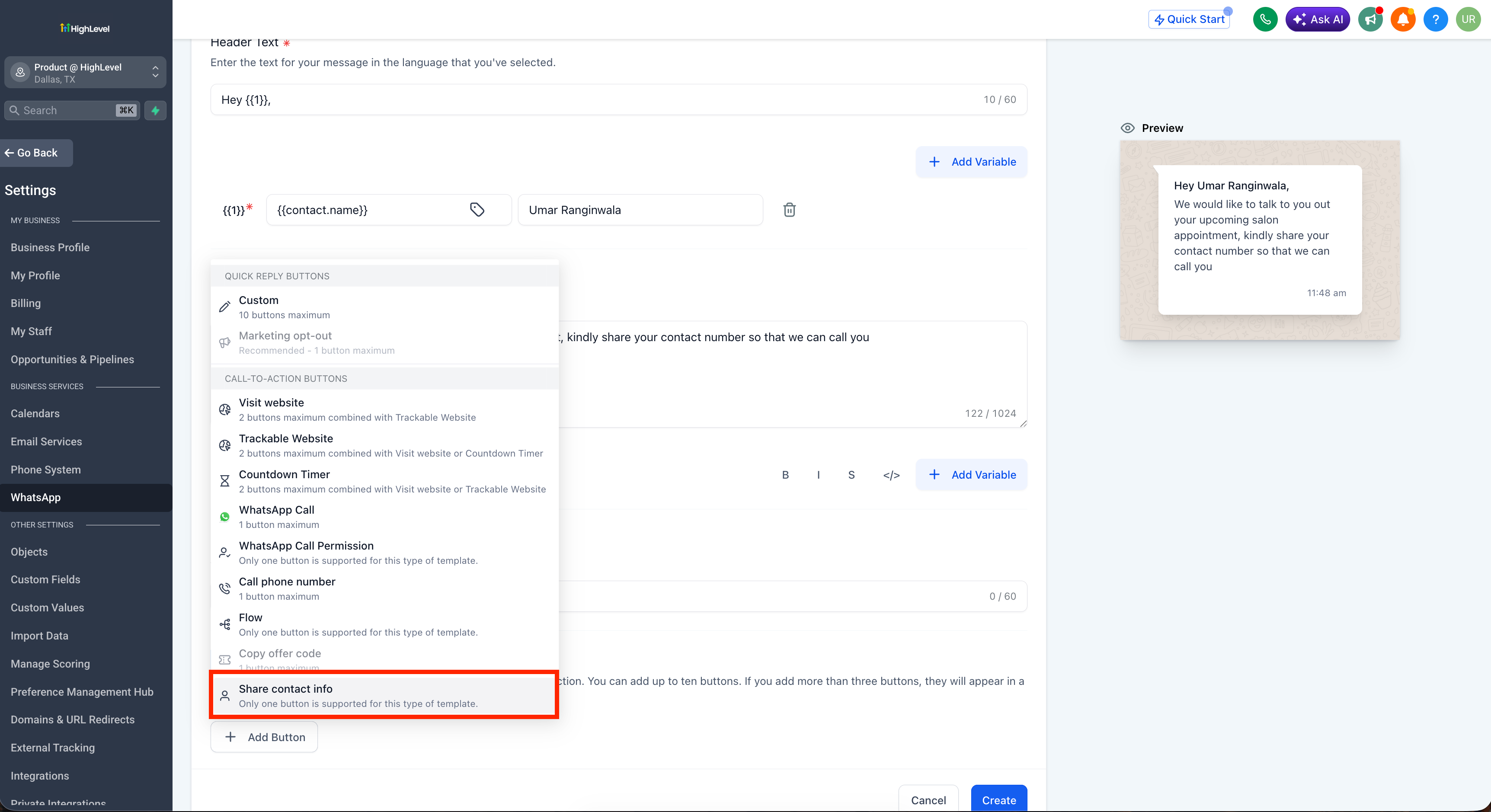
> This is how you recover phone numbers from username adopters, so they no longer sit as contacts you cannot call, export, or run phone-based automations on.
📇 Request contact info
- Go to
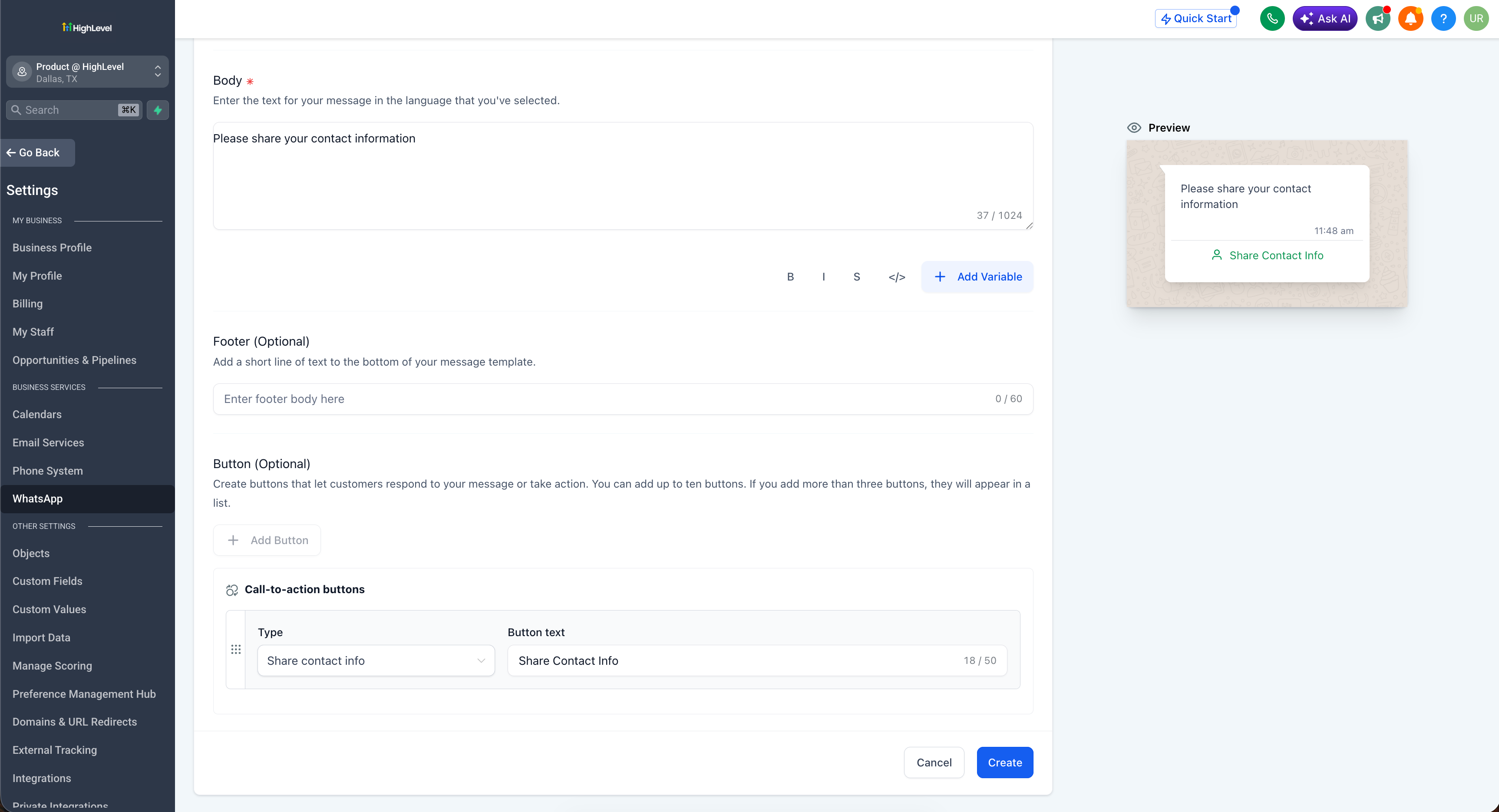
Settings > WhatsApp > Templates
.
- Create or edit a template, and under
Button (Optional)
choose
Share contact info
.
- To automate it, go to
Workflow > Action > WhatsApp interactive messages
, set
Interactive message type
to
Request Contact Info
, and add your message body.
Why this matters for your business
Usernames give customers phone-number privacy, which is good for them but leaves you with contacts you cannot call, export, or run phone-based automations on. Requesting contact info closes that gap: one tap converts a username-only lead into a fully usable contact, with the number captured cleanly and no duplicates. It keeps LatAm and other high-adoption WhatsApp markets fully monetisable instead of filling up with unreachable contacts.
- Recover phone numbers from username adopters so they become contactable and exportable
- Automate the ask inside workflows, with no manual follow-up
- Protect data quality with same-number duplicate prevention
- Unlock WhatsApp calling for username contacts
Add a Share contact info button to your next template and start recovering numbers.