
Reorder Pipelines in the Opportunities Pipeline View
You can now reorder your pipelines directly in the Opportunities pipeline view. Rearranging pipelines is easy—simply drag and drop them or use the Actions menu to move one to a specific position. The new order will remain even after you refresh the page.
Key Features:
- Drag and drop to reorder pipelines in the Opportunities pipeline view.
- Use the “Move to position” option in the three-dot Actions menu for precise repositioning, including moving a pipeline across pages.
- The reordered pipeline order is consistent across all users and is a location-level setting.
- Only administrators can reorder pipelines in a given location.
How to Reorder Your Pipelines:
- Navigate to Opportunities → Pipelines.
- To reorder, simply drag any pipeline by its handle to your preferred position.
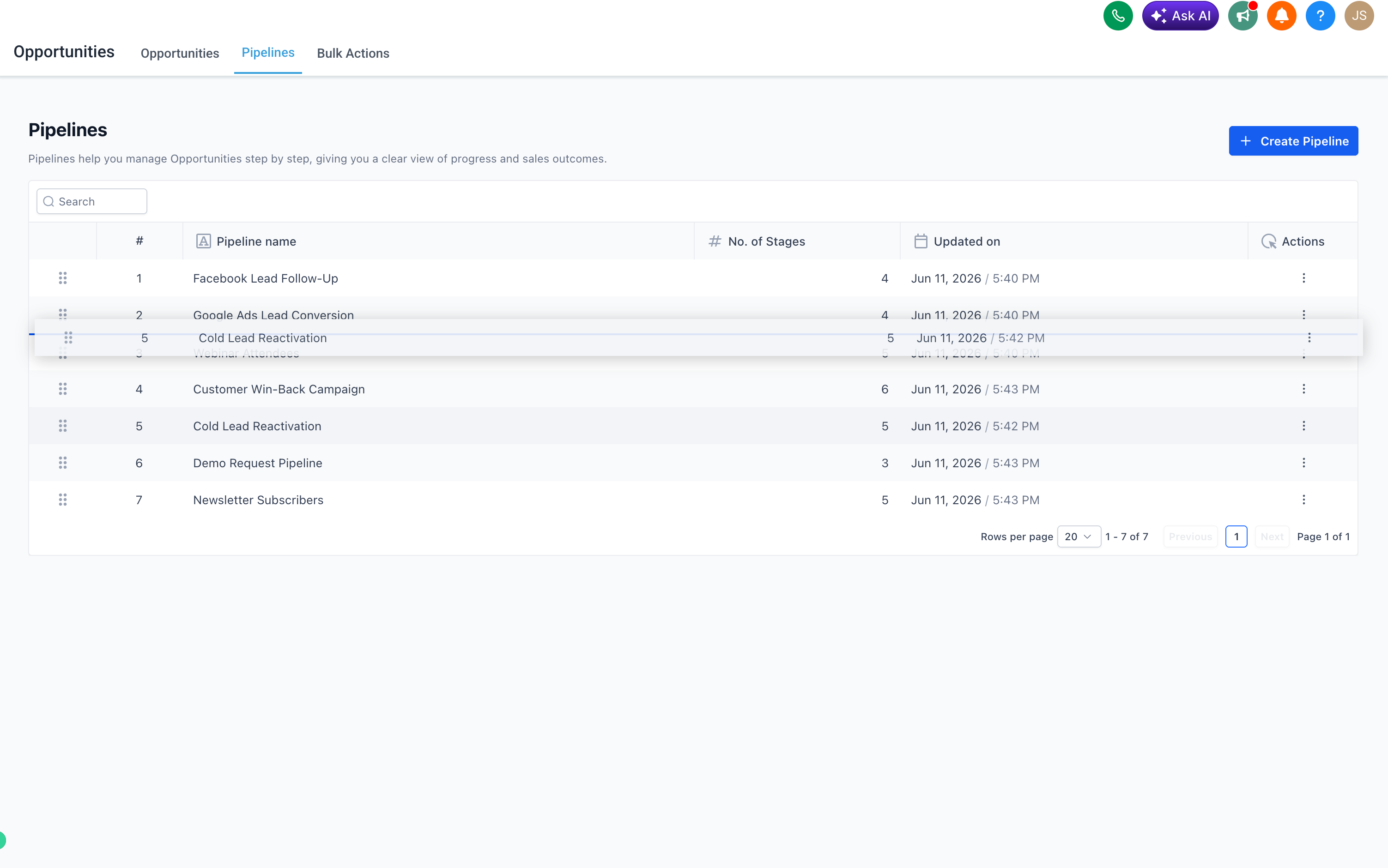
- Alternatively, click the ⋯ (three-dot) Actions menu on a pipeline and select “Move to position” to place it at a specific spot.

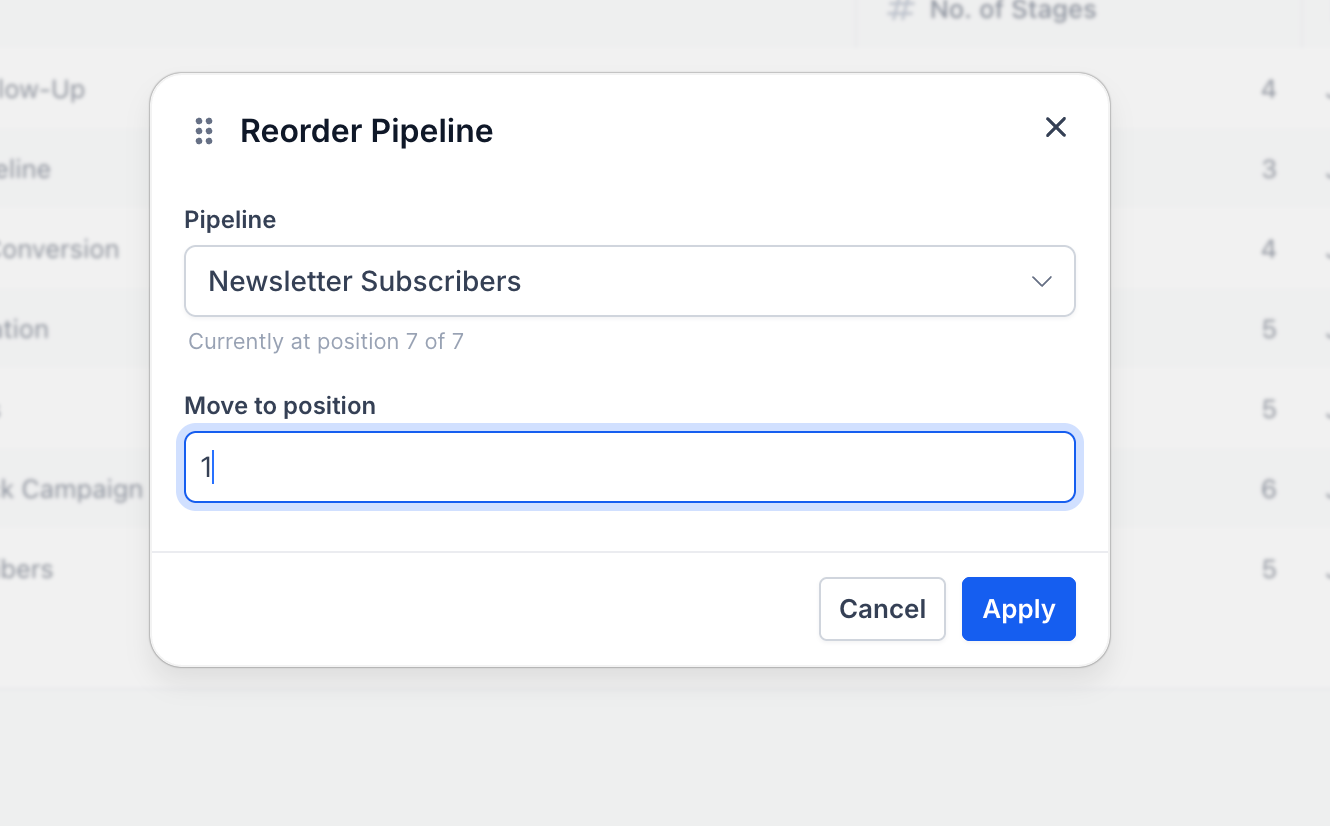
- The new order saves automatically—no additional steps are needed.
Previously, the order of pipelines in Opportunities was fixed and could not be customised from the user interface. Users managing multiple pipelines had no way to prioritise or highlight the ones they use most, other than relying on naming conventions. This update places that control directly in the hands of users, right from the pipeline view.