• Shopping Cart Shopping Cart
    0Shopping Cart
Clixio
  • Features
  • Pricing
  • FAQ
  • Blog
  • Log in
  • Free Trial
  • Menu Menu

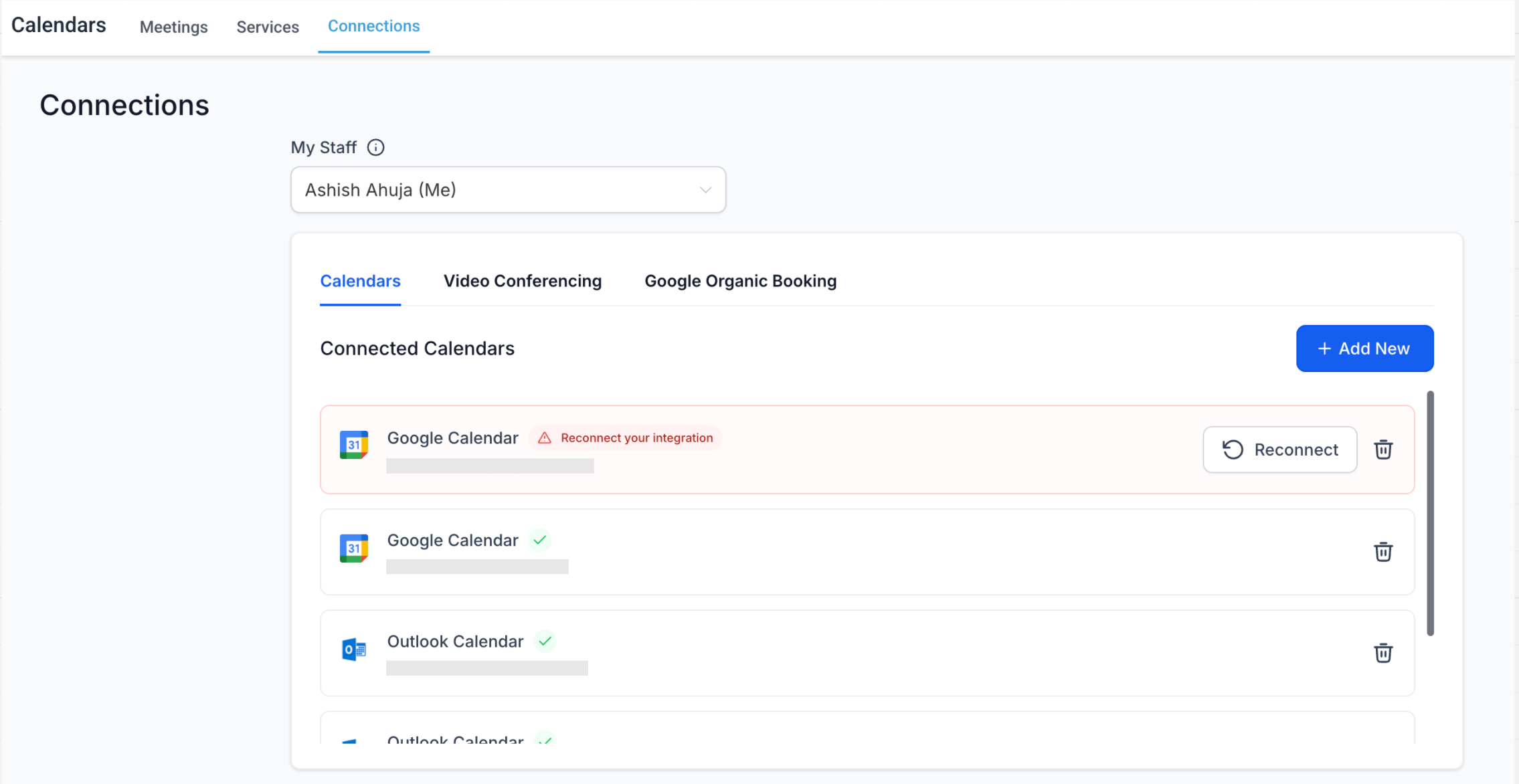
Reconnect Button in Calendar Connections

April 25, 2025/in What's New? Calendar, Integrations

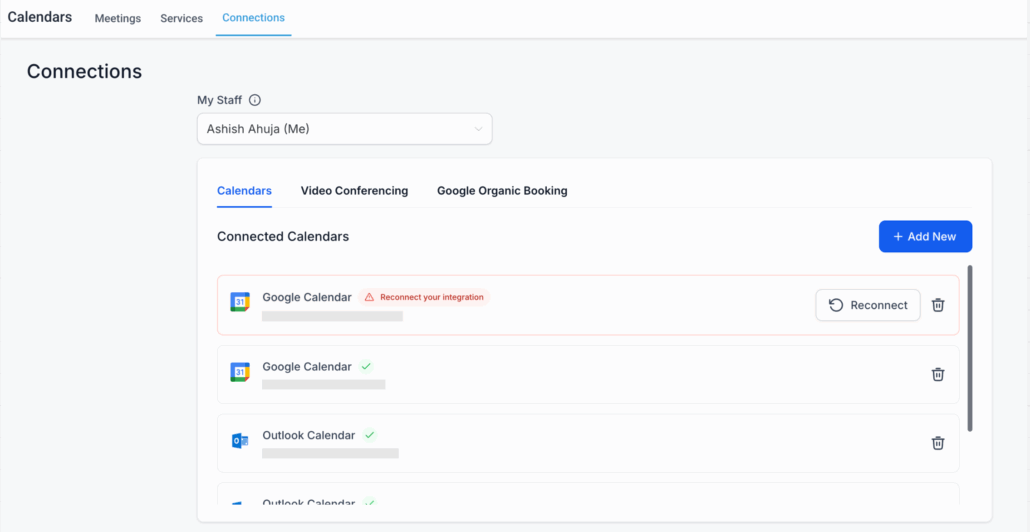
We’re making calendar and video conferencing integrations

easier than ever!

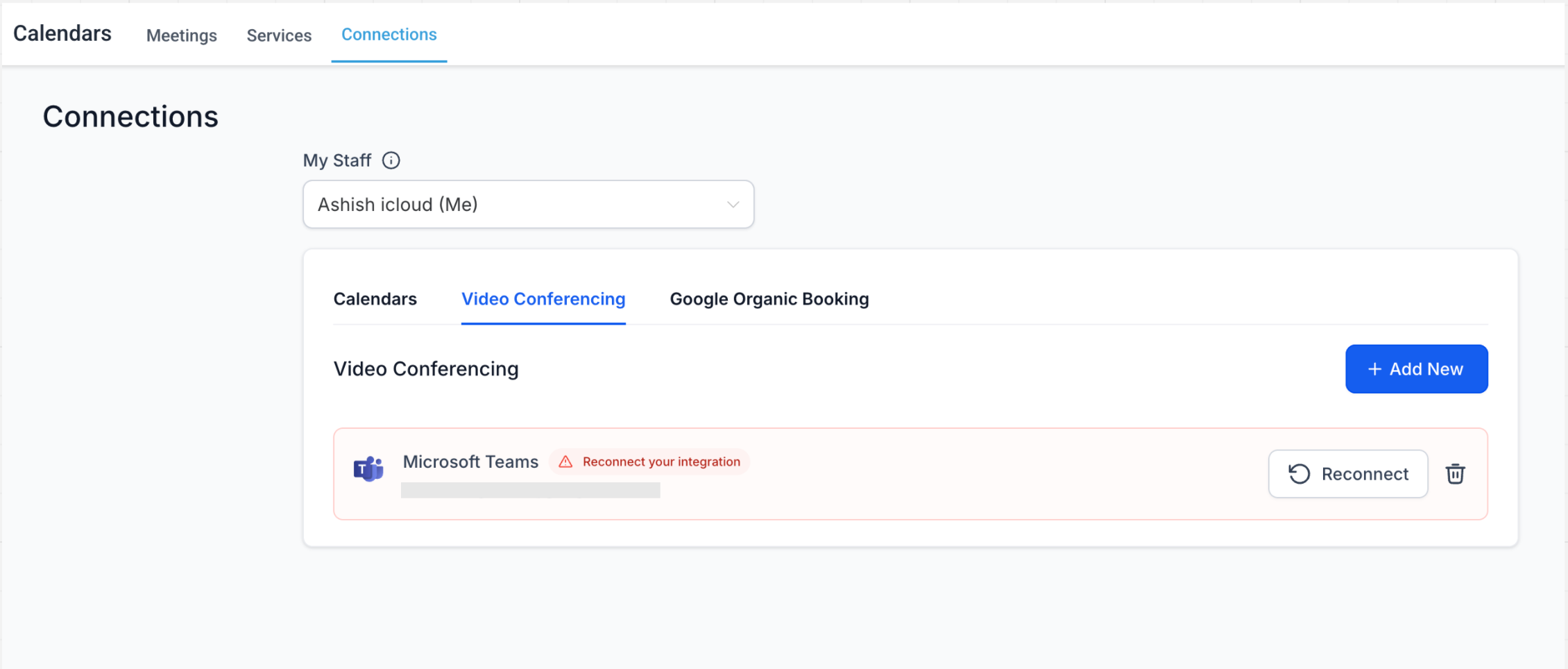
🔄 Seamless Reconnection Flow

Previously

, if your calendar or video conferencing integration broke (due to expired tokens, permission changes, etc.), you had to

remove the entire integration

and reconnect from scratch. This was confusing and time-consuming.

With our

new Reconnect button

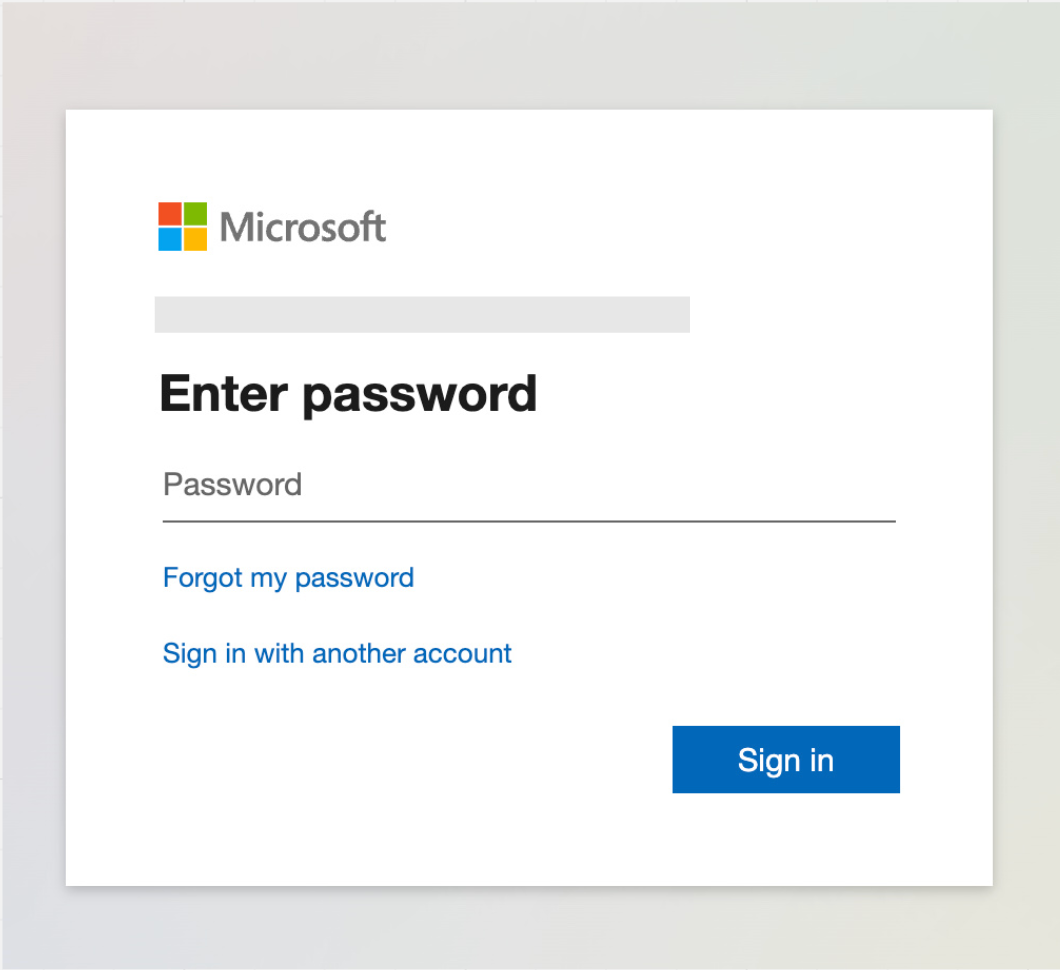
, you can now simply initiate the OAuth flow again to restore your connection — no need to remove and re-add the integration. This update provides a

faster

, more

intuitive experience

for fixing broken connections.

✅ Account-Specific Validation

We’ve also added an important

security

and

consistency

check:

  • Only the

    original account

    that was previously connected can be used to reconnect.

  • If you

    attempt

    to reconnect with a

    different

    account, we’ll show an

    error

    and ask you to reintegrate the original one.

This ensures continuity and

avoids accidental misconfigurations

.

🛠️ No More Lost Settings

One of the

biggest pain points

was that deleting and re-integrating used to

reset

your

configuration settings

. Not anymore!

When using the

new Reconnect option:

  • Your linked calendar,
  • Conflict calendars,
  • Third-Party Calendar selected under Event Calendar, and
  • Video conferencing tool (under Meeting Location settings)
…all

remain exactly as they were.

You no longer need to manually reconfigure everything after fixing a broken connection.

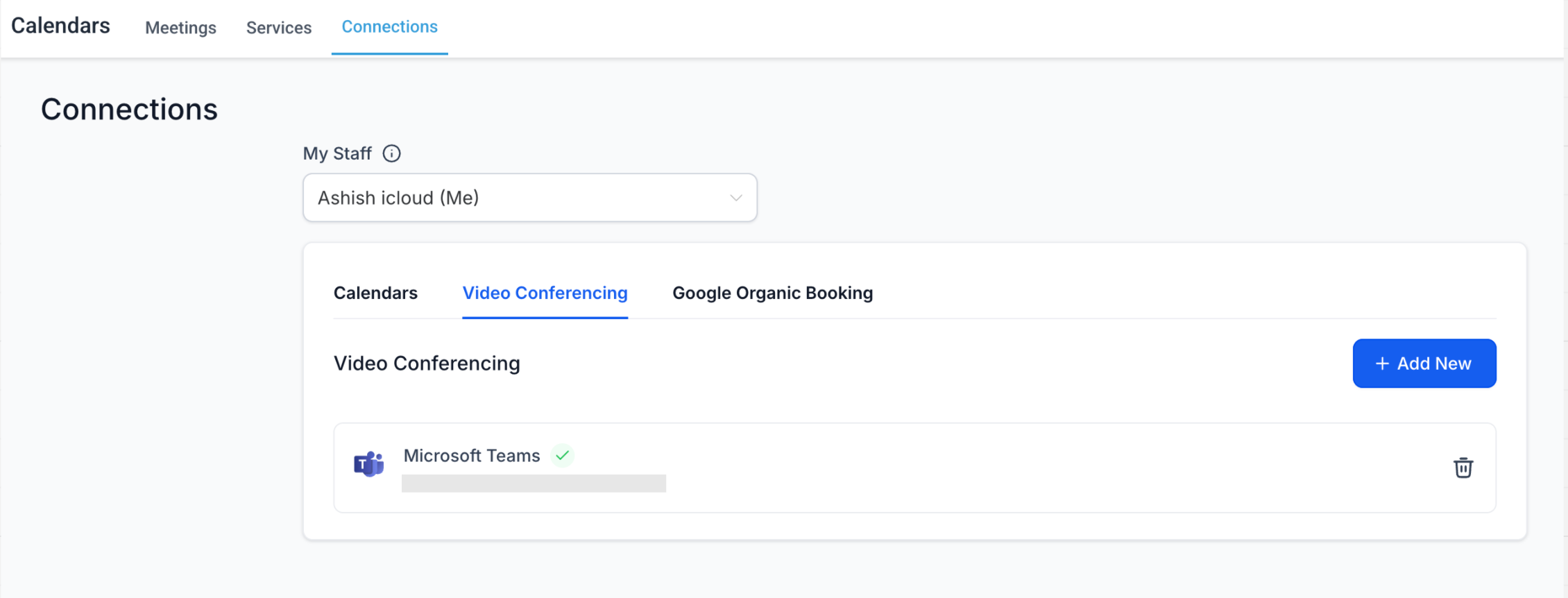
Just

click Reconnect

, go through the

OAuth prompt

, and you’re

done

— all your previous settings are retained and your integration is back online.
image
image
image
image
https://clixio.io/wp-content/uploads/2025/04/804dcfff24259ff58ee64f874f3752e2.png 1172 2270 Clixio.io https://clixio.io/wp-content/uploads/2023/08/clixio-logo-dark.png Clixio.io2025-04-25 15:12:002025-04-25 15:12:00Reconnect Button in Calendar Connections

RSS feed: Latest Feature Updates Latest Feature Updates

  • Improved: Dynamic Value Chips with Improved error segmentation September 4, 2026
  • 📞 More Reliable Missed Call Text Back with Smarter Number Selection September 4, 2026
  • 🔐 Client Portal: “User login” Workflow Trigger Now Supports the New Client Portal Experience September 3, 2026
  • 📢 Carrier Fee Pricing Update – Effective October 1, 2026 September 3, 2026
  • Privacy Policy + T&C URLs on Toll-Free Verification September 2, 2026
  • Workflow Builder: Pick an Email Sender Domain for Each Workflow! August 28, 2026
  • Certificate AI Beta is now live August 27, 2026
  • 📅 Date Range Setting Can Now Count Only the Days You Actually Work August 27, 2026
  • Schedule Availability with Custom Open & Expiry Experiences – Form, Survey & Quiz August 27, 2026
  • WhatsApp messaging limits: now shown at the portfolio level August 27, 2026
Book a demo
See Clixio working
for your business, live.

30 minute call with our team. Personalised to your industry, no hard sell.

Book your free demo
14 day free trial · Cancel anytime
Clixio - Marketing and sales automation

Marketing & sales automation built for Australian service businesses. One platform, one flat rate, genuinely easy to use.

Product
Features Pricing How it works Latest updates
Company
Blog FAQ Get support Account transfers
Legal
Privacy Policy Terms & Conditions
© Clixio. All rights reserved. Made with ♡ in Australia.
Scroll to top Scroll to top Scroll to top