• Shopping Cart Shopping Cart
    0Shopping Cart
Clixio
  • Features
  • Pricing
  • FAQ
  • Blog
  • Log in
  • Free Trial
  • Menu Menu

Rearrange and Rename Tabs in Communities

August 18, 2026/in What's New? Communities

Customise Your Community’s Navigation

Customise how your community’s navigation looks – reorder tabs to match how your community works, and rename them to fit your branding.

Community admins and owners can now fully customise their community’s tab layout by reordering tabs, renaming labels, and disabling tabs they don’t need.

Drag and reposition community tabs (Discussion, Learning, Events, Leaderboards, Members, About) to control the order members see them. Put the most important sections front and centre.

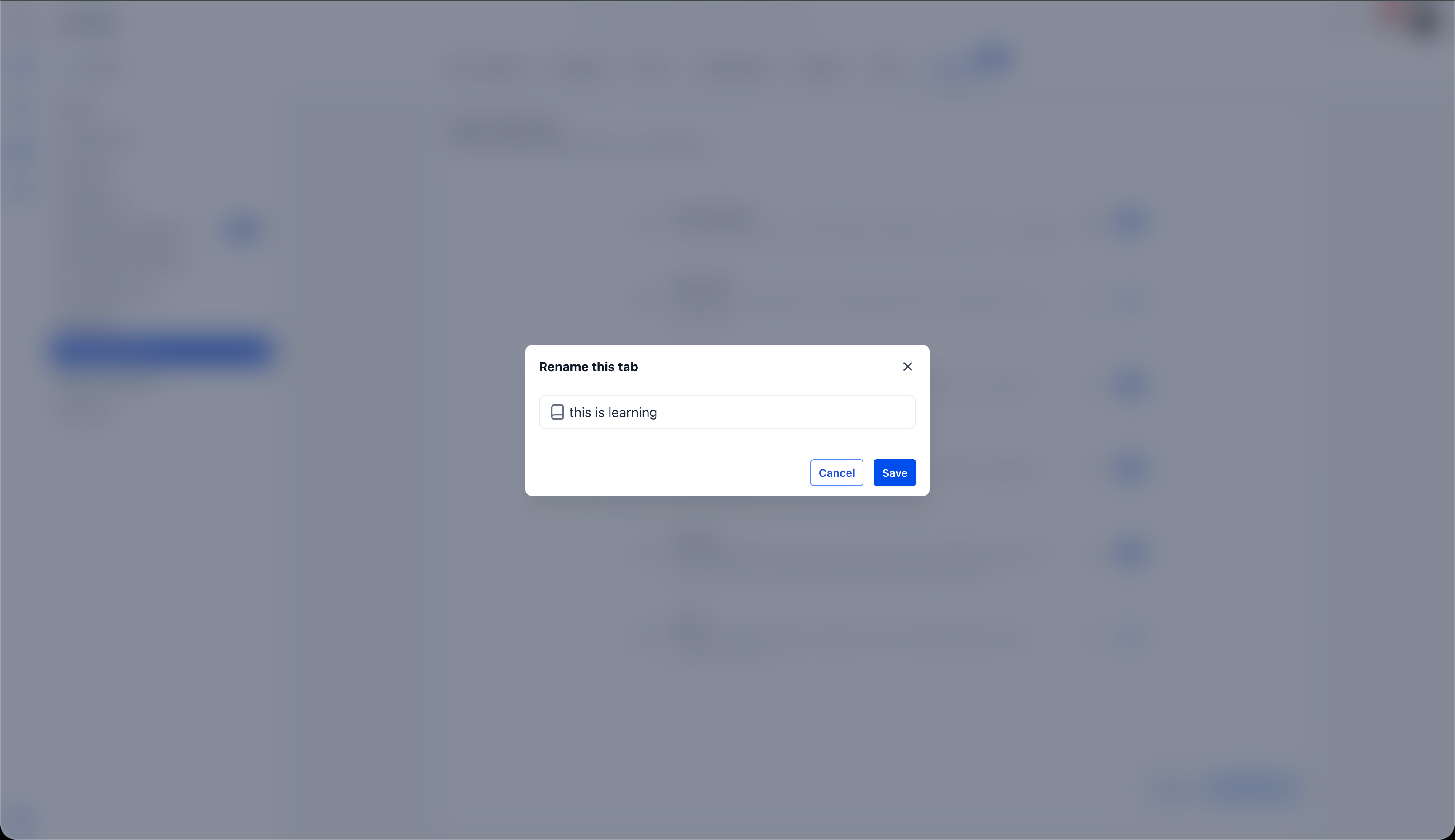
Give any tab a custom label that fits the community’s own language and branding. Click the edit icon next to any tab to open the rename dialog and save a new name.

Steps to Customise Tabs:
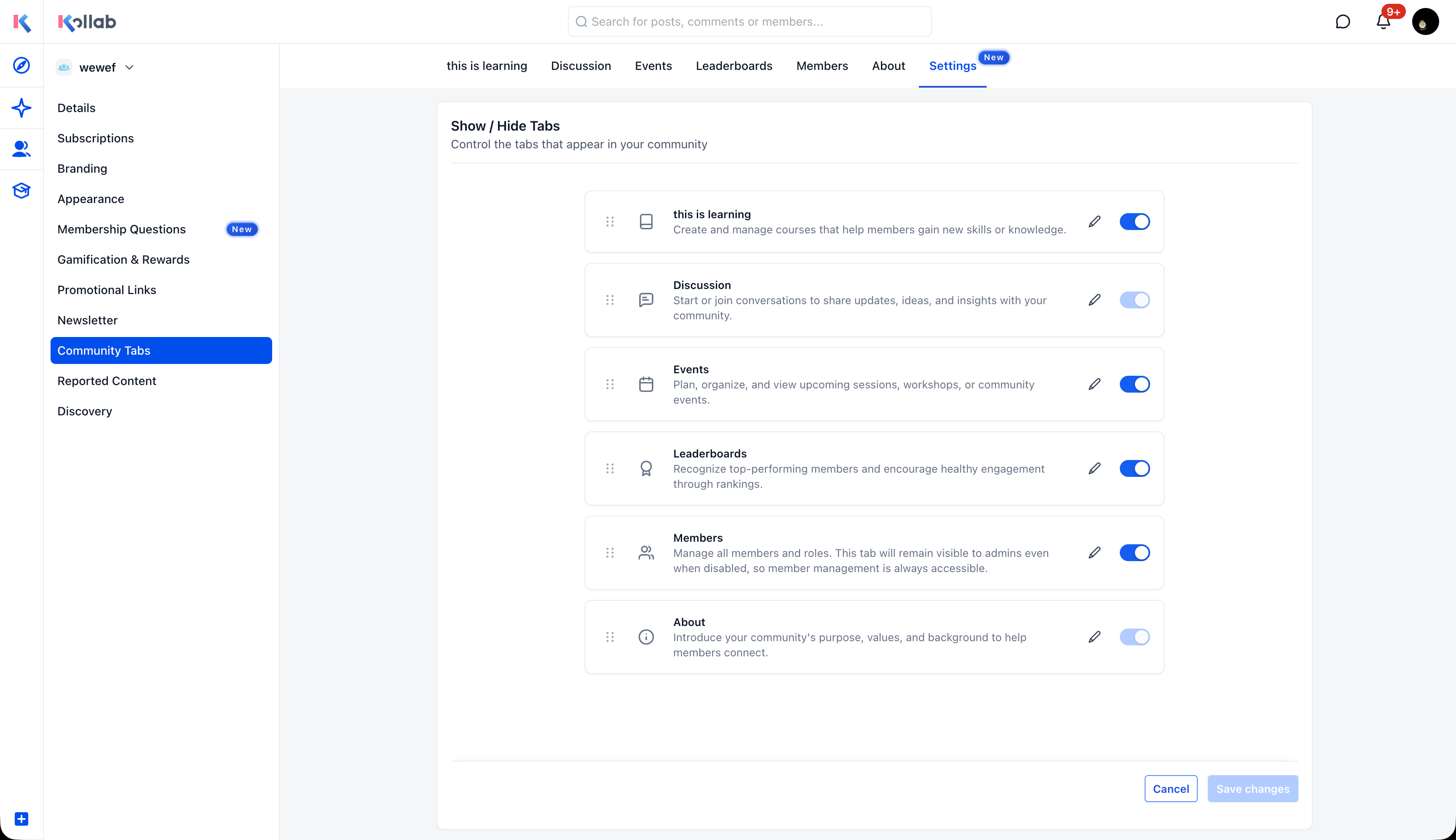
Screenshot 2026-08-05 at 3
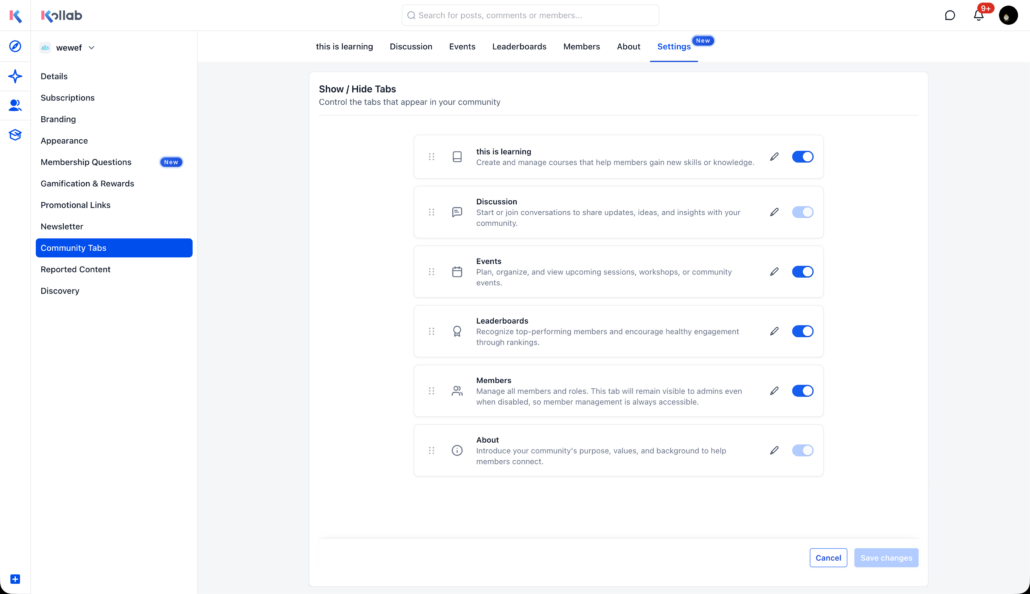
  1. Navigate to Settings → Community Tabs in your community.
  2. Reorder – Drag tabs using the handle on the left to rearrange them.
  3. Rename – Click the edit icon next to any tab and enter a custom label.
  4. Show/Hide – Toggle tabs on or off using the existing switches.
  5. Click Save changes.

The updated tab layout is reflected immediately for all members.

Not every community uses the same tabs, and default labels don’t always match how a community talks about its sections. With tab customisation, admins can shape the navigation to reflect what their community actually looks like – putting the most relevant sections first and using language members already understand.

  • Only admins and owners can rearrange, rename, or disable tabs.
  • The Discussion and About tabs cannot be disabled.
  • Custom tab names are not translated – they display exactly as entered.
  • Changes persist across sessions and apply to all members.
https://clixio.io/wp-content/uploads/2026/08/fda75adc58a7d85ba943ead5d24a3db3-scaled.png 1477 2560 Clixio.io https://clixio.io/wp-content/uploads/2023/08/clixio-logo-dark.png Clixio.io2026-08-18 05:07:002026-08-18 05:07:00Rearrange and Rename Tabs in Communities

RSS feed: Latest Feature Updates Latest Feature Updates

  • Introducing Recommendations & Error Detection in Forms, Surveys & Quizzes October 21, 2026
  • Introducing the Quiz Element in Funnels & Websites! October 21, 2026
  • Action needed: move your WhatsApp marketing to MM Lite before October 2027 October 19, 2026
  • Get the right ad platform on your number pool calls October 16, 2026
  • Send number pool calls to multiple users who can answer it on any device they choose October 16, 2026
  • Localized Gift Card Communications | Clixio Changelog October 15, 2026
  • A rebuilt WhatsApp template builder, plus per-contact media October 15, 2026
  • Checkout upgrades for AI Studio Payments October 15, 2026
  • AI Studio Chat Widgets: Native Live Chat Built Into Your AI Studio Apps October 14, 2026
  • Enable or Disable Features for Multiple Accounts at Once October 14, 2026
Book a demo
See Clixio working
for your business, live.

30 minute call with our team. Personalised to your industry, no hard sell.

Book your free demo
14 day free trial · Cancel anytime
Clixio - Marketing and sales automation

Marketing & sales automation built for Australian service businesses. One platform, one flat rate, genuinely easy to use.

Product
Features Pricing How it works Latest updates
Company
Blog FAQ Get support Account transfers
Legal
Privacy Policy Terms & Conditions
© Clixio. All rights reserved. Made with ♡ in Australia.
Scroll to top Scroll to top Scroll to top