QR Code Sharing in Funnel Builder
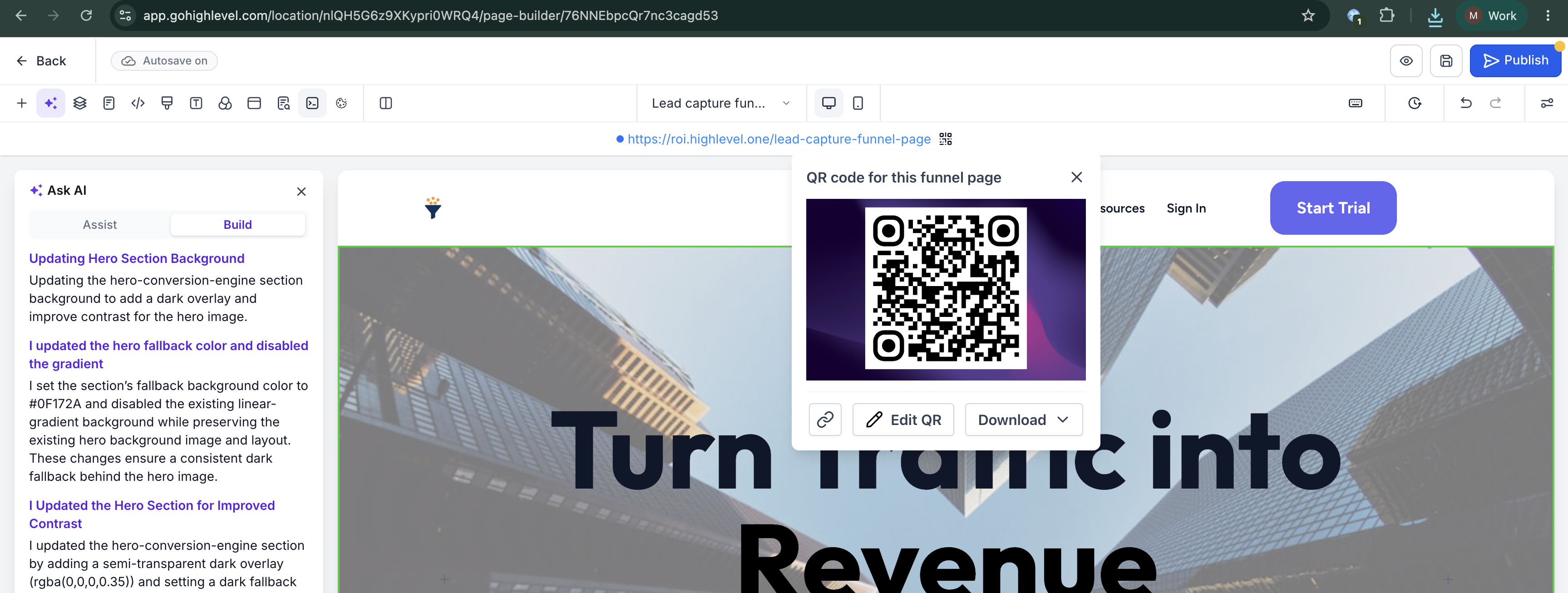
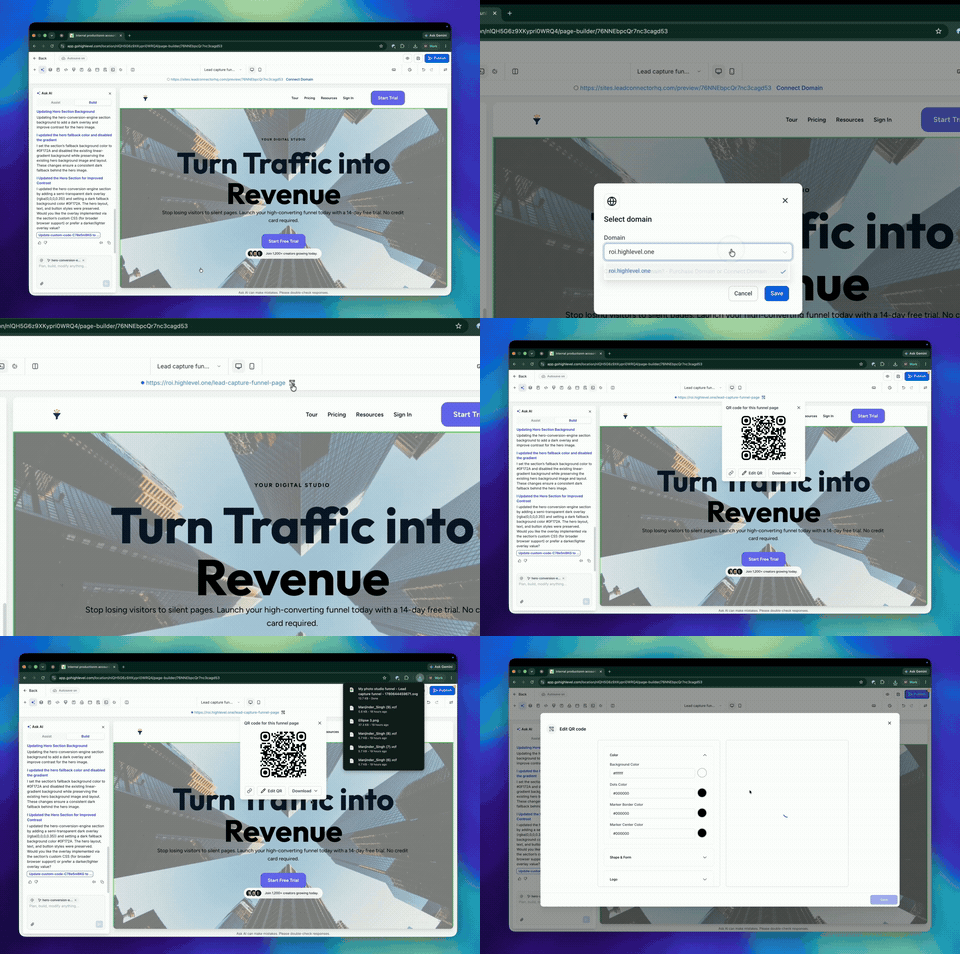
Added QR Code Sharing in Funnel Builder – You can now create and download a QR code for the current funnel step without interrupting your workflow.
- You can now generate a QR code directly from Funnel Builder.
- The QR code is automatically linked to the current funnel step.
- You can download the QR code in PNG, SVG, or PDF formats.
- Additional customisation options are available by selecting Edit QR.
- The QR code option is only visible when a domain is connected or hosted.
- Open a funnel in Funnel Builder.
- Locate the Funnel URL at the top of the page.
- Click the QR code icon next to the URL.
- Download the QR code or select Edit QR to customise it further.
- Saves time by removing unnecessary steps.
- Reduces the chance of linking the wrong page or step.
- Makes it easier to promote funnels through print, events, packaging, signage, and other offline channels.
- Integrates QR code creation directly into your funnel building process.