
Opportunity Workflow Actions | Clixio Changelog
New and Improved Opportunity Workflow Actions
We’ve introduced new and improved Opportunity-related workflow actions, providing greater flexibility and precision when creating, updating, assigning, and removing opportunities in your sales pipelines. These enhancements streamline your sales process and ensure you have full control over opportunity management.
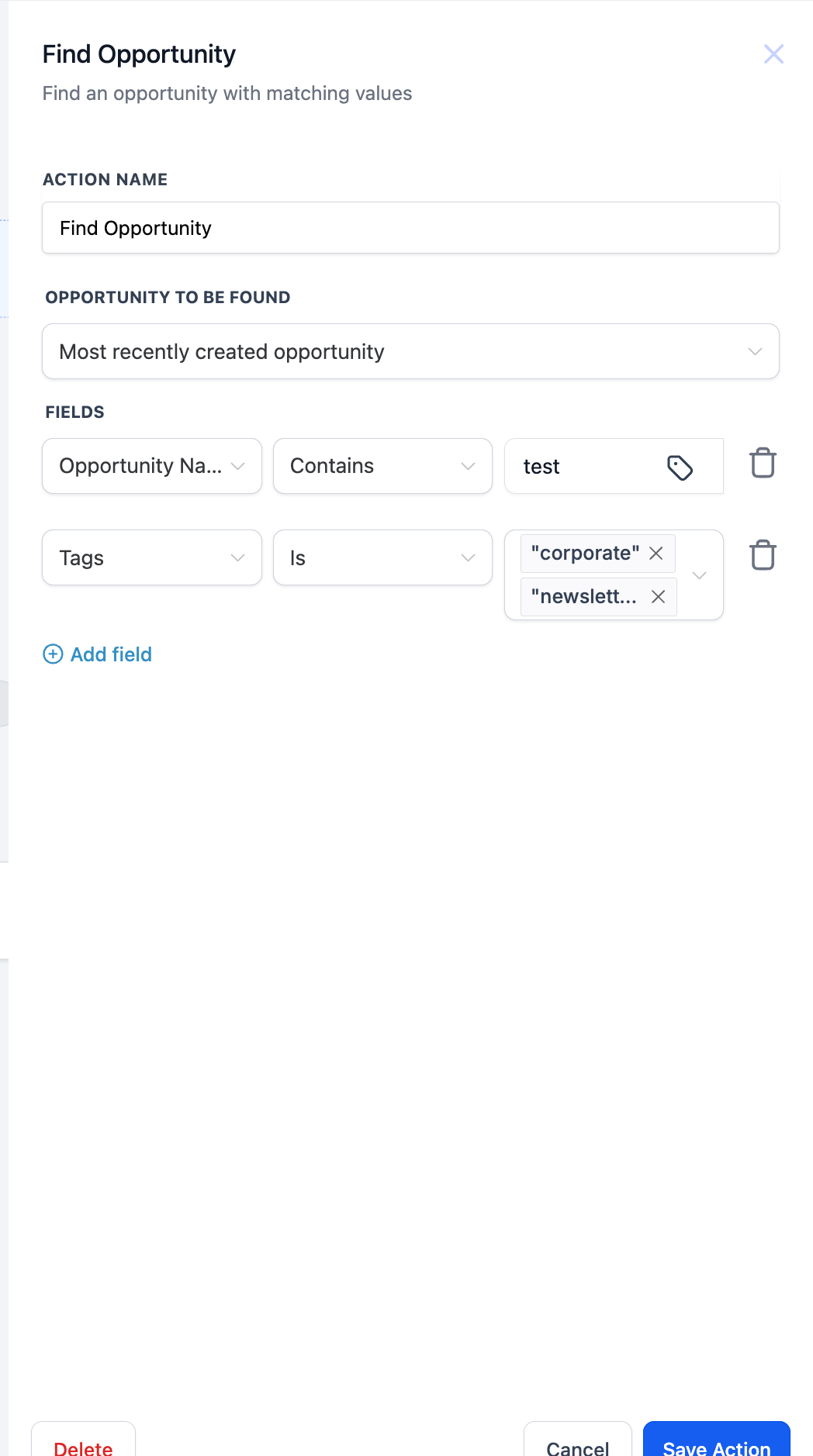
New “Find Opportunity” Action
Key Benefit: Quickly locate the earliest or latest opportunity for a contact.
Use Case: Perfect for updating a specific opportunity or making decisions based on an existing record.
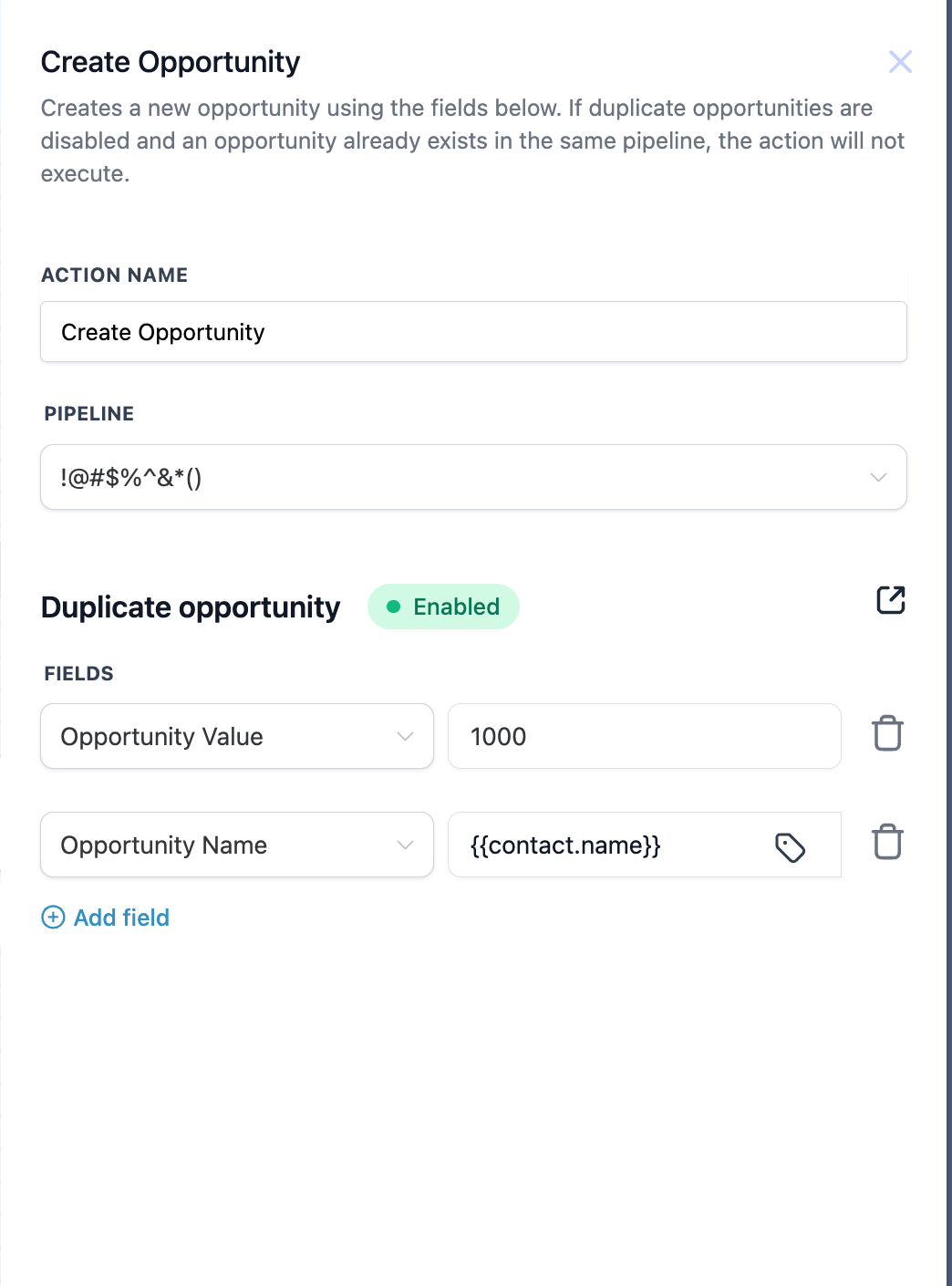
New “Create Opportunity” Action
Key Benefit: Easily create a fresh opportunity in a specified pipeline/stage without affecting any existing record.
Use Case: Ideal for onboarding new leads, automatically populating opportunity details and values. With this – we are also unifying the duplicate opportunity setting to follow one global setting!
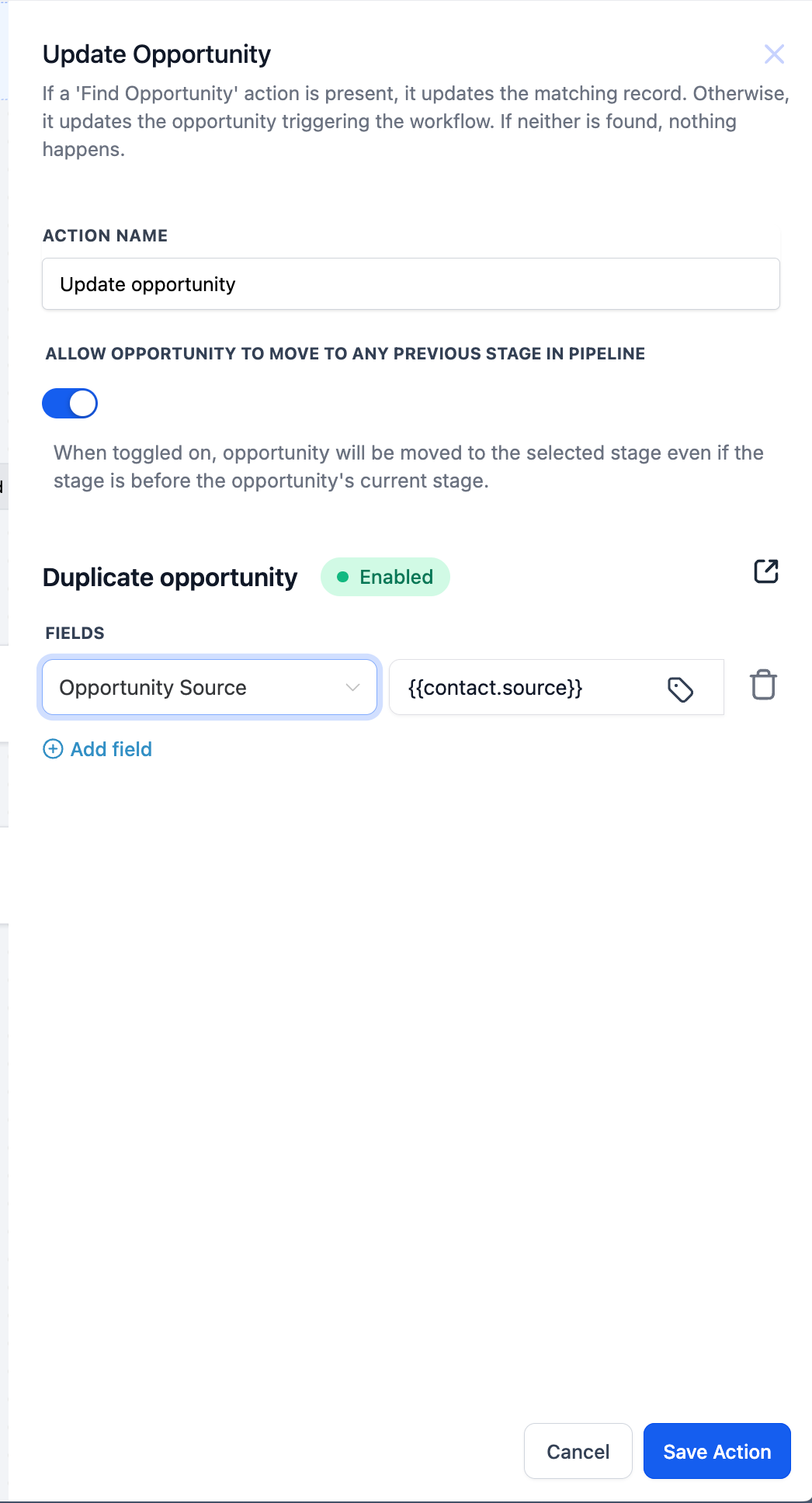
New “Update Opportunity” Action
Key Benefit: Modify fields (name, value, pipeline stage, etc.) of an existing opportunity.
Use Case: Ideal for changing an opportunity’s status or stage after a lead takes a new action. Additionally, it allows you to move opportunities from one pipeline to another as well.
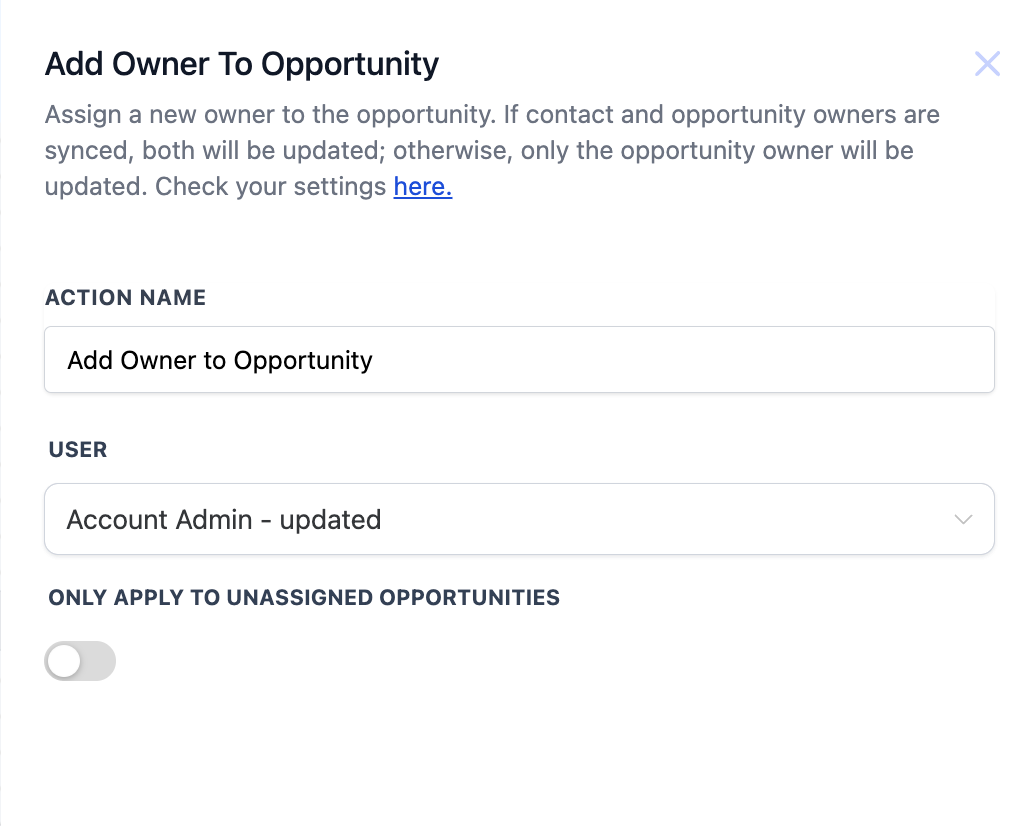
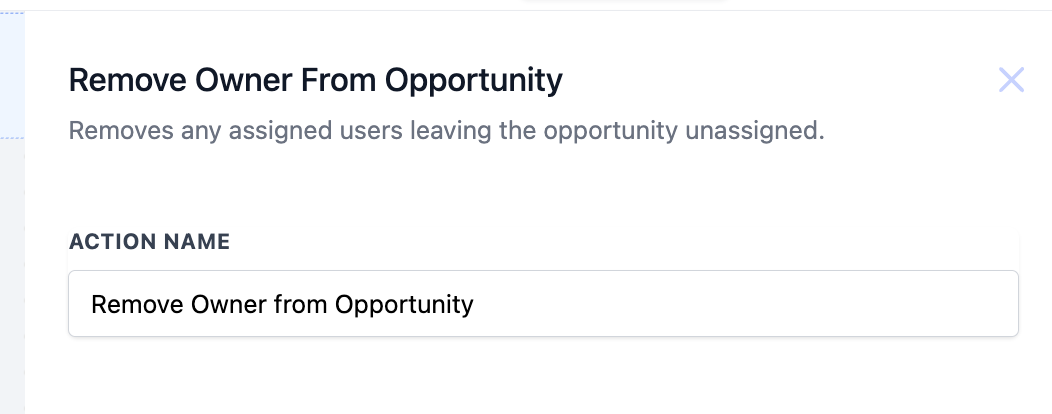
New “Add Owner to Opportunity” & “Remove Owner from Opportunity”
Key Benefit: Precisely assign or remove ownership of an opportunity, with optional syncing to the contact owner.
Use Case: Ensure correct sales reps are responsible for follow-up or free up an opportunity for reassignment.
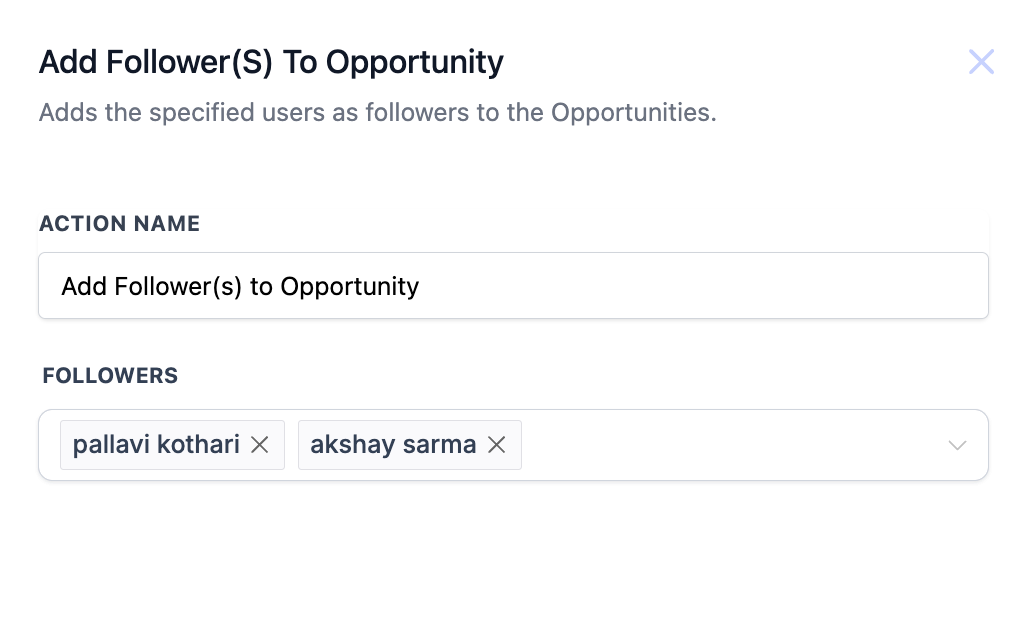
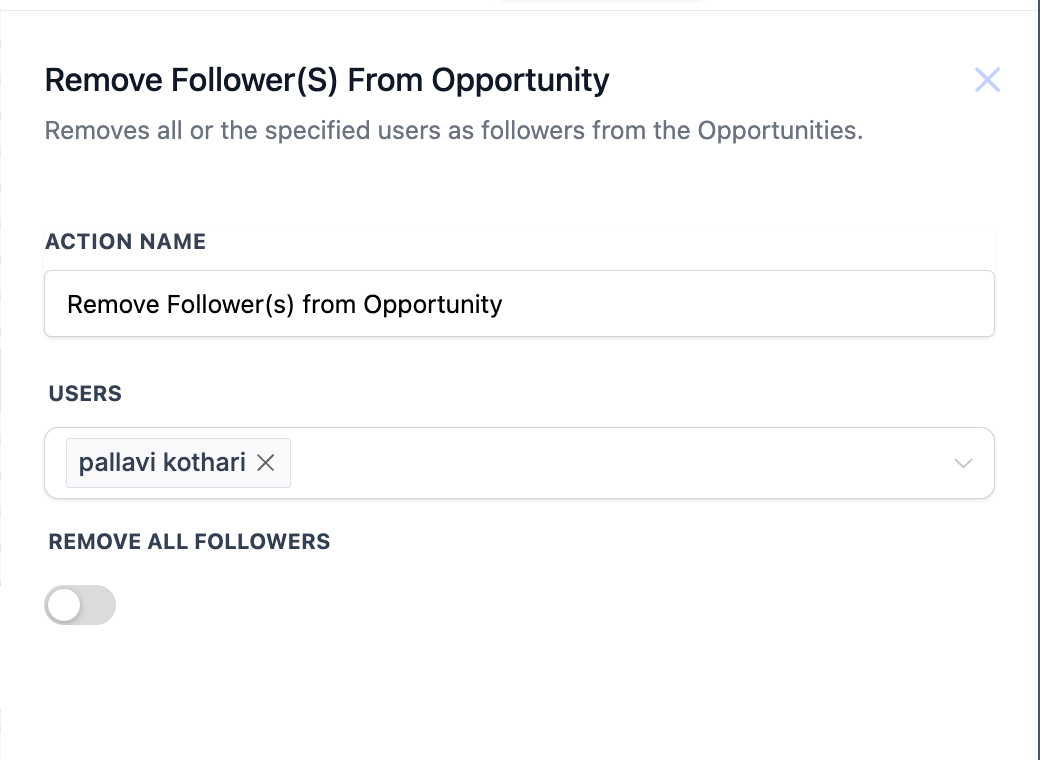
New “Add Follower(s) to Opportunity” & “Remove Follower(s) from Opportunity”
Key Benefit: Control who receives updates about an opportunity’s progress, without creating duplicates or unwanted notifications.
Use Case: Keep the right stakeholders informed or clean up unnecessary followers.
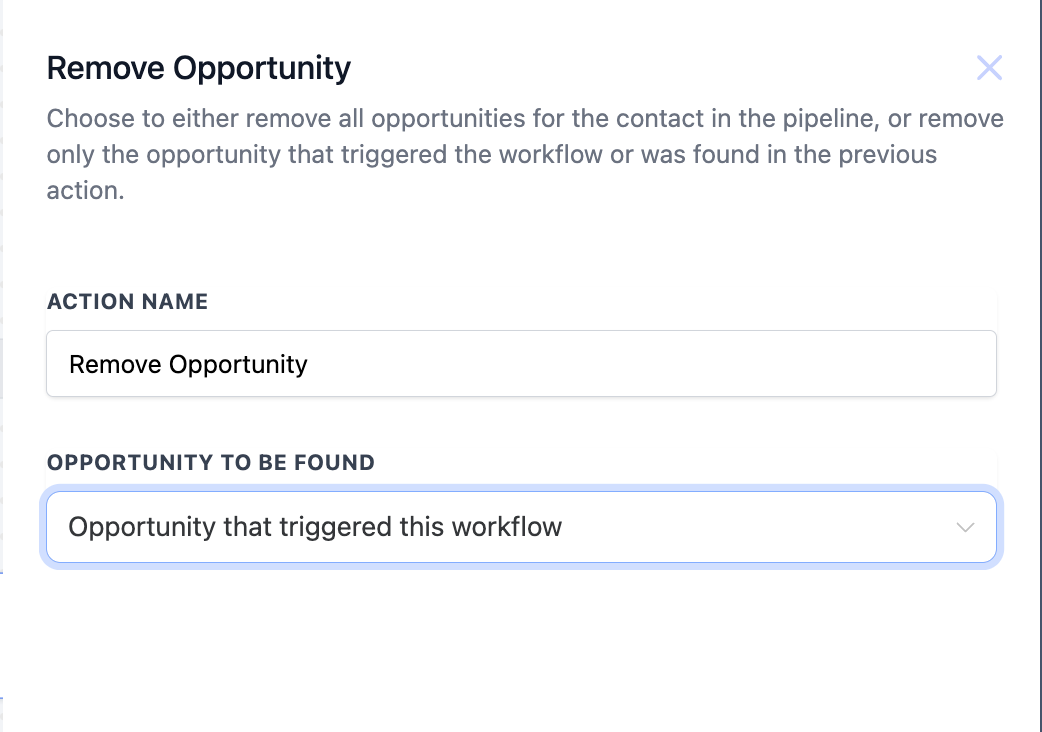
Enhancements to “Remove Opportunity”
Key Benefit: Now you can remove the opportunity that triggered the workflow or an opportunity found in a prior step, in addition to removing all opportunities in a pipeline.
Use Case: More targeted cleanup of irrelevant or canceled opportunities.
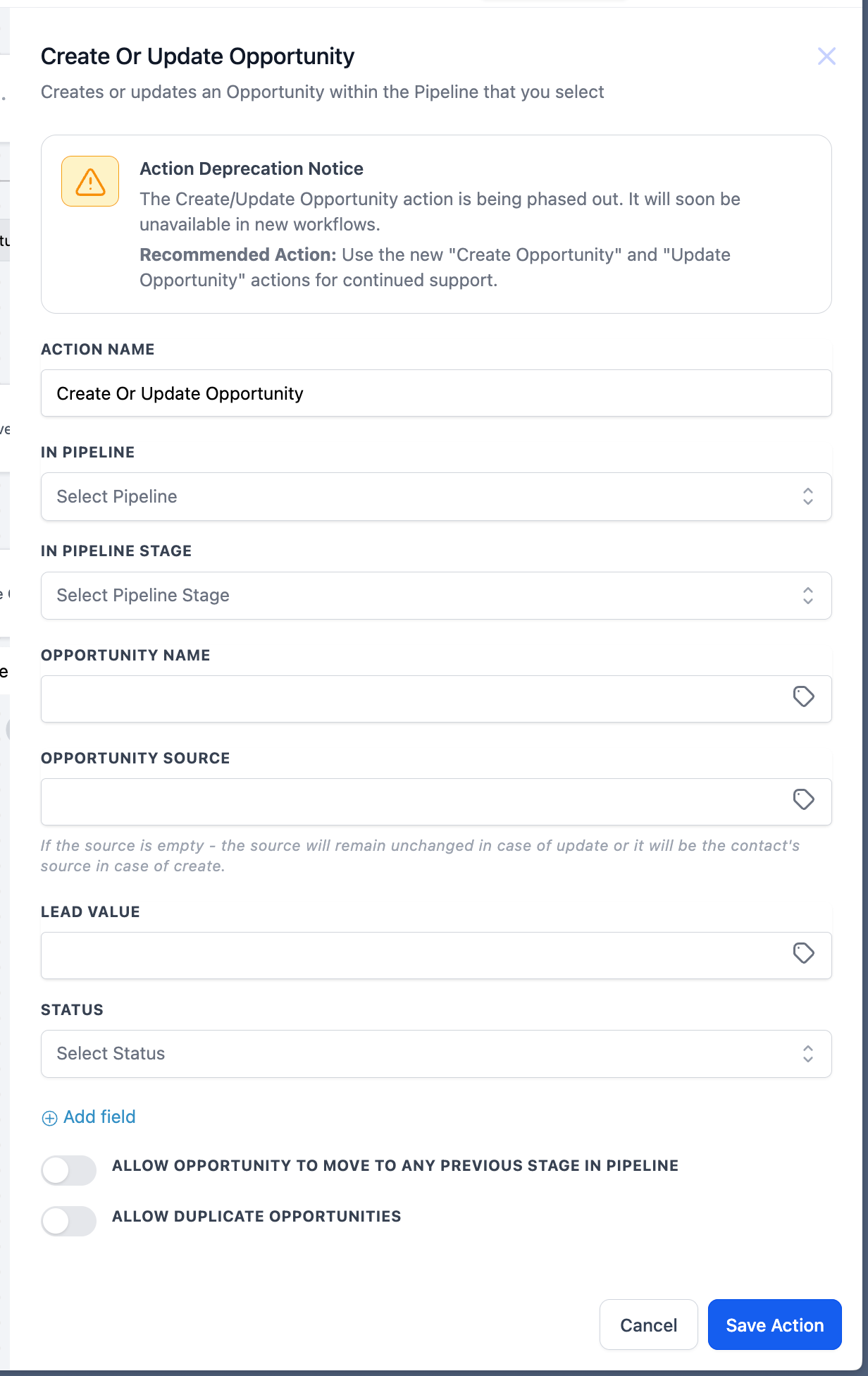
Deprecation Notice for “Create or Update Opportunity”
Key Benefit: Separate “Create Opportunity” and “Update Opportunity” actions provide more granular control.
Use Case: Transition to the new dedicated actions for improved functionality and future compatibility.
1. Add the Desired Action to Your Workflow
Navigate to Automations → Workflows and select the step where you want to manage opportunities.
2. Choose the appropriate action (e.g., Find Opportunity, Create Opportunity, etc.).
For Create or Update, set pipeline, stage, name, value, etc.
For Add or Remove Owner/Follower, specify the users.
For Remove Opportunity, decide whether to remove one specific opportunity or all in a pipeline.
Run a test contact/lead through your workflow to confirm everything works as intended.
– Greater Precision:
Separate actions for finding, creating, and updating ensure no accidental overwrites or unwanted changes.
– Flexibility & Control:
Assigning/removing owners or followers at any point in the sales process keeps responsibilities clear.
– Streamlined Processes:
Automated opportunity removal, especially for canceled or lost deals, helps keep pipelines clean and accurate.
– Future-Proofing:
Deprecating the all-in-one “Create or Update Opportunity” action paves the way for more robust, specialized actions that align with modern sales workflows.