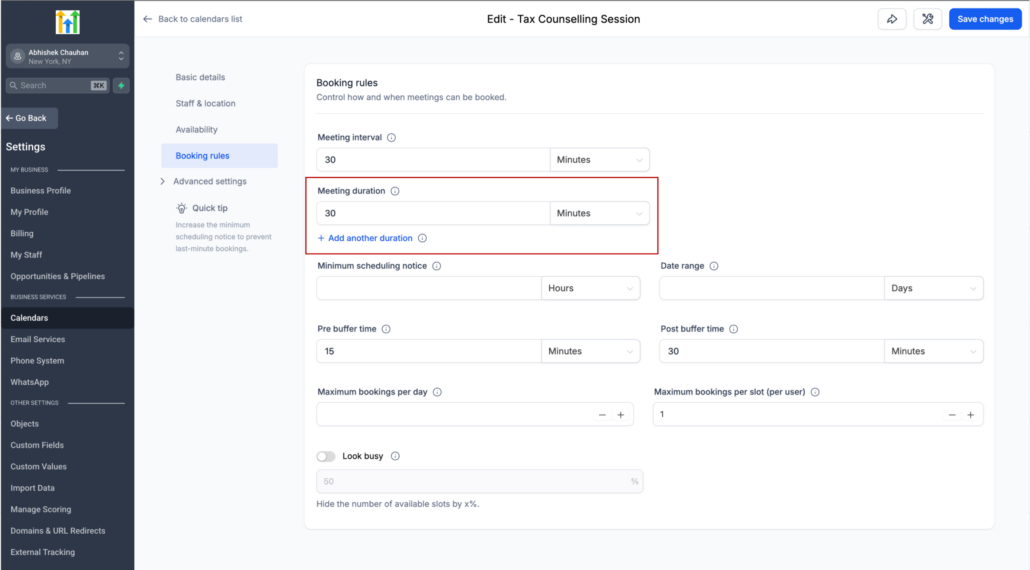
Offer multiple meeting durations within a single calendar
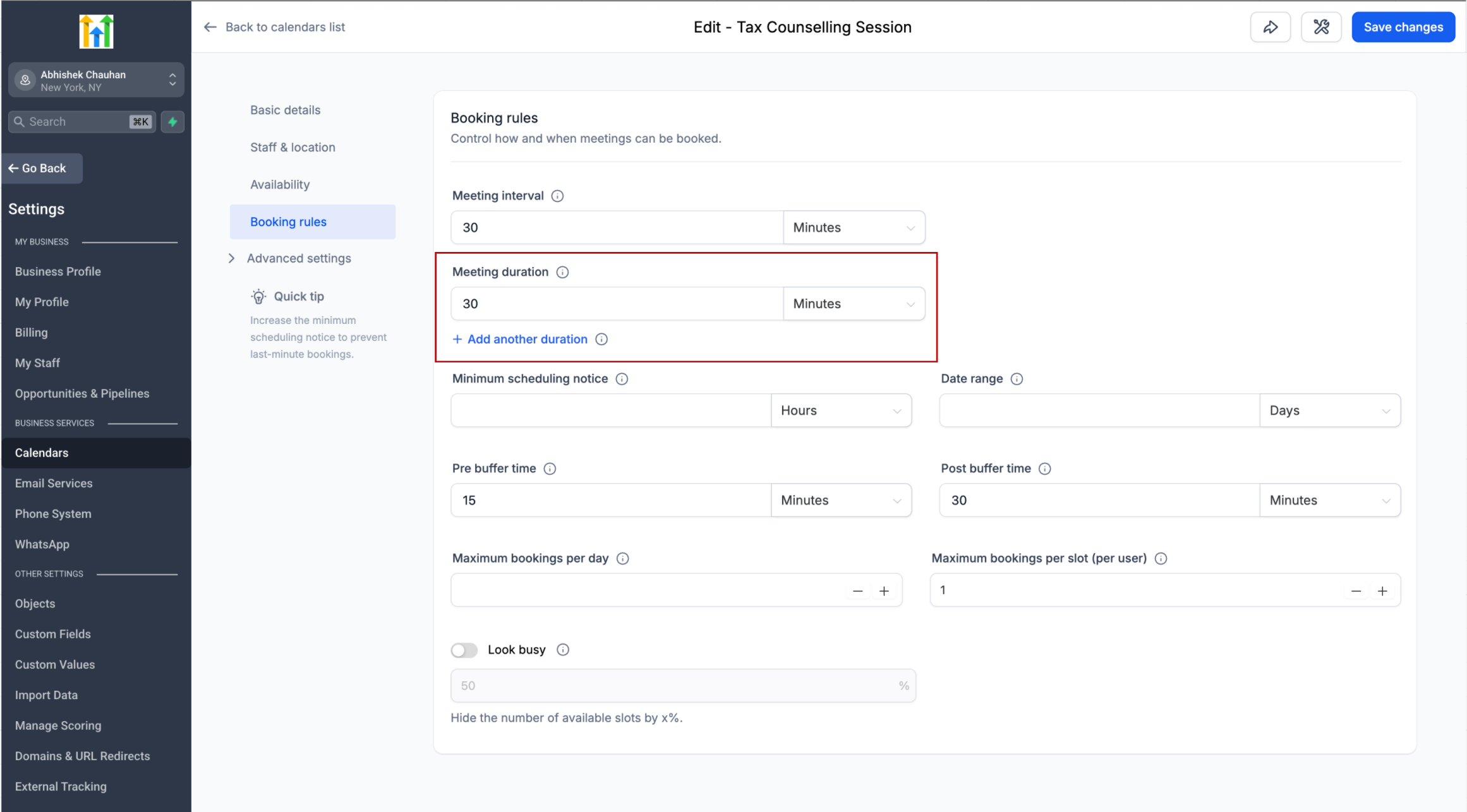
You can now offer multiple meeting durations within a single calendar, giving bookers the flexibility to choose the meeting length that works best for them.
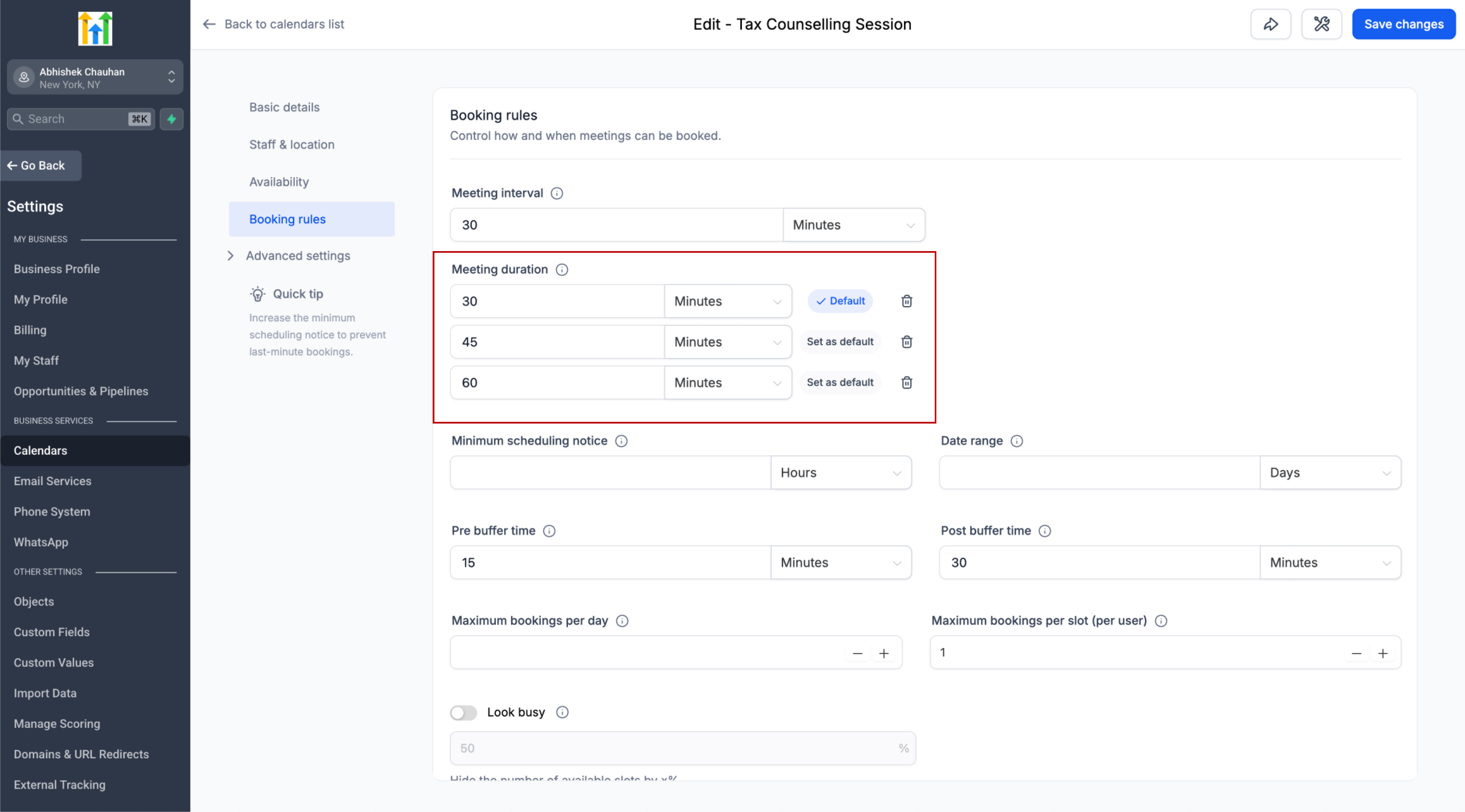
Instead of creating separate calendars for 15-minute, 30-minute, or 60-minute meetings, you can configure up to 3 duration options on the same calendar.
From your calendar settings, you can:
- Add up to 3 duration options
- Choose which duration should be selected by default
- Add or remove duration options at any time
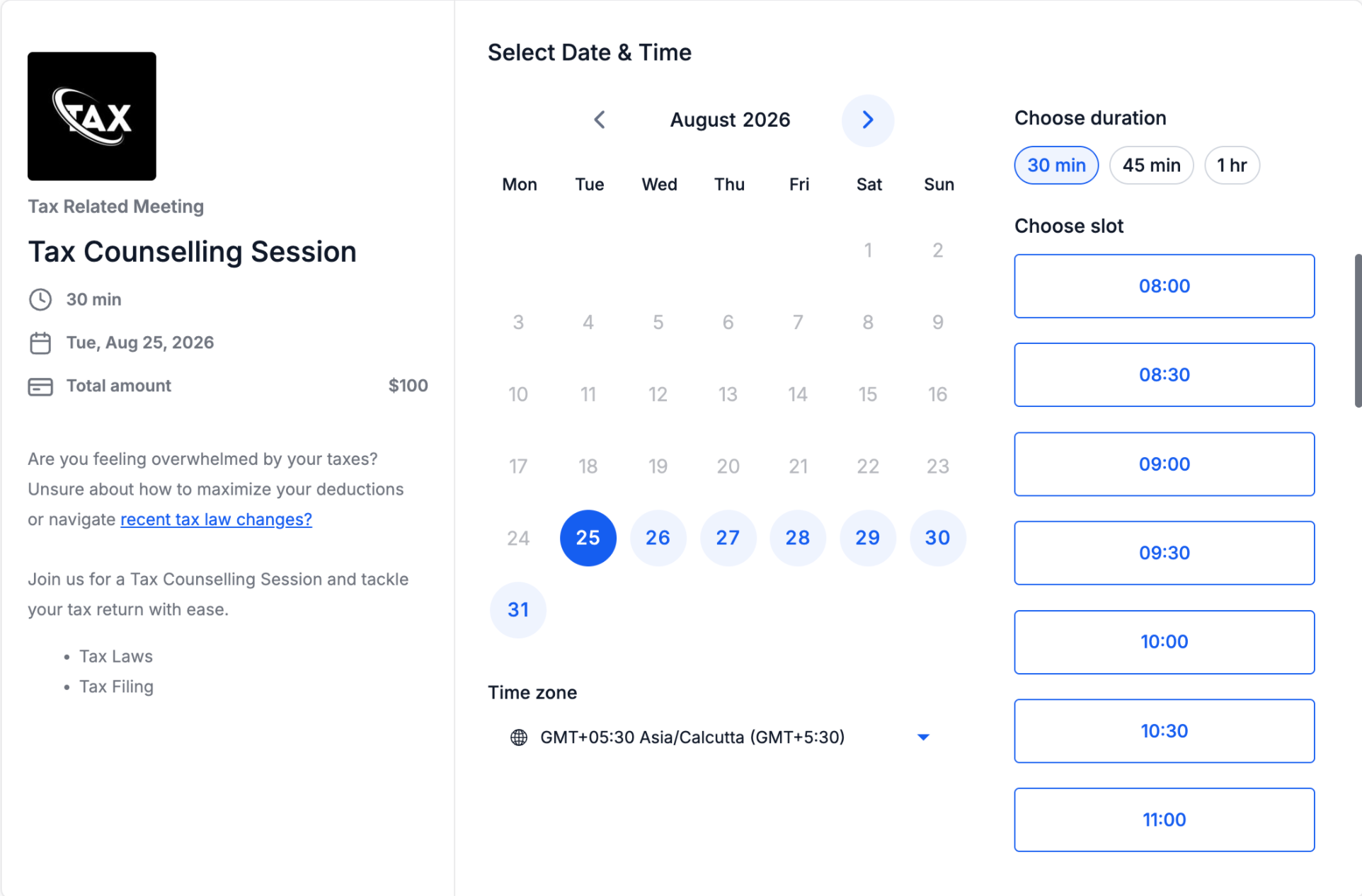
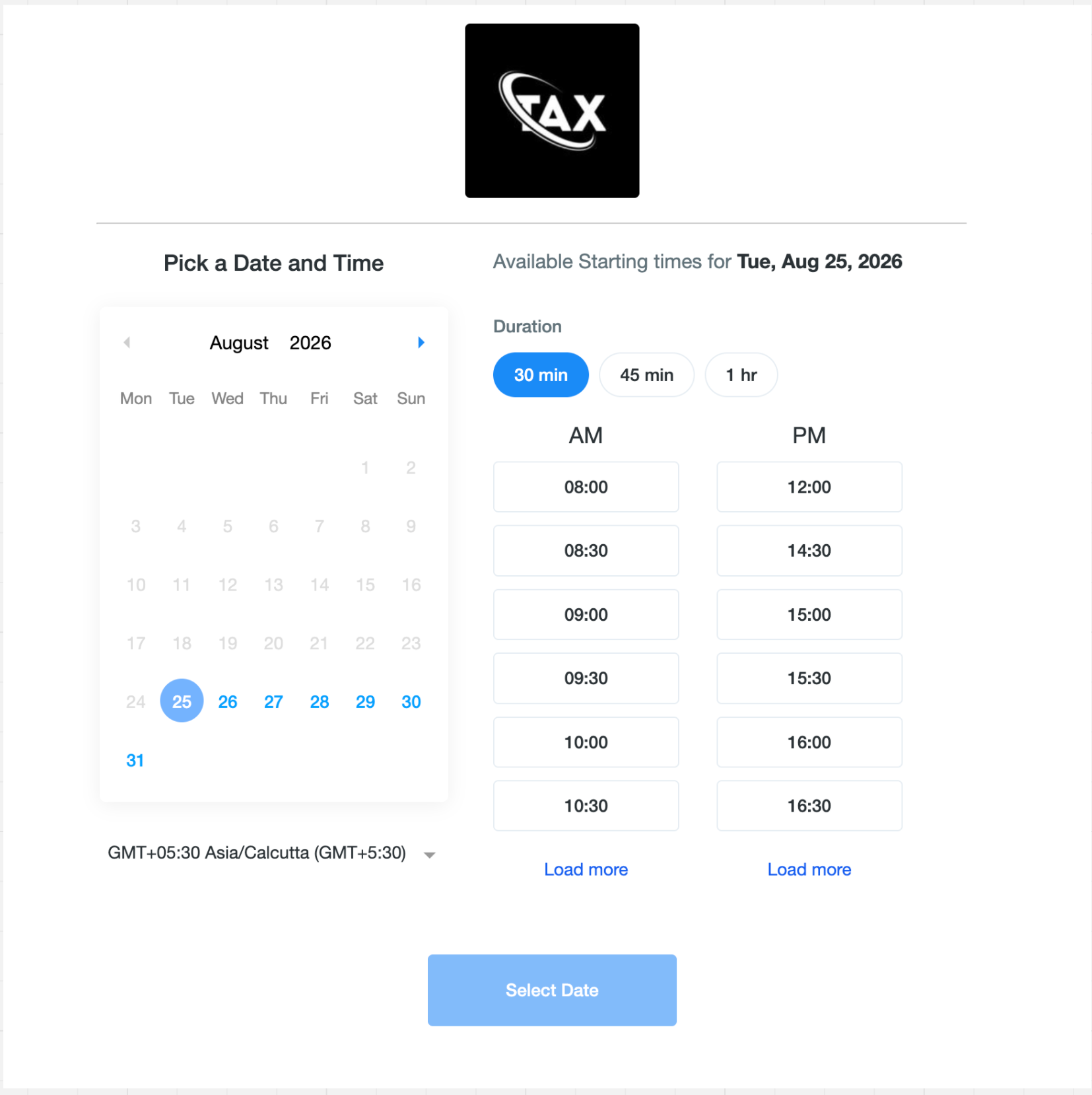
When multiple durations are configured, bookers will see them as easy-to-select options on the booking page. Selecting a different duration automatically refreshes availability to show slots that can accommodate the selected meeting length.
If only one duration is configured, the booking experience remains unchanged.
Multiple durations are supported across:
- Web and mobile booking pages
- Neo and Classic booking widgets
- In-app appointment booking on web
- Mobile app
The selected duration is also supported when rescheduling an appointment, allowing the meeting length to be changed along with the date or time.
For example, if you remove a 30-minute duration while future 30-minute appointments are already booked, those appointments remain unchanged. Their calendar events, reminders, and notifications continue to use the originally booked duration.
New appointments can only use the duration options currently configured on the calendar.
When rescheduling, bookers will see the calendar’s currently available durations. If their original duration is no longer offered, they’ll be asked to select a new duration before completing the reschedule.
Available for:
- Personal Calendars
- Round Robin Calendars
- Collective Calendars
- Event Calendars