
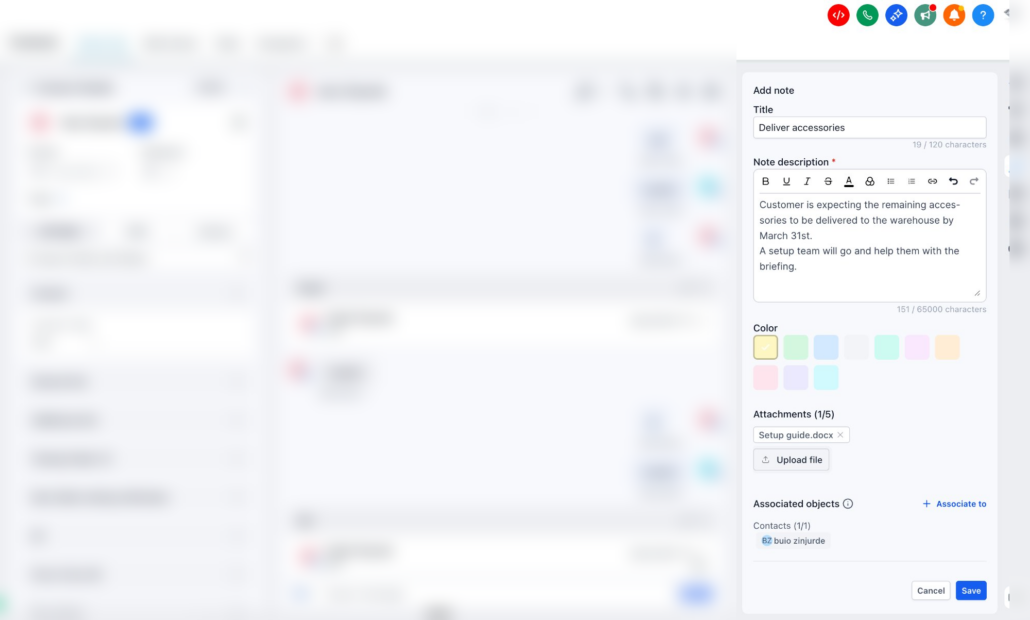
Notes just got smarter for the contacts page!
Overview
We have upgraded the Notes section in GoClixio CRM to make it more structured, searchable, and actionable. Previously limited to plain text entries, notes can now be organised and prioritised more effectively. These enhancements are designed to improve productivity and streamline contact management workflows.
What’s New?
-
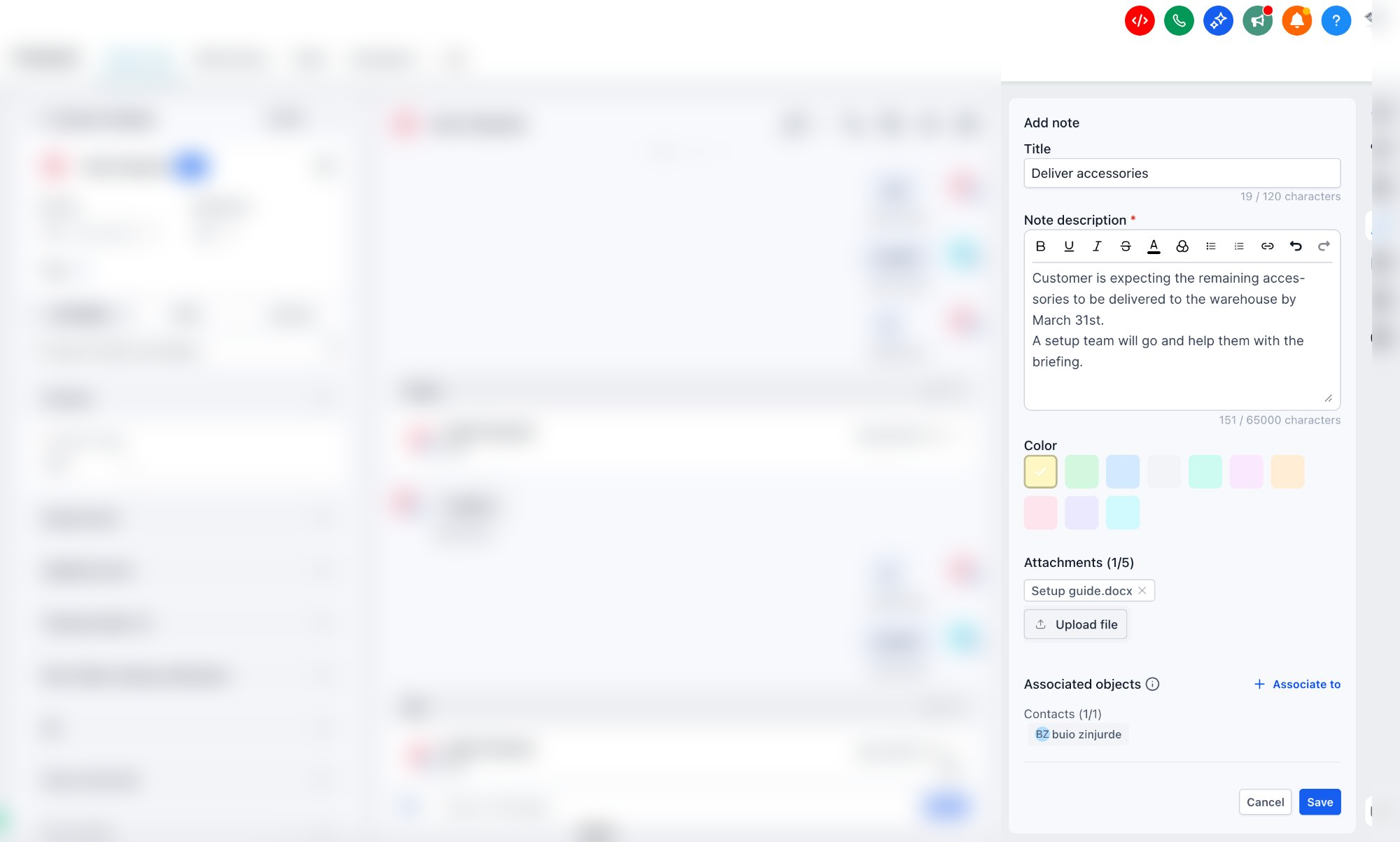
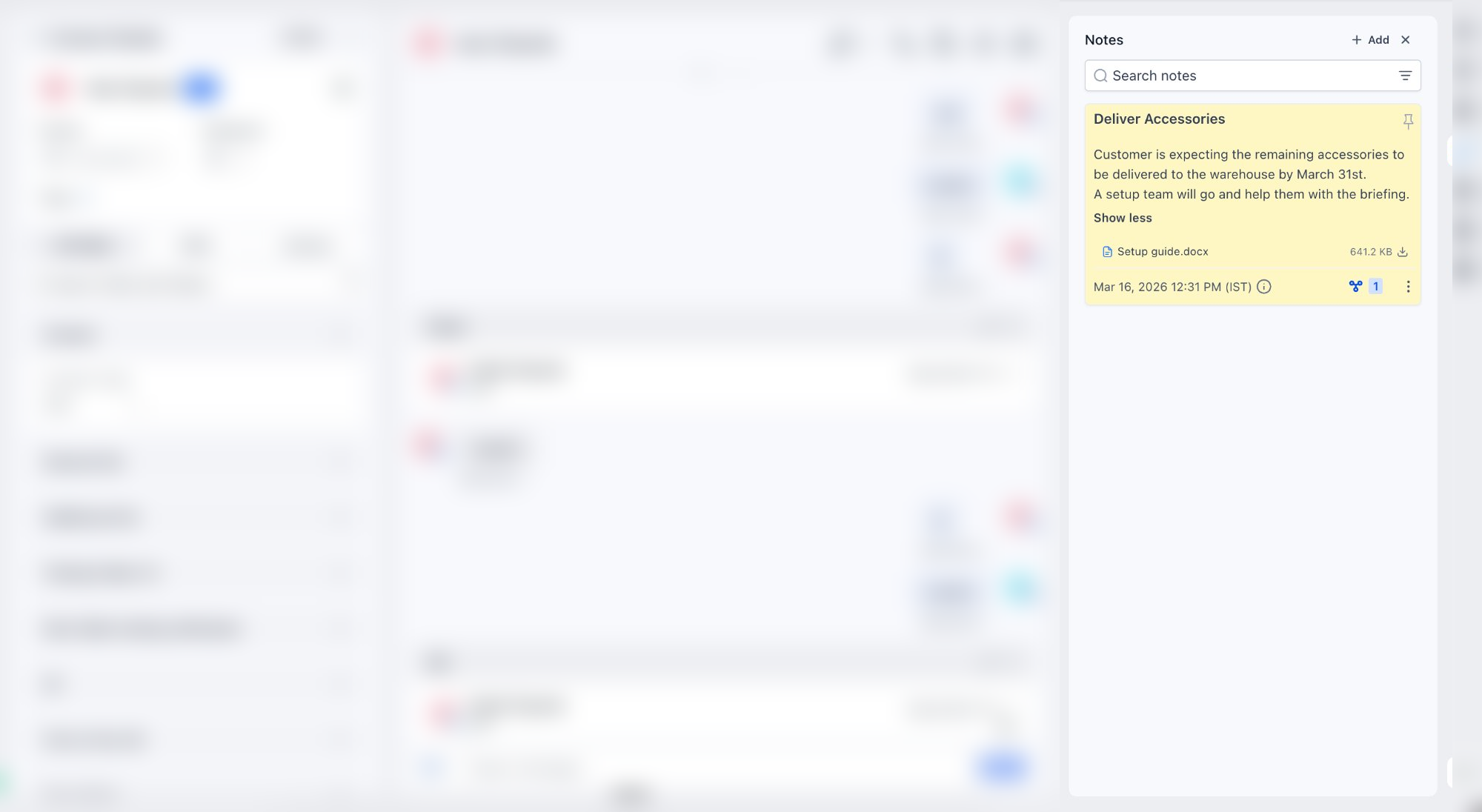
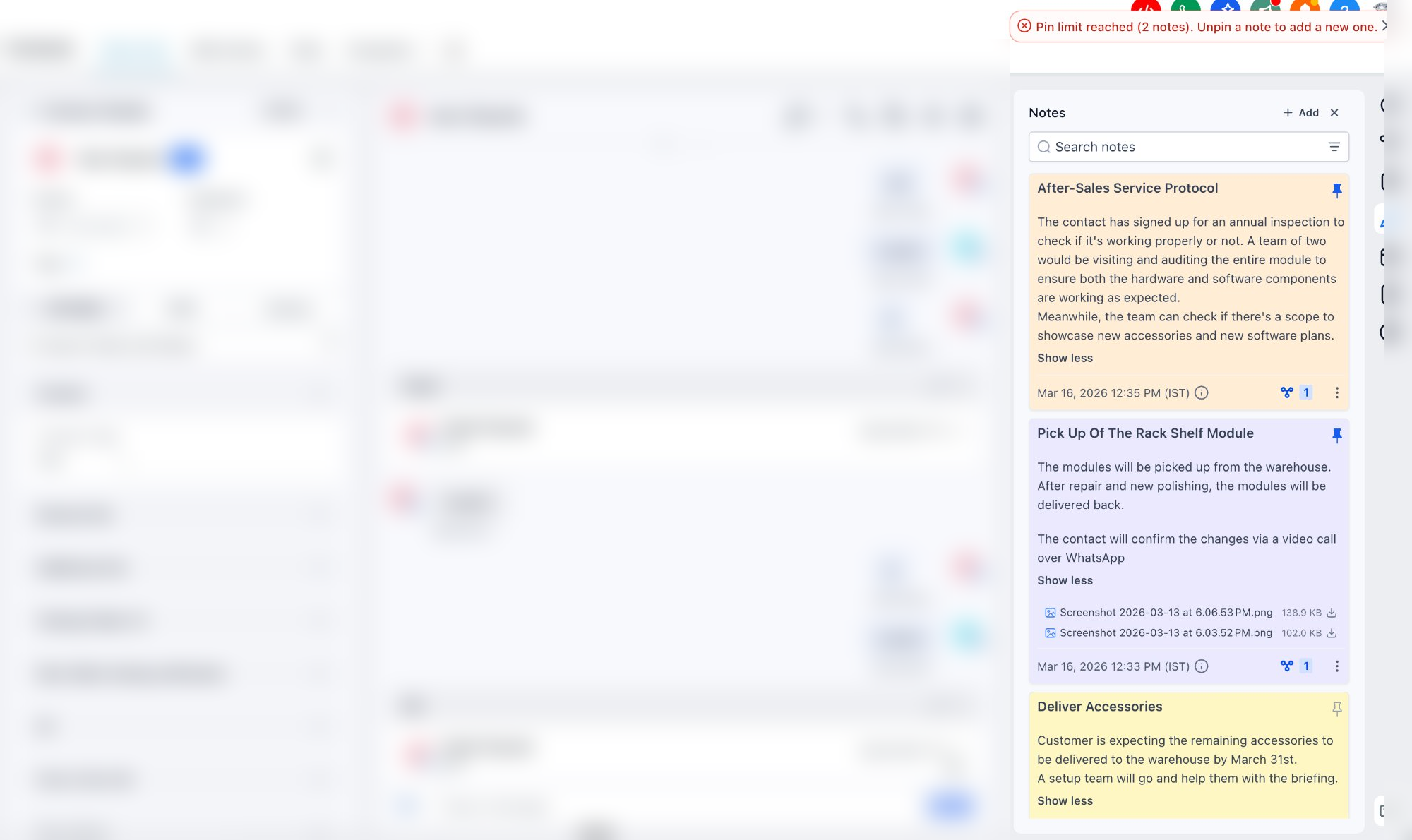
Note Title – Add a clear heading for improved structure and searchability.
-
Colour-Coded Notes – Visually categorise notes for faster identification.
-
File Attachments – Add supporting documents directly to notes.
-
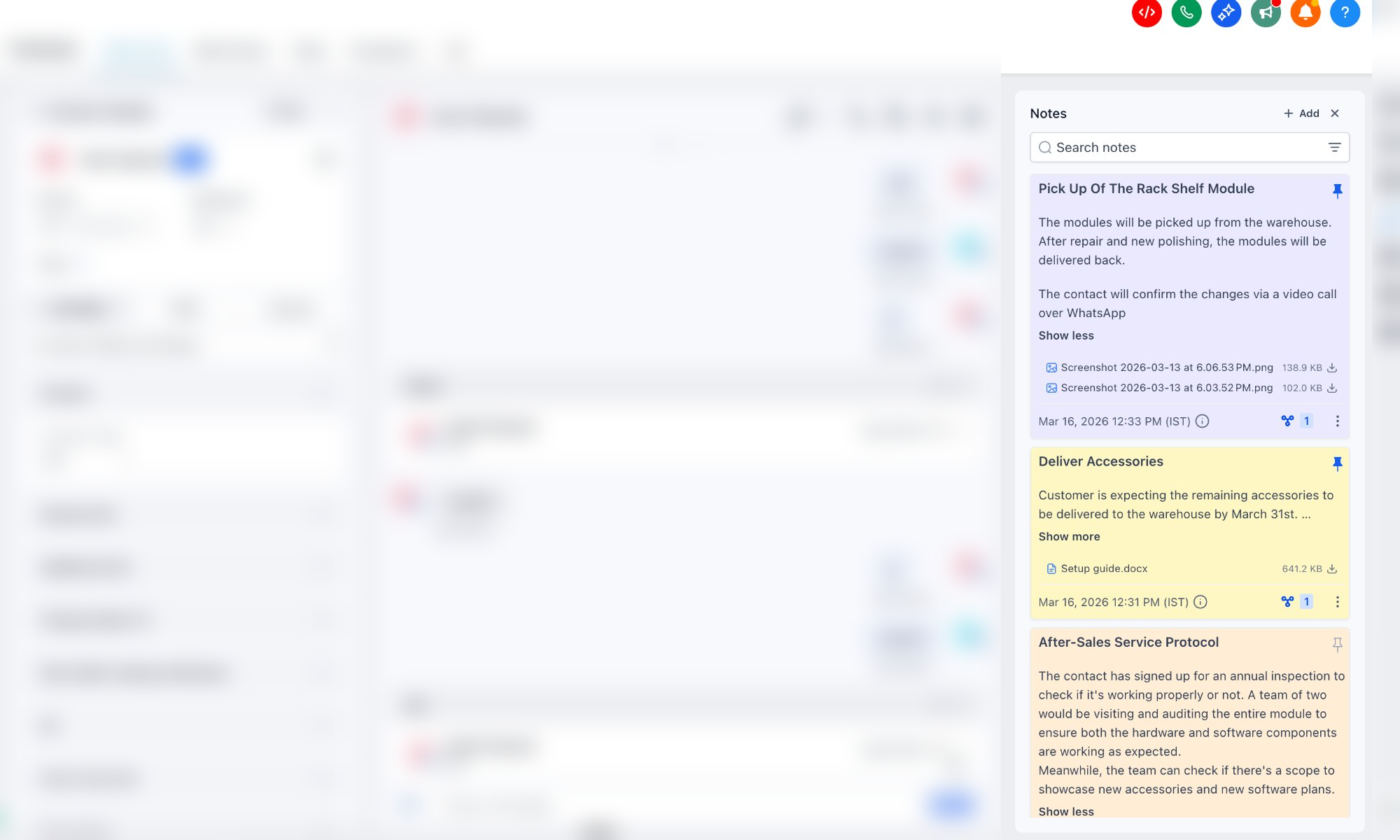
Pin Notes – Keep critical notes fixed at the top of the timeline. A maximum of 2 notes can be pinned.
-
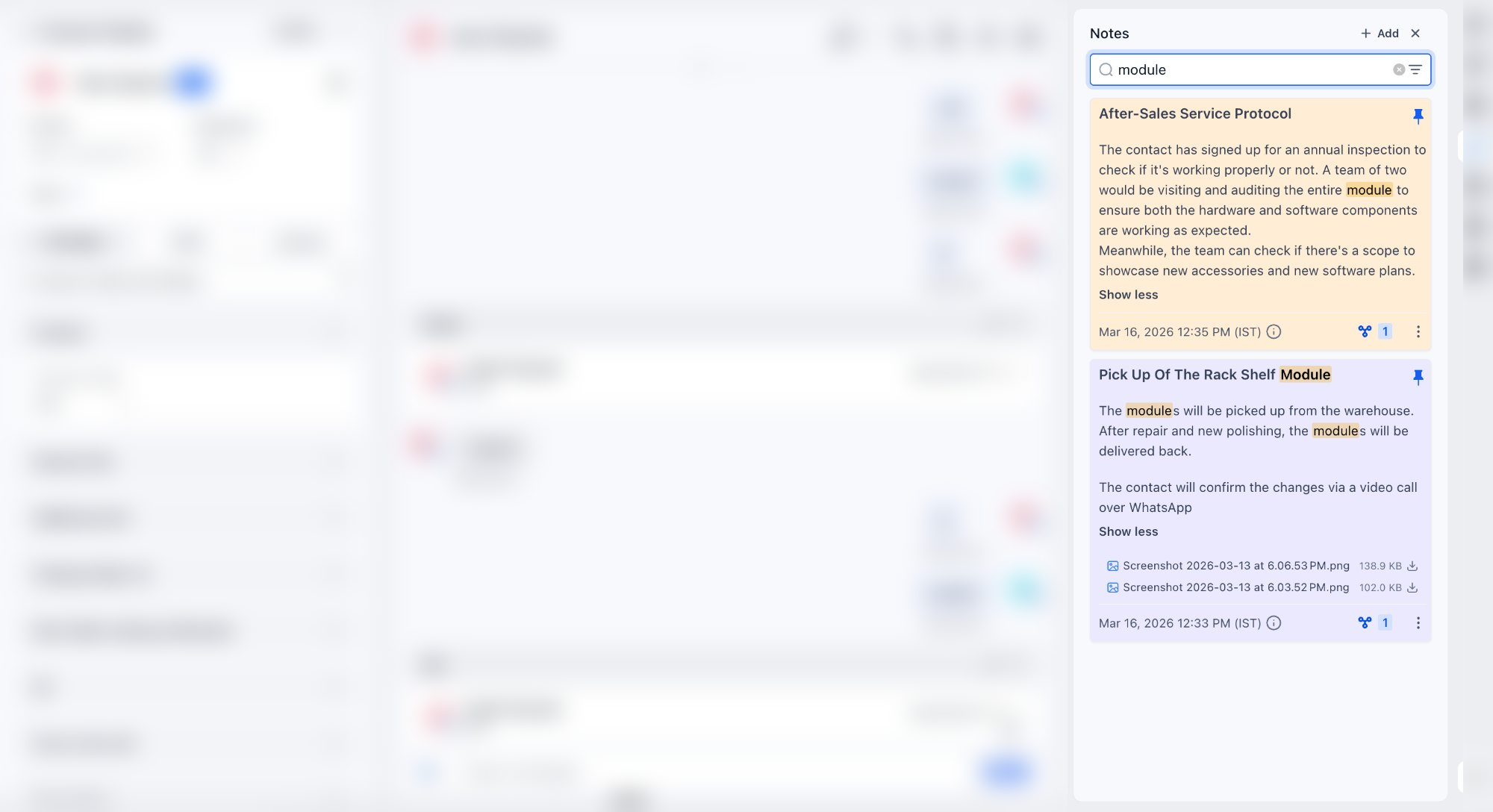
The search functionality is available for both the title and the description.
How to Use?
- Navigate to a contact and open the Notes section from the right panel.
- Click ‘Add Note’, then enter a title and description.
- Select a colour label, pin if needed, and attach files.
- Save the note to keep it organised within the contact timeline.
Why This Matters?
- Helps teams quickly identify high-priority or critical information.
- Improves organisation with visual categorisation and structured titles.
- Centralises documentation by attaching relevant files to notes.
- Reduces time spent searching for key contact insights.
What’s Next?
- Rich text editor for better formatting.
- Ability to rearrange notes manually.
- Ability to tag users.
- Auto-save or save draft functionality.
- Microphone support to dictate notes.
Stay tuned — we are continuing to make Notes more powerful and productivity-focused!