
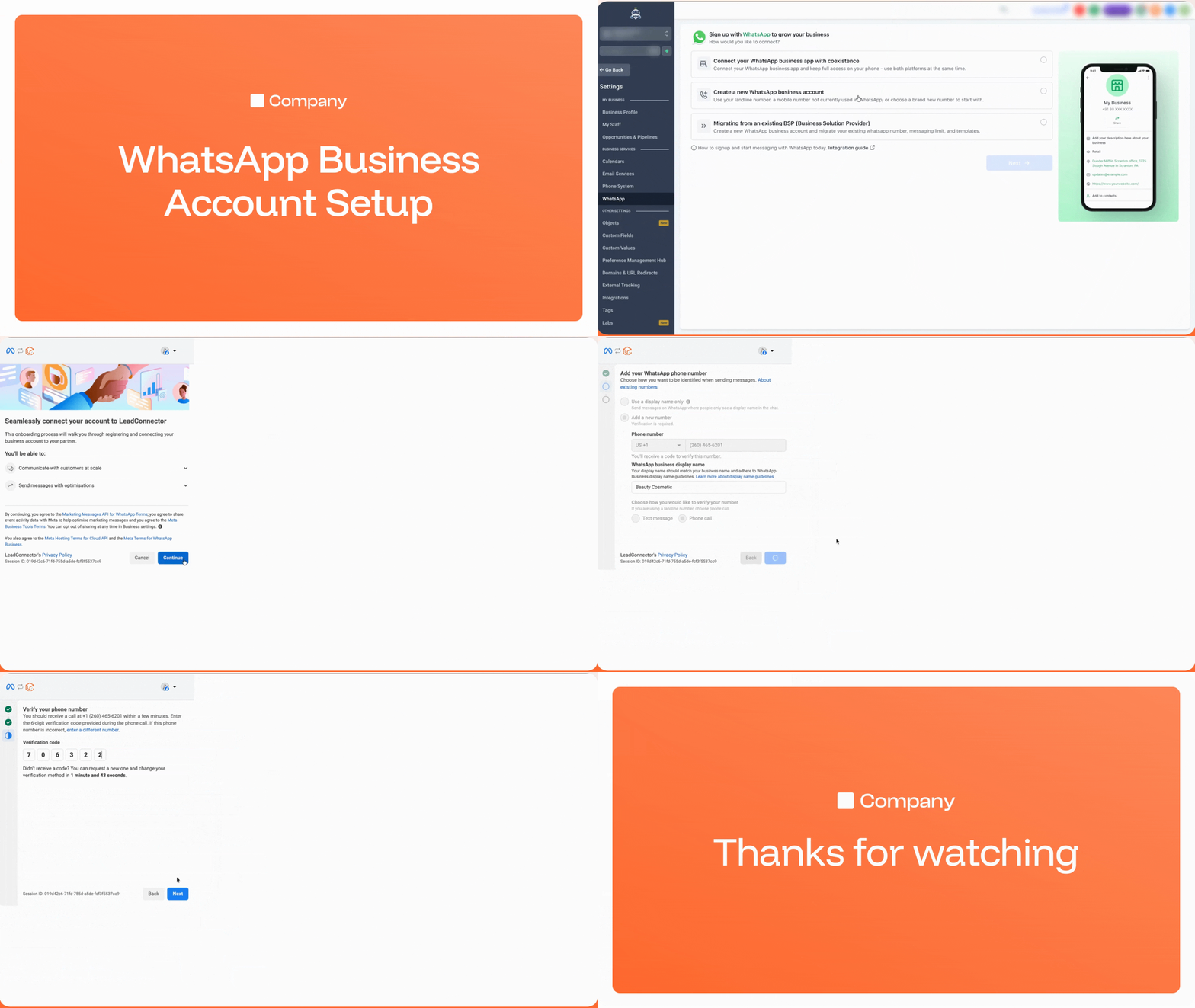
New WhatsApp Onboarding Flow: Connect, Create, or Migrate
We’ve completely redesigned the WhatsApp onboarding experience to provide sub-accounts with three clear paths to get started: connect an existing WhatsApp Business App with coexistence, create a new WhatsApp Business Account, or migrate from an existing Business Solution Provider (BSP) such as 360Dialog, Twilio, Wati, ManyChat, and others.
> If your sub-accounts are currently connected through another BSP, they can now self-migrate to LeadConnector without losing a single asset. There are no support tickets, no downtime, and no risk.
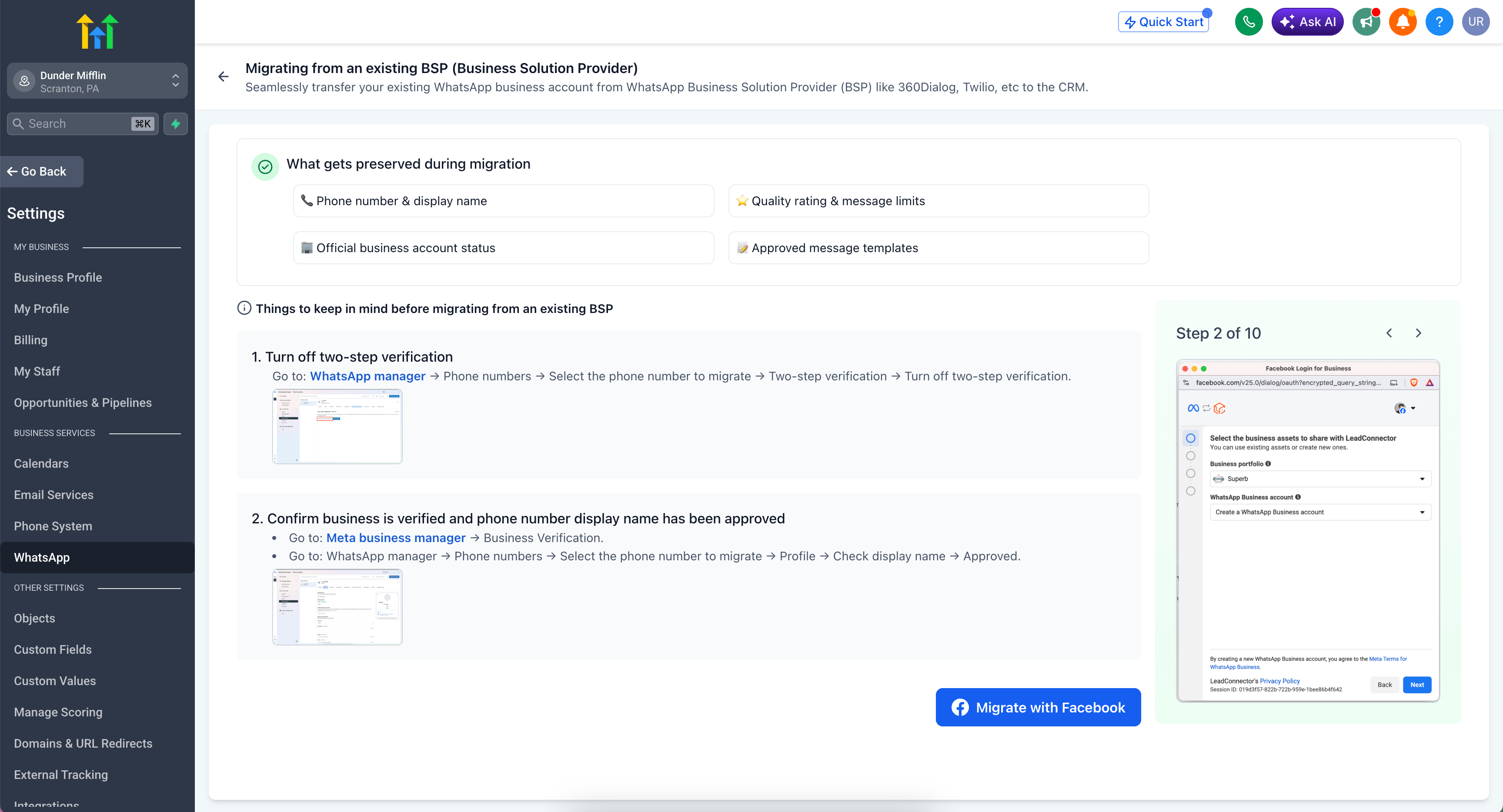
🔄 Migrate from an Existing BSP
📱 Redesigned Onboarding Experience
-
Three Clear Paths:
The onboarding screen now presents three distinct options, each with tailored guidance:
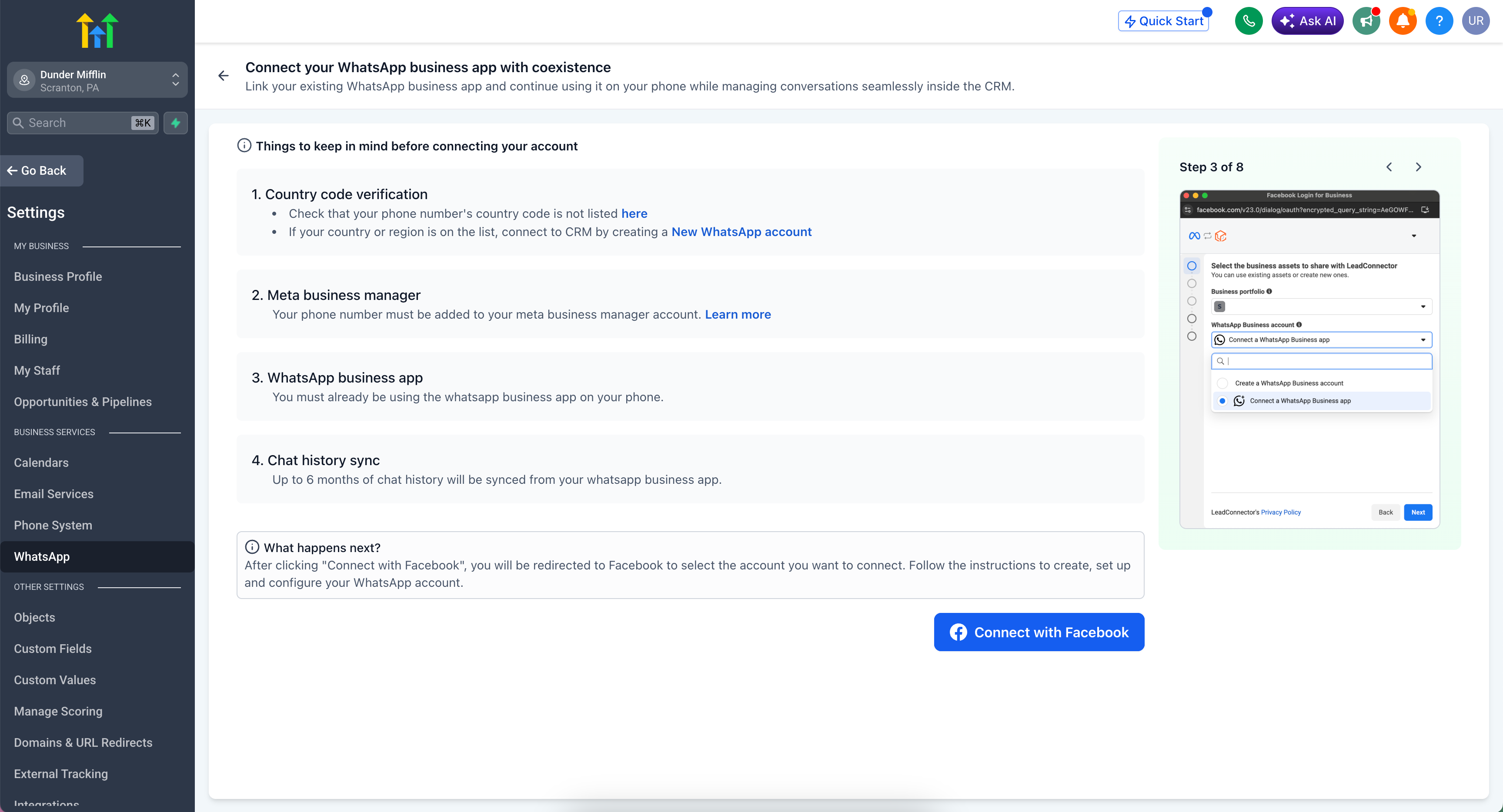
Connect your WhatsApp:
Link your existing WhatsApp Business App and continue using it on your phone while seamlessly managing conversations inside the CRM. Up to 6 months of chat history will be synced automatically. This option is ideal for small businesses, such as local salons or real estate agents, that already communicate with customers on WhatsApp and wish to bring those conversations into the CRM without disrupting their daily workflow.
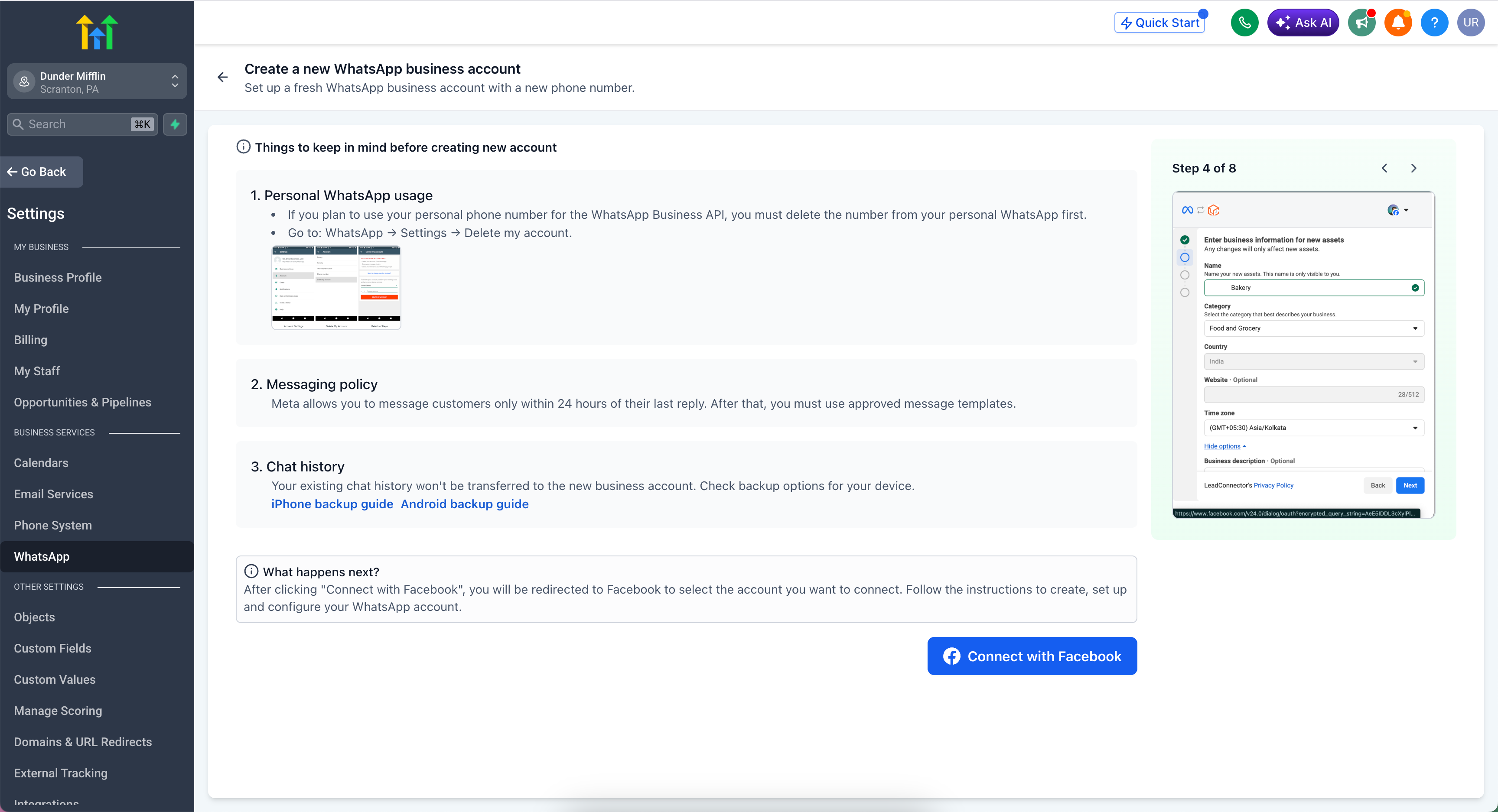
Create a New WhatsApp Business Account:
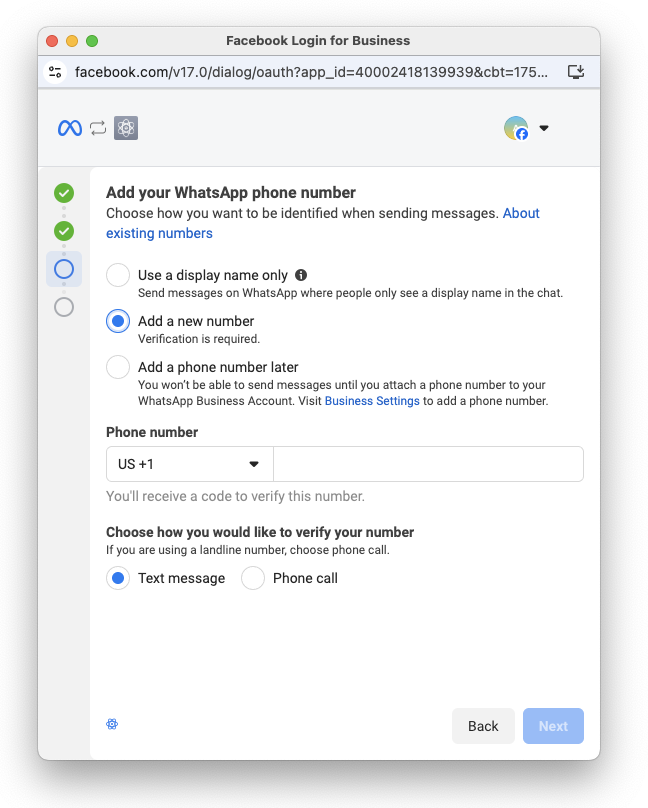
Set up a new WhatsApp Business Account using a landline, a mobile number that is not currently on WhatsApp, or a completely new number. This is great for agencies onboarding new clients who do not yet have an existing WhatsApp presence.
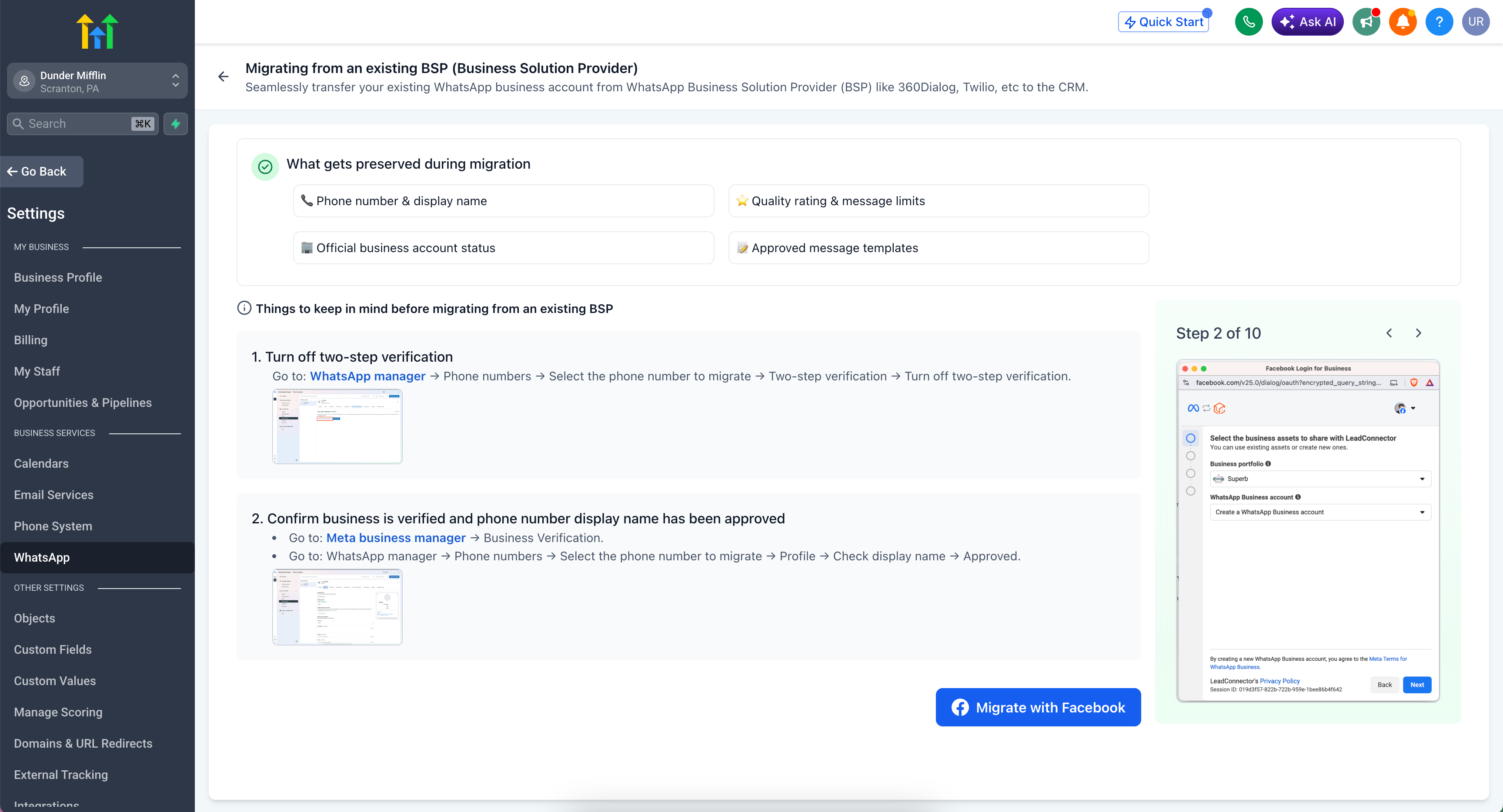
Migrate from an Existing BSP:
Seamlessly transfer your existing WhatsApp Business Account from another provider to the CRM, while preserving your phone number, quality rating, templates, and OBA status.
-
In-App Guidance:
Each path includes prerequisites, considerations, and links to help documentation before you begin.
📞 555 Business Phone Numbers
- In the sub-account, go to
Settings → WhatsApp
.
- Choose the path that fits your situation:
Option A: Connect your WhatsApp
- Verify that your phone number’s country code is not on the restricted list. If it is, please use Option B instead.
- Ensure your phone number is linked to your Meta Business Manager account.
- Confirm you are already using the WhatsApp Business App on your phone.
- Click
Connect with Facebook
and follow the instructions to link your account.
Option B: Create a New WhatsApp Business Account
Option C: Migrate from an Existing BSP
- Disable two-step verification: Navigate to WhatsApp Manager → Phone Numbers → Select your number → Two-step verification → Disable.
- Confirm that your business is verified in Meta Business Manager → Business Verification.
- Ensure your phone number display name is approved: WhatsApp Manager → Phone Numbers → Select your number → Profile → Confirm that the display name shows “Approved.”
- Click
Connect with Facebook
and follow the Embedded Signup process to complete the migration.
Businesses today find themselves in one of three scenarios: they are with another BSP and are hesitant to switch due to the risk of losing WhatsApp assets, they are already using WhatsApp on their phone but cannot integrate those conversations into a CRM, or they wish to start using WhatsApp but do not have a dedicated business number. This update effectively addresses all three situations.
- Migrate from any BSP without losing your phone number, display name, quality rating, templates, or OBA status.
- Reduce onboarding time from days (with manual porting) to minutes (with self-serve Embedded Signup).
- Sync up to 6 months of chat history when connecting via coexistence.
- Get started instantly with a 555 number if you currently lack a dedicated business phone number.
- Eliminate support tickets related to BSP migration, number porting, and asset loss.
Your sub-accounts no longer have to choose between their existing WhatsApp assets and Clixio. They can now have both.