
New: Rich WhatsApp Media Messaging in Conversations (Labs)
We’ve upgraded WhatsApp conversations in GoClixio to support richer, more reliable media messaging, now accessible through the New Conversations UI (Labs).
This release introduces long-awaited WhatsApp capabilities directly into your CRM—making it easier to send media with context, support more file types, and manage assets efficiently without leaving GoClixio.

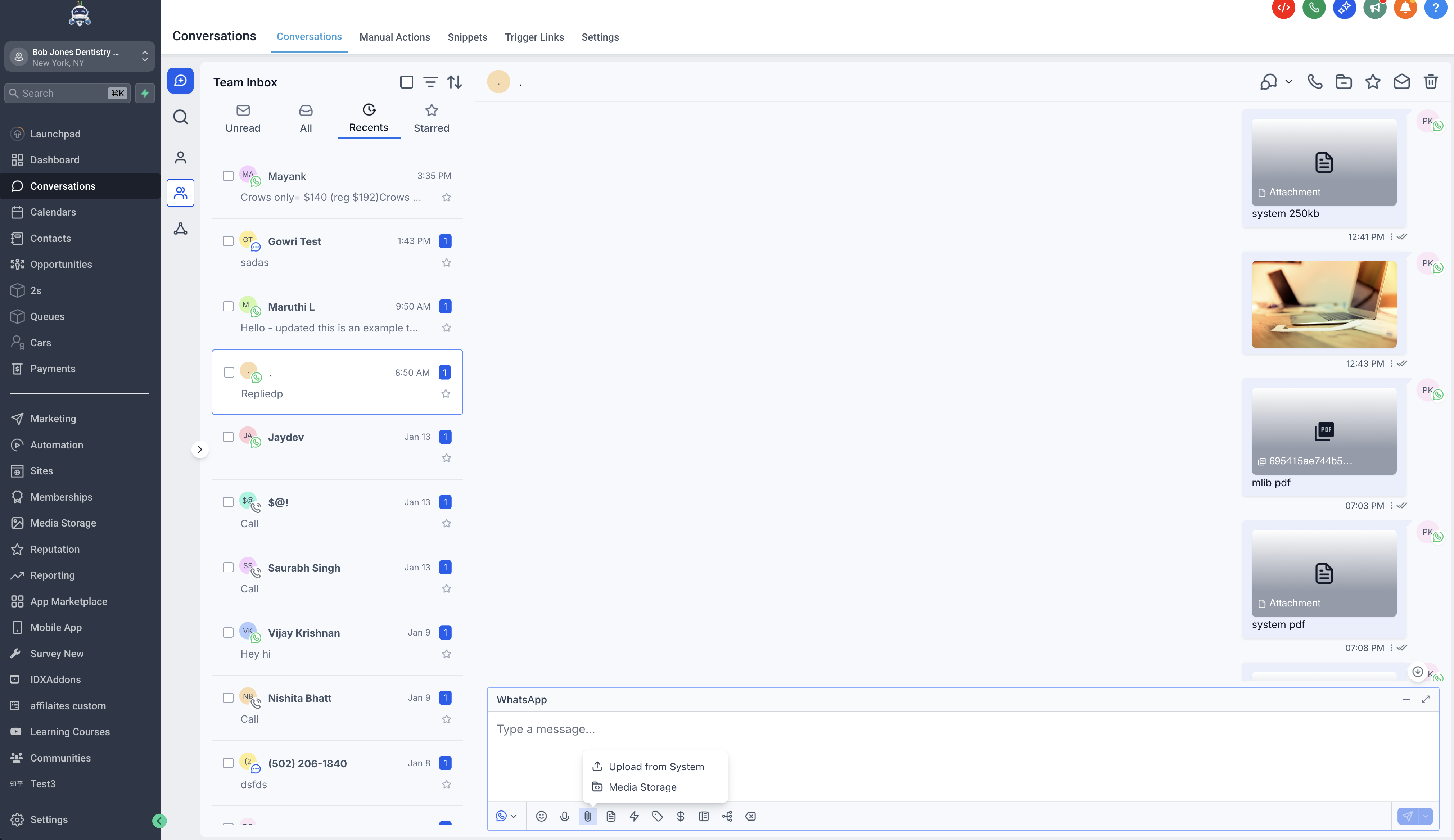
Send WhatsApp Media with Captions
You can now add captions to media messages when sending files on WhatsApp.
This functionality is available when:
- Uploading files directly from the conversation composer
- Attaching files from Media Storage
If you send multiple attachments at once, your message text will automatically be applied as a caption—ensuring recipients always understand the context of what you’re sending.
Full WhatsApp-Supported File Types
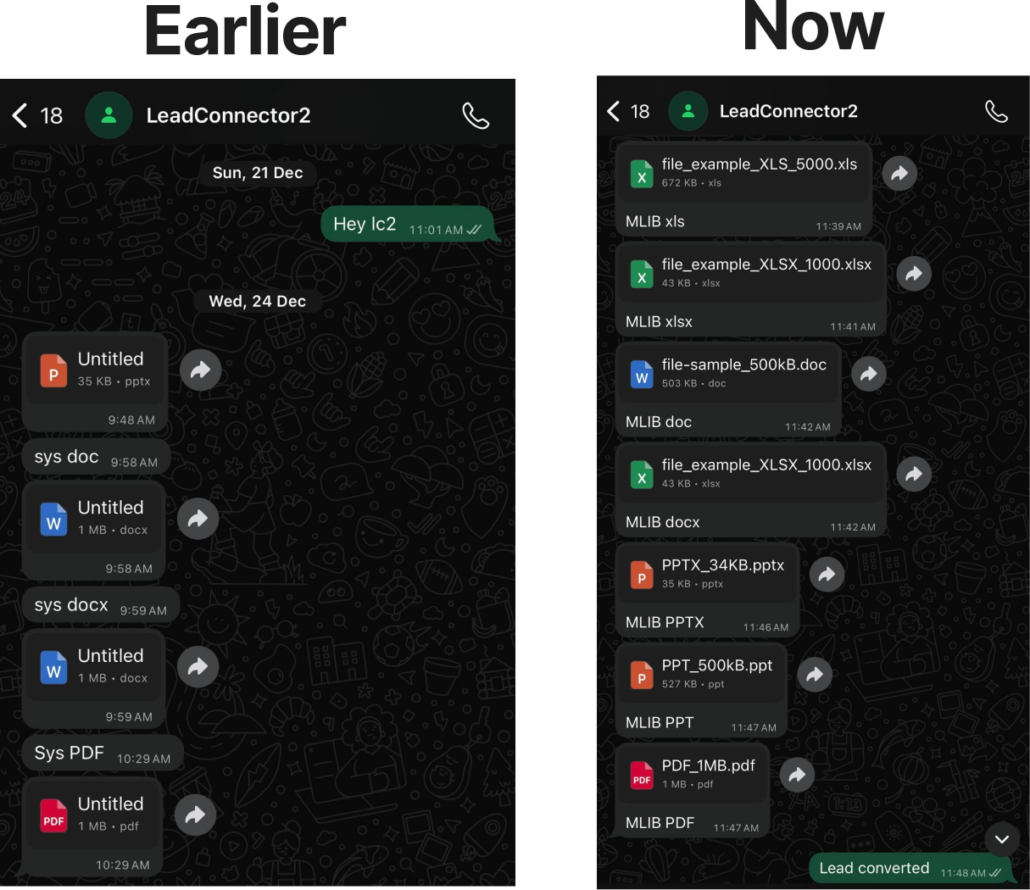
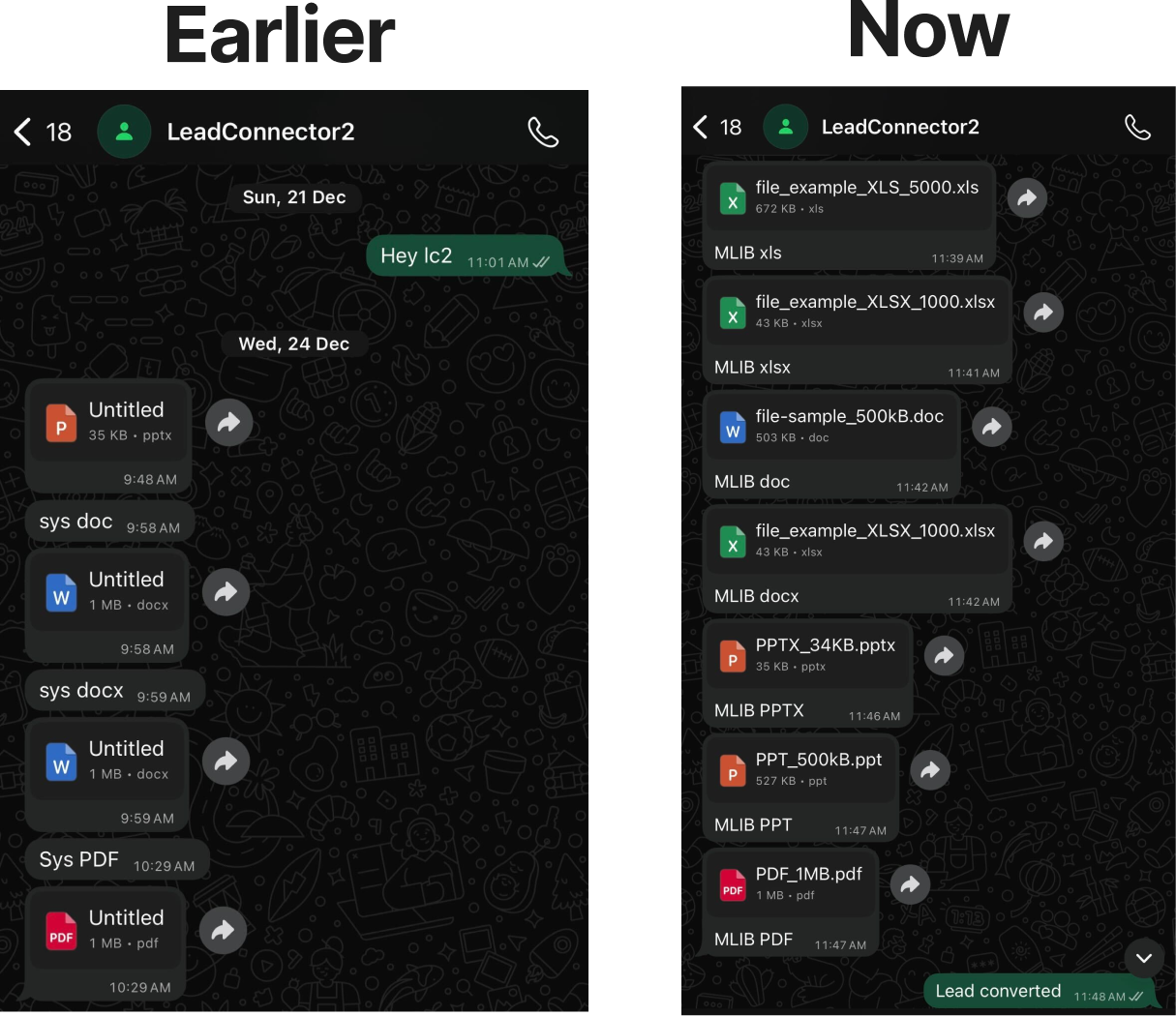
WhatsApp conversations in GoClixio now support all file formats permitted by the WhatsApp Business API, including commonly requested document types.
You can send:
- Images: PNG, JPG, JPEG (up to 5MB)
- Videos: MP4, 3GP (up to 16MB)
- Audio: AAC, AMR, MP3, M4A (up to 16MB)
- Documents: TXT, PDF, DOC, DOCX, XLS, XLSX, PPT, PPTX (up to 100MB)
This update eliminates previous limitations that prevented the sharing of certain files via WhatsApp.
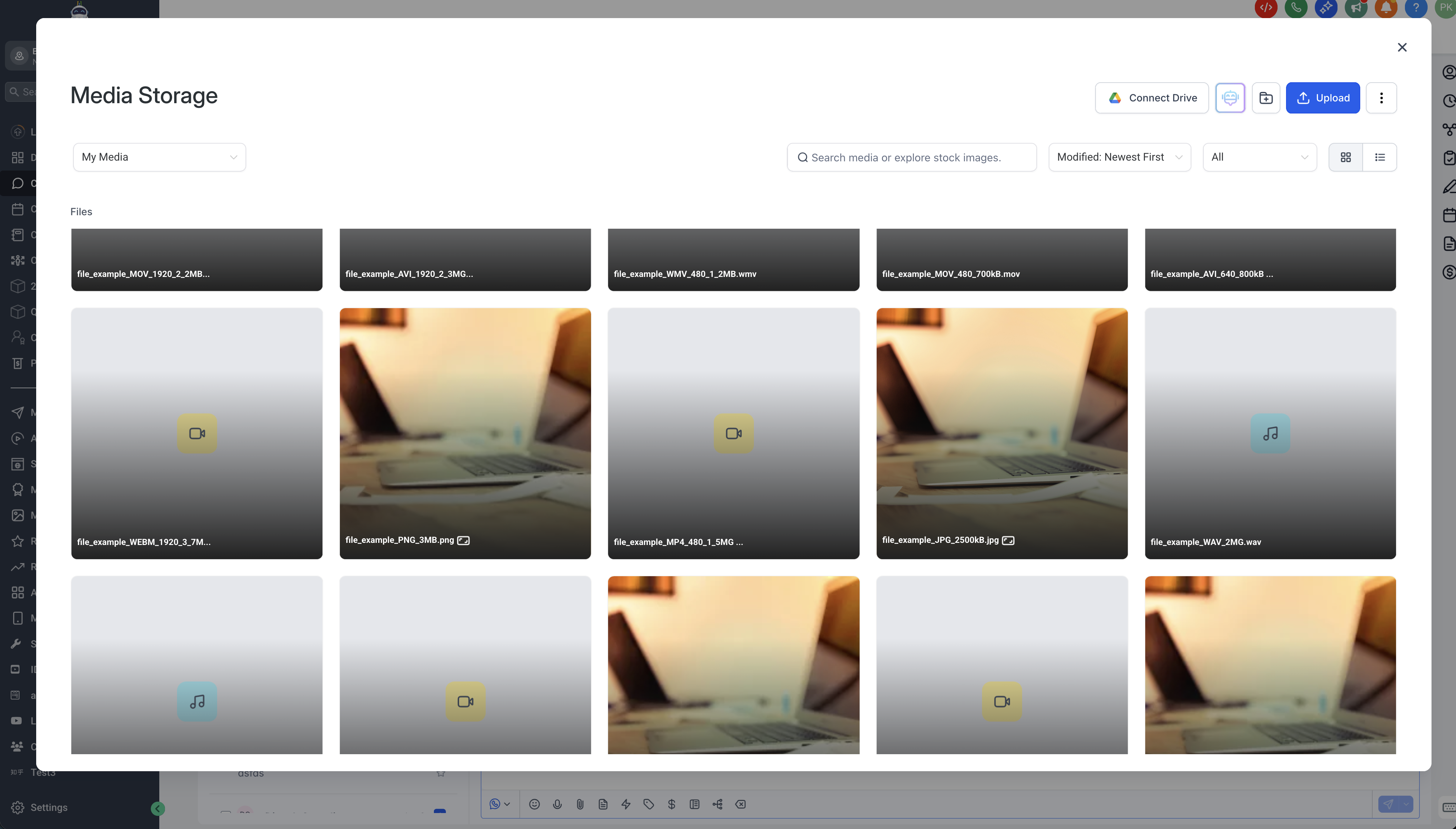
Media Storage Now Works Inside WhatsApp Conversations
- You can browse and attach files from Media Storage directly within a WhatsApp chat:
- Reuse existing assets without re-uploading
- Preserve original filenames for a more professional customer experience
- Send unlimited attachments from Media Storage
Keep Important Media from Expiring
WhatsApp media can expire over time. With this release, all WhatsApp attachments remain compatible with Add to Documents, allowing you to safely store essential files, images, and customer assets within the CRM.
- Improved reliability and stability
- Alongside new features, we’ve resolved several issues that affected daily messaging, including:
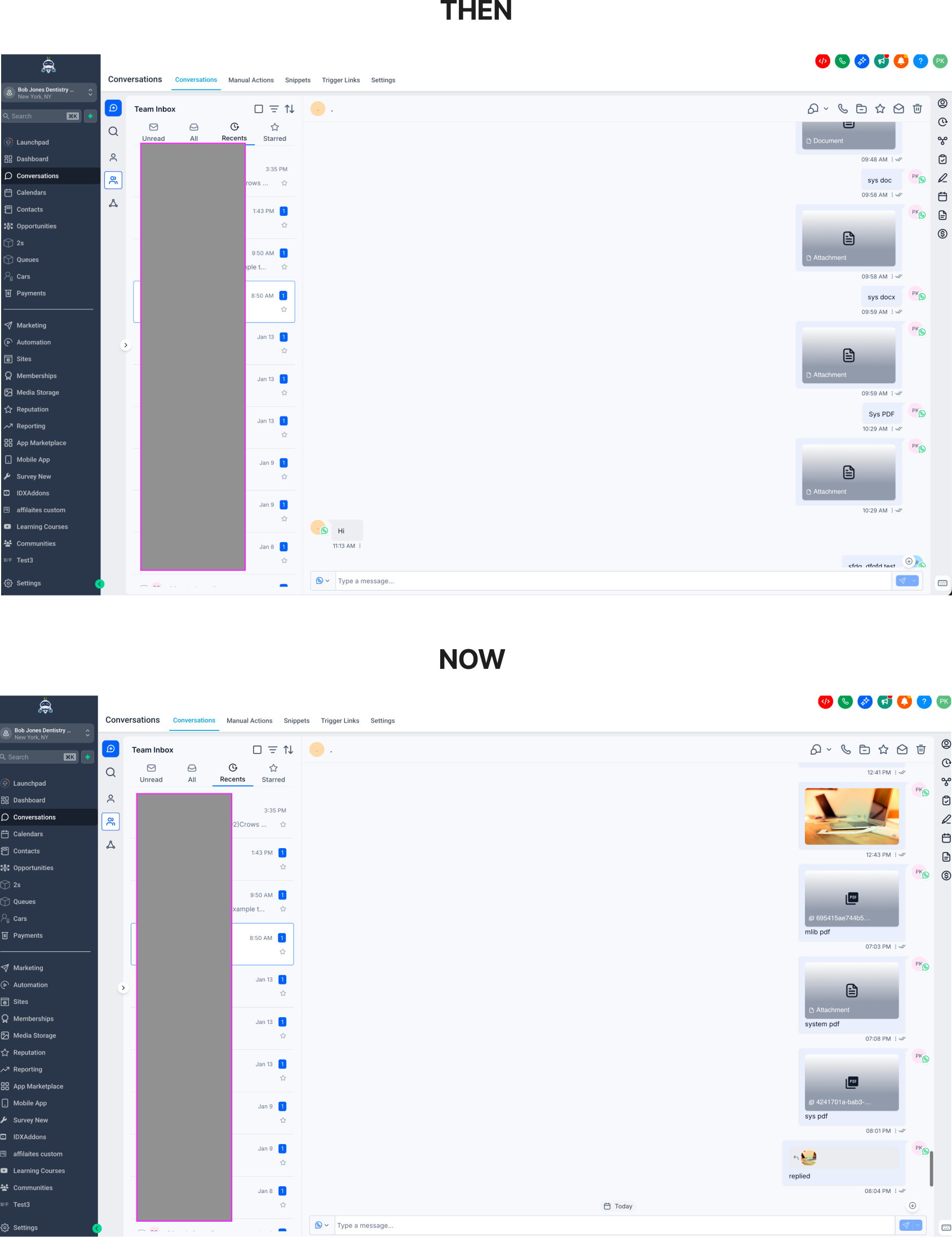
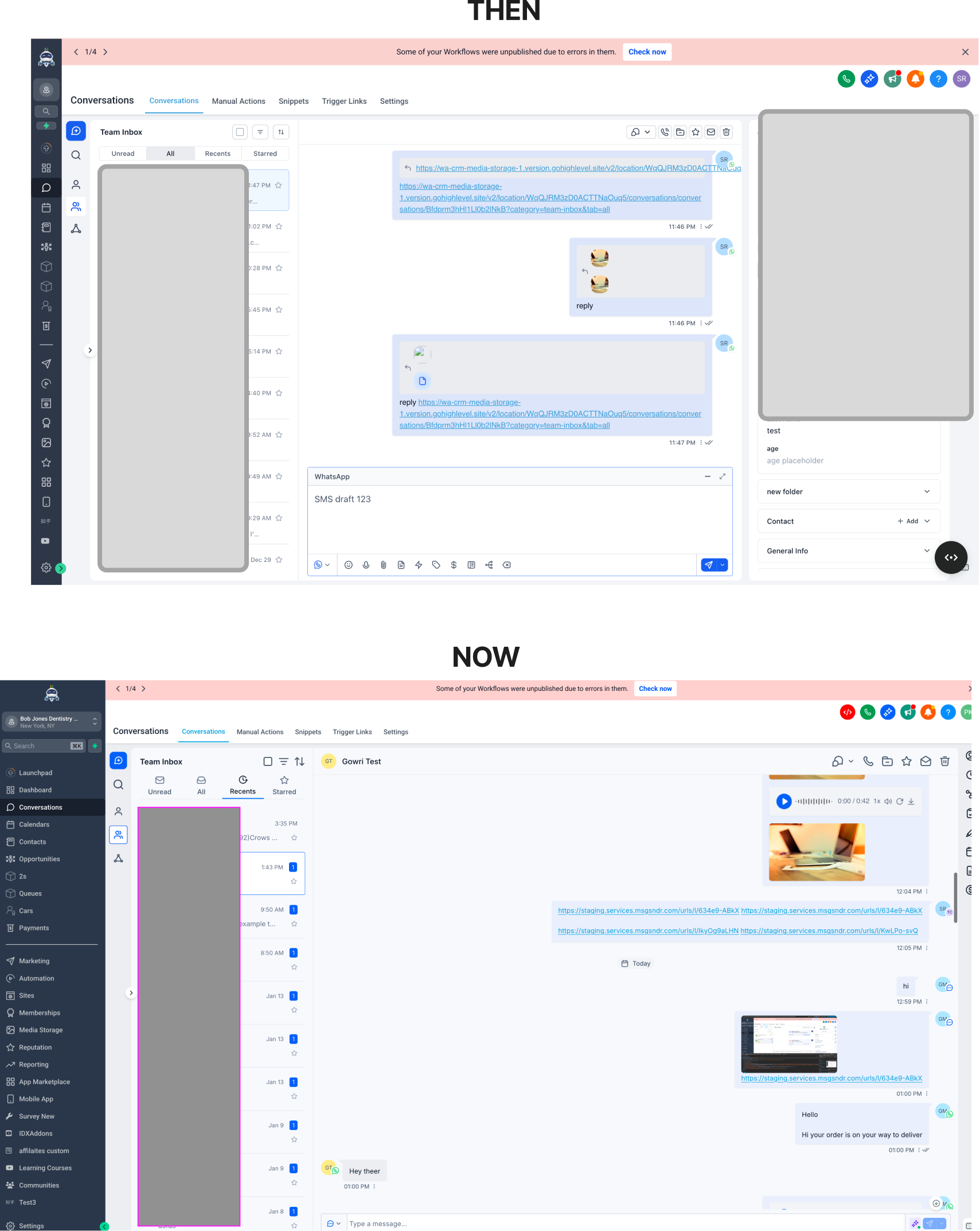
- Media no longer duplicates when replying
- Broken thumbnails for documents have been fixed
- Text and attachments now send as a single, clean message
- Filenames no longer appear as “Untitled” to customers
- Improved composer layout when sending links and attachments together
How This Helps Your Business
- Clearer communication with customers
- Captions help explain what a file is and why it matters—reducing confusion and follow-up questions. This is particularly beneficial for proposals, invoices, onboarding documents, and media previews.
- Close deals faster with richer conversations
- Sharing videos, presentations, spreadsheets, and documents directly in WhatsApp helps advance conversations without switching tools—leading to quicker responses and better conversions.
- Save time with reusable assets
- Media Storage enables your team to reuse approved files instantly, ensuring consistency across conversations while minimising manual uploads and mistakes.
- Fewer errors, less friction
- Expanded file support allows your team to send what they need on the first attempt—without encountering format restrictions or failed sends that slow down customer interactions.
- Build trust with reliable message delivery
- More stable media handling and long-term storage through Add to Documents ensure important customer assets don’t vanish—helping you maintain trust and professionalism.
Available via New Conversations UI (Labs)