
New Notifications Accessibility & Enhanced Tooltips in Forms, Surveys & Quizzes
Improved Discoverability of Notifications
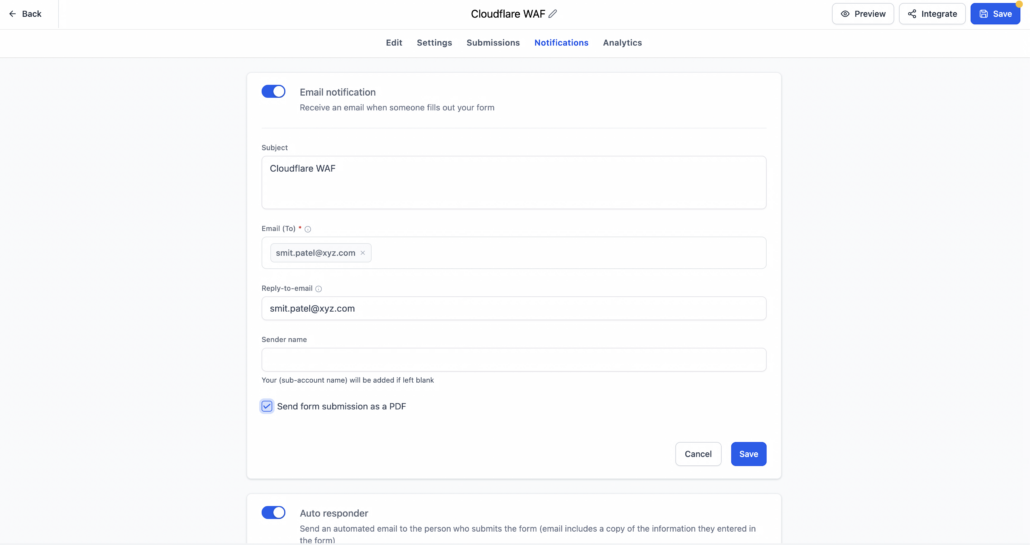
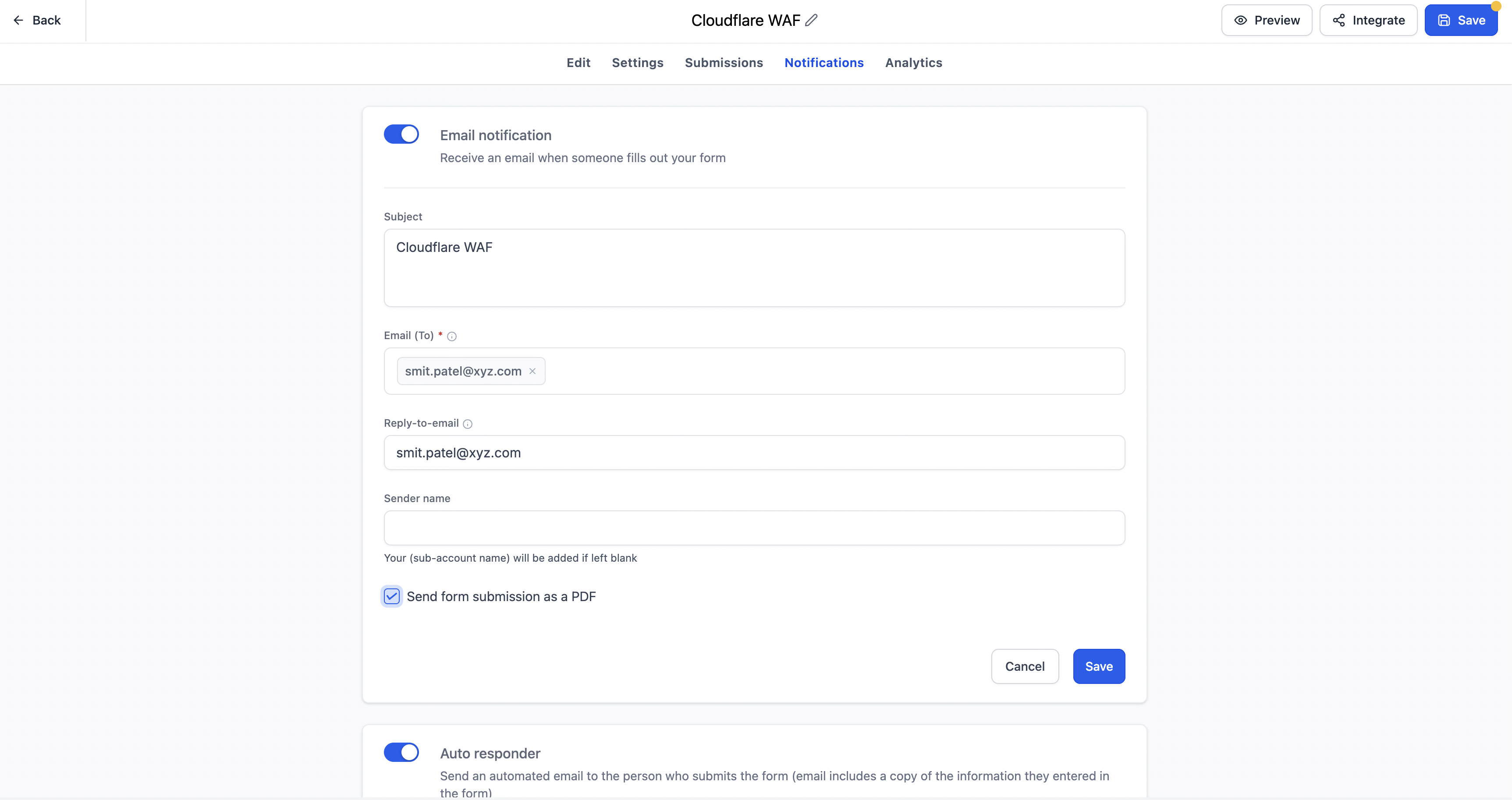
We have enhanced the discoverability of Notifications in Forms, Surveys, and Quizzes by transitioning from an icon-based entry point to a dedicated Notifications tab within the builder.
Enhanced Tooltips for Better Guidance
Additionally, we’ve improved builder tooltips with clearer descriptions, contextual messaging, and direct ‘Learn more’ links to relevant Help Centre articles. This makes it easier for users to understand settings without leaving the builder.
Changes Driven by User Feedback
These enhancements were inspired by user feedback, especially from new users who found it challenging to locate notification settings and comprehend specific builder options without support assistance.
- Notifications now have a dedicated Notifications tab inside the builder.
- Improved visibility and discoverability of notification settings.
- Enhanced tooltips across Forms, Surveys, and Quizzes with clearer guidance and contextual messaging.
- Added ‘Learn more’ links to relevant Help Centre articles for supported tooltips.
- Reduced reliance on support for locating and understanding notification and builder settings.
- Creates a more intuitive and user-friendly experience for both new and existing users.
Previous Accessibility Issues
Previously, notification settings were accessed through an icon within the builder, making them easy to overlook, particularly for new users.
With this enhancement, Notifications are now available as a clearly labelled tab, ensuring users can quickly find and manage their notification preferences without additional guidance.
Descriptive Tooltips for a Seamless Experience
We have also improved several builder tooltips by offering more descriptive explanations, contextual messages based on the selected product or field type, along with direct links to Help Centre documentation where applicable.
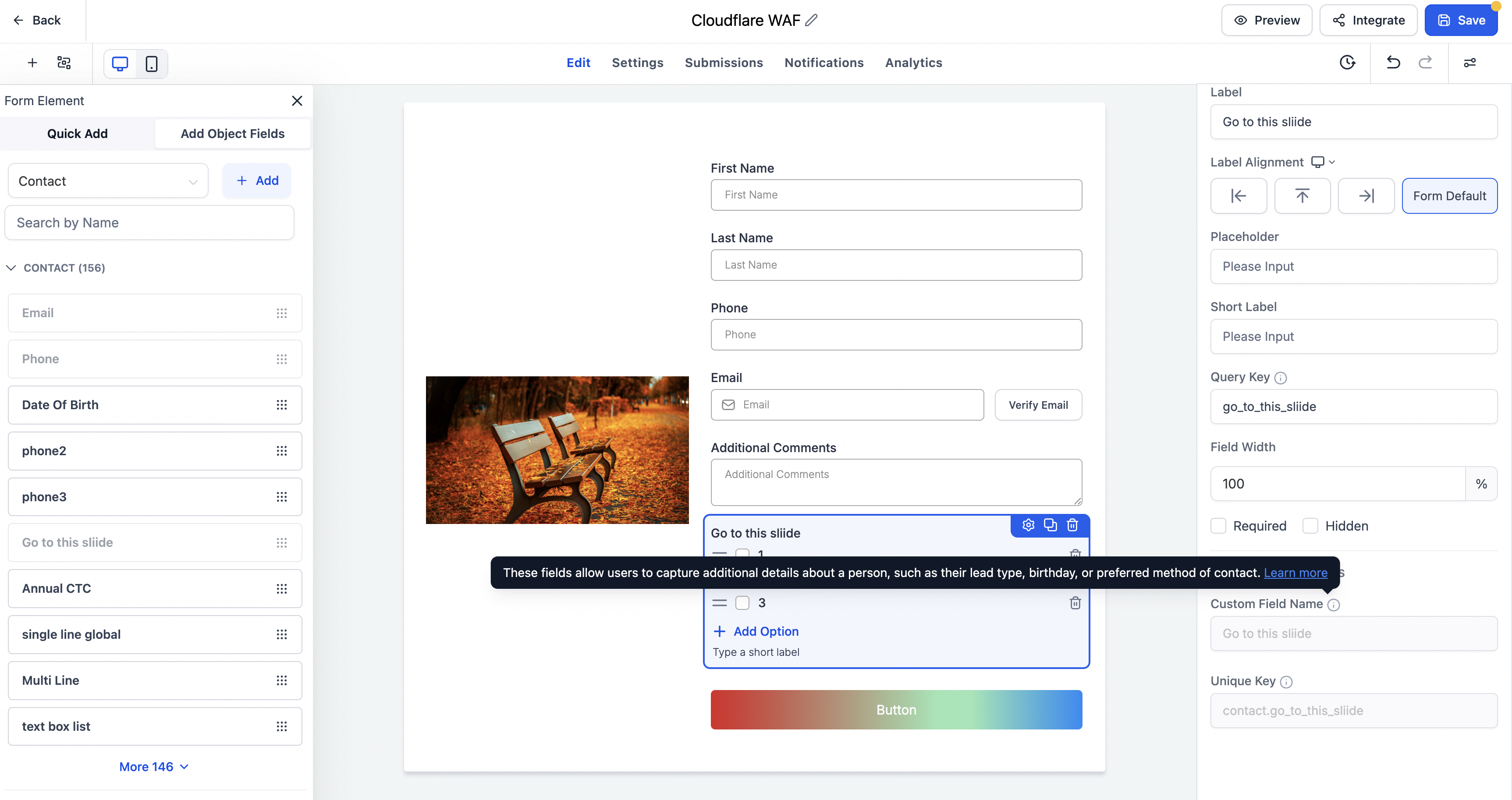
This allows users to better understand configuration options without interrupting their workflow.
- No changes have been made to existing notification functionality.
- This update focuses on improving accessibility, navigation, and in-product guidance.
- Tooltips have been enhanced across Forms, Surveys, and Quizzes with clearer descriptions and contextual Help Centre links where applicable.
- Available across Forms, Surveys, and Quizzes.
A Smoother Onboarding Experience
By making notifications easier to locate and providing more helpful in-product guidance, we are assisting users in getting started faster while delivering a smoother and less frustrating onboarding experience. 🎉