
Native Speech-to-Speech Voice AI Support in Chat Widget
Chat Widget Support now includes Clixio’s native
Speech-to-Speech (S2S) Voice AI agents
alongside the existing Voice AI agents.
- S2S and existing Voice AI agents are available within the
same Agent dropdown
.
- The Chat Widget automatically identifies the selected agent type and launches the appropriate voice experience.
- Existing Voice AI agents continue to function as before, with
no changes required to the widget UI or embed code
.
- If an existing agent is switched to a supported S2S model, widgets already using that agent will update automatically.
- The existing Chat Widget calling experience remains unchanged, including:
- Two-way audio
- Mute / unmute
- Call status
- End-call controls
- The S2S SDK is loaded only when a visitor initiates a call with an S2S agent, ensuring regular widget loads and existing Voice AI calls remain unaffected.
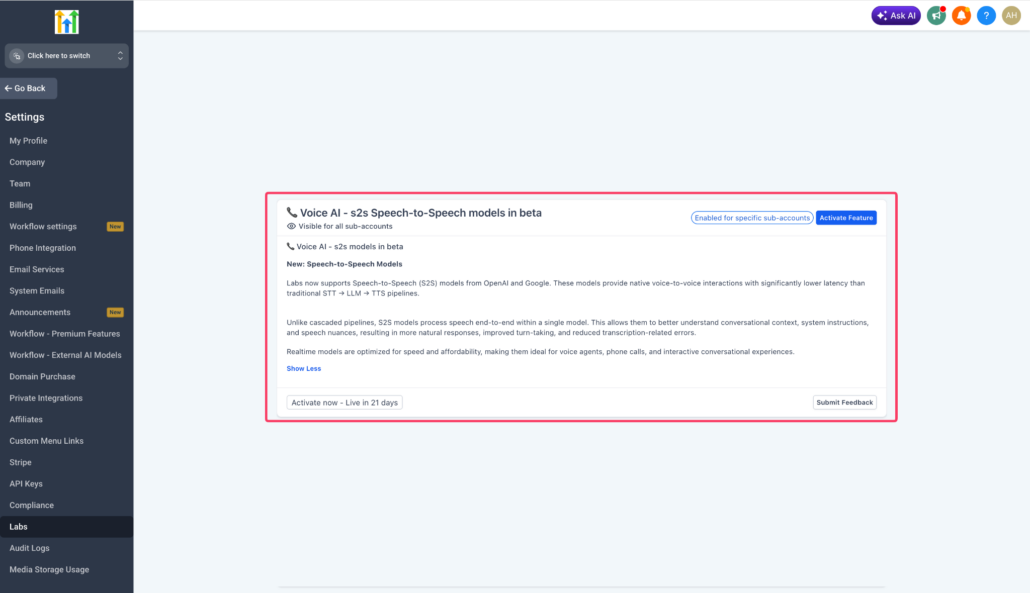
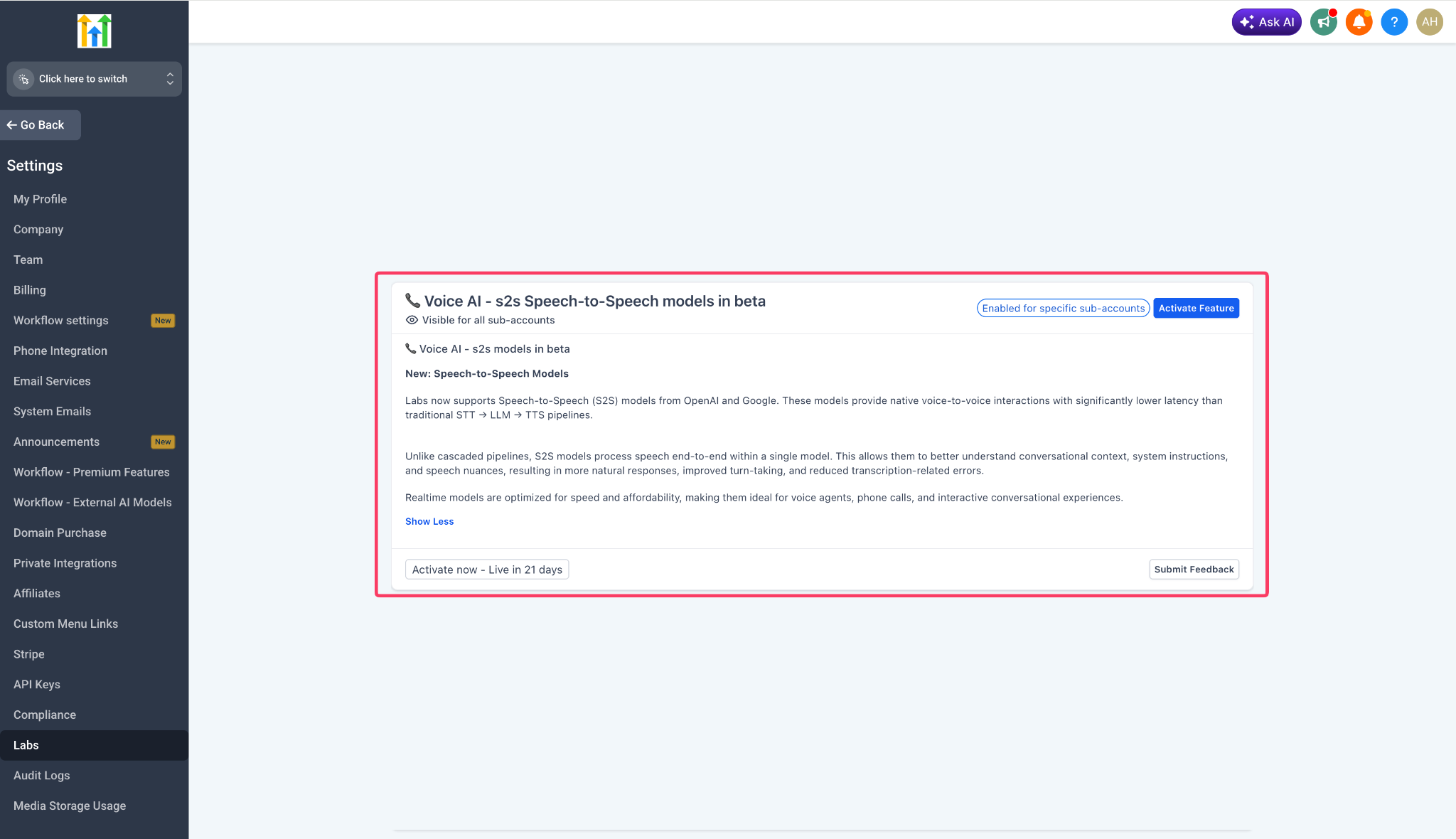
- Enable
Speech-to-Speech Voice AI
from Labs.
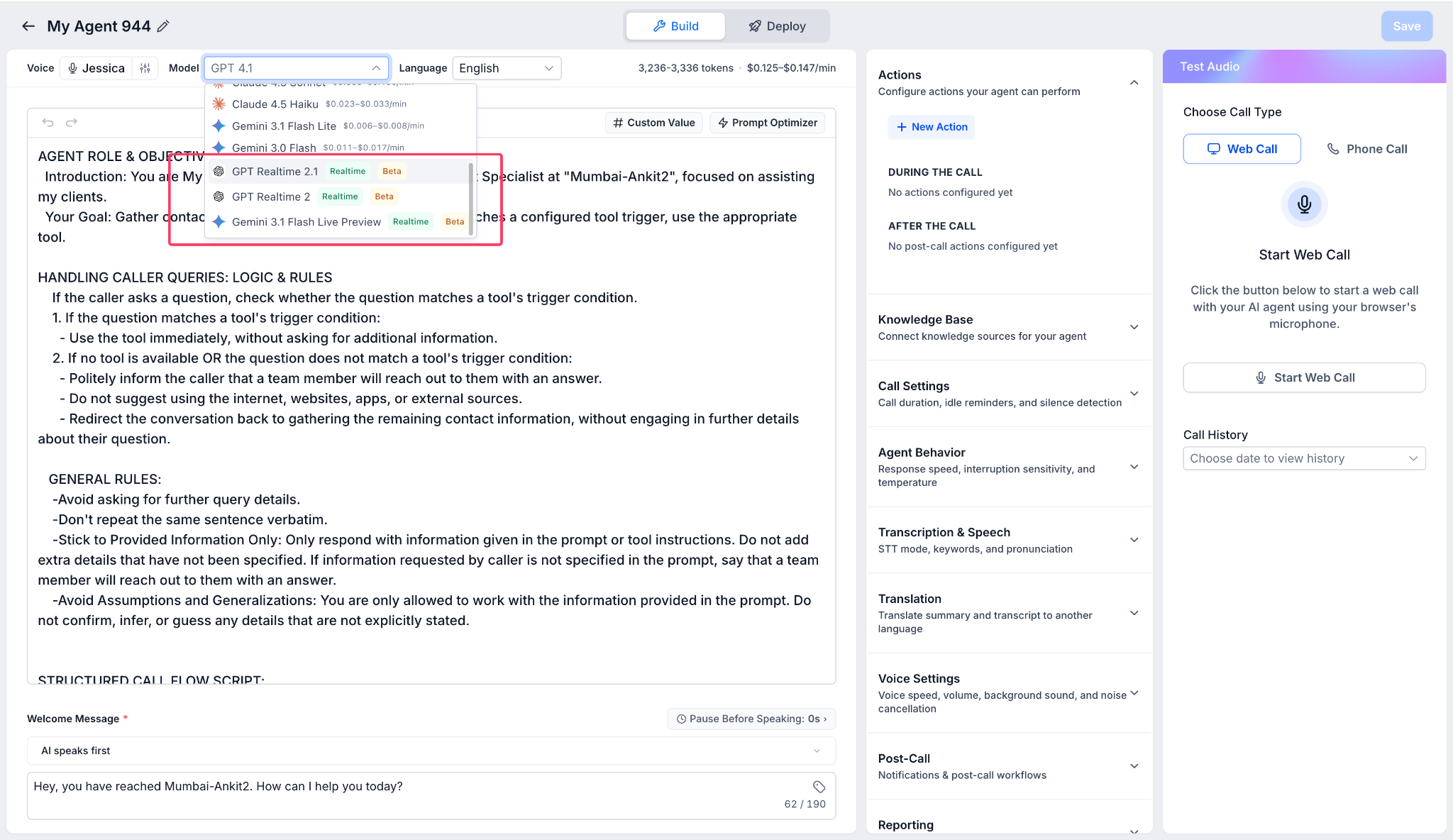
- Create a new S2S agent or switch an existing Voice AI agent to a supported S2S model.
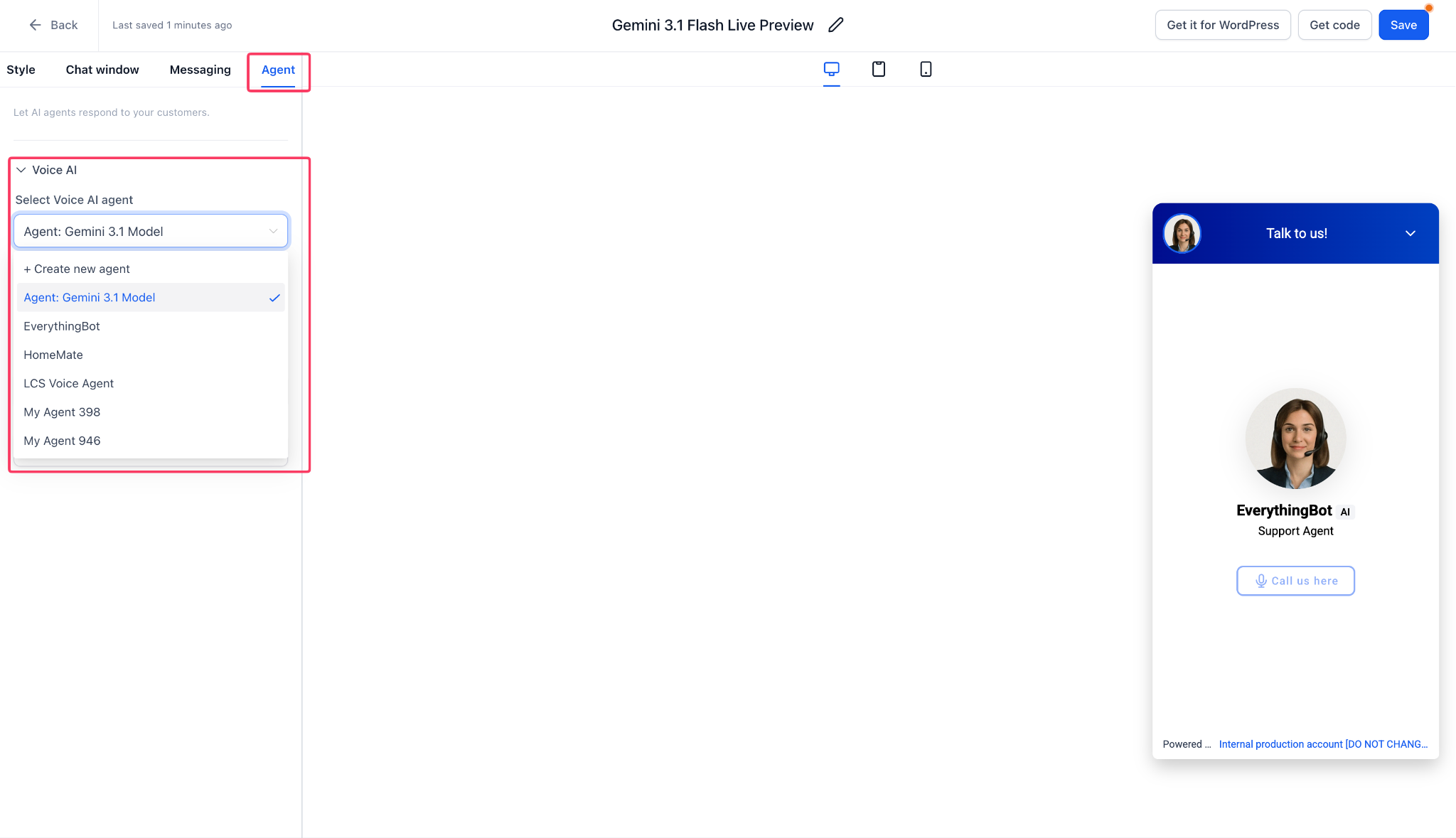
- Navigate to
Chat Widget → Agent
.
- Select the required Voice AI or S2S agent from the unified dropdown.
- Save the widget.
- The widget will automatically launch the correct voice experience when a visitor starts a call.
When an existing agent is switched to an S2S model, widgets already linked to that agent will update automatically;
no re-save, re-embed, or new agent ID is required
.
If a cloned agent is used instead, select the new cloned agent within the Chat Widget builder.