Mobile Payments: Payment Schedule in Estimates
We’re excited to introduce **Payment Plans for Estimates** 💳. You can now provide customers with greater flexibility by allowing them to split estimate payments into scheduled instalments. This makes it easier to close larger deals while giving customers clearer payment expectations from the outset.
👷♂️
**How to Use This Feature**
**Create a Payment Schedule for an Estimate**
- Navigate to the Estimates section and create a New Estimate.
- Add products or services to the estimate.
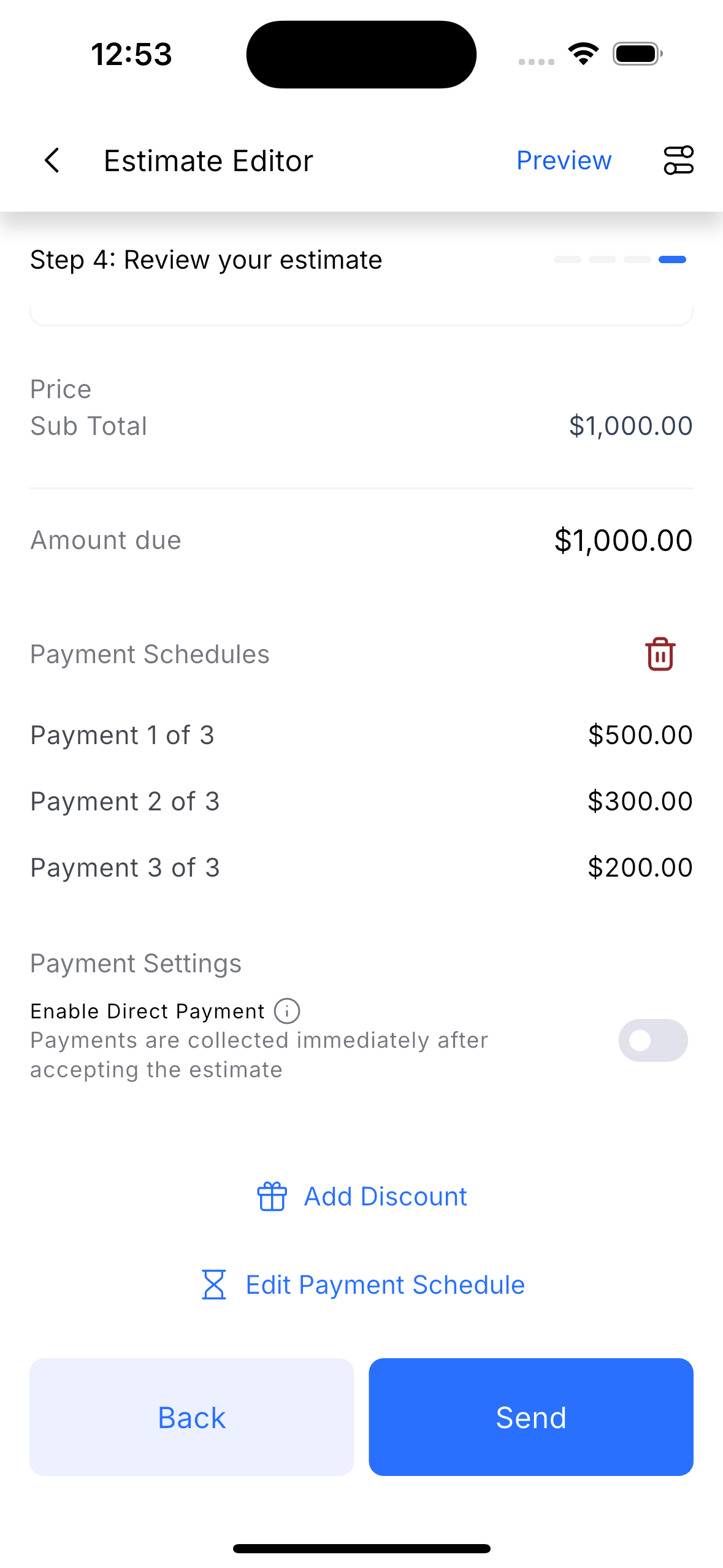
- Proceed to the review section.
- Select the option to configure a Payment Plan.
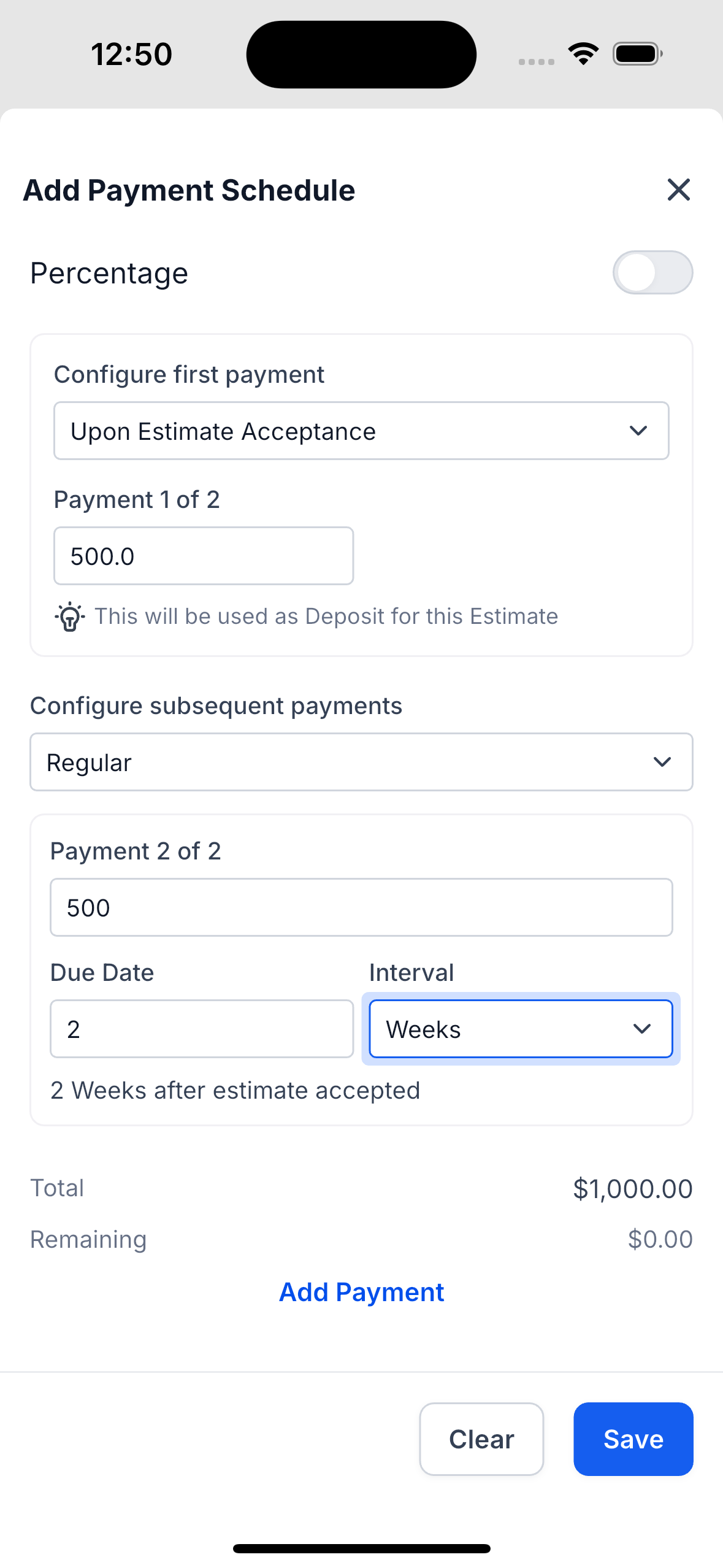
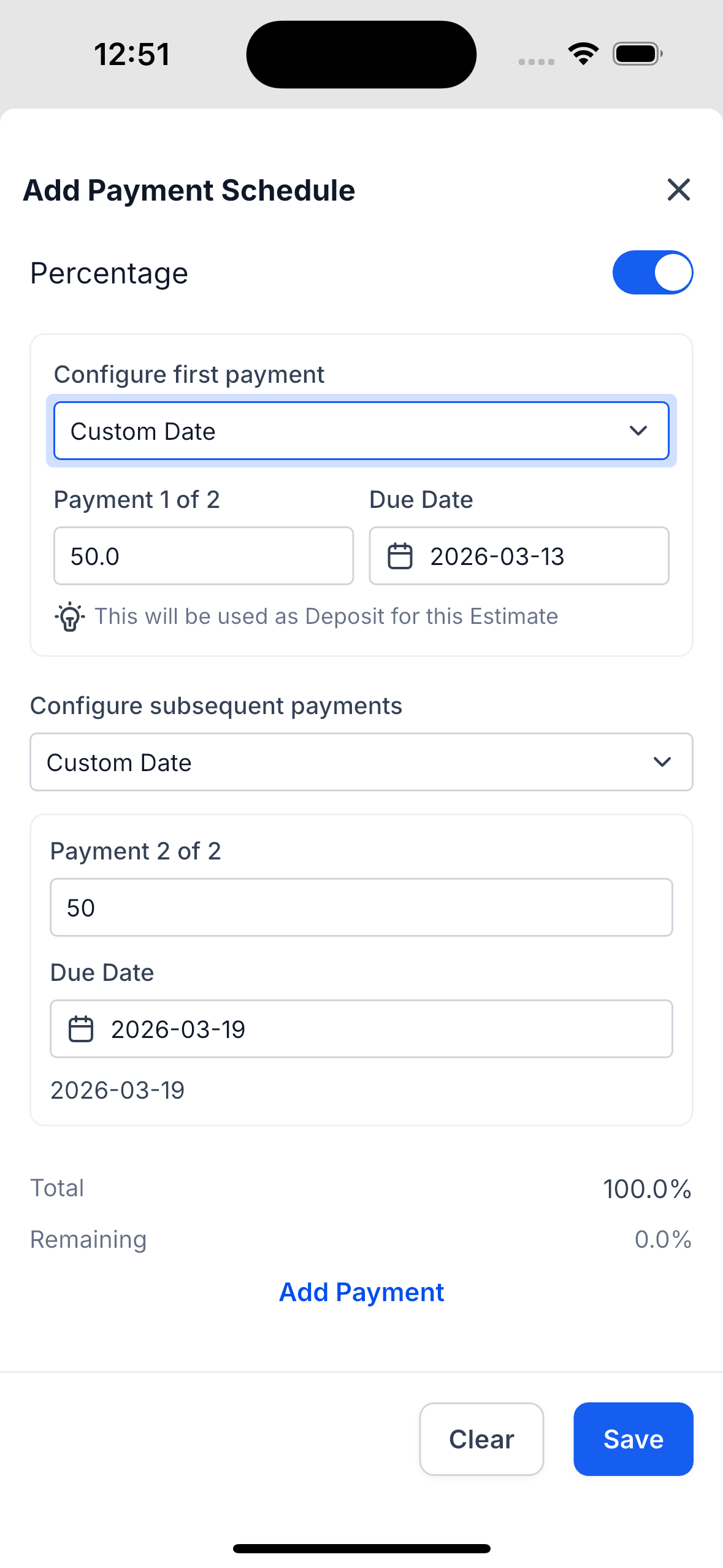
**Configure the First Payment**
- Choose when the first payment should be made:
- Upon Estimate Acceptance (to be used as the deposit), or
- Custom Date
- Enter the payment amount or percentage for the first instalment.
**Set Up the Remaining Payments**
- Choose how subsequent payments should be scheduled:
- Custom Date for manual due dates, or
- Regular interval (e.g., weekly).
- Add additional payments using the Add Payment option, defining the amount and schedule.
- Check the Total and Remaining percentages to ensure the full estimate amount is covered.
- Tap Save to add the schedule to the estimate.
✨
**How This Helps Your Business**