Invoices – Accounting sync | Clixio Changelog
Never Miss a Sync Again — Full Accounting Visibility Is Here
Your invoices, transactions, and contacts. Always in sync.
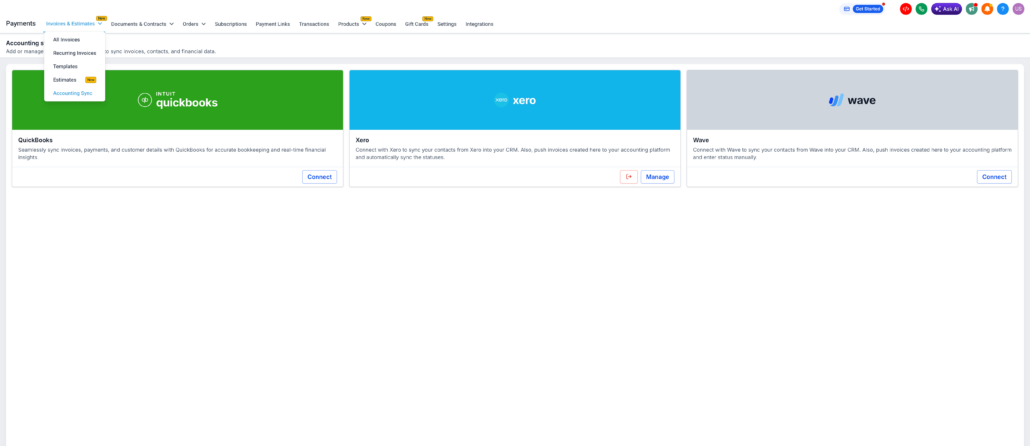
You send the invoice, and Clixio takes care of the sync — now informing you exactly what occurred. Accounting Sync is your central hub for monitoring and resolving sync activities across QuickBooks, Xero, and Wave.
You connected your accounting software, thinking everything was syncing. However, it wasn’t. Invoices failed without alerting you — no notification, no log, no way to be aware. You only realised the discrepancies when your accountant pointed out missing records, resulting in hours spent on reconciliation.
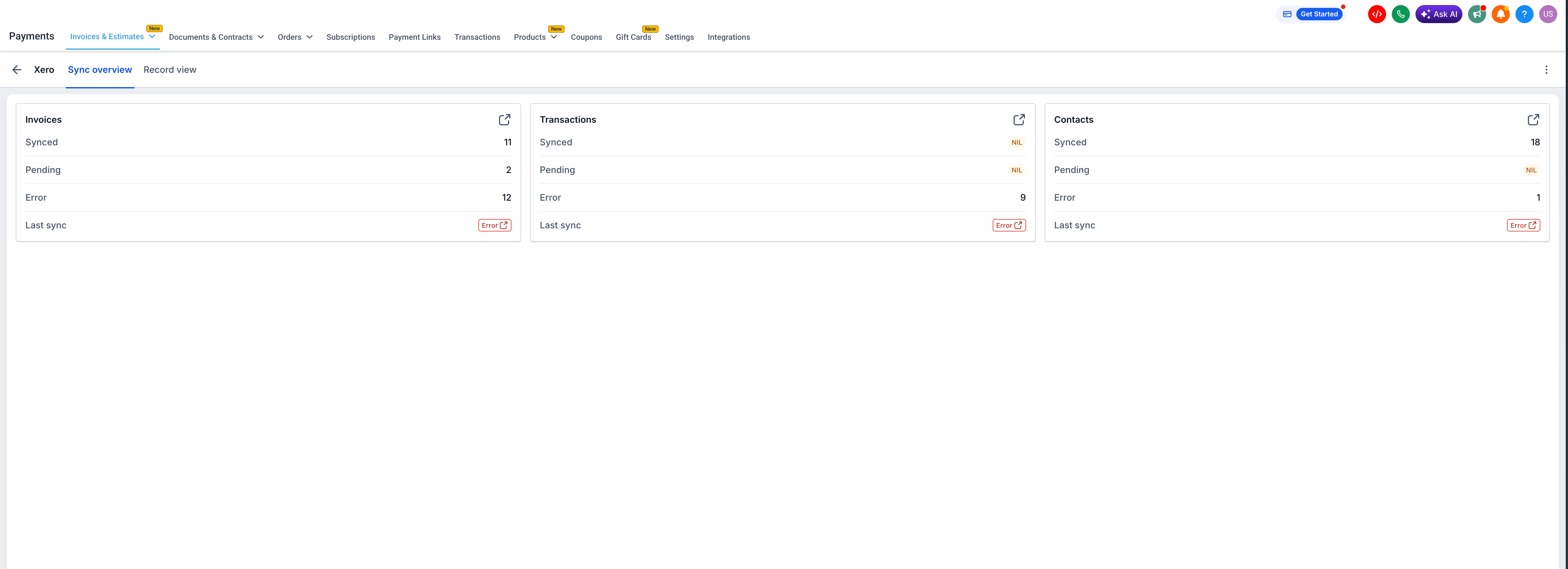
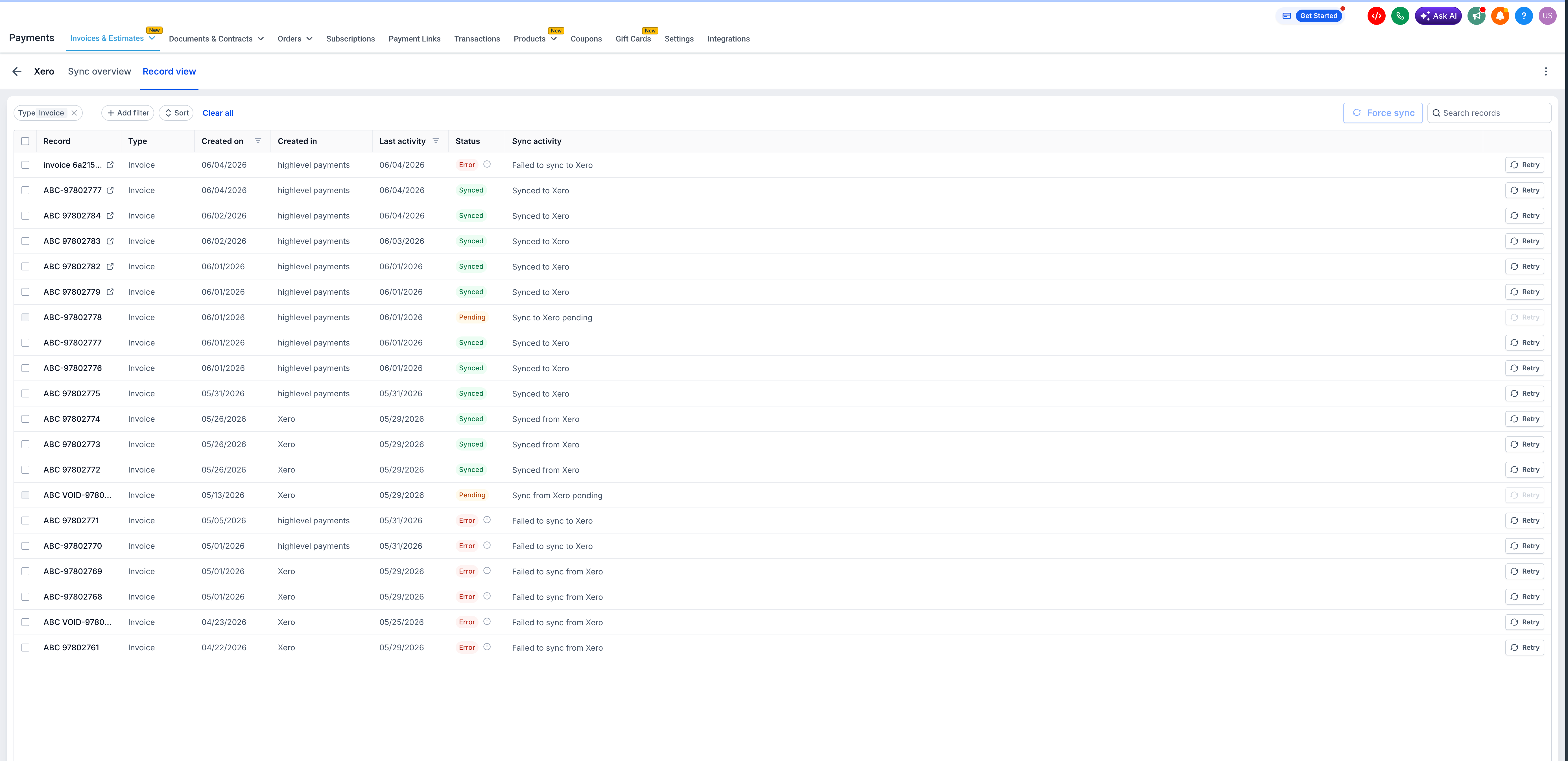
Accounting Sync provides a live dashboard for each connected accounting platform. You can view the exact number of invoices, transactions, and contacts that synced, along with those that failed. You can drill down into individual records, read the reasons for failure, and retry with just one click.
How This Supercharges Your Business
How to Get Started
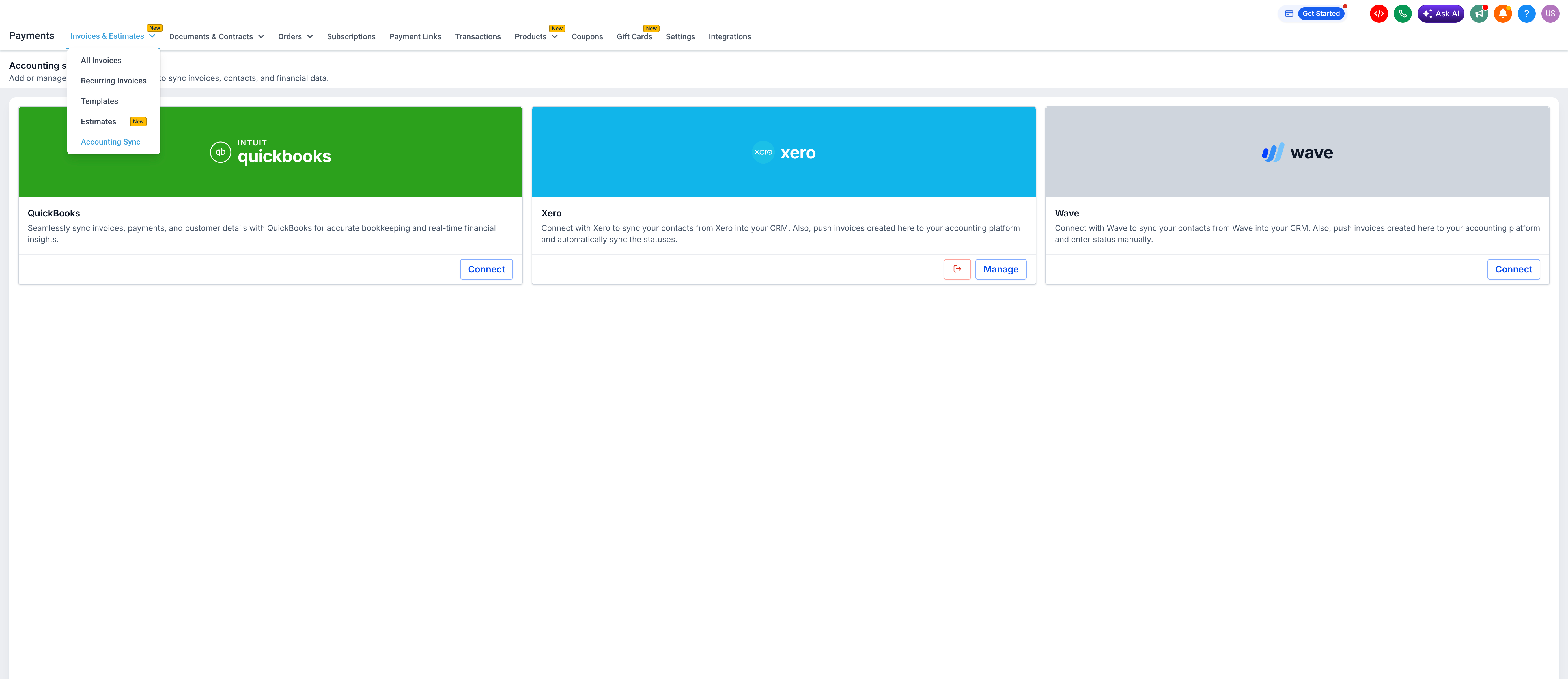
- Navigate to Payments → Invoices & Estimates → Accounting Sync in your sub-account.
- Click on Manage next to your connected accounting platform (QuickBooks, Xero, or Wave).
- Click the expand icon on any entity to open Record View and check the status of each individual record.
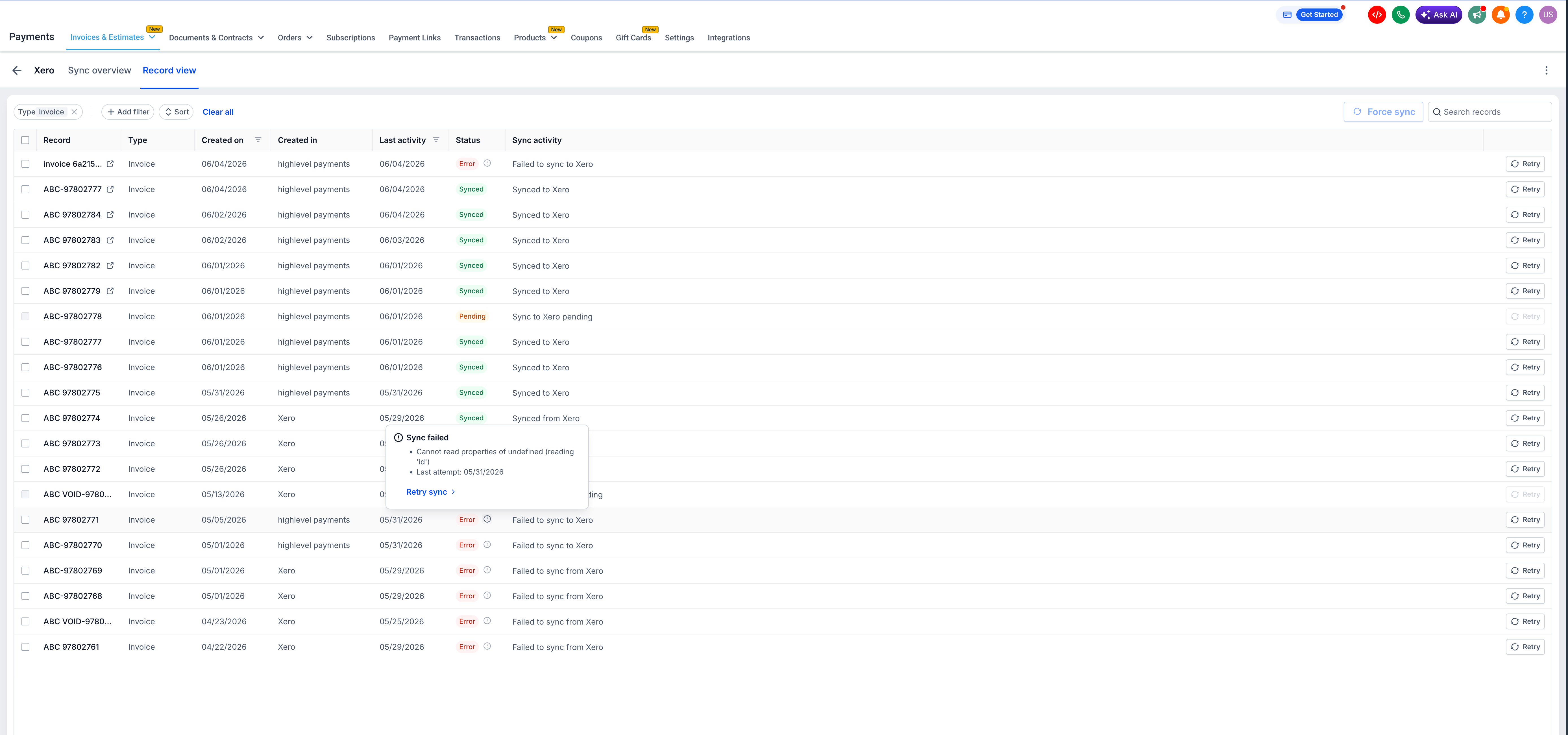
- Hover over the ⓘ icon on any errored record to read the failure reason and the timestamp of the last attempt.
- Click Retry to re-trigger the sync for that record.
Transaction sync for Wave is coming soon, meaning Wave users will receive the same full-entity coverage already available on QuickBooks and Xero. Additionally, we’re investigating proactive failure notifications, so you’ll be alerted the moment a sync error occurs without needing to check the dashboard.
- Supported accounting platforms: QuickBooks, Xero, Wave
- Transaction and Contact sync for Wave is not yet supported — invoices only
- Accounting Sync is available on the web only
- Invoices created and sent via the Clixio mobile app will sync automatically — however, sync status and logs must be reviewed on the web
- The Retry button is available per record; bulk retry is not yet supported