
Mobile App – Inbound Call Transfer
Inbound Call Transfers Have Officially Landed on Mobile
, unlocking smoother handoffs, smarter conversations, and total control right from your phone!
Already available for outbound calls, Call Transfer is now fully supported for inbound calls on the mobile app — giving you more flexibility to manage conversations in real-time without dropping the ball.
Whether it’s handing off a lead to the right team member or escalating a client call with context, you can now seamlessly transfer live inbound calls to another staff member, choose between warm or blind transfers, and manage call participants — all on the go from your mobile app.
This feature is now live on the public beta for Clixio and LeadConnector, with a full rollout coming soon.
⸻
🔄 What’s New on Mobile?
☎️ Inbound Call Transfers — Now Fully Supported
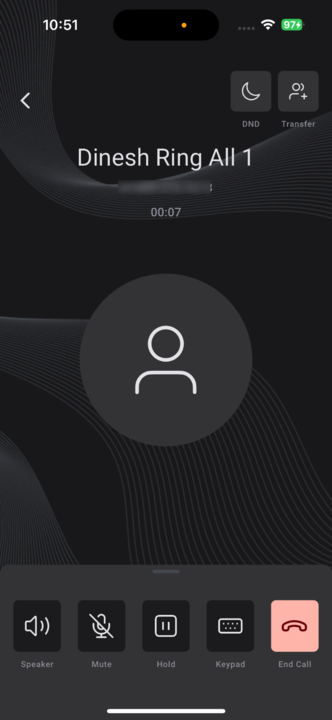
Once you answer an inbound call, you’ll now see a Transfer button in the top-right corner of your screen. Tap it to choose between:
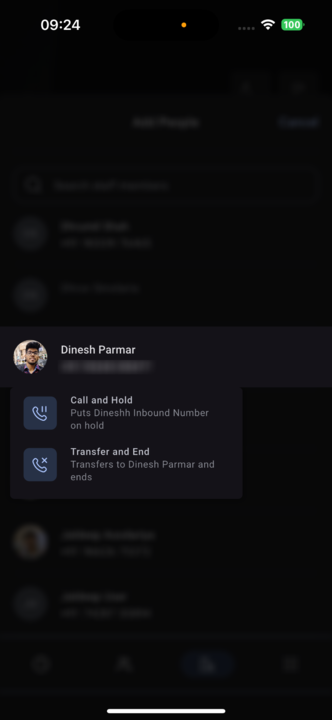
• Blind Transfer: Transfers the call and disconnects you from it.
• Warm Transfer: Transfers the call but keeps you in the conversation to provide context or listen in.
👥 Smart Participant Management — Stay in Control
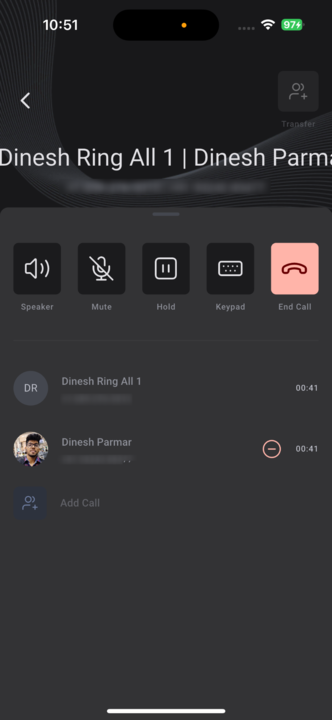
Once you initiate a warm transfer, you can:
• View all participants in the call via the scrollable bottom sheet.
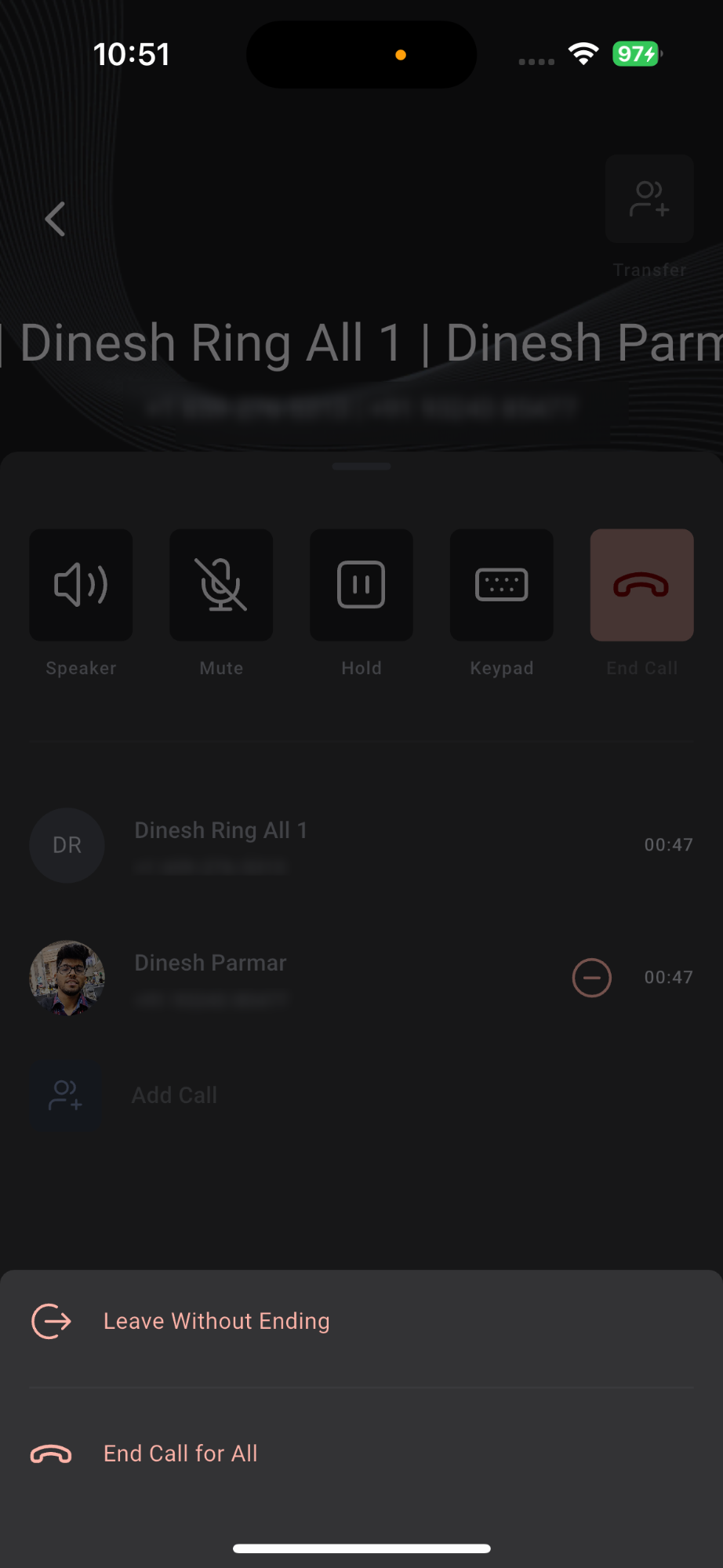
• Choose to leave without ending the call during a conference call.
• End the call for all participants.
• Or remove other participants (like a staff member) from the call if needed.
⸻
📲 How to Use This Feature?
1. Answer an Inbound Call: Pick up any incoming call on your mobile app as usual.
2. Tap ‘Transfer’ from the Top-Right Corner:
• Choose a staff member from your contact list, staff list, the dial pad, or recent calls.
• Select either Warm Transfer or Blind Transfer based on your handoff needs.
3. Manage Participants (Warm Transfer Only):
• Scroll up the bottom sheet to view call participants.
• Use options to leave, remove others, or end the call for all.
Availability:
Clixio v3.97.3 and above
LeadConnector v3.97.3 and above
White Labelled apps – Update to be requested