
Meta Special Ad Categories – Smart Defaults and Compliance Warnings
Ad Manager now offers intelligent guidance for
Meta Special Ad Category campaigns
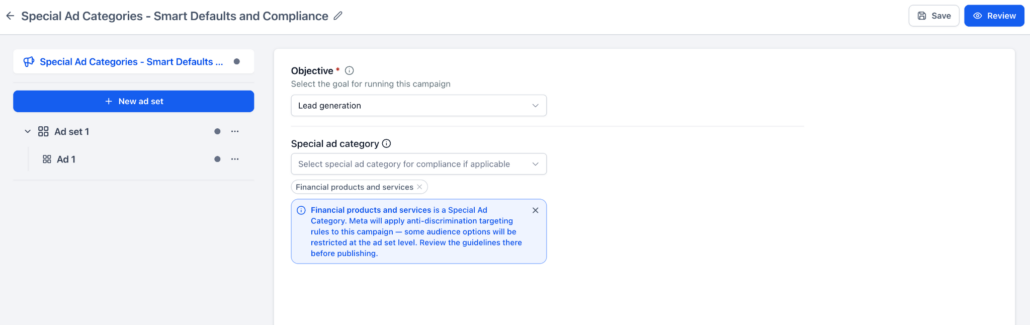
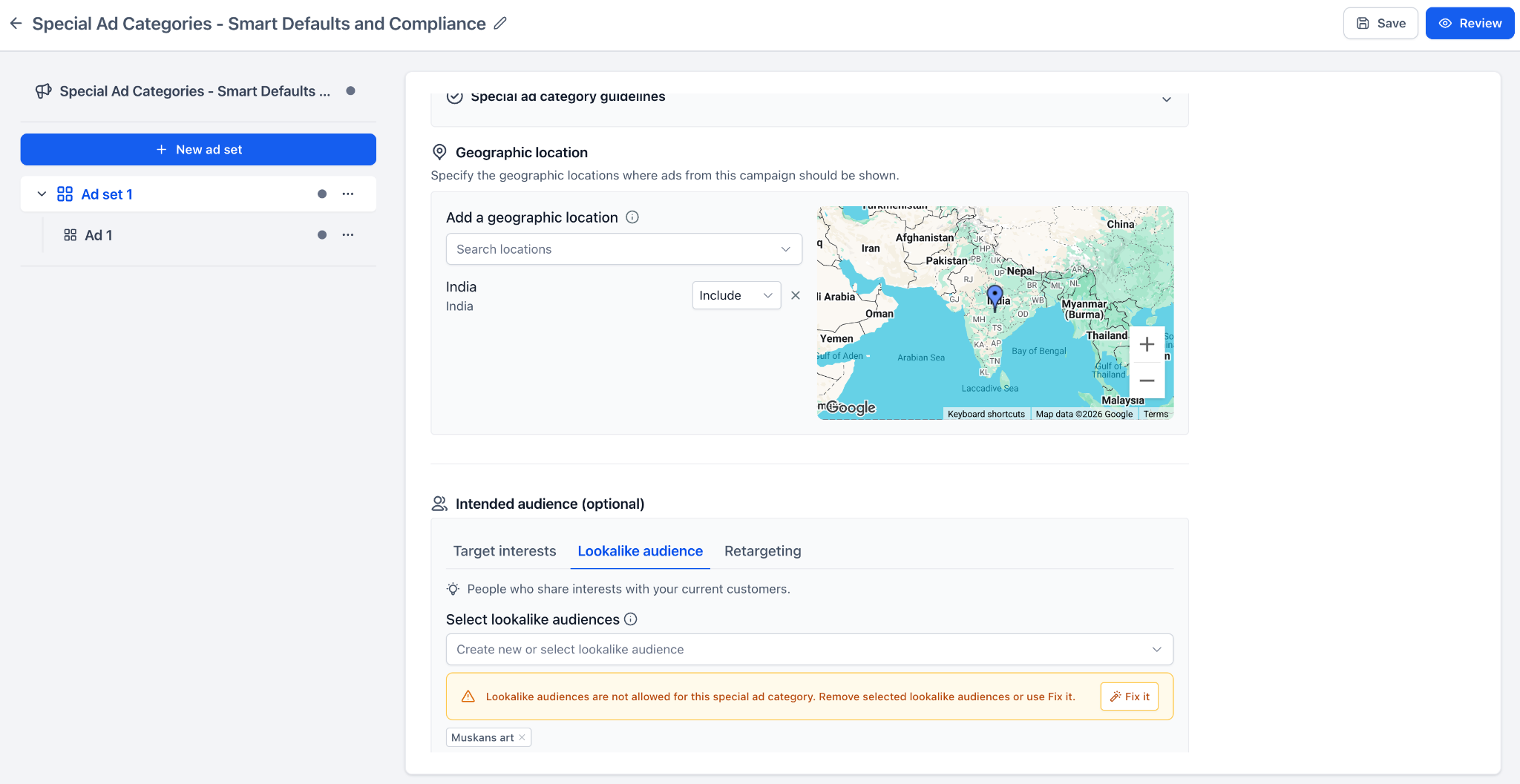
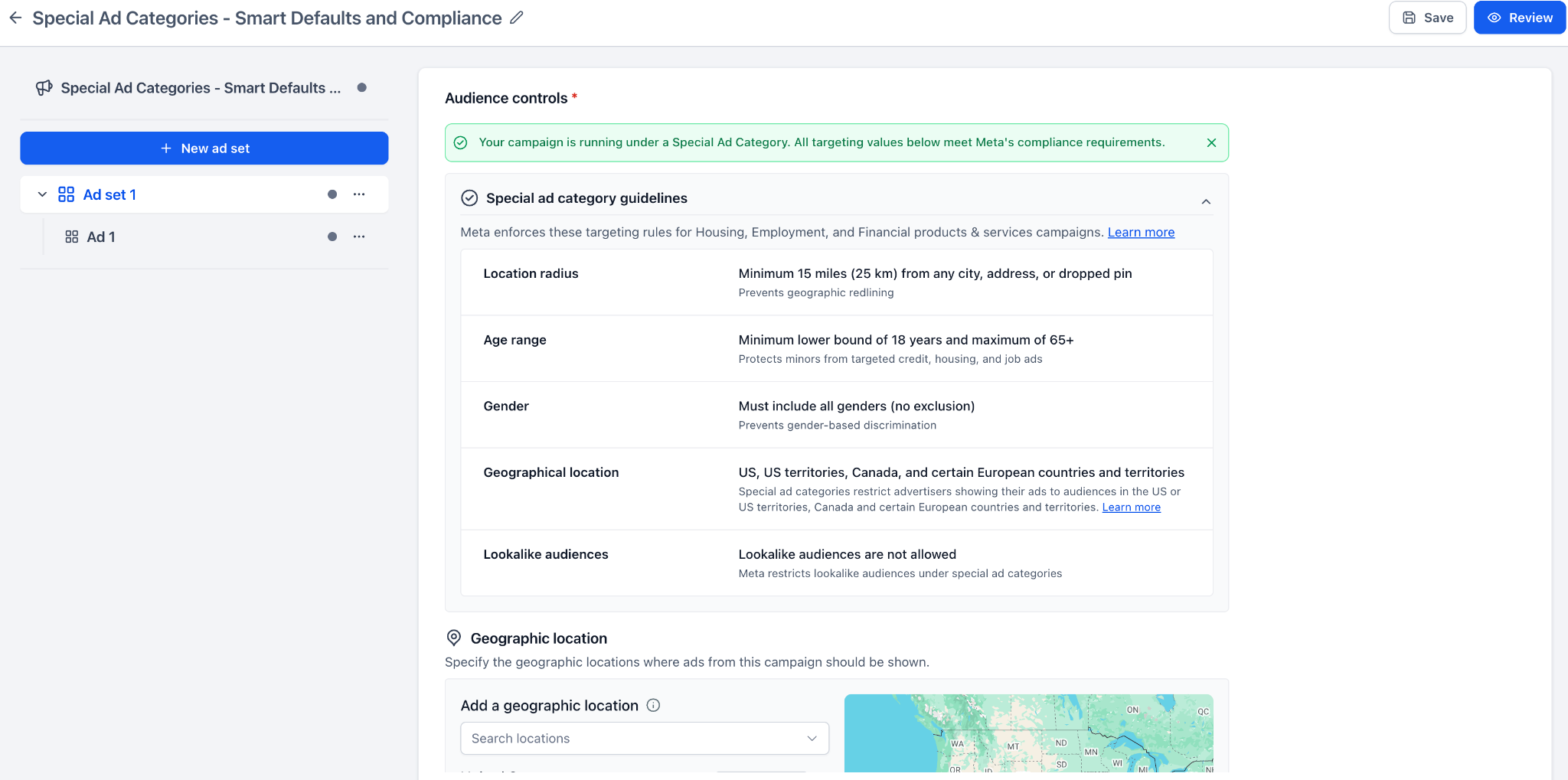
. When users select a Special Ad Category, they will receive helpful notifications, audience guidelines, and field-specific warnings to identify targeting values that may not comply with Meta’s requirements.
This functionality assists users in addressing common issues before publishing, thereby reducing the likelihood of campaign failures due to Special Ad Category restrictions.
Steps to Create or Edit a Special Ad Category Campaign
- Create or edit a Meta campaign in Ad Manager.
- Select a
Special Ad Category
at the campaign level.
- Review the informational notice displayed below the category field.
Audience Controls Review
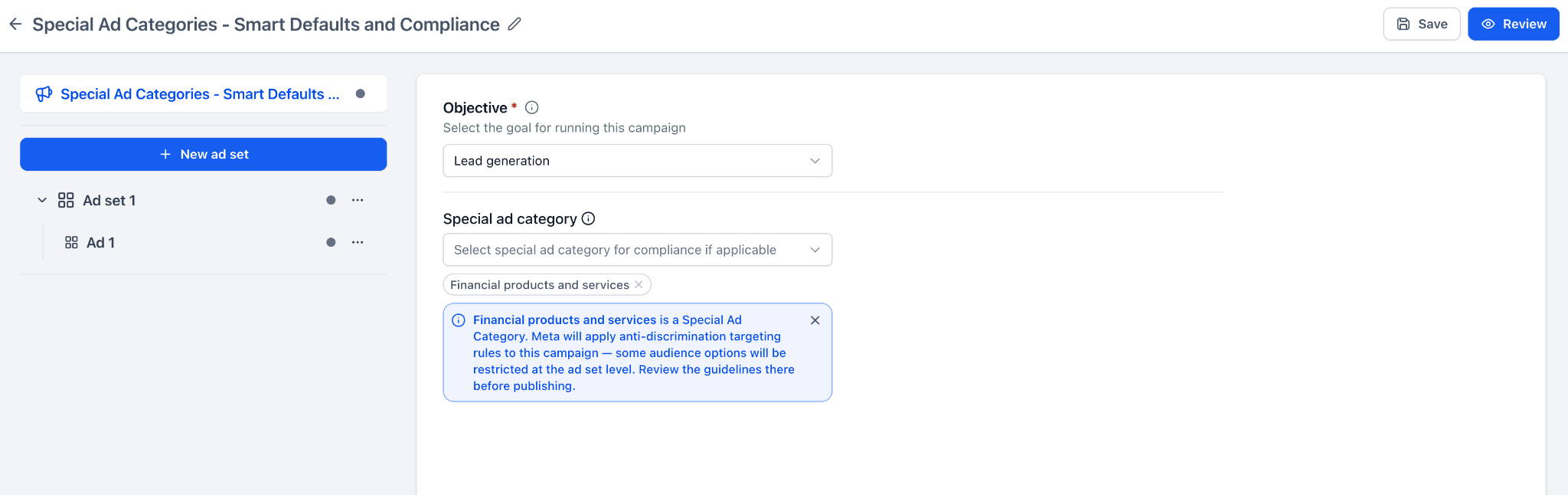
- Navigate to the ad set’s
Audience controls
section.
- Examine the compliance banner and guidelines.
Address Targeting Issues
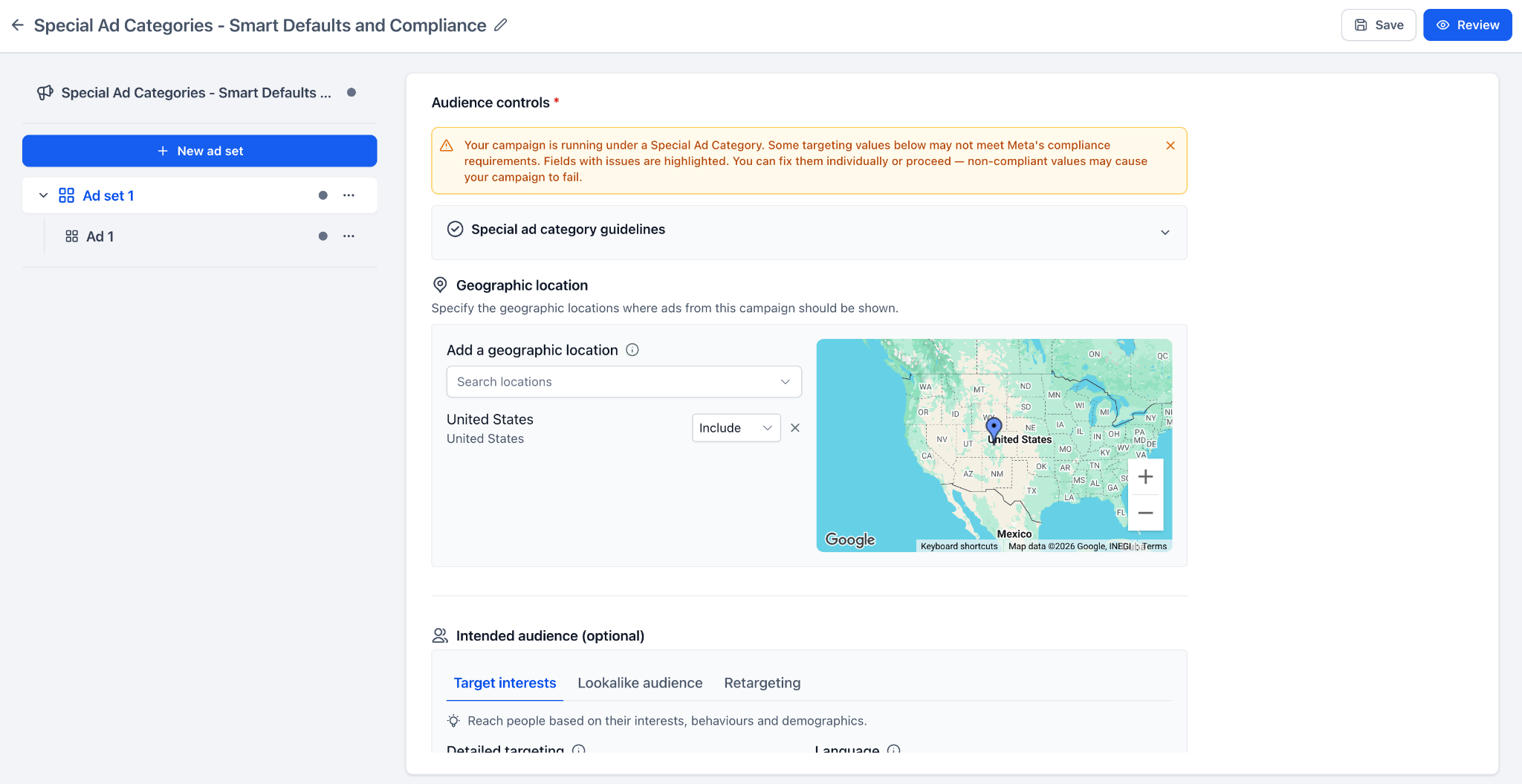
- Resolve highlighted targeting issues using
Fix it
, or update the values manually.
Final Steps
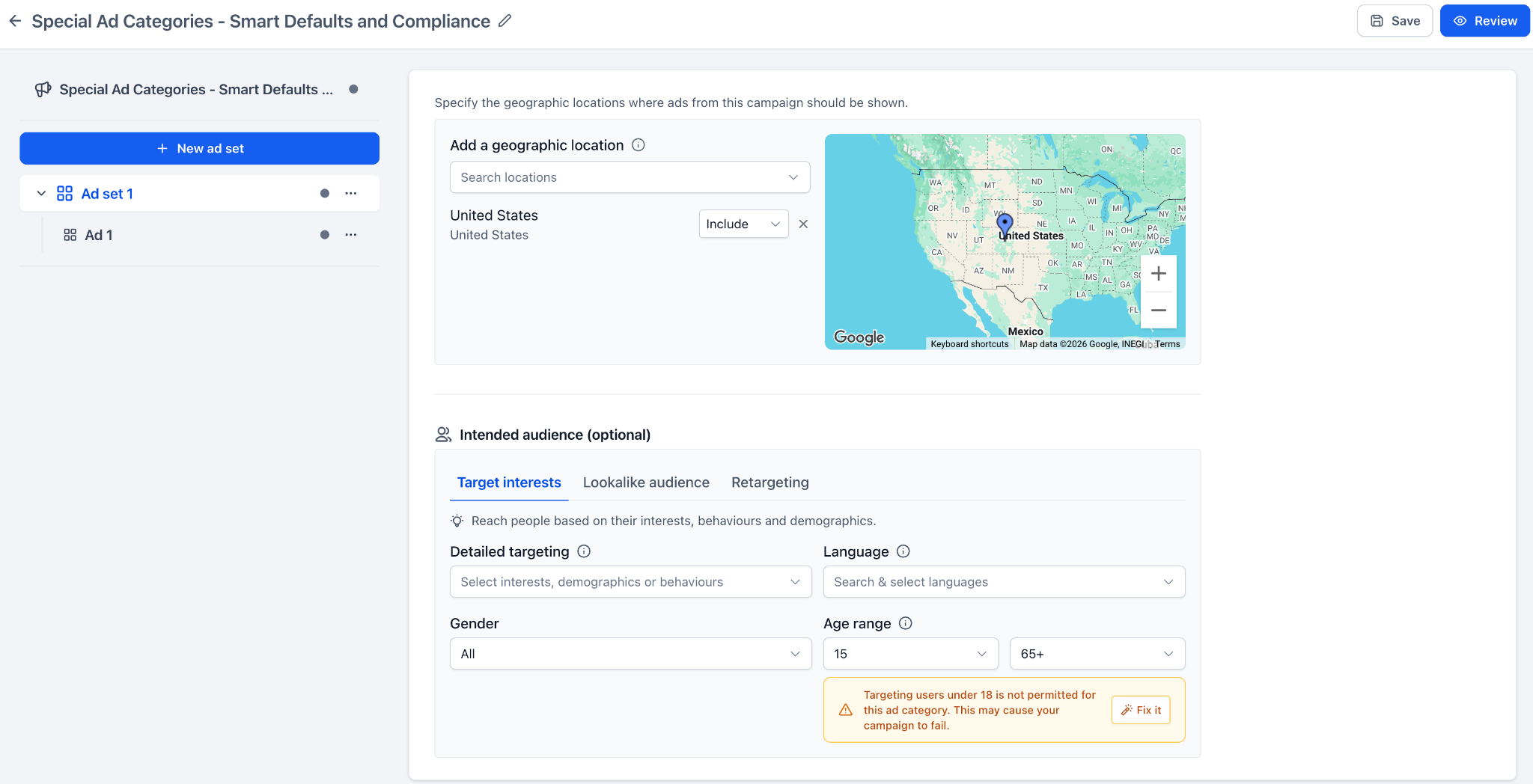
- Proceed to review and publish your campaign.
Meta imposes specific targeting restrictions on campaigns related to housing, employment, credit, financial products, and social issues, including elections and politics. If these requirements are overlooked, campaigns may fail during the publishing process.
This update provides users with clearer guidance while building their campaigns, helping them understand what requires attention and take action before publication.
Key Points
- This update applies to Meta campaigns in Ad Manager.
- Warnings are advisory and do not prevent users from proceeding.
- Ad Manager does not automatically alter targeting values; users decide whether to make corrections.