📅 List View for Calendar – A Streamlined, Scrollable Agenda
Introducing the New List View in Calendar Module
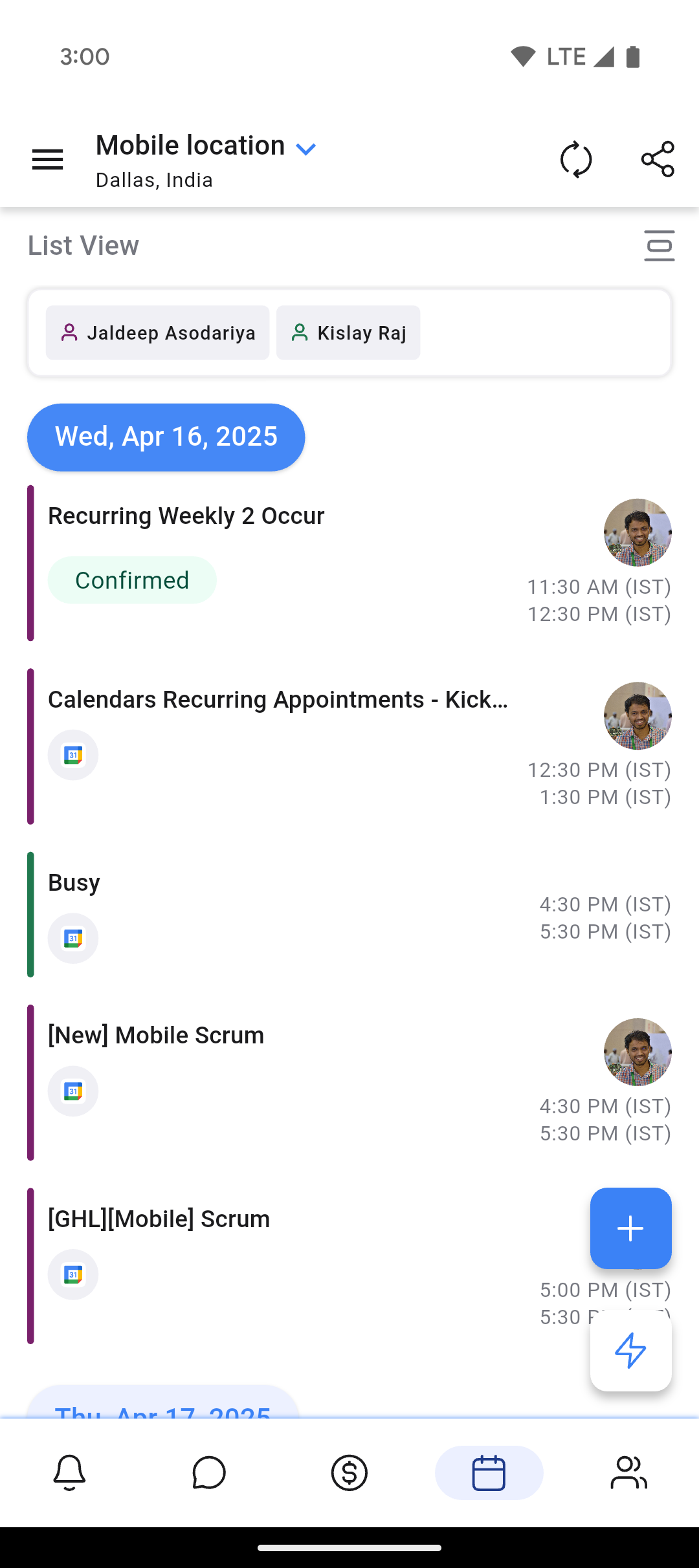
We’ve introduced a new List View in the Calendar module, offering you a clean, linear display of all their upcoming events. Unlike the traditional monthly or weekly grid, List View presents calendar entries in a chronological, scrollable format—stacking each event one after another for easier scanning and navigation.
This addition aligns with calendar experiences on other productivity-focused platforms and is designed for users who prefer to focus on tasks and appointments one at a time, without the visual overhead of a grid layout.
This feature is now live on the public beta for Clixio and LeadConnector, with a full rollout coming soon.
**How Does This Feature Benefit You?**
• Faster At-a-Glance Planning: Users can see what’s coming up in a linear fashion—no need to interpret a grid. This is especially useful for task-heavy professionals, sales reps, and service providers who prioritize events by order, not by spatial layout.
• Effortless Scrolling: Instead of tapping through multiple days or weeks, users can simply scroll through all scheduled events—past, present, or future—until they find what they need.
• Ideal for Mobile Usage: On smaller screens, traditional calendar views can feel cramped. List View maximises screen space, presenting appointments, bookings, and tasks in a clean vertical feed.
• Powerful for Daily Focus or Long-Term Forecasting:
Whether someone’s scanning just today or looking weeks ahead, this view removes friction by delivering every scheduled item in a single timeline.
1. Open the Calendar Module on your Clixio mobile app
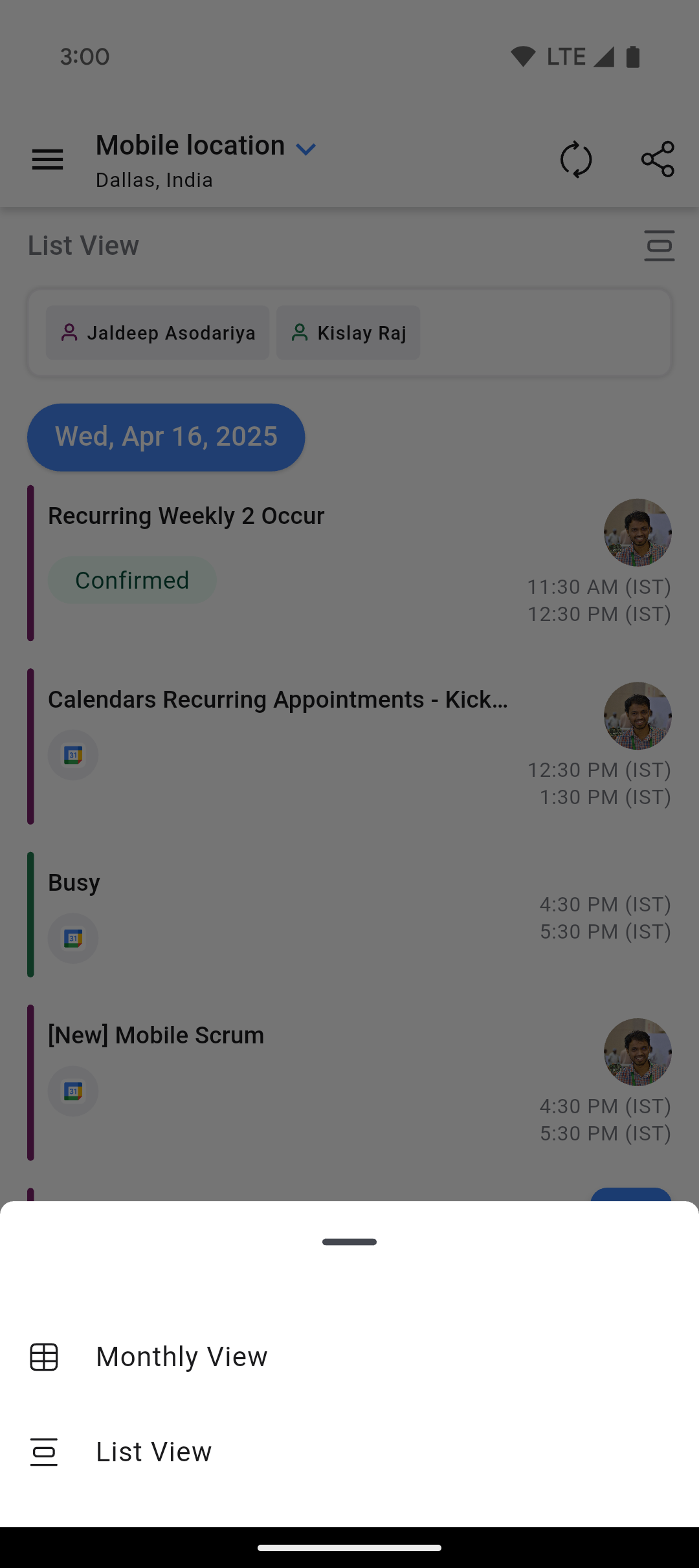
2. Tap the Grid next to the current view
3. Select “List View” from the available options
4. Instantly, your events will appear in a vertically stacked, scrollable feed—organised by date and time
5. Scroll down to browse upcoming events, or upward to reference recent past activity.
You can switch back to Monthly View at any time using the same toggle
Clixio v3.96.5 and above
LeadConnector v3.96.5 and above
White Labelled apps – Update to be requested
**Images**