
📝 Introducing Notes for Custom Objects!
Notes for Custom Objects
, a powerful new feature that enables you to create and manage notes directly on your
Custom Object records
.
Go to
Labs
and toggle on
Notes for Custom Objects
.
—
You can now capture essential details, discussions, and updates
inside any Custom Object record
, ensuring your teams always have the complete picture right where they need it.
This feature enhances clarity and efficiency in your workflow by keeping all relevant notes linked to their specific data entities rather than scattered across unrelated records.
—
Creating and Managing Notes
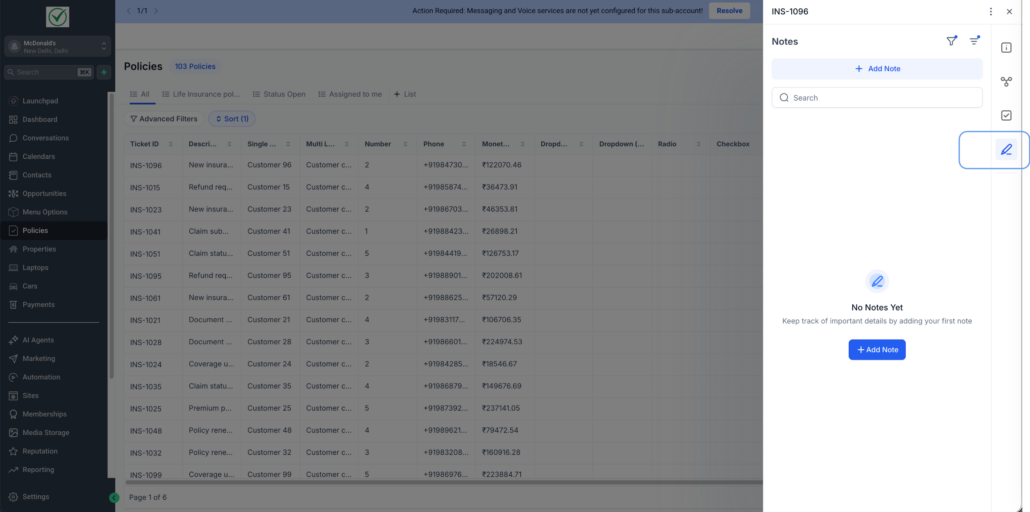
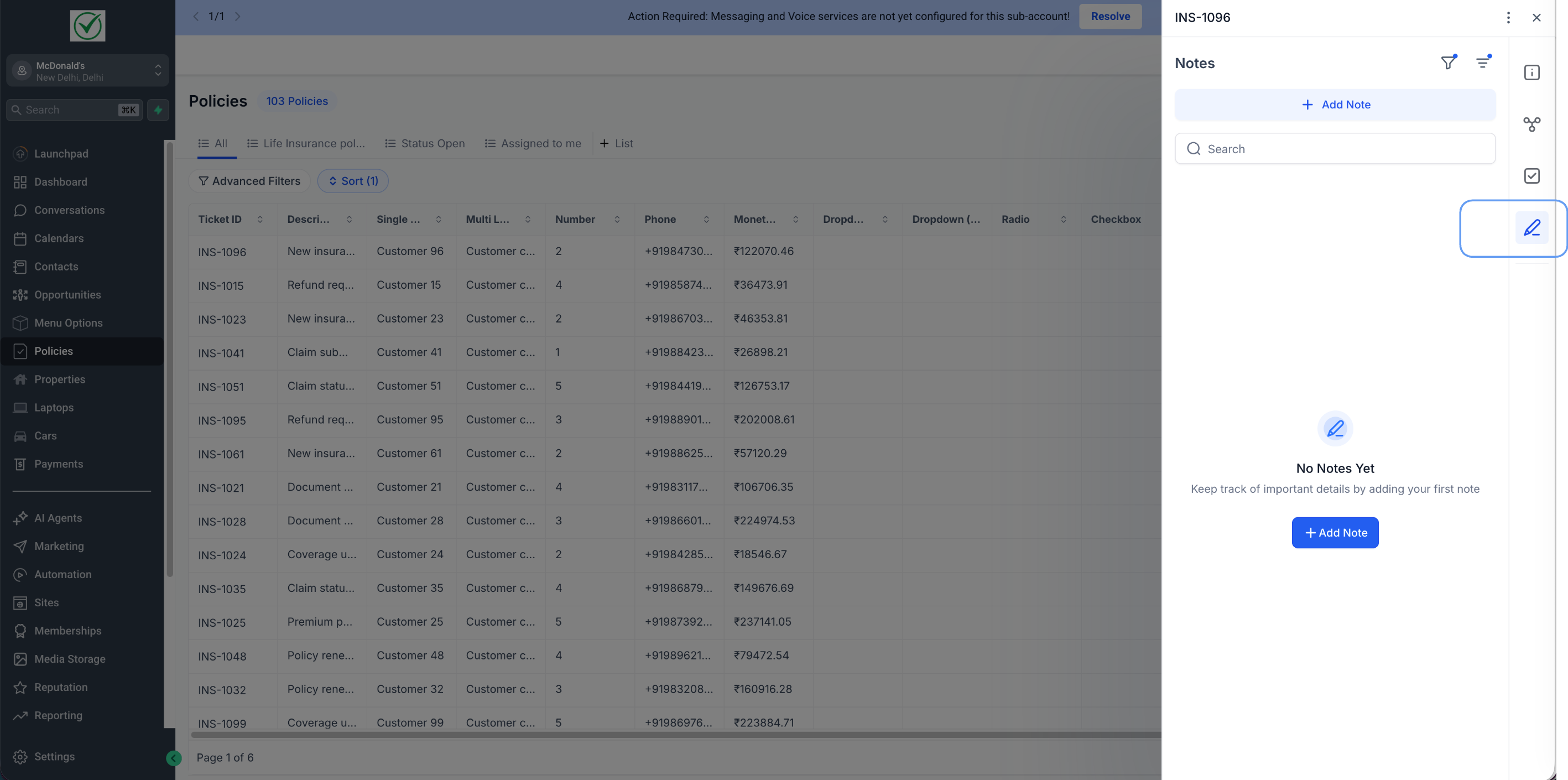
Create and view notes directly within Custom Object records. Notes are linked to that specific object for better organisation and context.
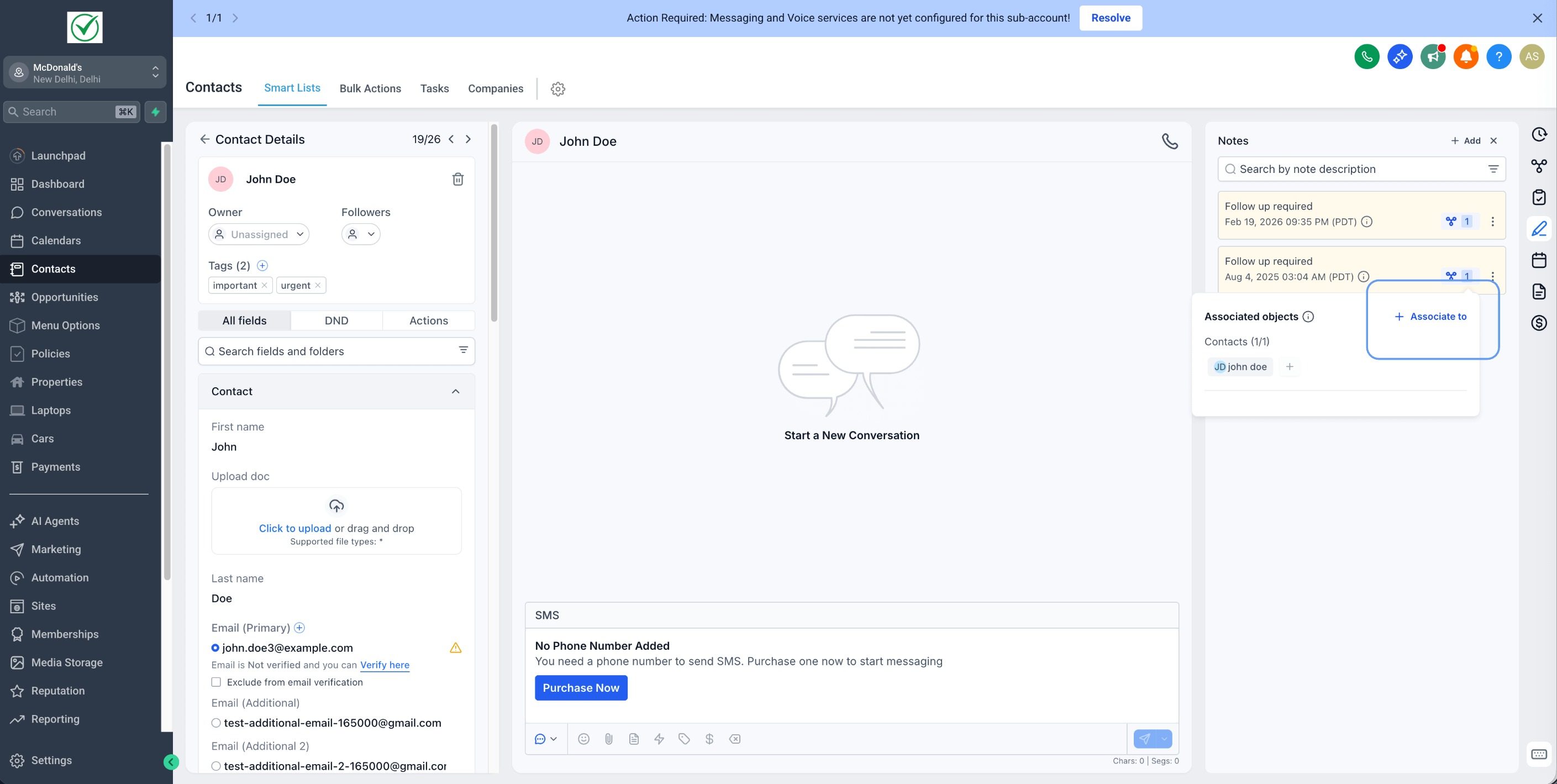
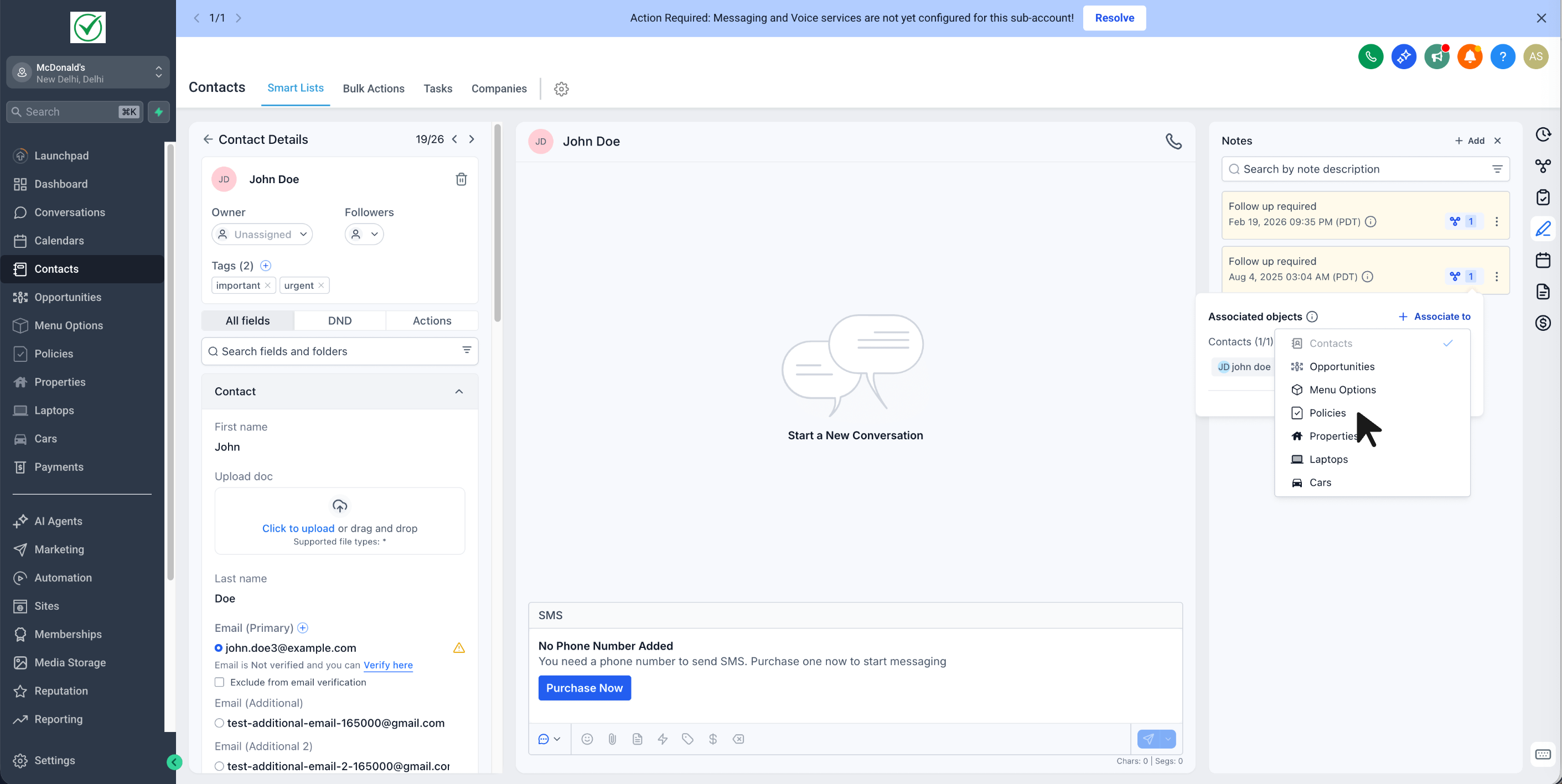
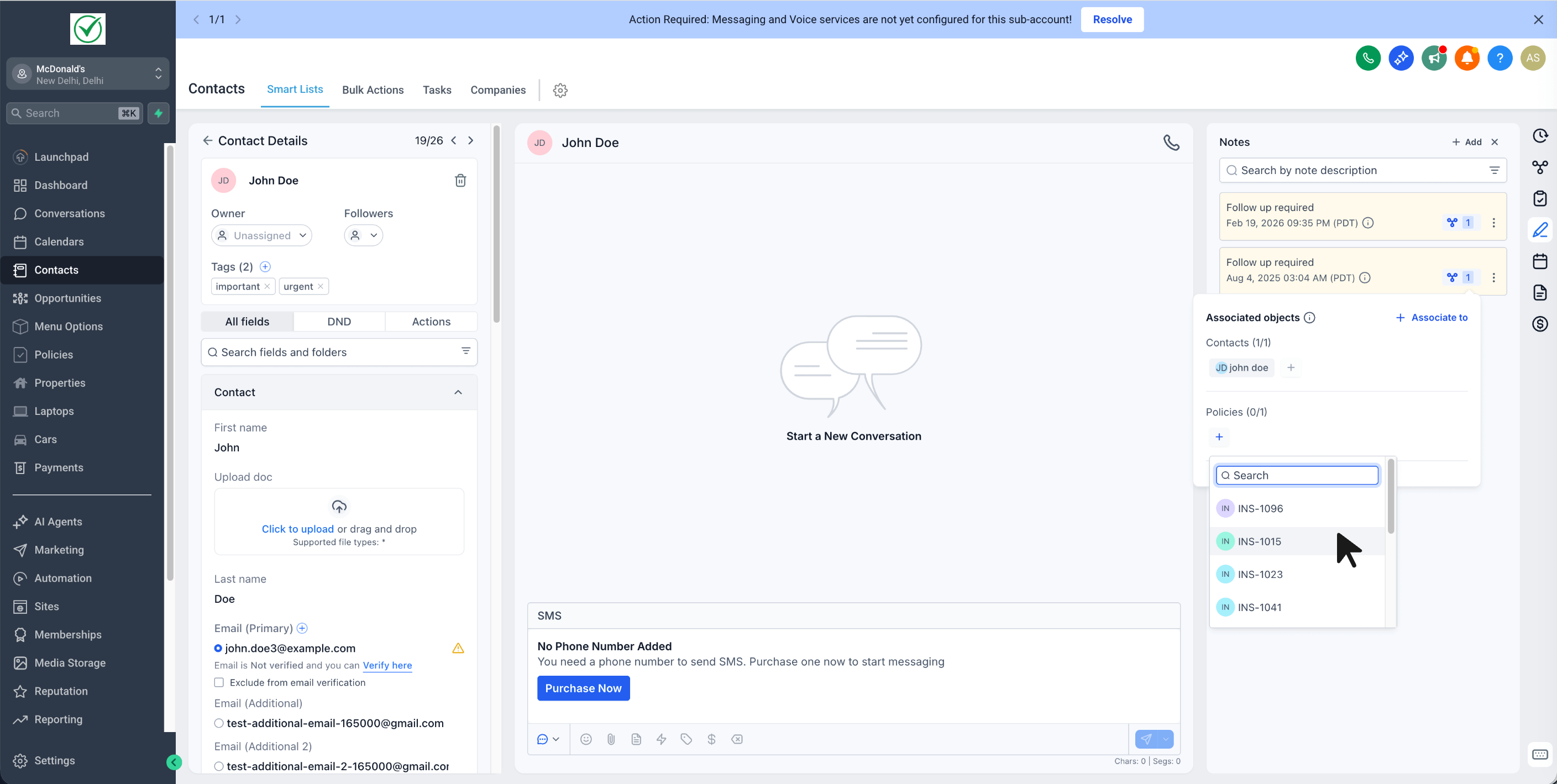
You can also link notes across records by associating any existing or new note from a Contact or Opportunity with a related Custom Object record.
Notes for Custom Objects utilise the same interface and editor that you’re already familiar with from Contacts and Opportunities.
To quickly locate notes across objects, you can use filters by entity, author, or keywords—making it easier to retrieve the right information instantly.
—
- Open Custom Objects → select any record → go to Notes → add a note
- Alternatively, open a Contact / Opportunity note → associate it with the related Custom Object record
—
Benefits of Notes for Custom Objects
- Maintain important context on the record you’re currently managing (not just on Contacts).
- Locate notes quickly with Search + Filters/Sorting.
- Avoid the need for copy/pasting updates—associate the same note with the Custom Object record for shared visibility.