
Introducing email action in company and custom object workflows
We’re excited to announce that Email Actions are now available in Company and Custom Object Workflows.
Previously, workflow email actions were restricted to contact-type workflows. With this release, you can now send automated emails directly from workflows built on:
- Company workflows
- Any custom object workflows
- Automate emails from Company and Custom Object workflows.
- Reach associated contacts without needing to build additional workflow logic or trigger it manually.
- Support multiple custom business processes and use cases.
- Enable in Labs – Navigate to Settings > Labs and enable “Email Action in Company & Custom Object Workflows”.
- Open a Company or Custom Object workflow.
- Click ‘Add Action’ and search for ‘Send Email’.
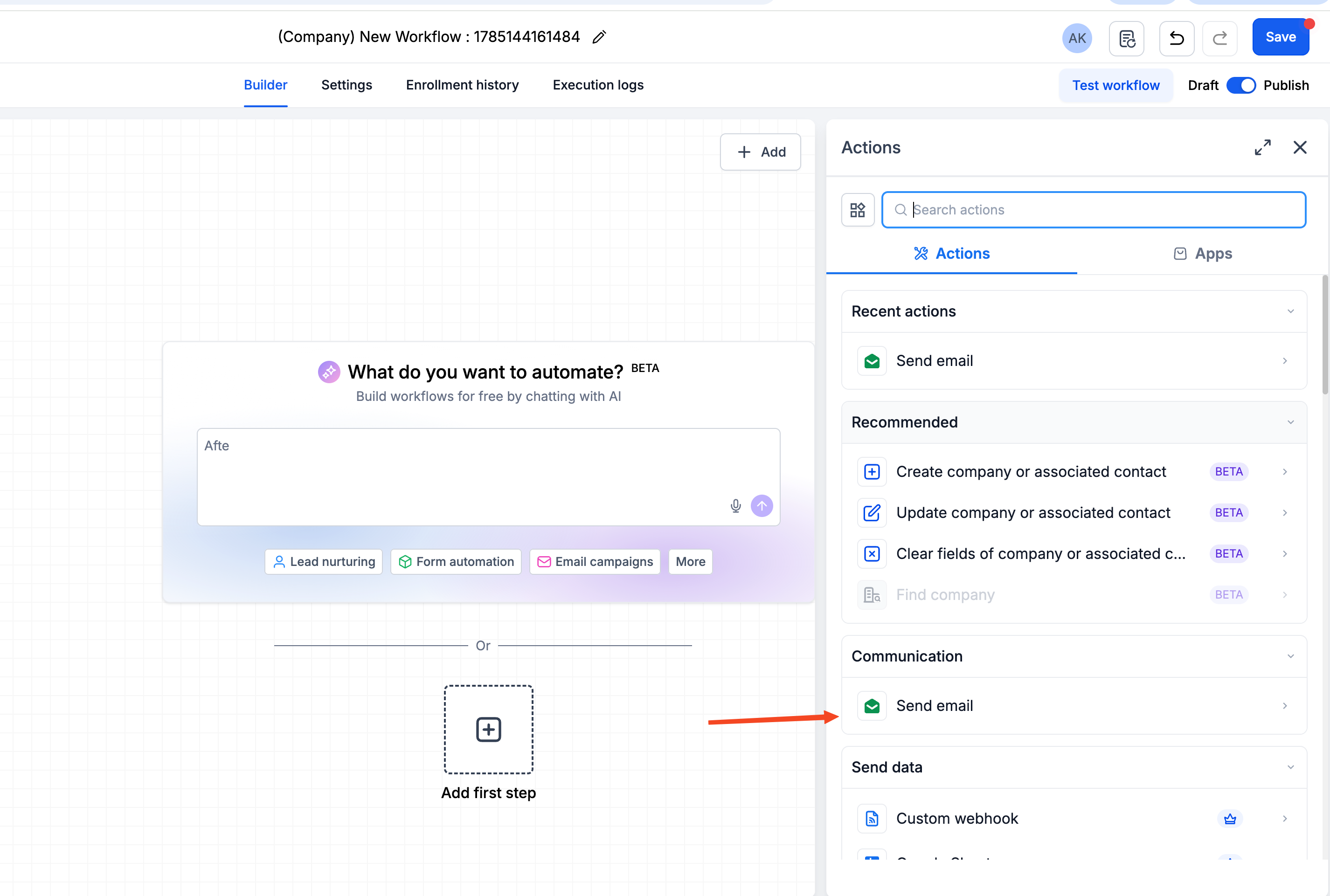
- Select the association label(s) to identify the contacts who should receive the email.
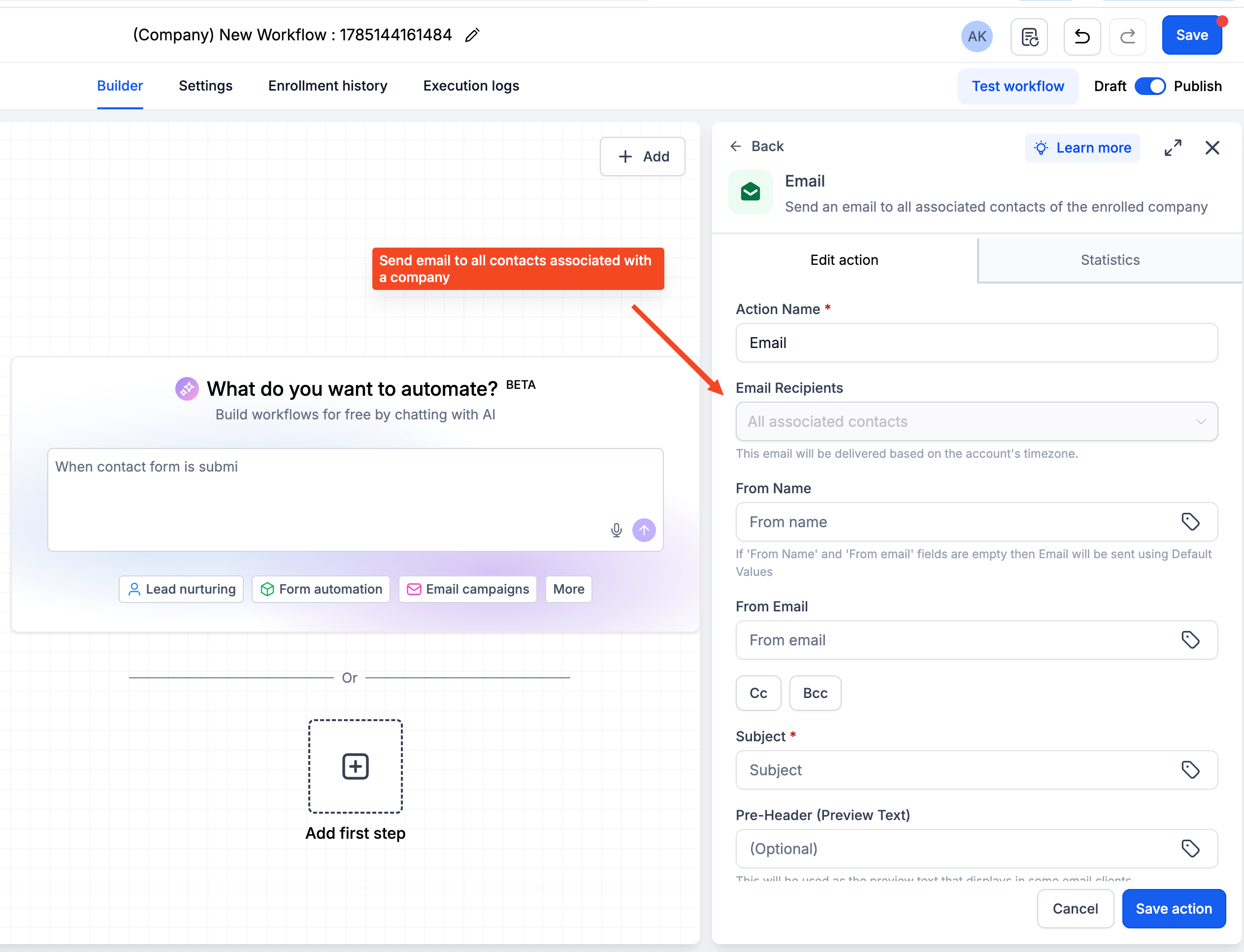
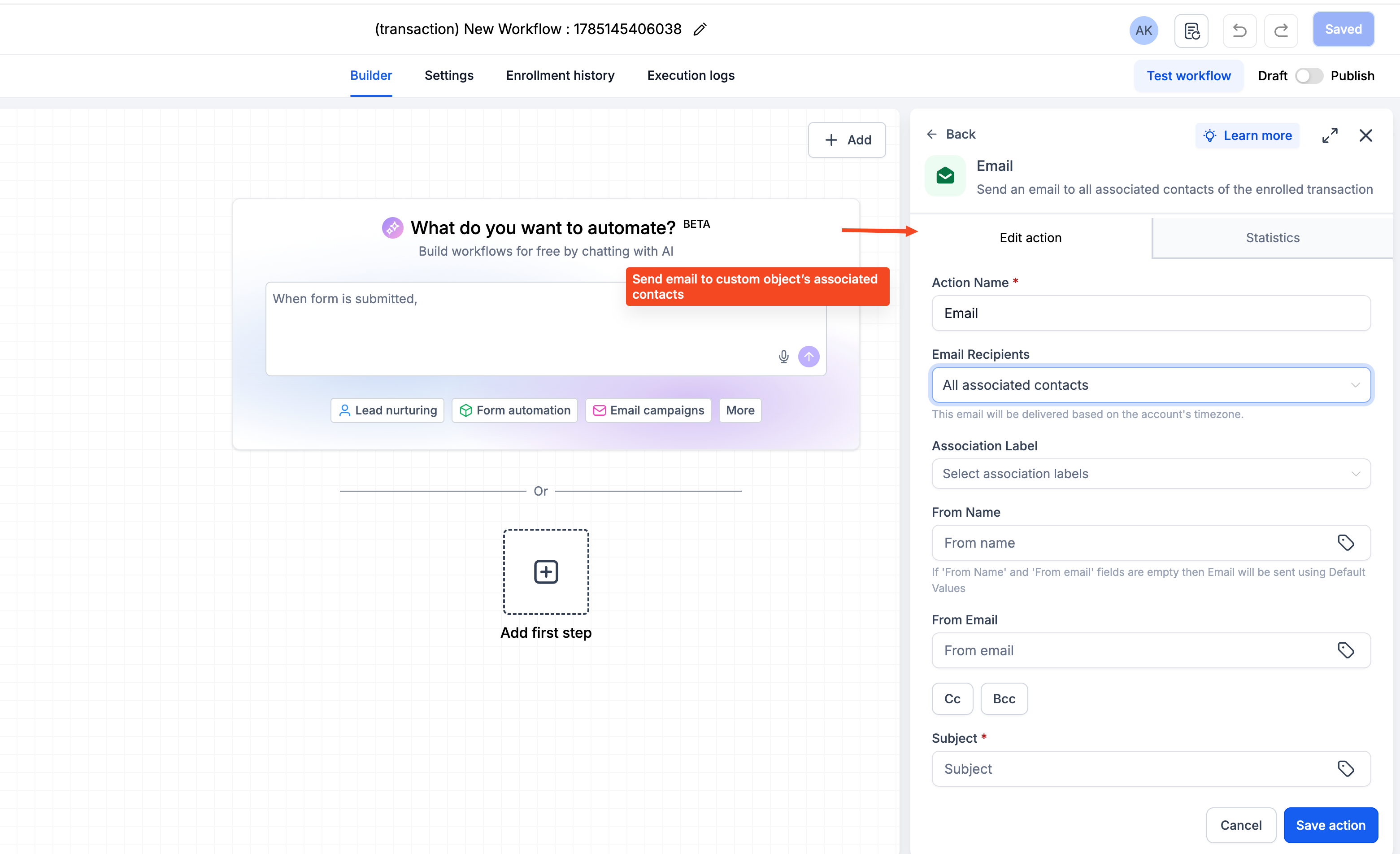
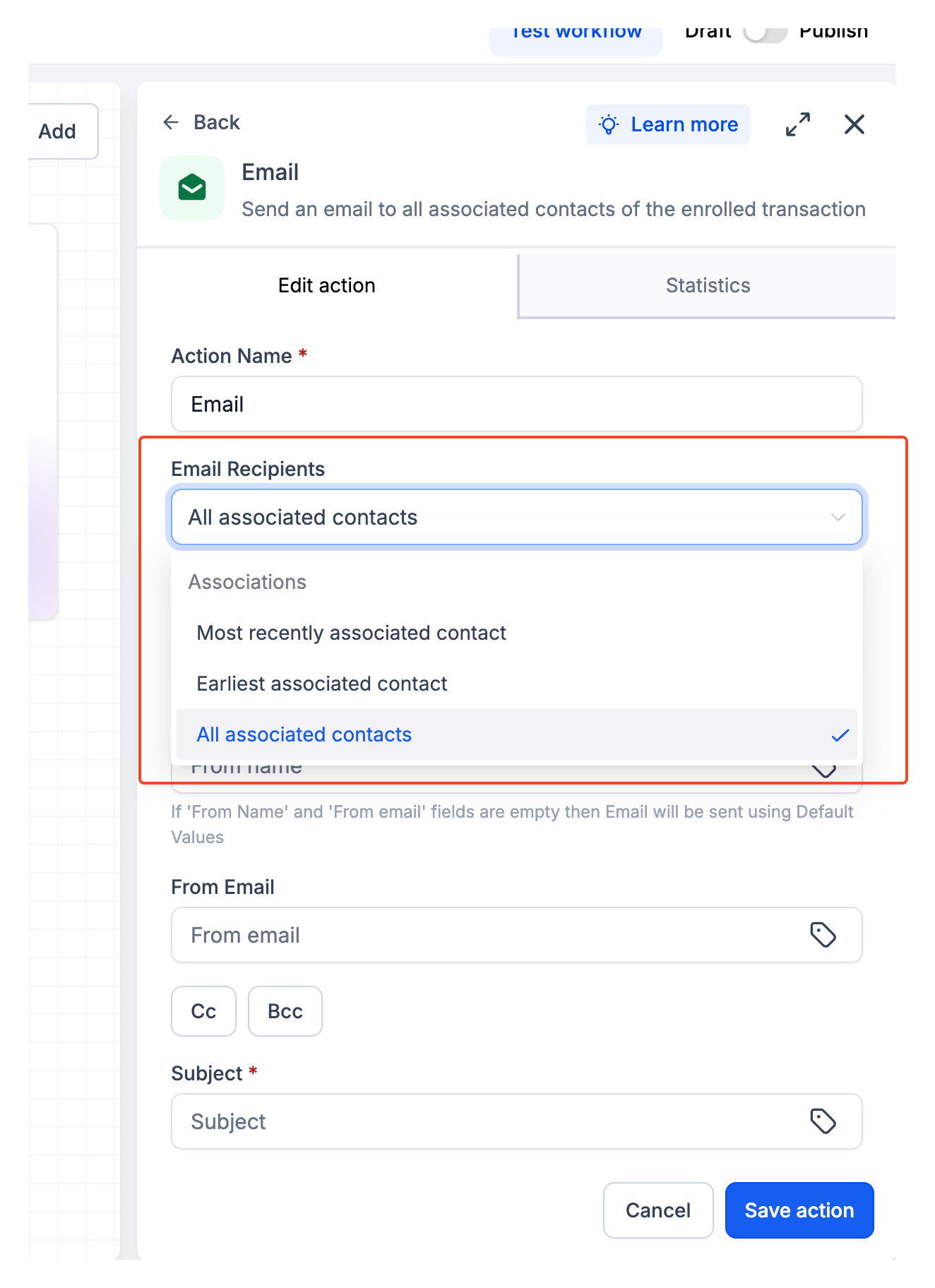
- For Custom Object workflows, choose whether to send to the earliest associated contact, the most recently associated contact, or all associated contacts.
- Add the email subject and content.
- Save and publish your workflow.
- Emails are sent using the domain configured for Bulk Email.
- You can select up to 10 association labels for a single email action.
- If a contact matches multiple selected association labels, they will receive only one email.