
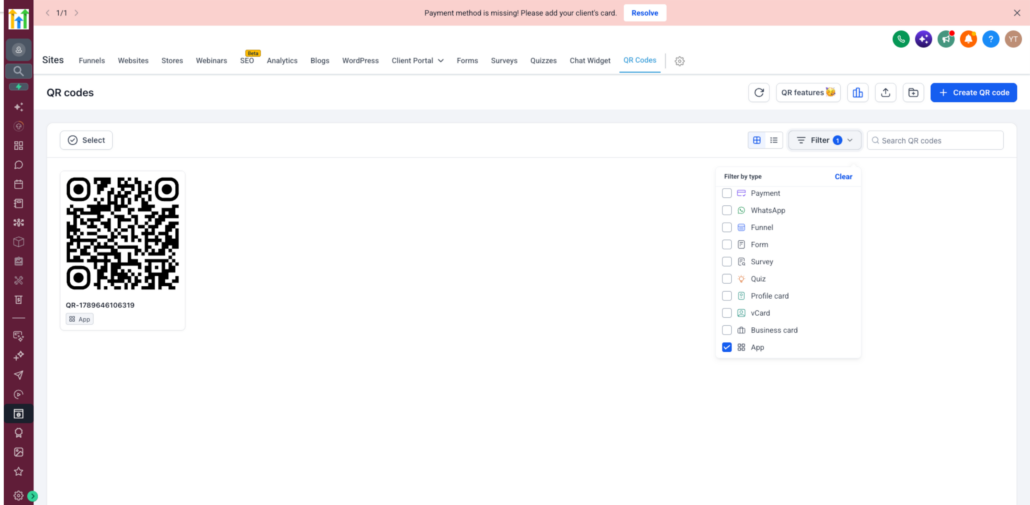
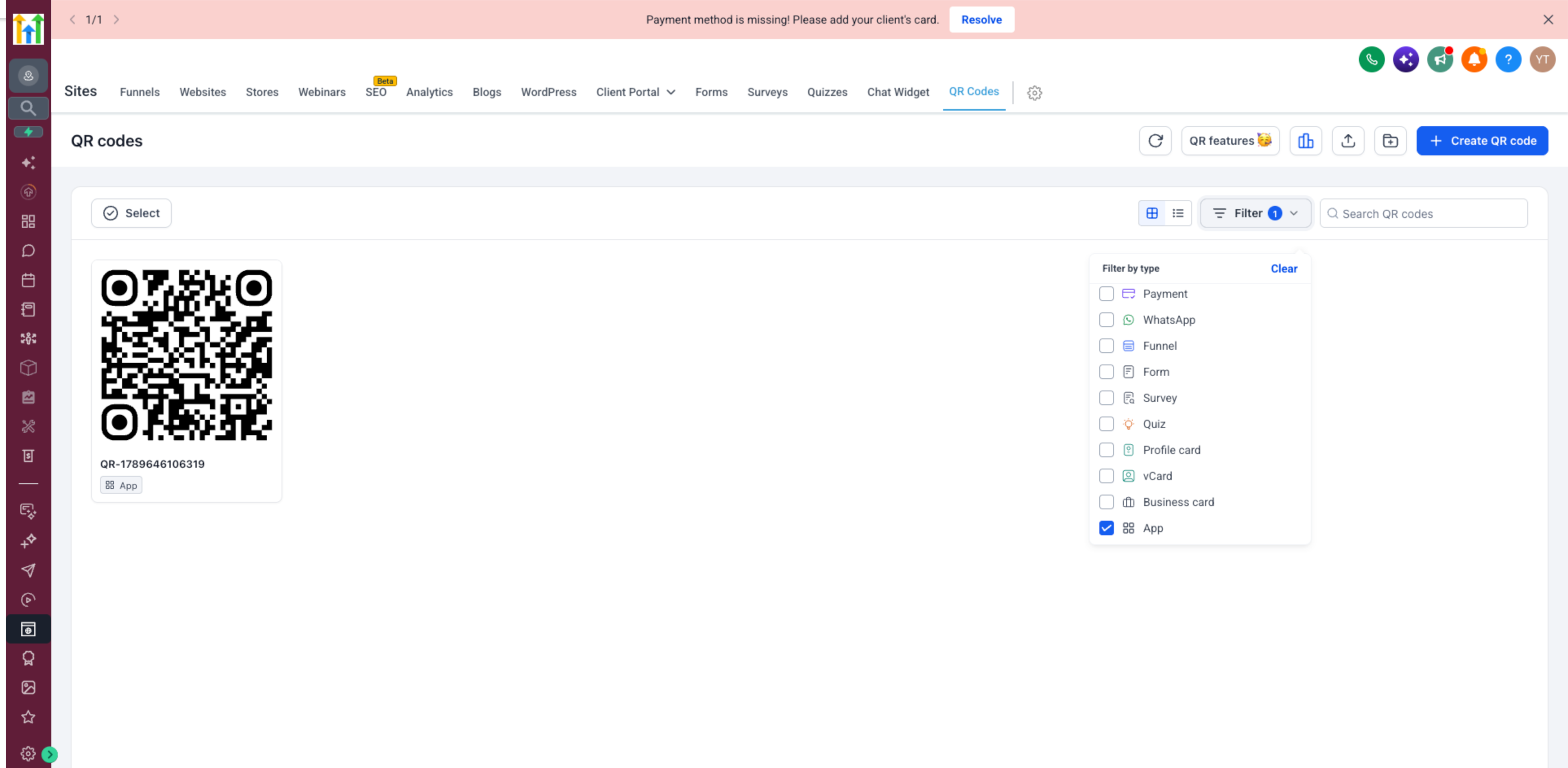
📱 Introducing App QR Codes
You can now create
App QR Codes
that automatically redirect users to the correct app store based on their device.
App QR Code
type, a single QR code can handle the entire experience.
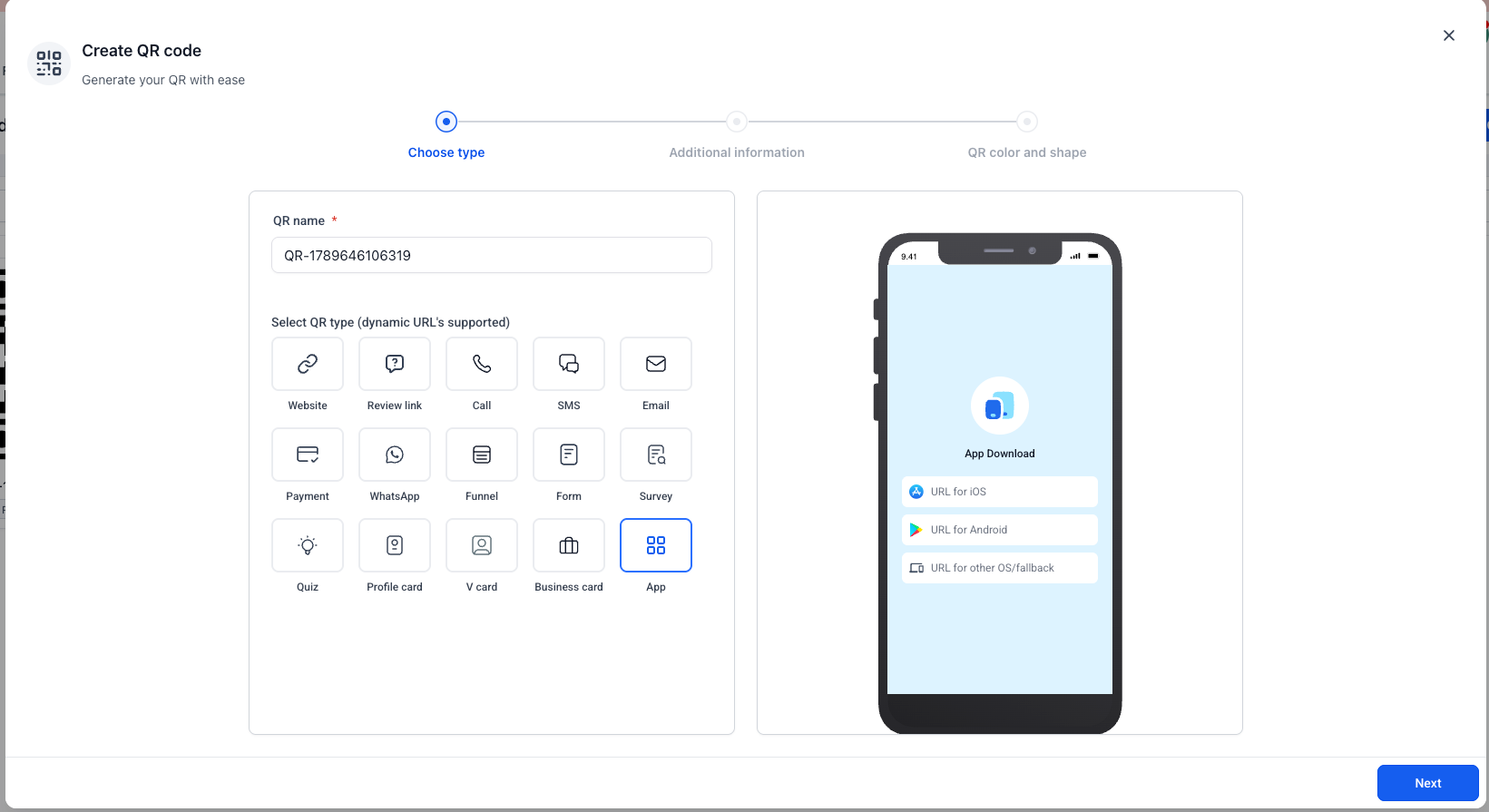
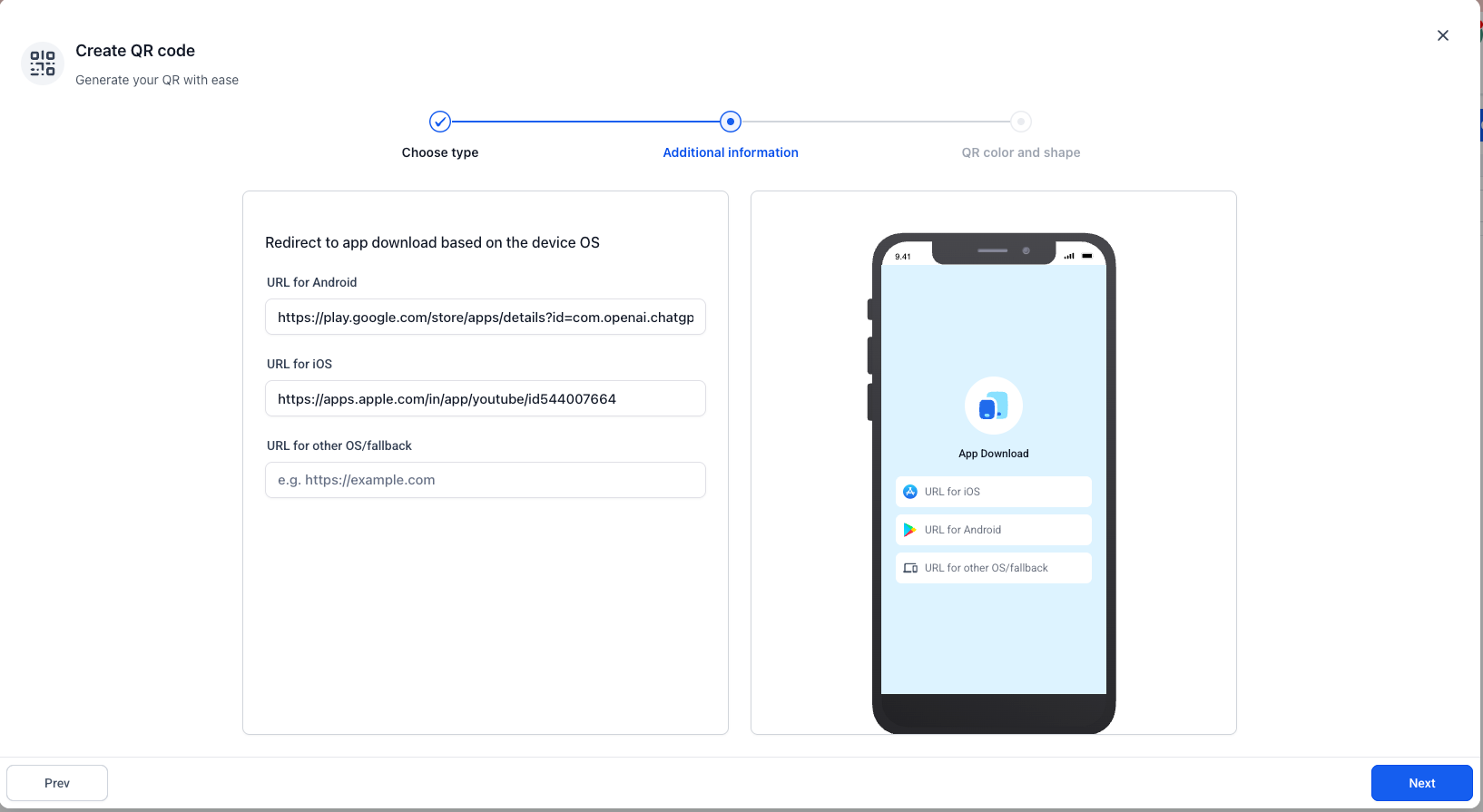
While creating a QR Code, select the new App QR Code type and configure:
-
App Store URL
for iOS users
-
Play Store URL
for Android users
-
Other Devices URL
as a fallback for unsupported or unidentified devices
When someone scans the QR code, their device is automatically detected and they are redirected to the appropriate destination:
-
iOS
→ Apple App Store
-
Android
→ Google Play Store
-
Other/Unknown devices
→ Fallback URL
campaigns, print materials, websites, and other promotional channels
while automatically routing users to the right destination.
QR Codes → Create QR Code → Select “App”
and add your App Store, Play Store, and optional fallback URLs.
The existing QR Code design and customisation experience remains unchanged.