
Improved Validation & Error Handling for Google & LinkedIn Ad Campaigns
Google and LinkedIn campaigns
in Ad Manager to make campaign publishing more reliable and easier to troubleshoot.
Google-specific improvements
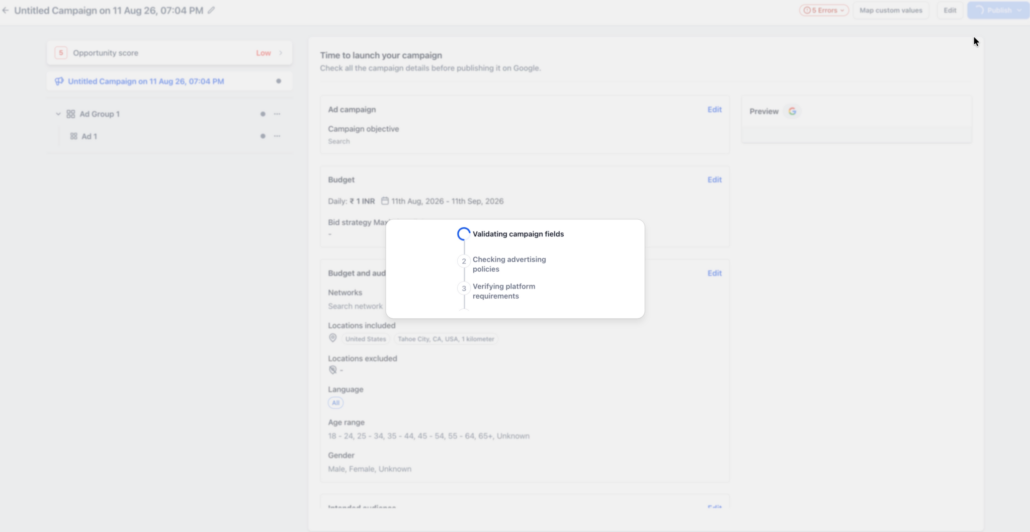
- Added a pre-publish validation flow covering campaign fields, advertising requirements, and Google platform requirements.
- Improved validation for
Demand Gen campaigns
, including required images, logos, videos, headlines, descriptions, long headlines, and carousel assets.
- Improved messaging for missing Website URLs and duplicate creative content.
LinkedIn-specific improvements
- Improved validation across
LinkedIn carousel cards
, including required headlines and URLs.
- Errors now provide better context about the specific carousel card requiring attention.
- Configure the campaign, ad groups/ad sets, and ads as usual.
- Click
Publish
.
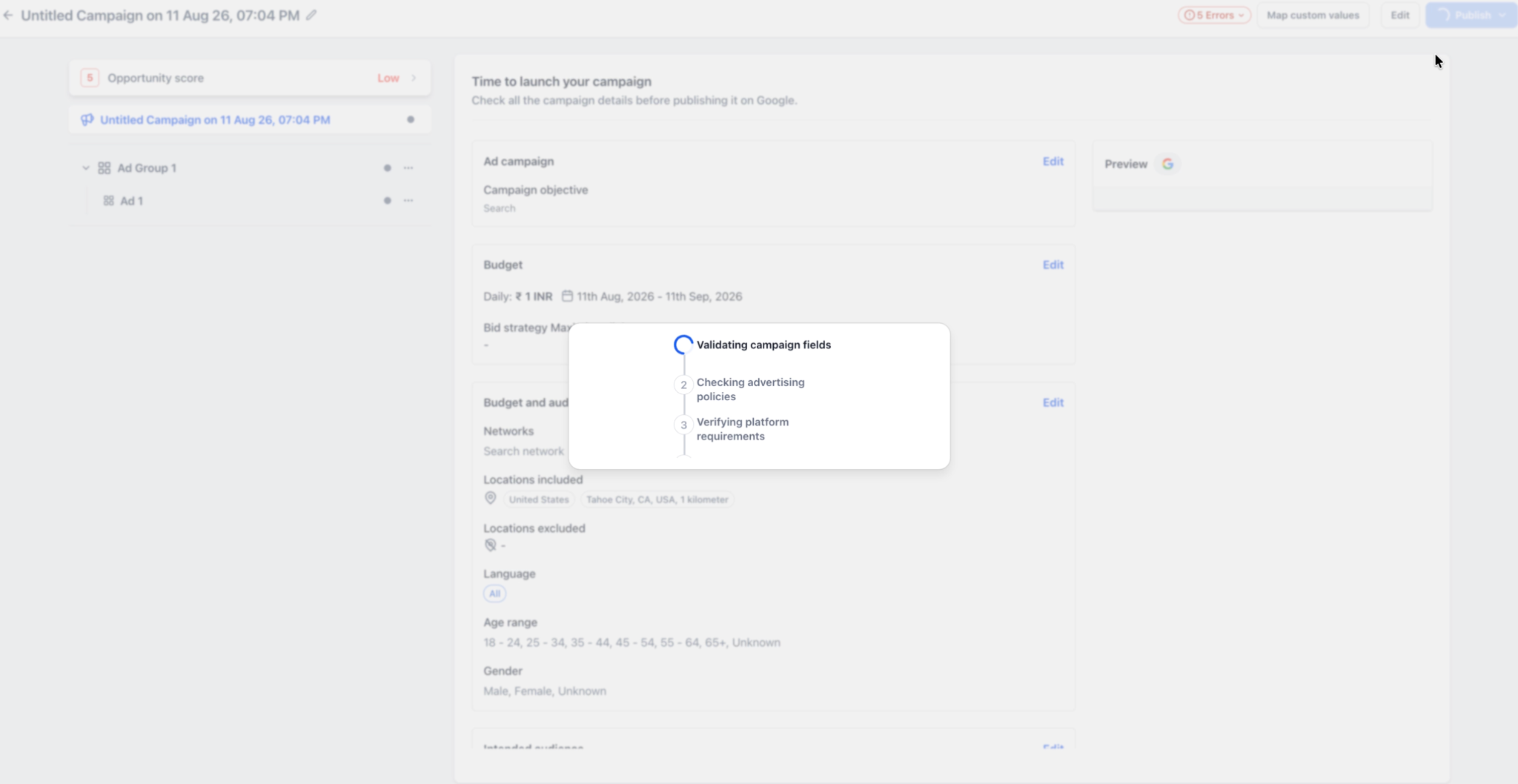
- Ad Manager checks supported campaign and creative requirements before publishing.
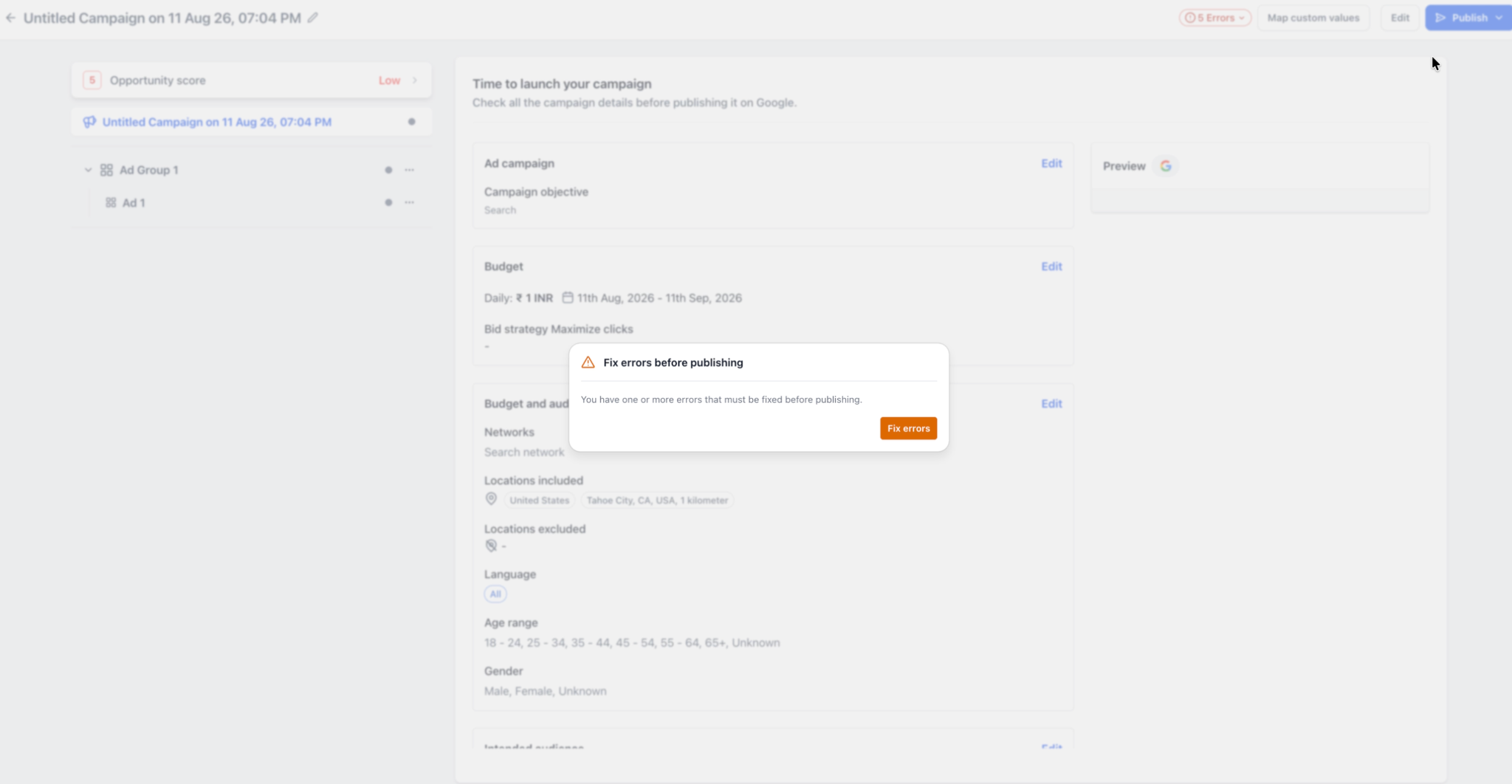
- If issues are detected, users see a
Fix errors before publishing
prompt.
- Open the error list to view all identified issues together.
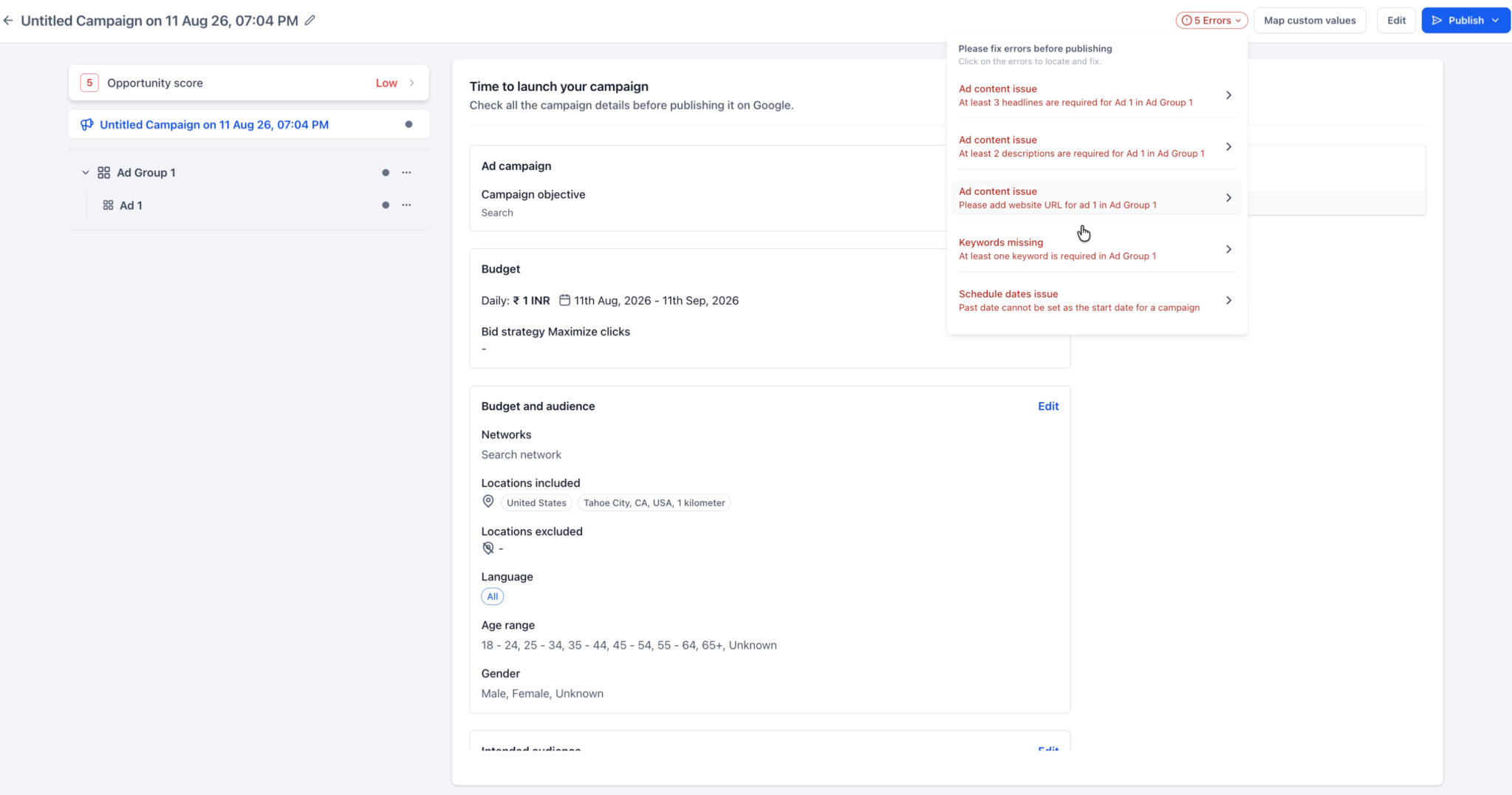
- Click an error to navigate directly to the affected field or section.
- Fix the issues and publish the campaign again.
Google campaigns
, an additional validation flow checks campaign fields, advertising requirements, and platform requirements before submission.
LinkedIn campaigns
, the improved experience focuses on UI validation and clearer identification of issues across creatives and carousel cards.
Previously, some validation issues appeared only after a publishing attempt or surfaced one at a time, resulting in repeated fix-and-retry cycles.
These improvements help users:
- Google campaigns now use the expanded pre-publish validation flow.
- LinkedIn continues to use its existing publishing flow, with improvements focused on UI validation and error handling.
- Additional platform-level errors or policy rejections may still be returned by Google or LinkedIn after submission.