Improved SEO Subscription Management | Clixio Changelog
📝 Overview
This update enhances SEO subscription management by providing a more guided experience for cancellations and improved visibility into changes made to subscriptions.
We have replaced the old one-click unsubscribe method with a structured process under ‘Manage Subscription’, offering users greater control over what occurs before and after cancellation.
🆕 What’s Improved
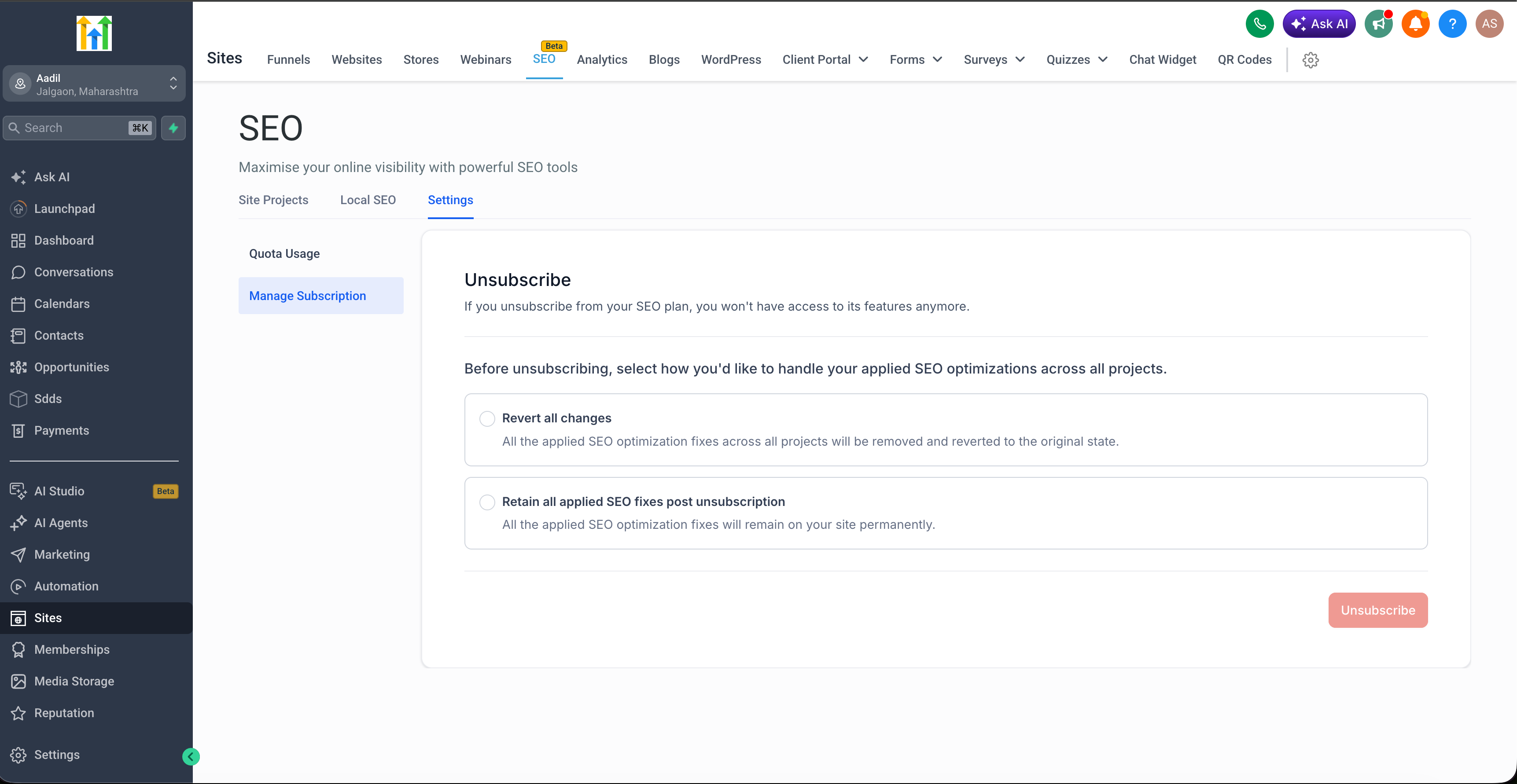
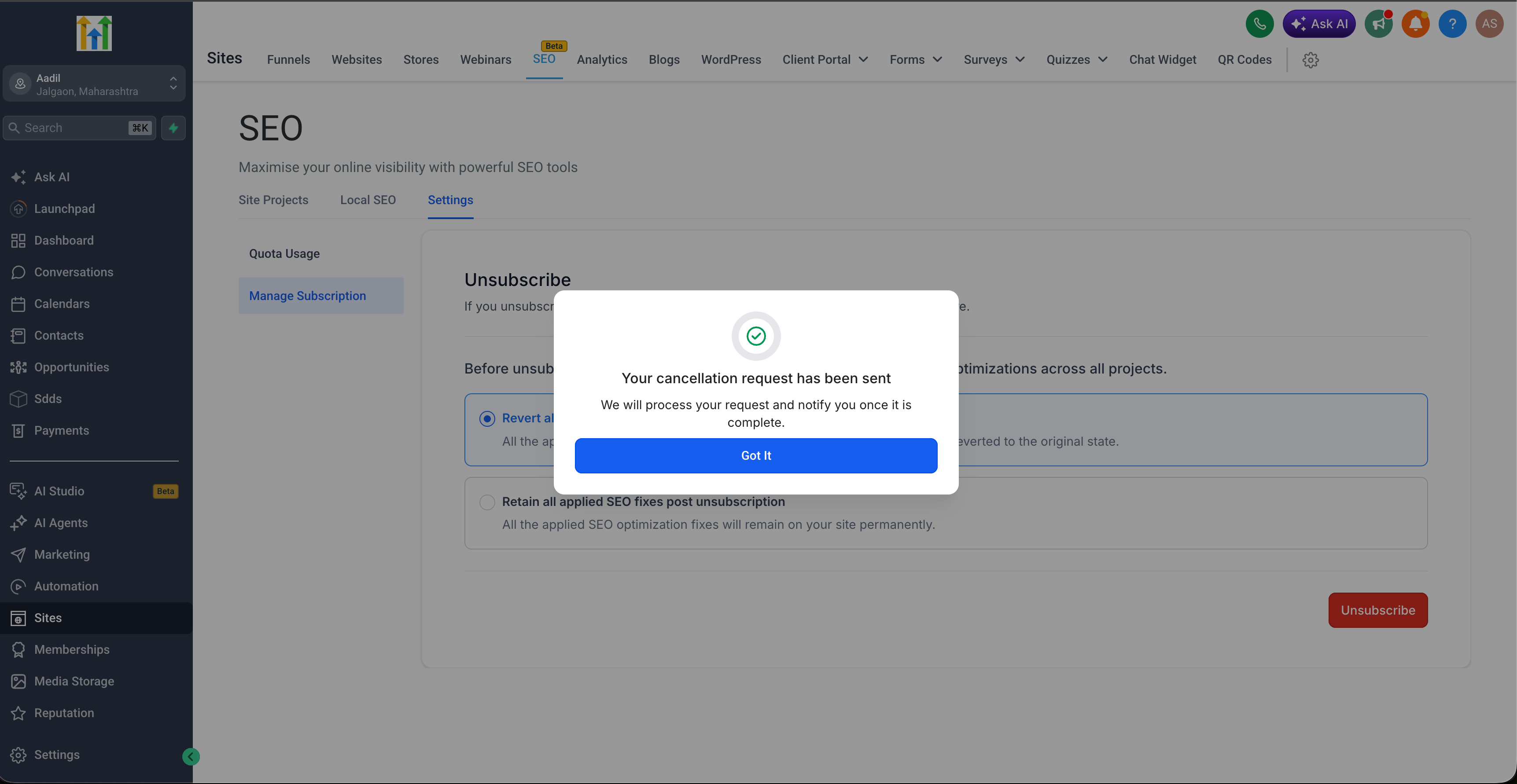
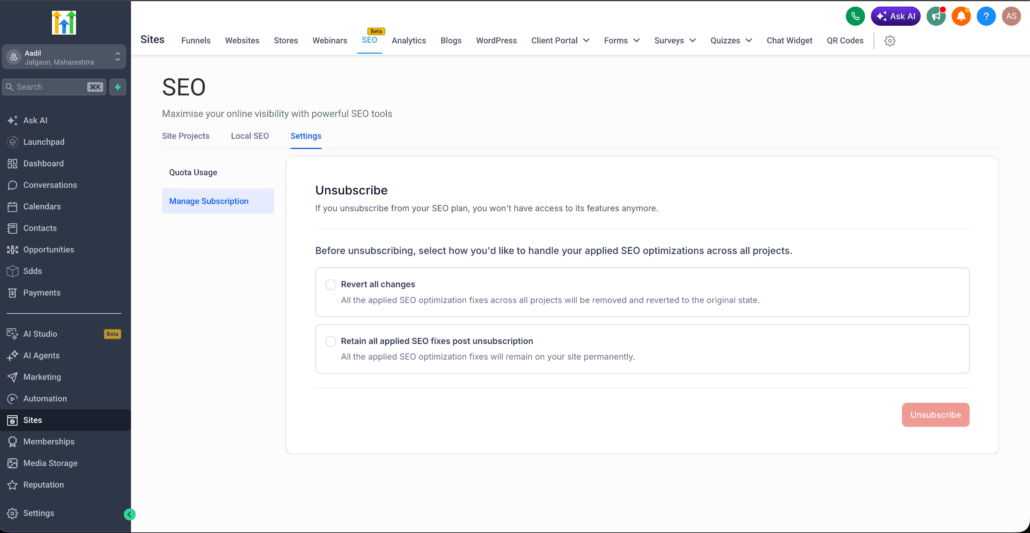
- Cancellation now occurs through a guided ‘Manage Subscription’ flow rather than a simple unsubscribe action.
- Before cancelling, users can choose to retain their SEO fixes or revert them.
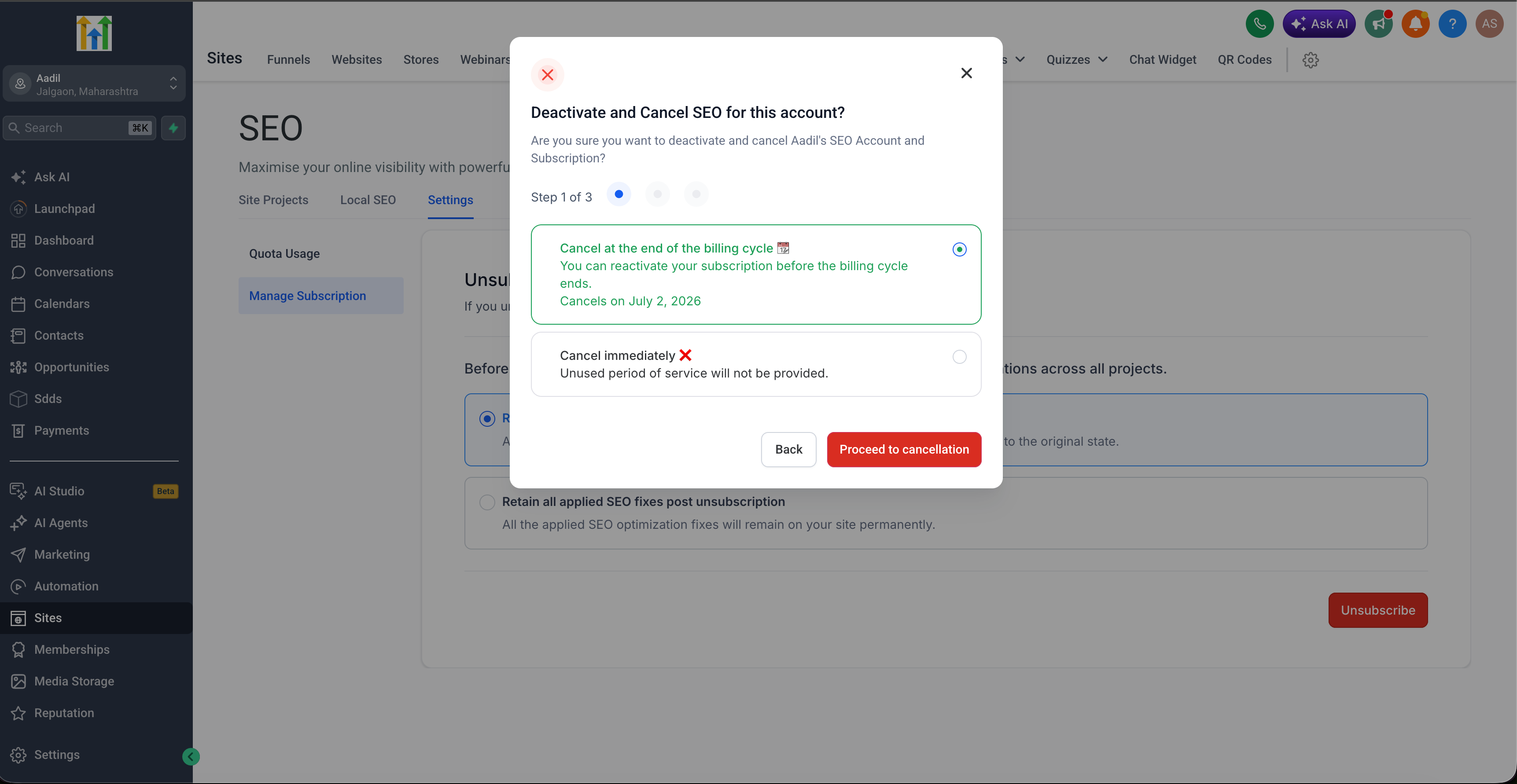
- Users have the option to cancel immediately or schedule the cancellation for the end of the current billing cycle.
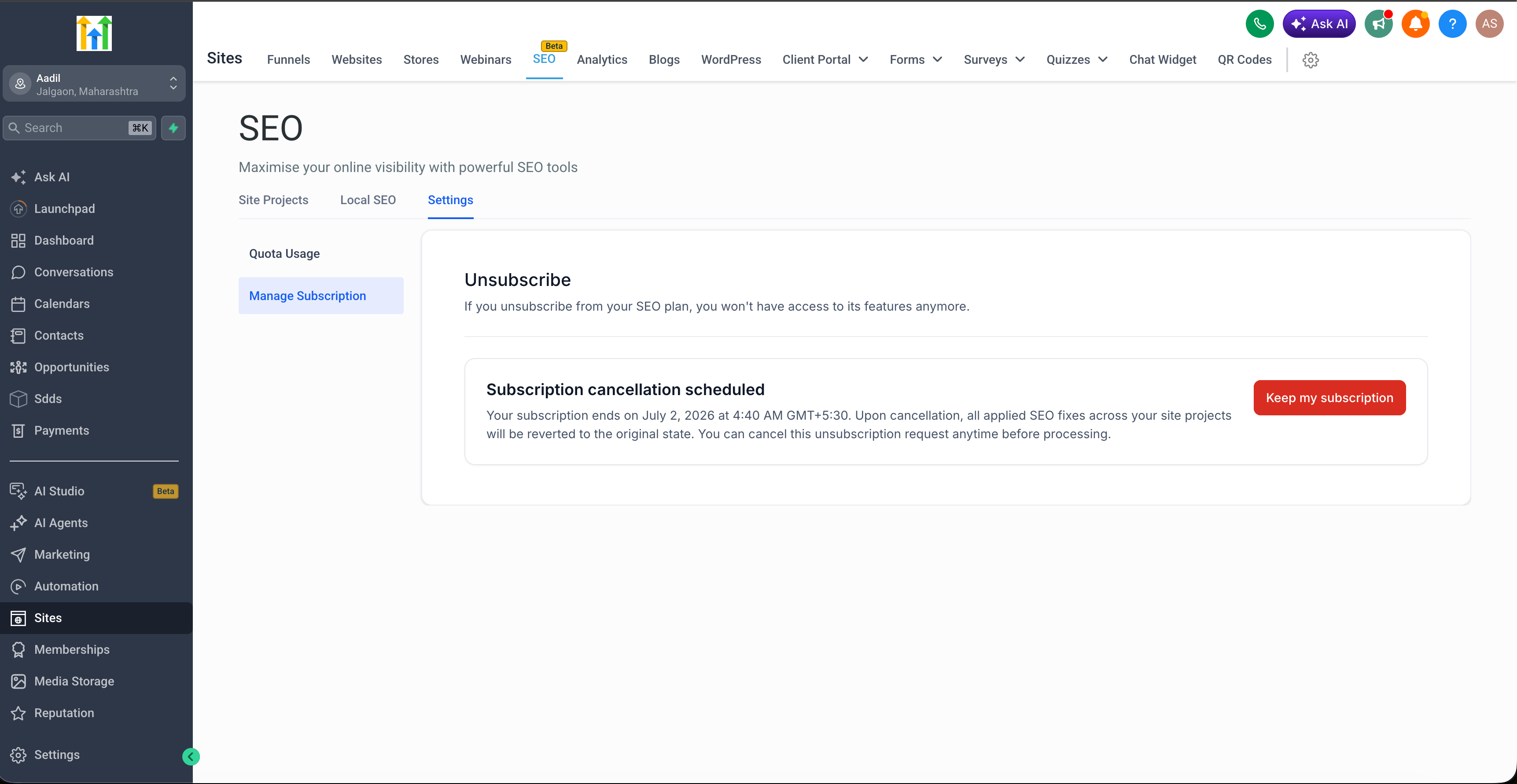
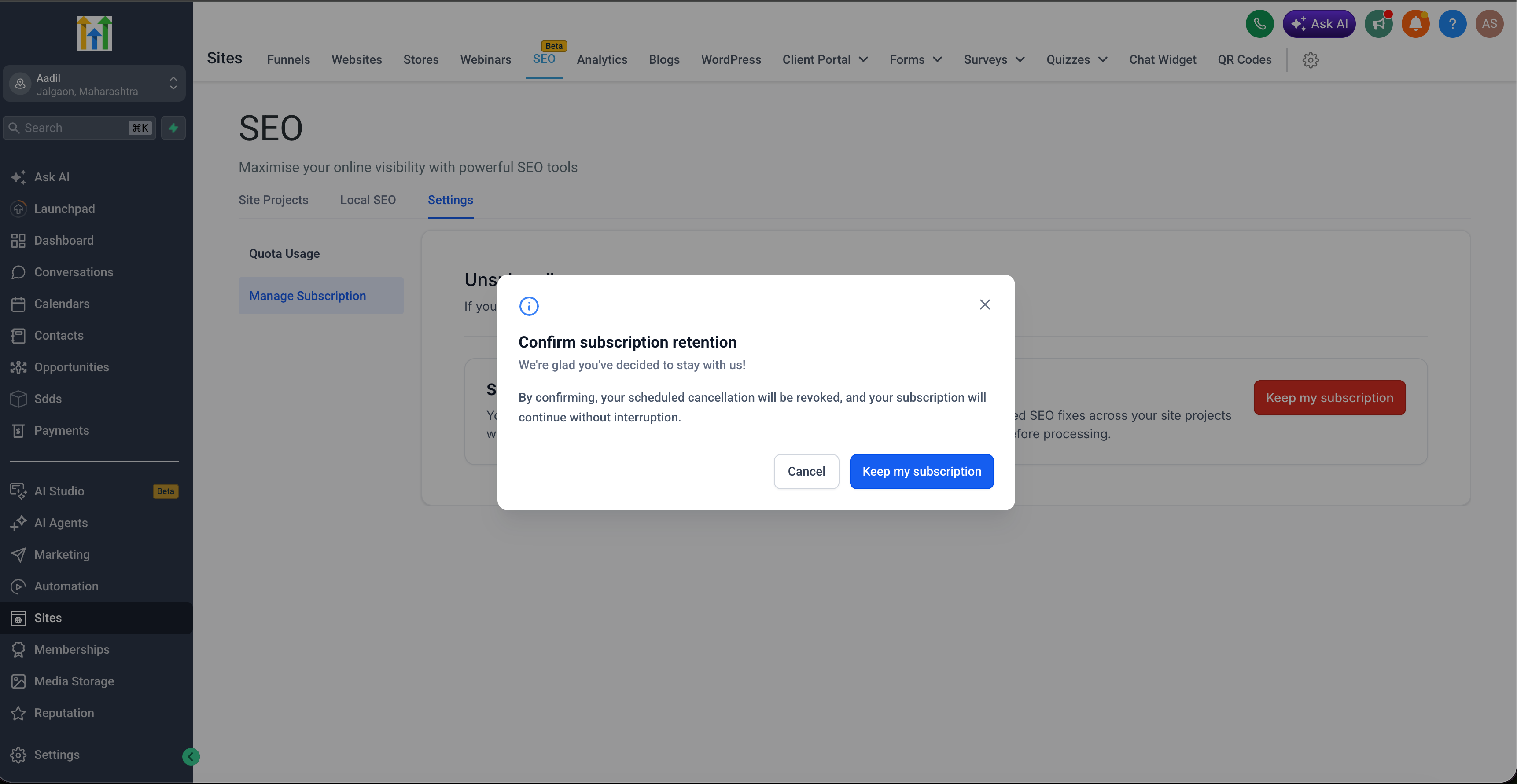
- Scheduled cancellations can now be easily revoked directly in the app using the ‘Keep my subscription’ option.
- Changes to subscriptions are now monitored more clearly behind the scenes, ensuring improved visibility and consistency.
🔍 How to Access
- Go to SEO.
- Open ‘Settings’.
- Click on ‘Manage Subscription’.
- Follow the cancellation flow to either keep or discard fixes, then cancel immediately or schedule your cancellation.
🎯 Why It Matters
- Empowers users with more control over their SEO work prior to cancellation.
- Clarifies the cancellation flow, making it more predictable.
- Allows users to reverse a scheduled cancellation without needing to contact support.
- Creates a more consistent subscription experience across the platform.