Gift Cards: Redeem Gift Cards While Collecting Calendar Payments
Meetings, Services, and Rentals
calendars.
Previously, Gift Cards could only be redeemed by customers through customer-facing checkout flows. With this update, businesses can apply a customer’s available Gift Card balance when collecting a payment on their behalf, including when charging a saved card or adding a new card.
offline/off-session Calendar payment flows
, creating a consistent redemption experience regardless of who initiates the payment.
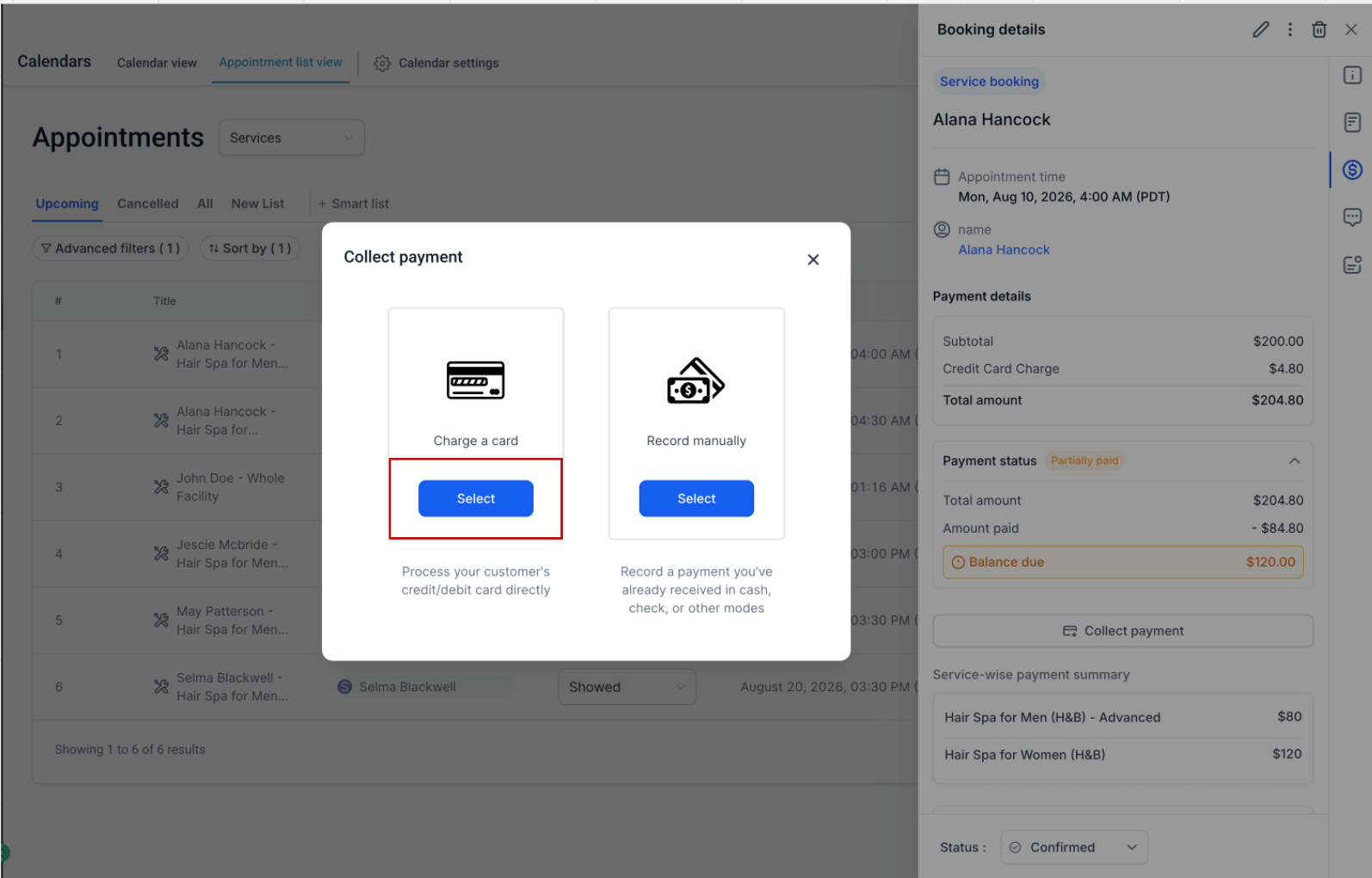
To redeem a Gift Card for an appointment:
-
Open the Appointment.
-
Navigate to the Payments tab.
-
Click Collect Payment.
-
Select Charge a Card.
-
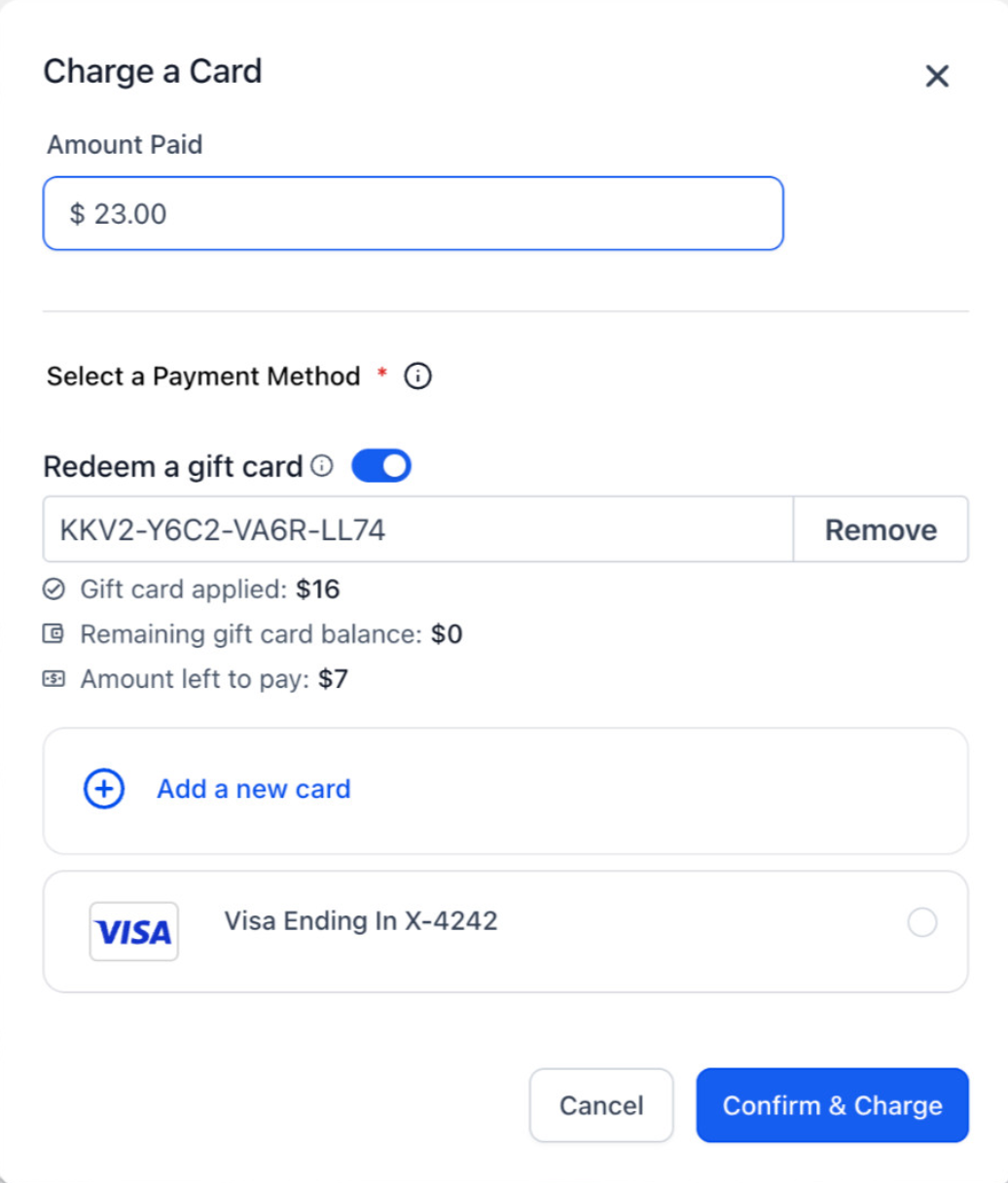
Choose Redeem a Gift Card and apply the customer’s available balance.
The Gift Card balance is applied before any remaining amount is charged to the customer’s saved payment method.
🎁 Consistent Gift Card Redemption
Gift Cards now behave the same way whether the customer or the business initiates the payment:
This means businesses can confidently accept Gift Cards regardless of who is initiating the transaction.
💳 Better Payment Visibility
Whenever a Gift Card is redeemed:
-
Transaction Details clearly show the amount redeemed using the Gift Card.
-
For split payments, the Gift Card amount and the amount collected through the other payment method are displayed separately.
-
The associated Gift Card Order is automatically updated with the remaining balance after every successful redemption.