Gift Cards – Gift Card Creation, Selling, Sending & Redemption Now Available for All
inside the platform. This release introduces the ability to create, sell, send, track, and redeem Gift Cards across a wide range of checkouts. After running in Labs for some time, collecting solid customer feedback, and implementing some of it immediately, we have launched Gift Cards for all agencies & sub-accounts.
that customers can purchase for themselves or others—or that businesses can issue directly for loyalty, compensation, refunds, or promotions.
This launch includes the following major capabilities:
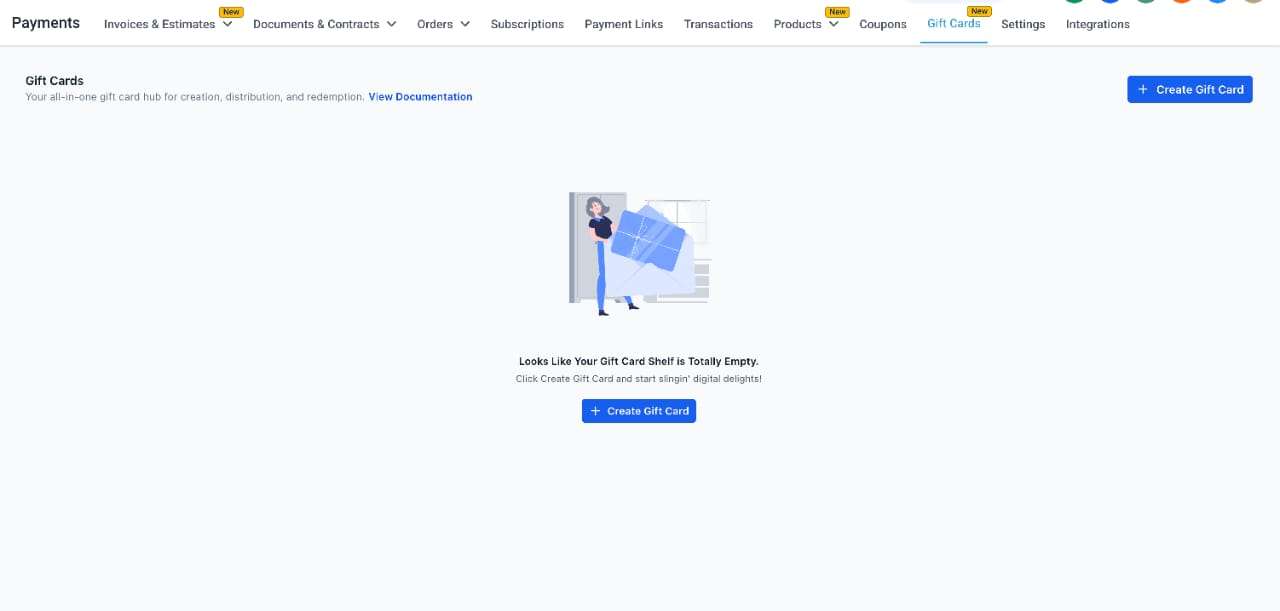
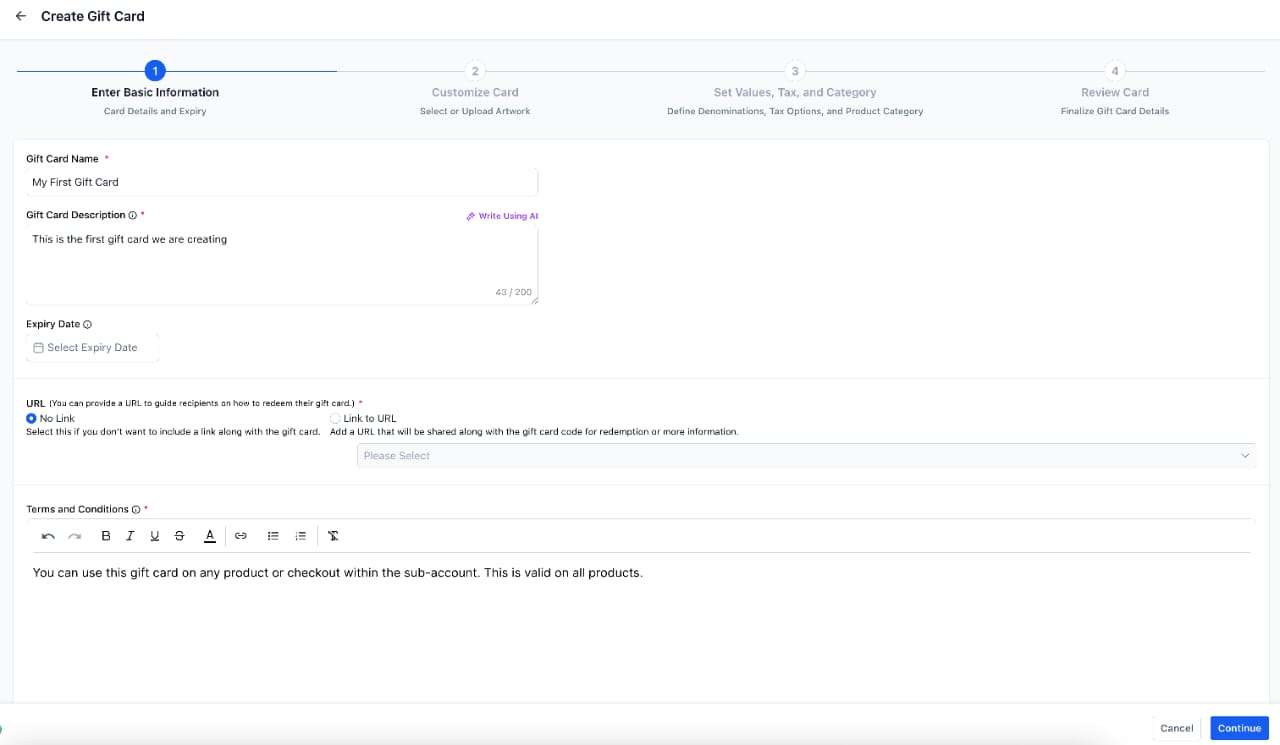
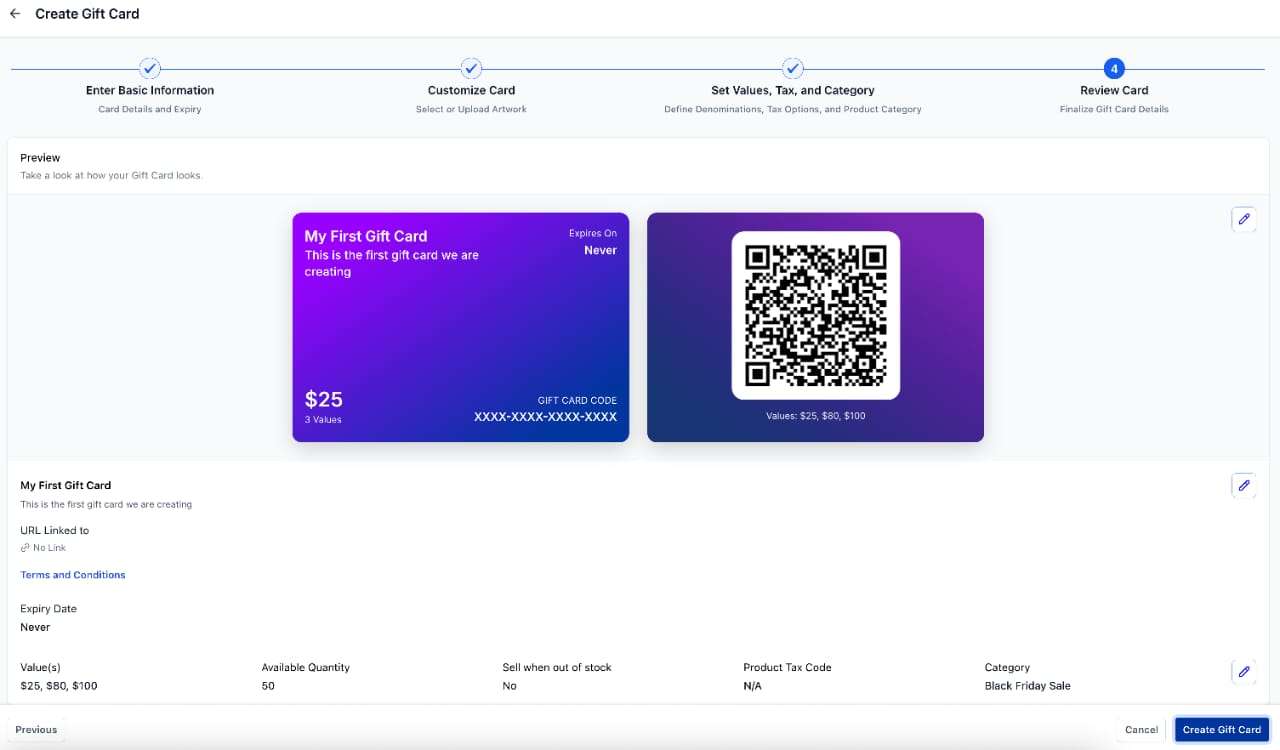
Businesses can now create Gift Card Products from the new Gift Cards module under Payments. Gift Card Products include a rich set of attributes, such as:
- Gift card name, description, terms & conditions along with an option to attach a redemption link in the emails
- Expiry date (optional, applies to all Gift Card Orders created from this product)
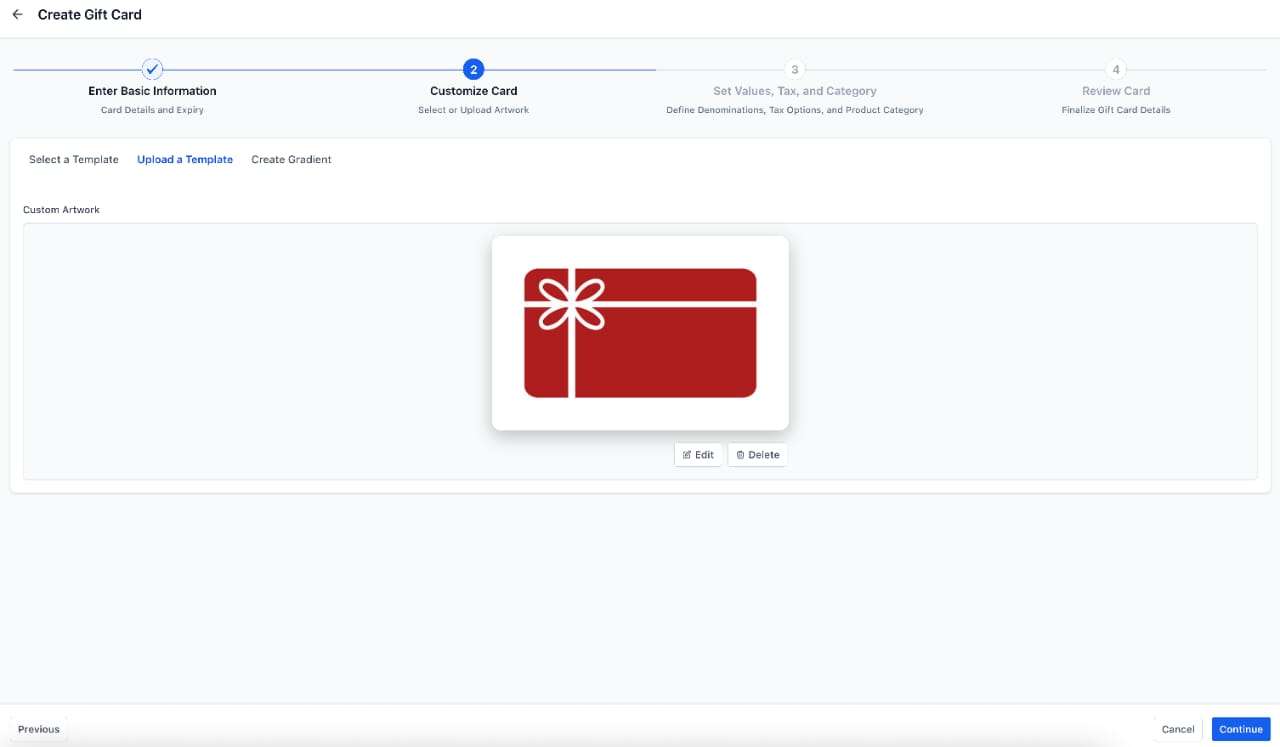
- Artwork and branding elements – Custom upload along with creating your own gradients
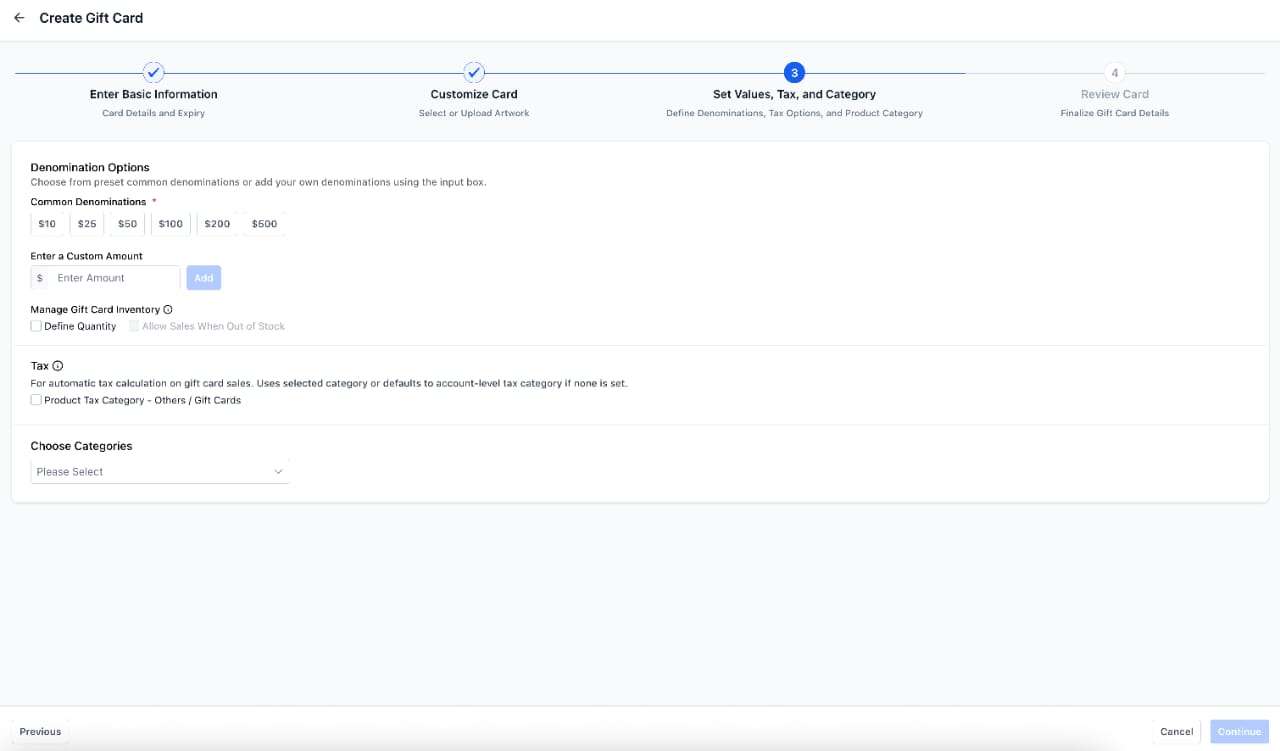
- Multiple denominations support with per-denomination inventory
- Automatic tax application using the Gift Card tax category (optional)
- Categorisation with ‘Categories’ (optional)
- All of the above information can be previewed before creating the gift card
Additional nuances with gift card creation:
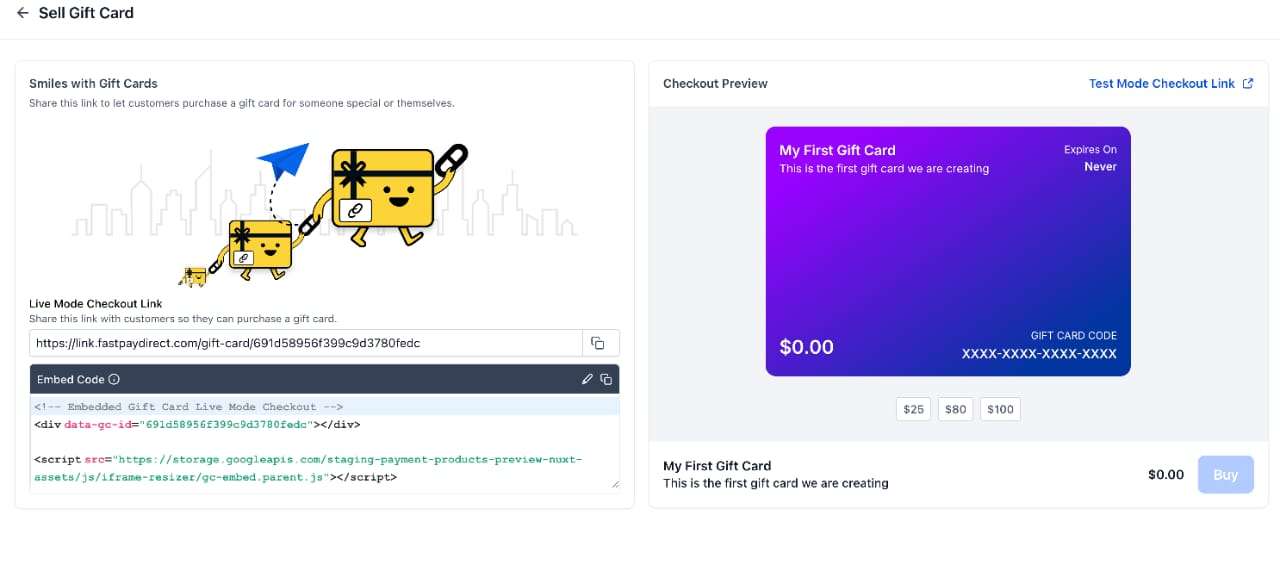
Every Gift Card Product automatically receives a dedicated checkout page in both Test and Live modes.
Businesses can sell Gift Cards through:
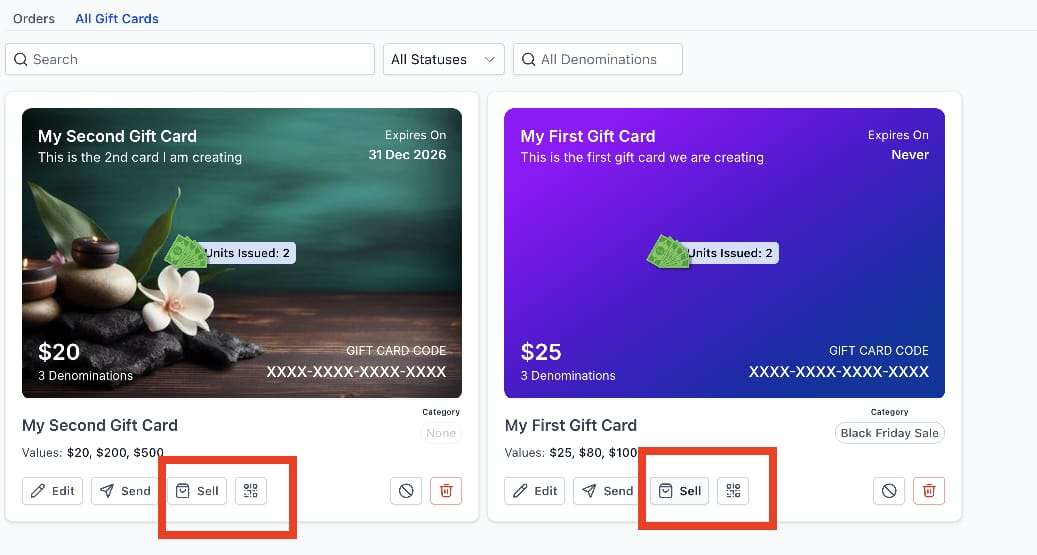
- Dedicated Gift Card Checkout Link (unique per product)
-
Embed Code
— add the dedicated checkout directly into any website page
-
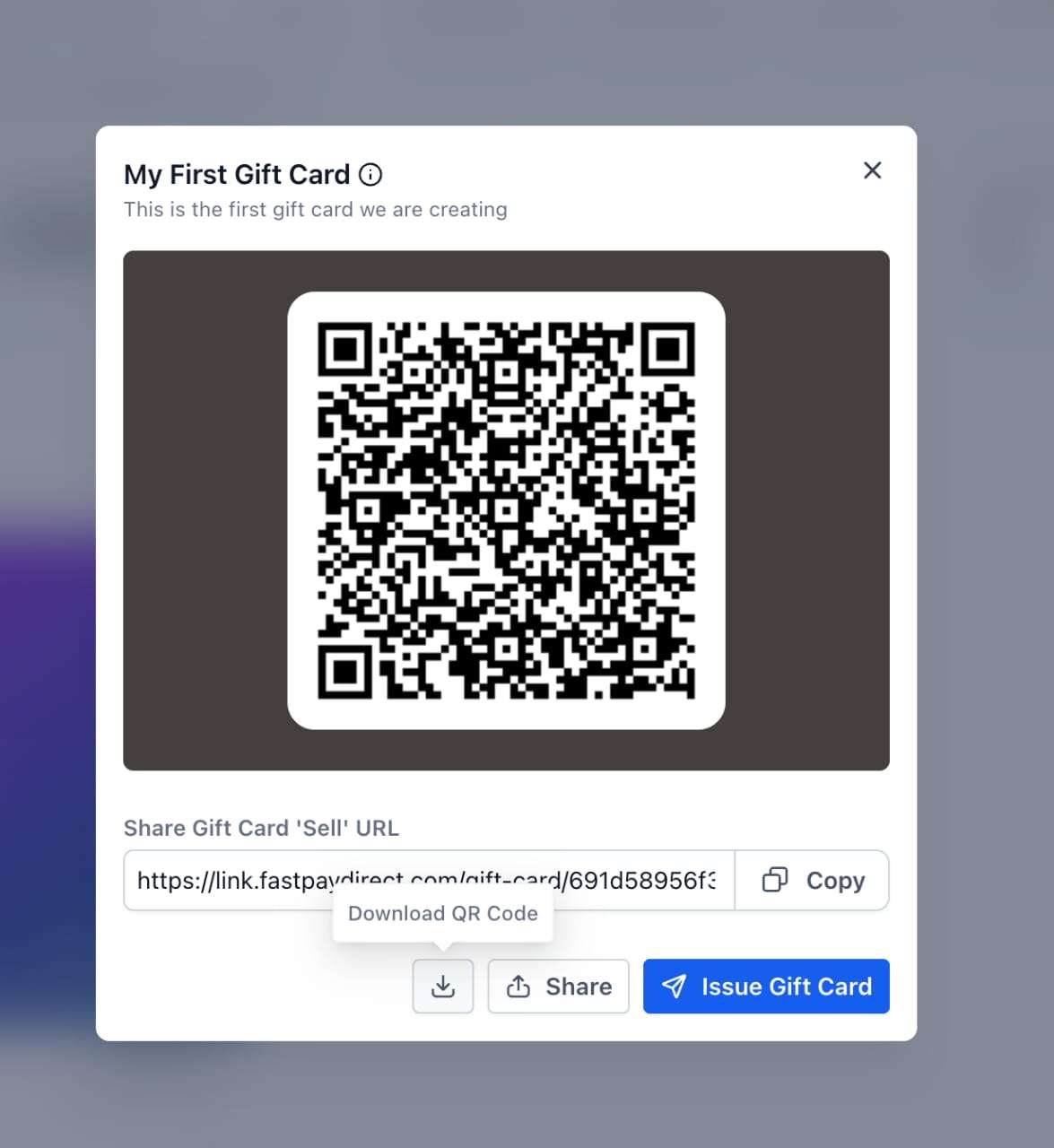
QR Code
— ideal for in-store displays, print campaigns, or sharing via apps — redirects to the dedicated gift card checkout link
-
Existing Checkouts
by adding the Gift Card as a product to funnels (One-step and Two-step order forms), forms (Sell Product), payment links, invoices, stores, calendar payments (if products are supported), and websites
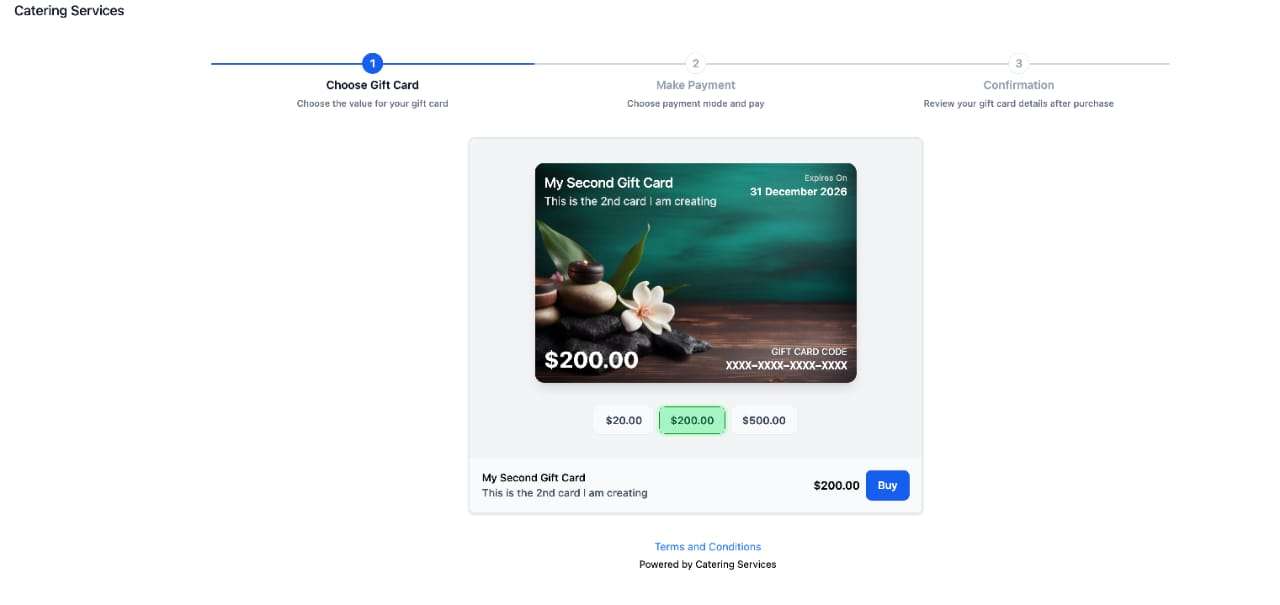
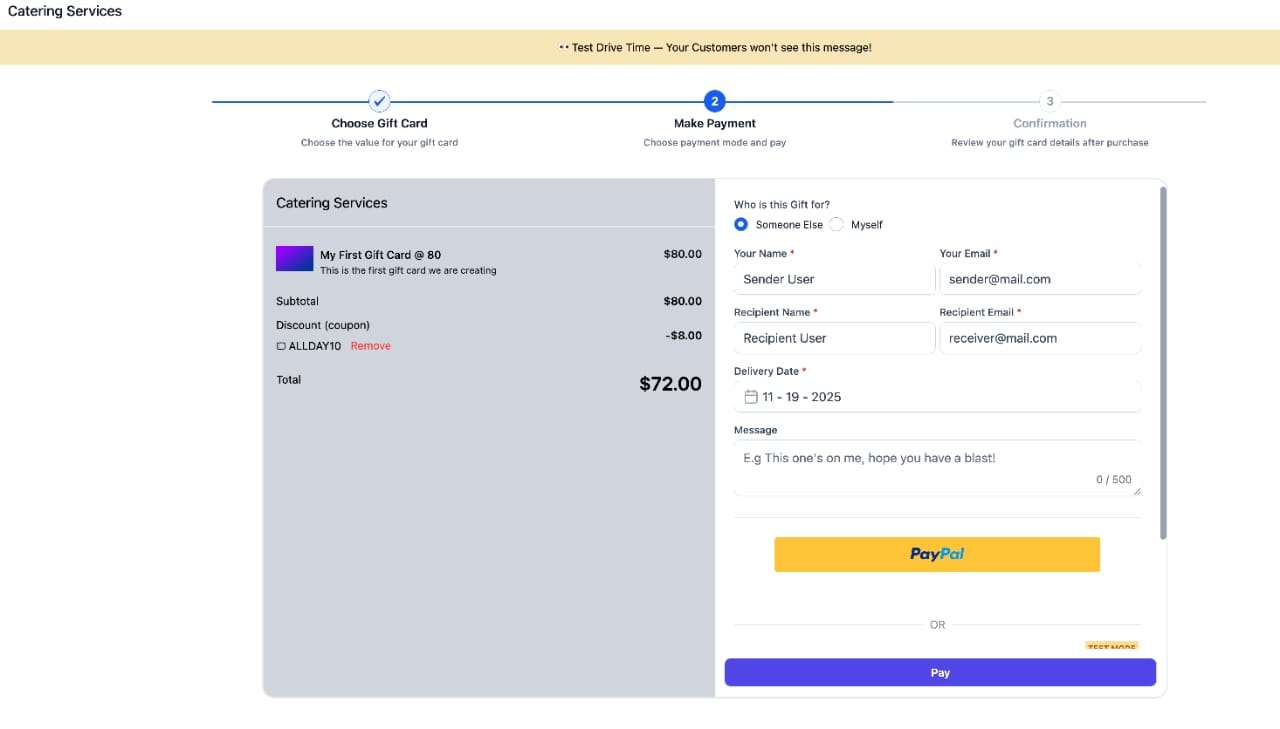
At the dedicated checkout link, customers can:
- Choose a denomination from available options within the gift card product
- Choose
Buy for ‘Yourself’
or
Buy for ‘Someone Else’
- For “Someone Else”: capture recipient + purchaser (transaction receipt goes to purchaser; Gift Card goes to recipient)
- Select
immediate or scheduled delivery
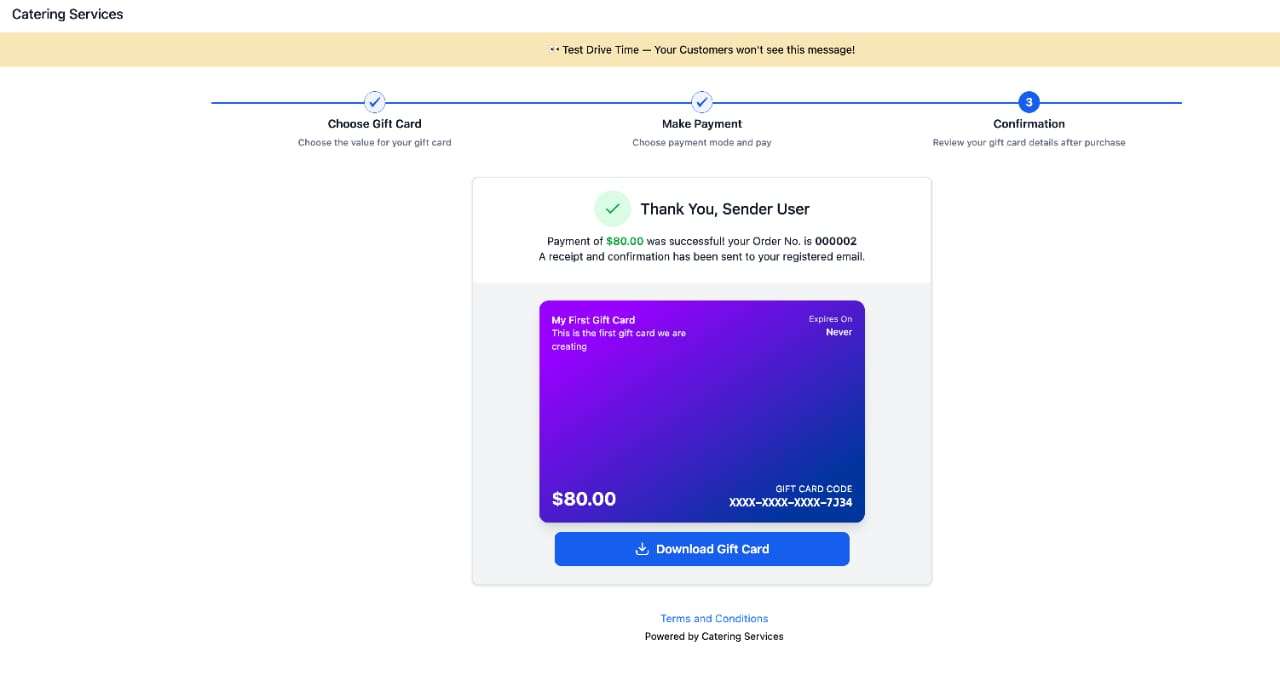
- Complete payment (in Live or Test mode depending on the link)
- Gift Card Order for scheduled deliveries remains inactive until the scheduled delivery time but, if the code is accessed, it can still be redeemed.
- Gift Cards
sold/purchased in test or live mode
can only be
used for redemption on checkouts in test or live modes respectively
; i.e., redemption cannot be done for test gift cards on live checkouts or vice versa.
For gift cards purchased via existing checkouts:
- If the invoice, payment link, store, funnel, etc. is in test mode, any gift card product purchased would also be purchased in test mode and can only be redeemed in test mode.
- When a gift card is sold as a product on any existing checkouts, it is delivered to the email address of the customer buying the gift card.
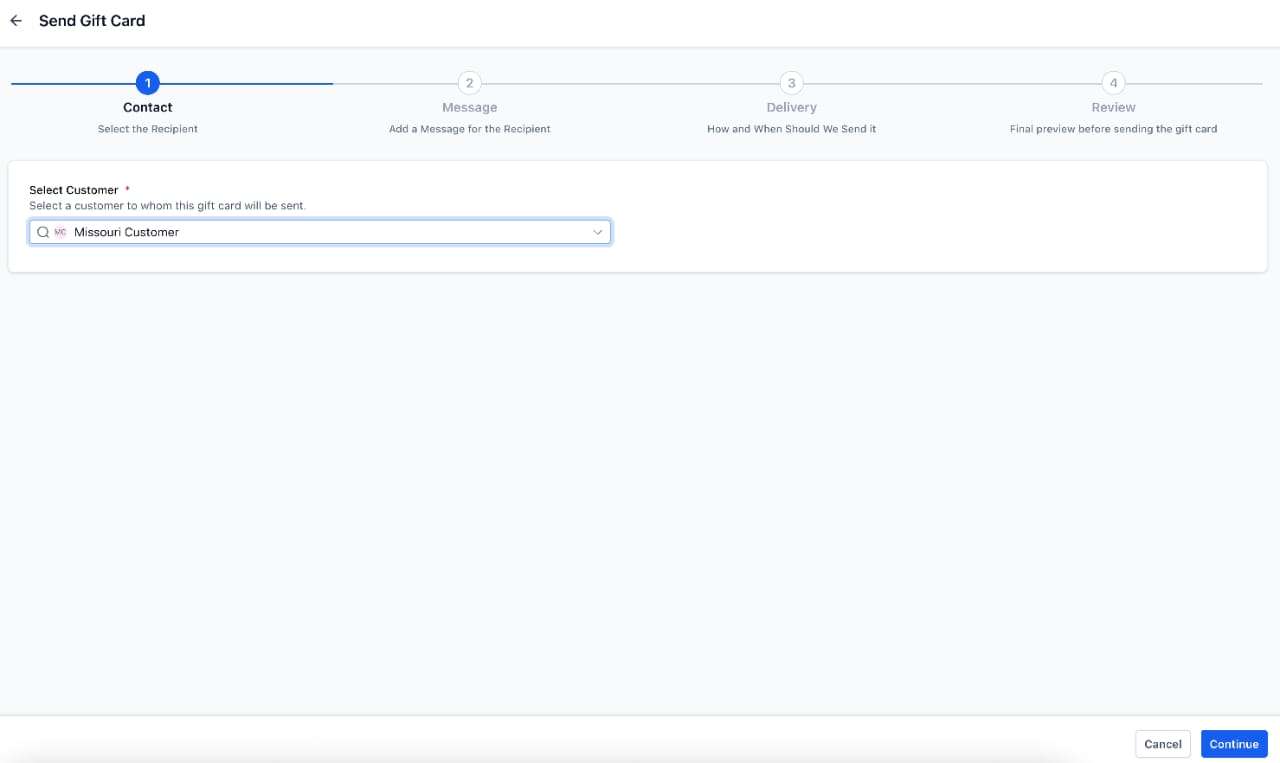
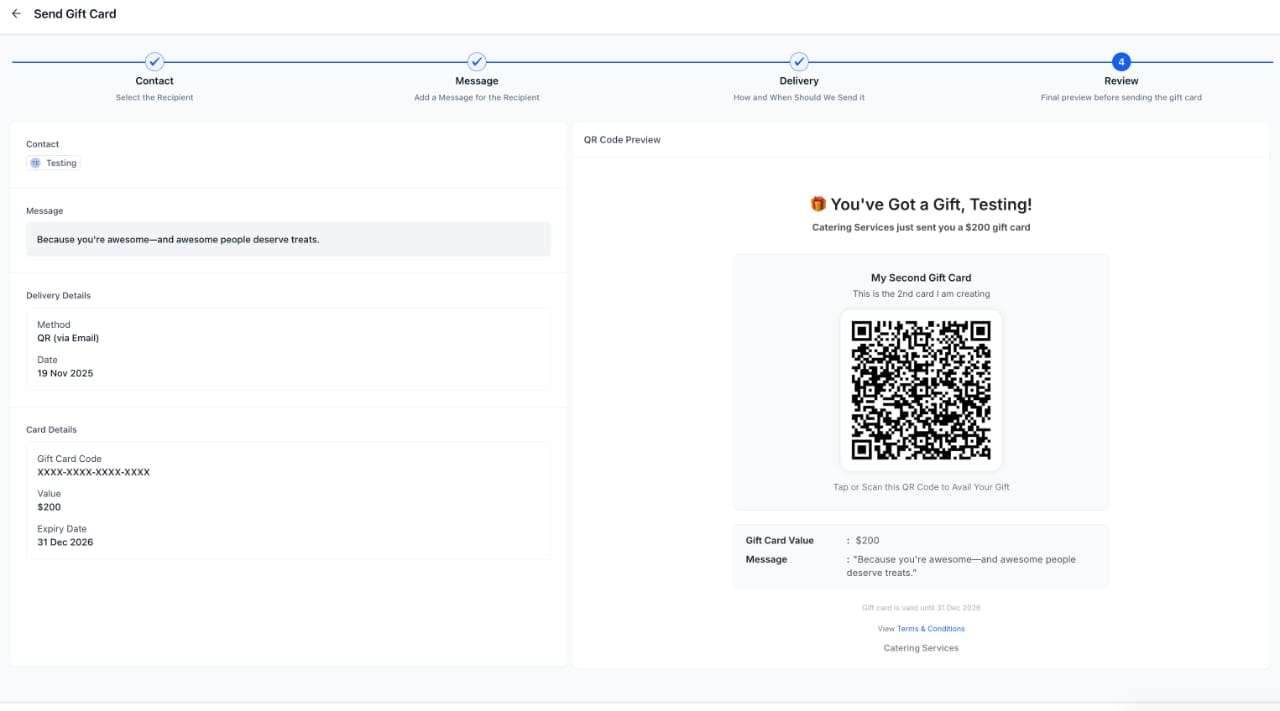
Businesses can issue gift cards to any customer using the Send flow (Live mode only). This is ideal for compensation, reward programmes, customer delight, or replacing credits.
Process to send gift cards to customers:
- Choose a customer from the existing customers list
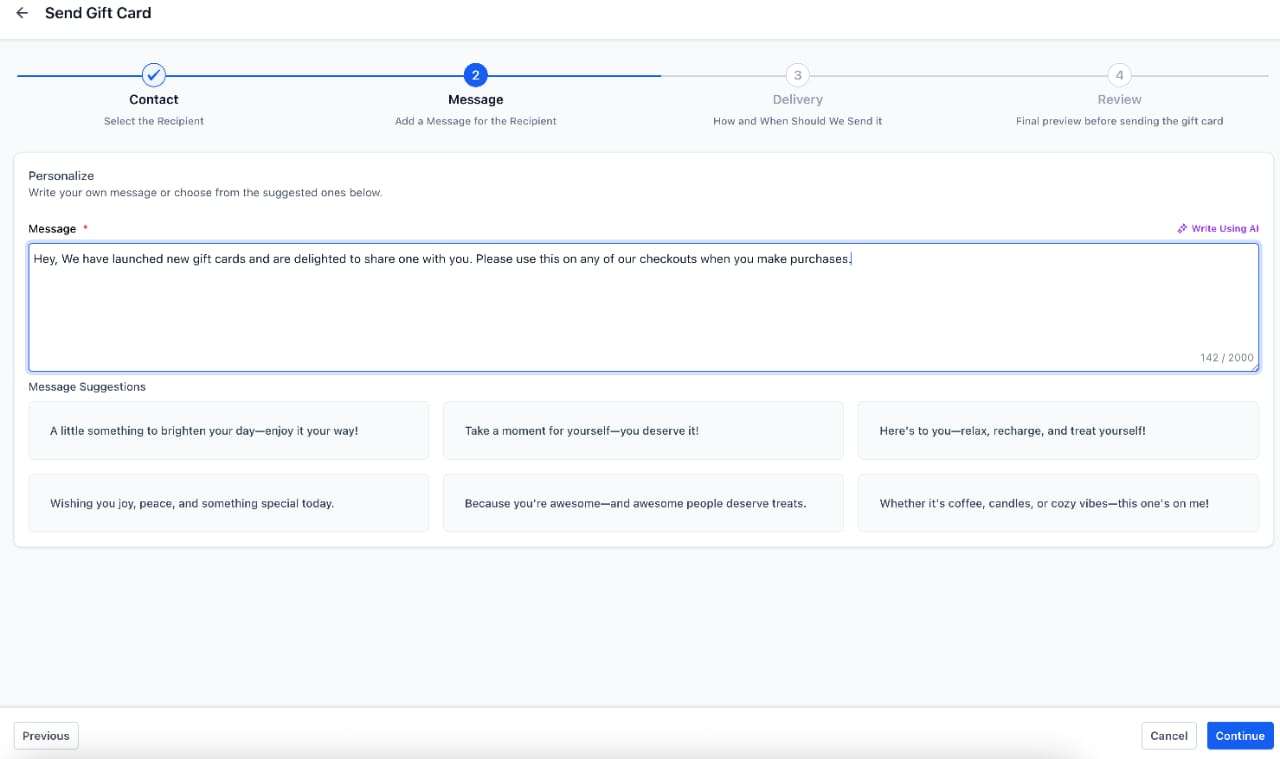
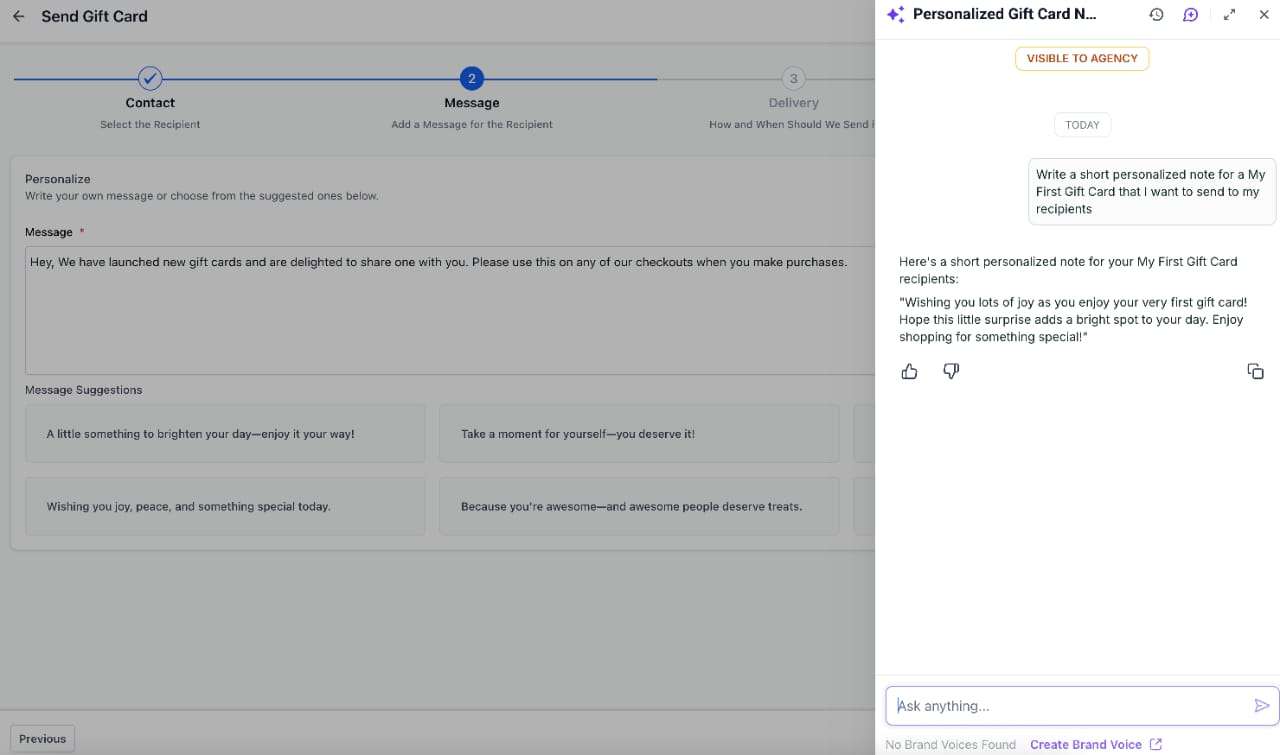
- Add a personal message that will be sent with the gift card — you can also use
‘Write with AI’
to draft the message
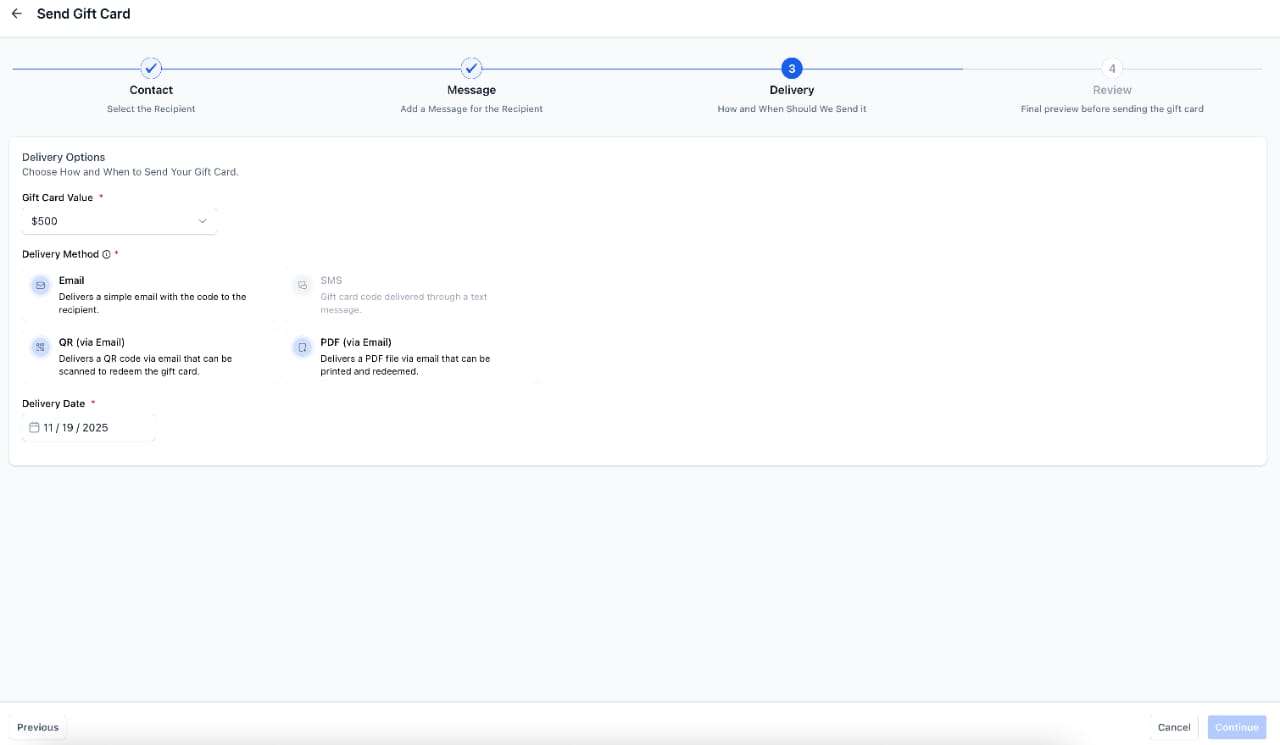
- Deliver via Email, SMS, QR link (via email), or PDF (via email) — you can send via any one mode based on the customer’s email address or phone number availability
- Schedule delivery for a future date — Gift Card email/SMS is sent and becomes active on the scheduled date without requiring payment
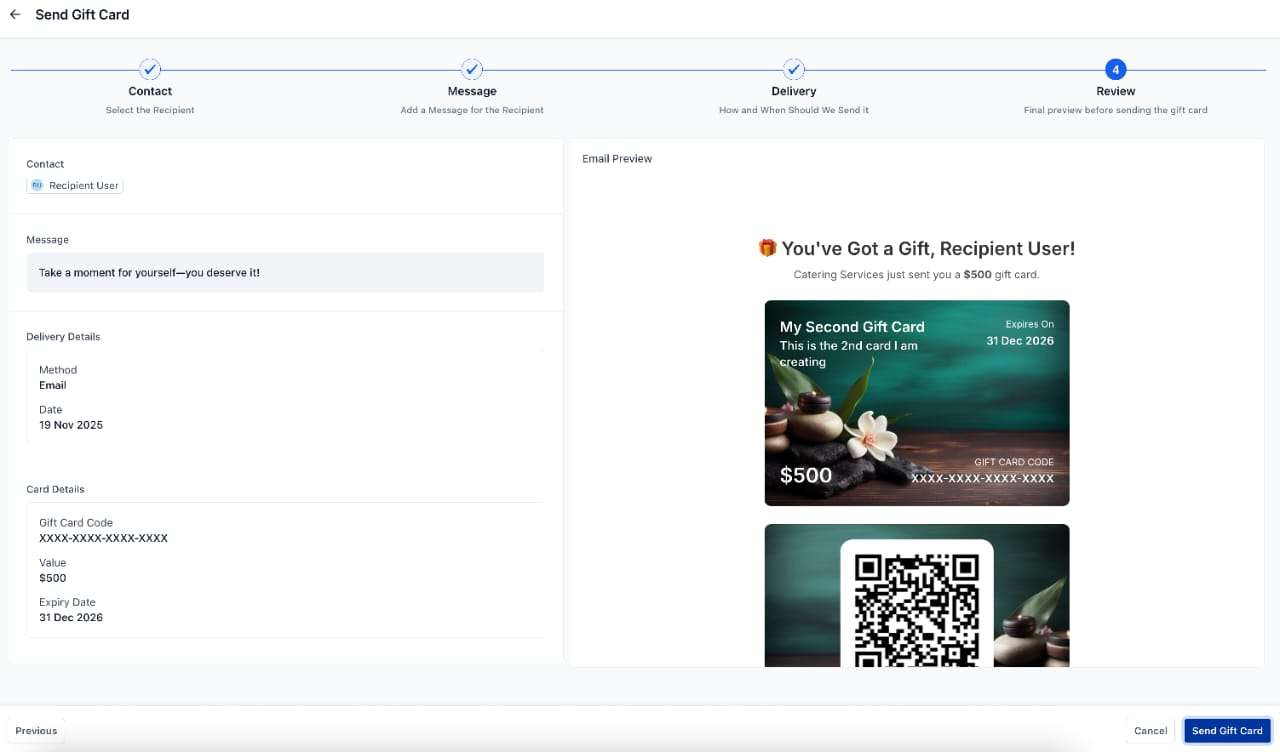
- View the preview of the communication content (non-editable), including the gift card and other details
Additional nuances regarding sending gift cards:
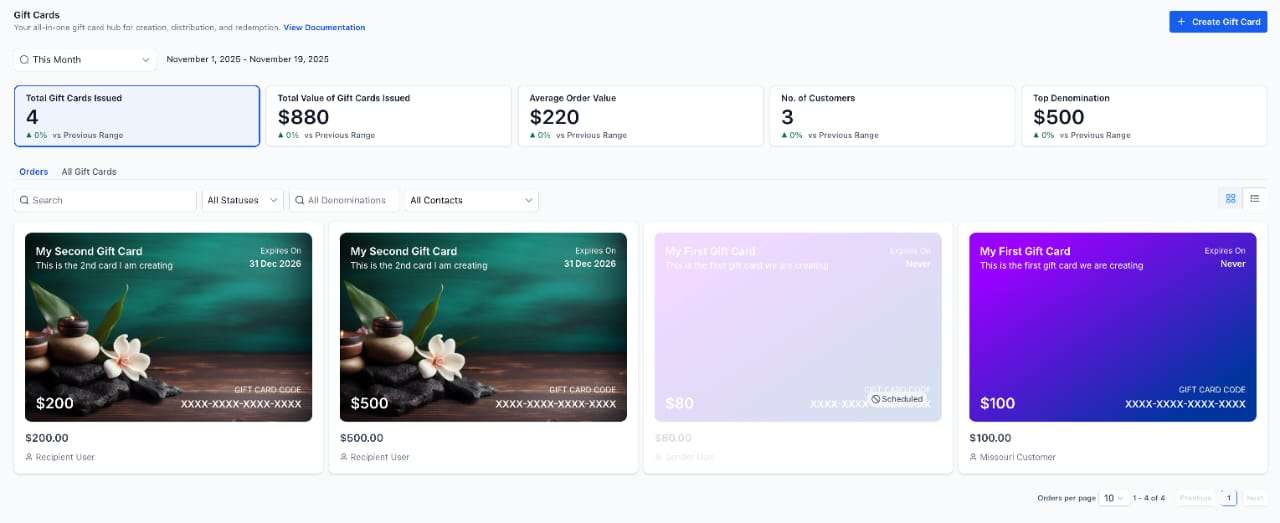
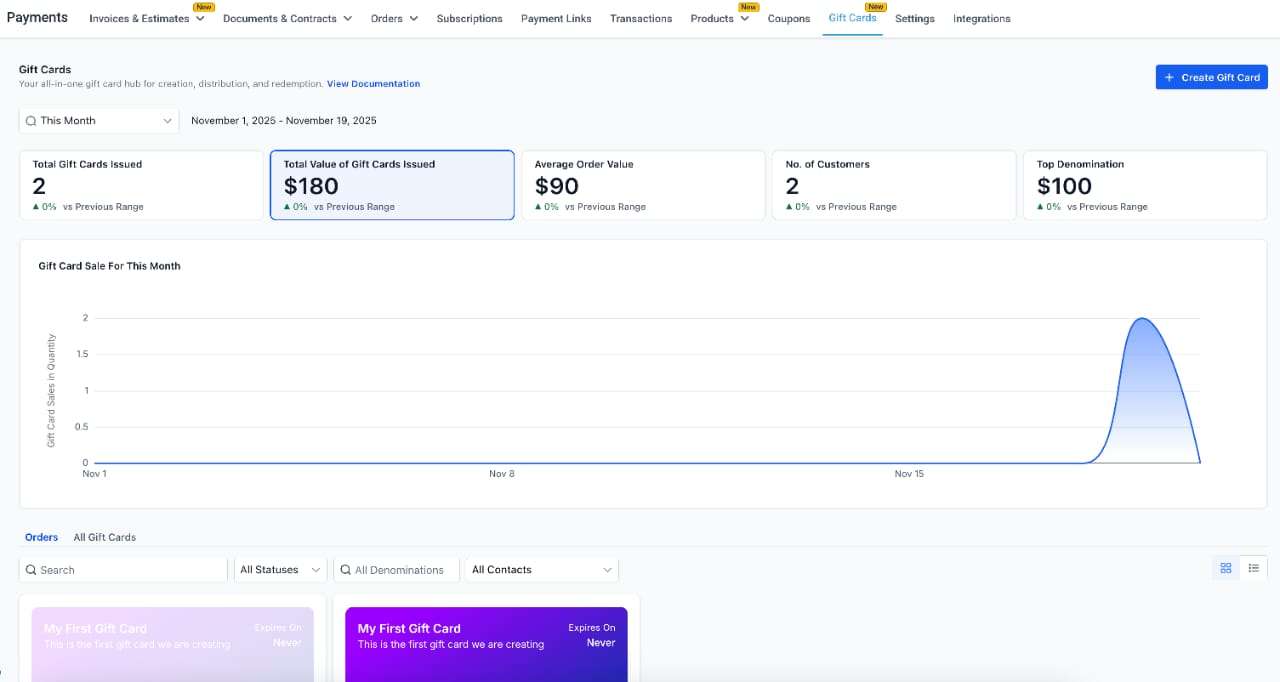
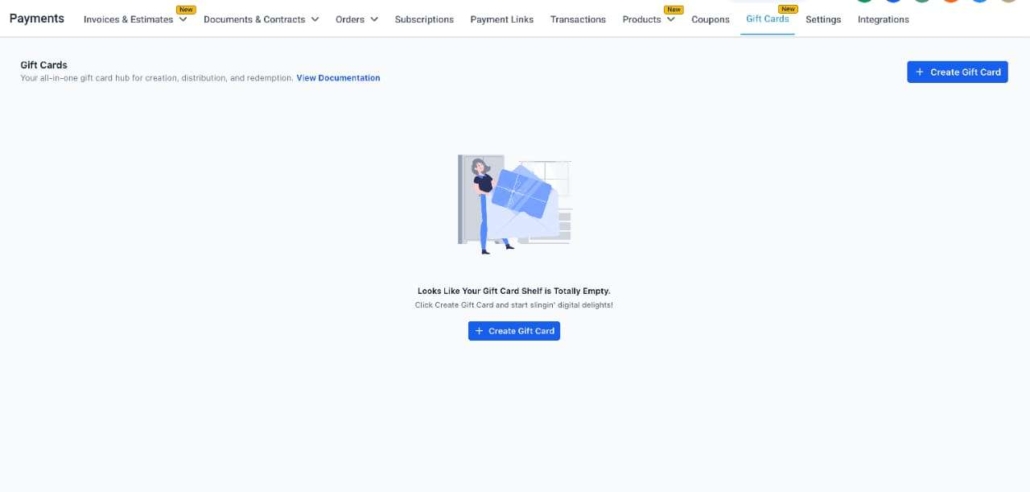
A new Gift Card Orders tab is available under Payments → Gift Cards, showing every issued card—whether purchased or directly sent. This tab becomes visible only after the first gift card is sent or sold.
The gift card orders page lists all sold or sent gift cards along with their statuses, balances, filters, and customer details. All cards on this page are clickable and open a detailed page for that order.
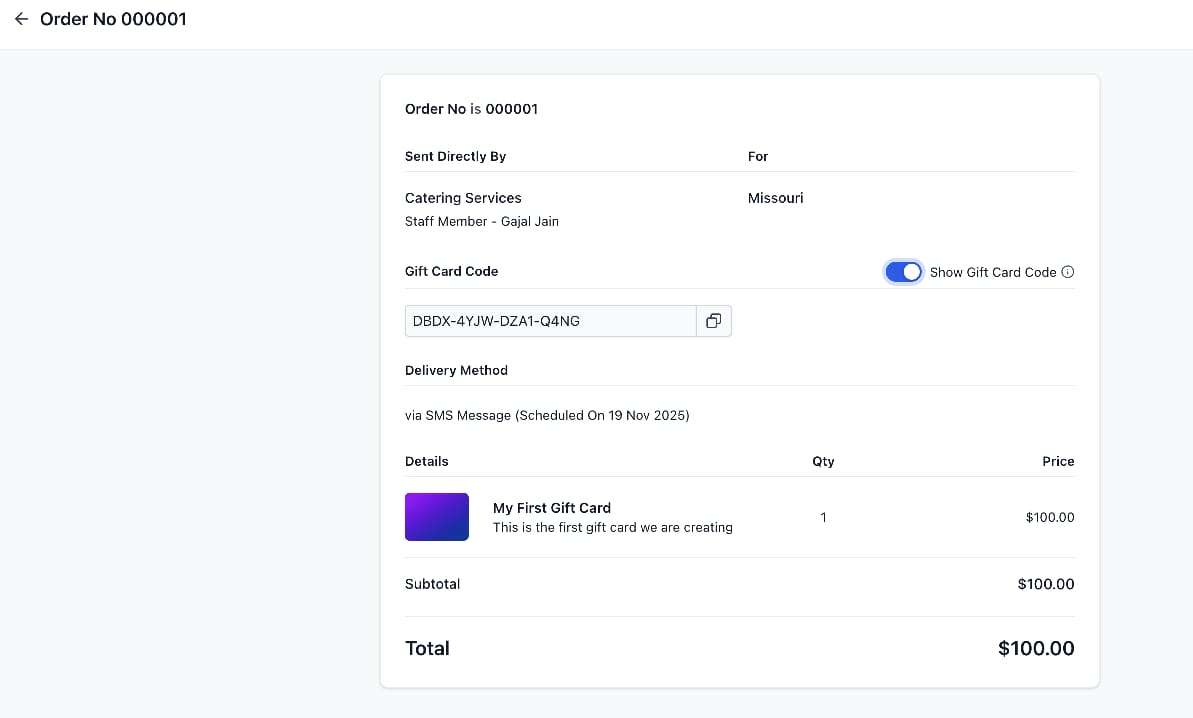
The gift card order details page serves as the single source of truth for all gift cards in the account. For each Gift Card Order, businesses can view:
- Purchaser info
- Recipient info
- Denomination
- Expiry date (same as that of the gift card product)
- Remaining balance
- Status (Scheduled, Active, Inactive)
- Hidden Gift Card number (visible inside the order details page)
- Delivery method and delivery schedule
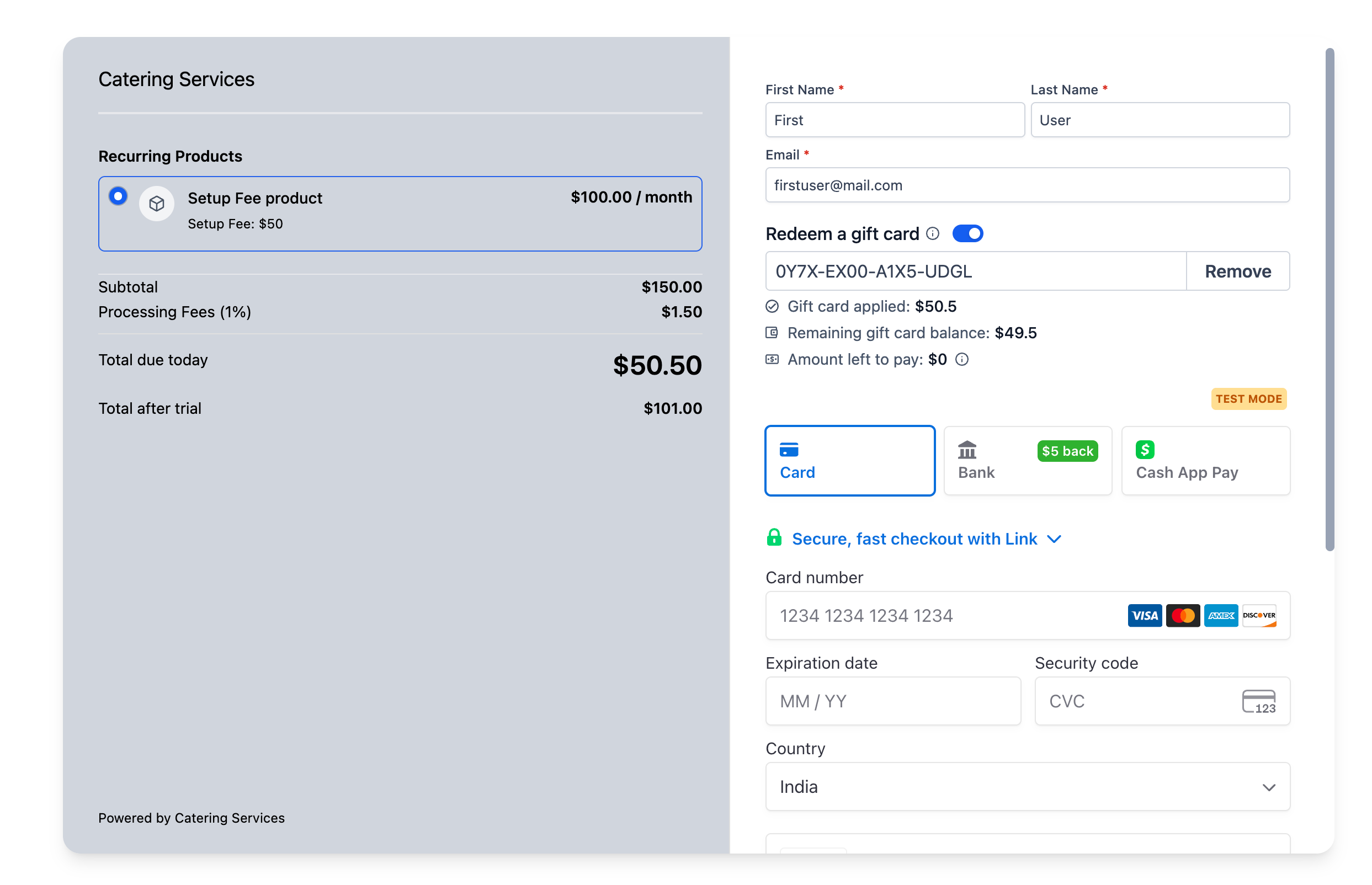
Customers can now redeem gift cards on all checkouts that support the Gift Card Redemption UI. This includes:
- Customers enter their Gift Card number at checkout
- The remaining balance is shown instantly
- Redemption can cover the full amount (if balance ≥ order/invoice total & products are one-time)
- Redemption can cover a partial amount, with the remaining balance charged to another payment method
- Transactions show a new “Gift Card Balance Used” entry
- Subscription purchases: If a subscription product is in the cart, the system will always collect an additional payment method—even when the gift card covers the full initial charge (due to future billing requirements).
- Gift card redemption is available only if at least one gift card product is created and either sent or purchased by a customer.
- Gift card cannot be used on upsell purchases, i.e., it cannot be redeemed for buying anything via the Upsell flow.
Based on customer feedback, we have ensured that redemption now clearly calls out the following:
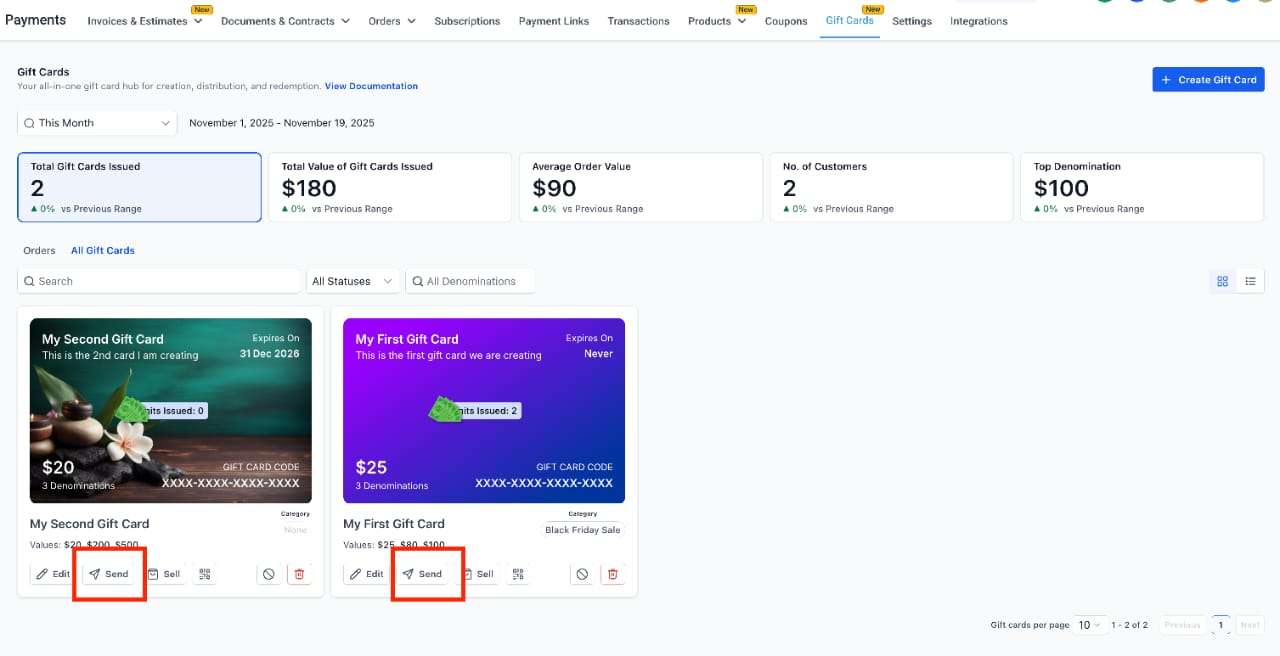
- Payments → Gift Cards → Gift Card Products —> Create, edit, archive, deactivate, sell, or send Gift Cards.
- Payments → Gift Cards → Gift Card Orders —> Track all issued Gift Cards, view balances, and open order details.
- Dedicated ‘Sell’ checkout link / embed / QR —> Available under each Gift Card Product → Sell section.
- Dedicated ‘Send’ —> Available under each Gift Card Product → Send section
- Dedicated ‘Send’ —> Available under each Gift Card Product → QR Code → Issue Gift Card
- Existing Checkouts —> Add Gift Cards as products to sell them through funnels, forms, payment links, stores, etc.
- Redeem via the Payment Element under any supported checkout and payment provider combination
Future enhancements planned:
- Gift card redemption on off-session payments
- Sending gift cards in ‘Test’ mode
- User permissions for creation, issuing, and redemption
- Dedicated link for customers to check balances
- Transaction history log inside each Gift Card Order
- Gift card triggers and actions – automation/workflow support
- Public APIs, triggers, actions
- Mobile app & POS support