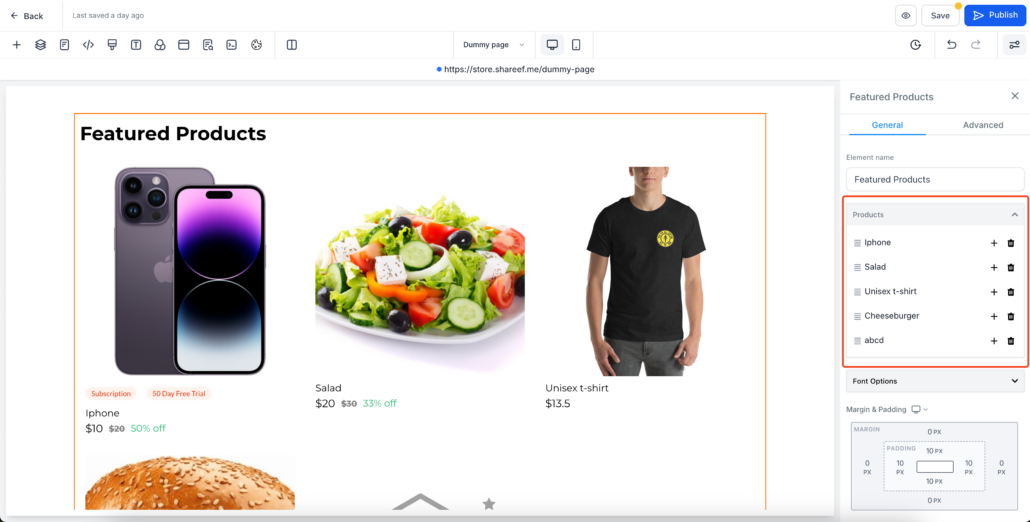
Featured Products Element In Ecommerce Stores is live!
We’re excited to introduce the brand new Featured Products element in our Ecommerce store!
This feature enables store owners to showcase selected products anywhere on their store pages in the desired order.
-
Flexible Placement:
Add the Featured Products element anywhere on your store page.
-
Customisation Flexibility:
Control the layout, appearance, and the number of products per row (up to 5 on desktop and 2 on mobile).
-
Easy Product Selection:
Select specific products to display in the element via builder, replacing the default placeholders images.
-
Add the Element:
-
Customize the Appearance:
- Configure heading, margins, padding, colors, borders, and fonts in the settings panel.
- Configure the number of products per row in the
Layout
tab. By default, 3 products are displayed per row, but you can adjust this using the
Number of Columns
field—up to 5 on desktop and 2 on mobile.
-
Select Products:
- Click any placeholder product under the
Products
group.
- Use the search bar to find and select your desired products in the builder.
- Selected products will replace the placeholders in the builder.
-
Note: Only 10 products appear in the dropdown by default. Use the search to find additional products.
-
Publish:
- Click
Save/Publish
to apply your changes.
-
Preview:
- View your live page to see the Featured Products element. Clicking on a product will redirect users to its detail page.
- Any changes to product details (e.g., price or images) will automatically reflect in the Featured Products element.
- By default only 10 products will be shown in the dropdown while selecting products. Please search for other products.
- Product selection has to be done to show the real products. Placeholder products will not be shown on live site.
Add Products:
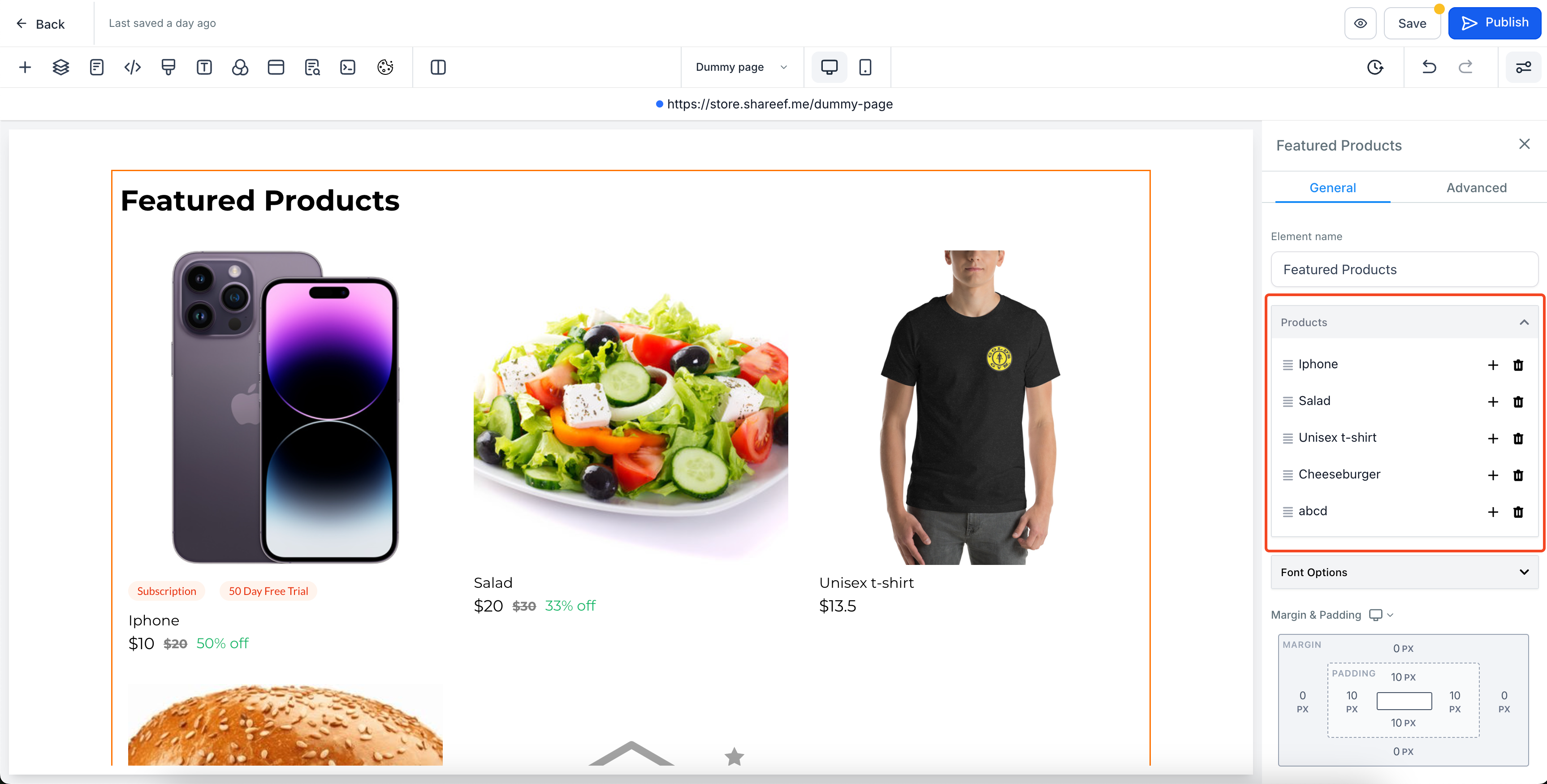
Select and connect products:
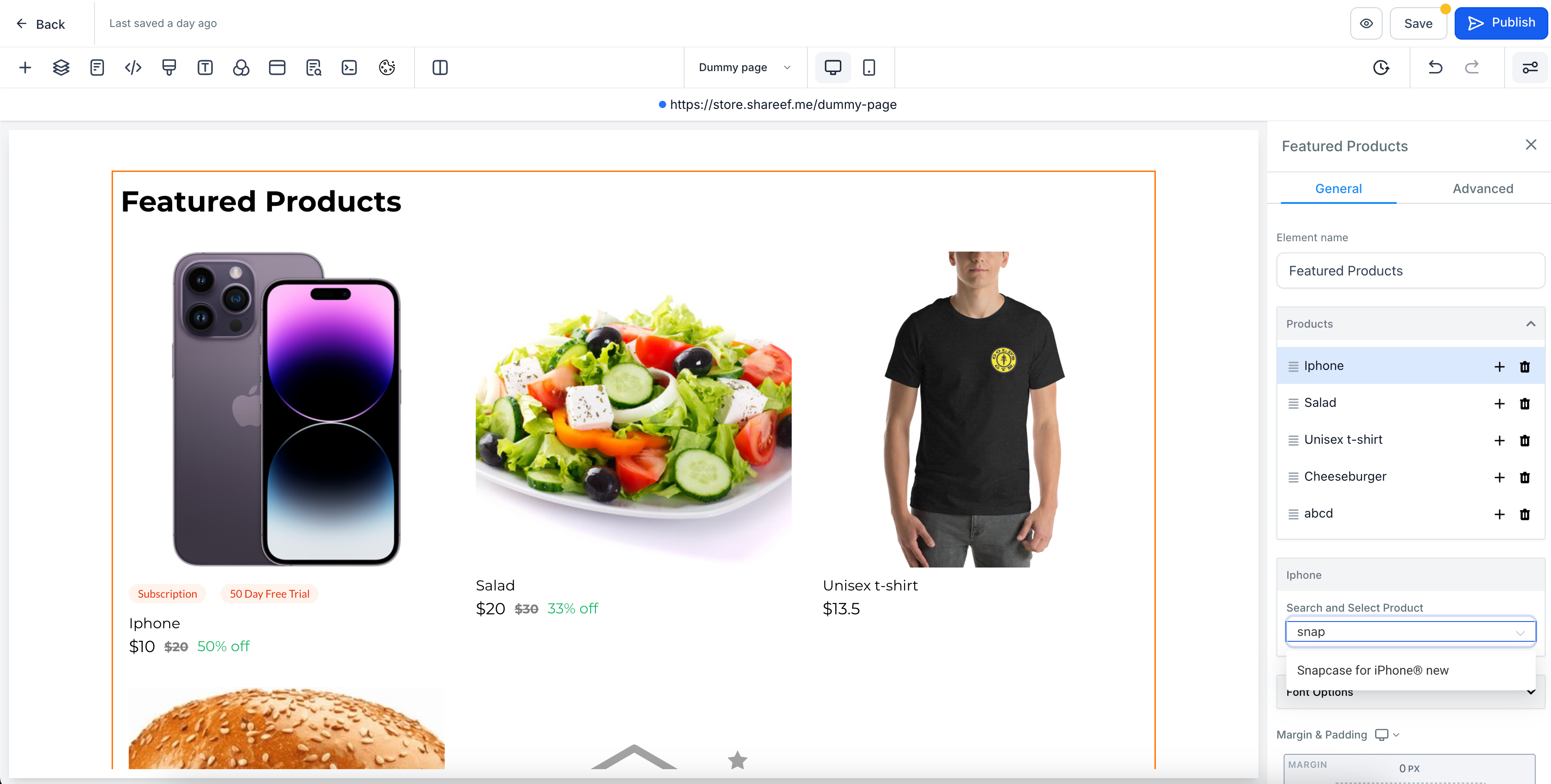
Customise the element:
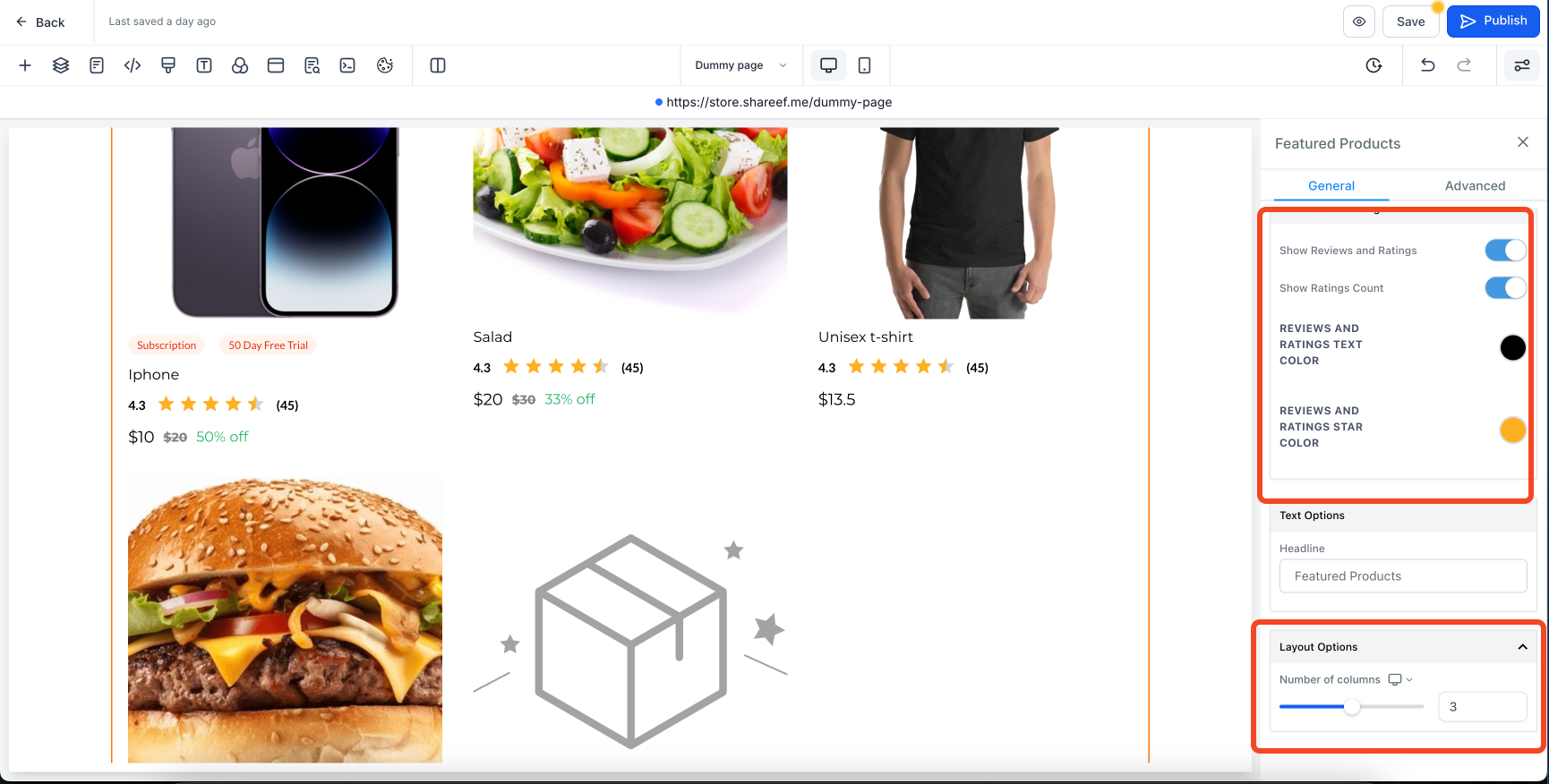
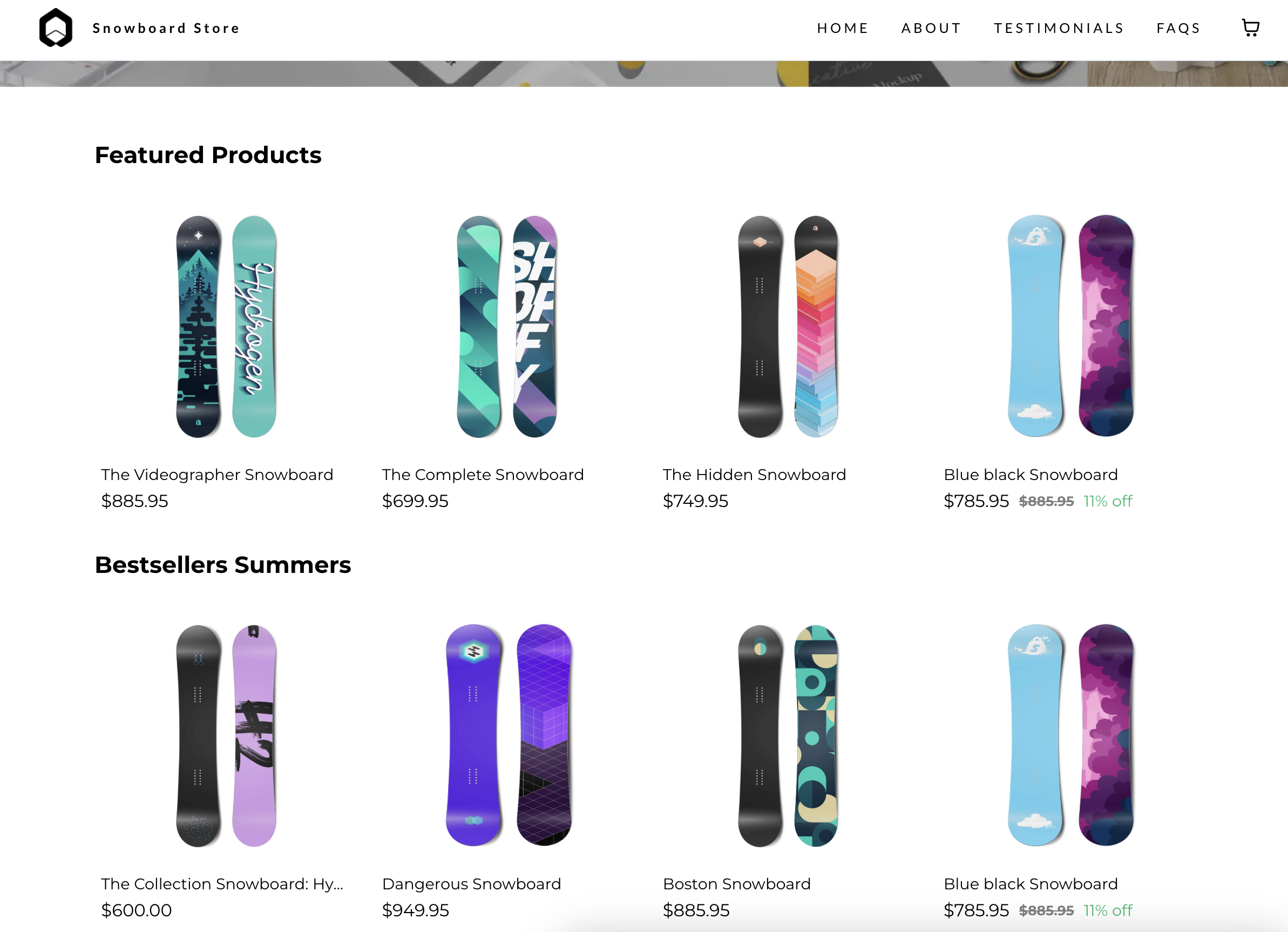
How it looks?