
Evergreen Content Posting with Category Queues
Release Type: T2- New feature
🥁
Drum rolls please
🥁
We’re thrilled to introduce the much awaited and powerful new feature of re-purposing your previously posted content by creating
Evergreen content buckets
categorised based on different themes to be posted consistently creating brand visibility and supercharge your content strategy.
Now you can effortlessly repurpose your best content and maintain a consistent online presence with the new Category Tagging system in your posting queue. This feature is designed to simplify content management, maximise engagement, and ensure your brand voice remains active across platforms—without additional effort.
- Evergreen Content Management
- Easily categorise your evergreen content, ensuring it gets shared repeatedly over time.
- Automatically fill your queue with pre-tagged posts, keeping your timelines active, even on busy days.
- Smart Category Tagging
- Organise content into categories (e.g., Blog Posts, Tips, Promotions) for precise scheduling.
- Set specific posting times for each category, ensuring the right content reaches your audience at the right time.
- Consistent Posting Schedules
- Never miss a post! The queue intelligently cycles through your categorised content to maintain consistency.
- Perfect for building a predictable and reliable brand presence online.
- Repurpose with Ease
- Breathe new life into old but valuable content.
- Focus on creating new ideas while your existing content continues to work for you.
Pre-requisite:
User should have a list of
published
posts
tagged to a category
which can then be utilised as a part of new category queue creation.
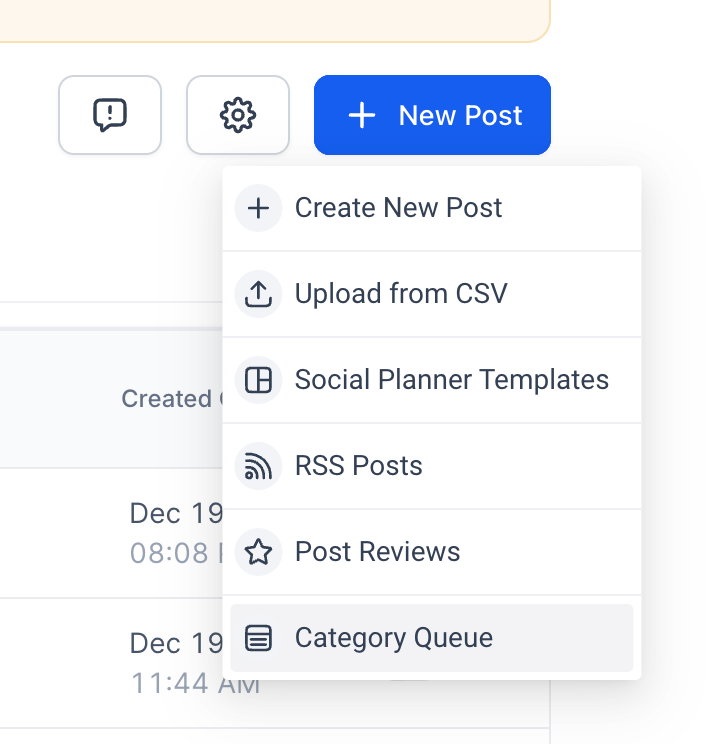
- Navigate to New Post button -> Click on Category Queue option.
- Select a Category- Choose the desired Category for creating the queue.
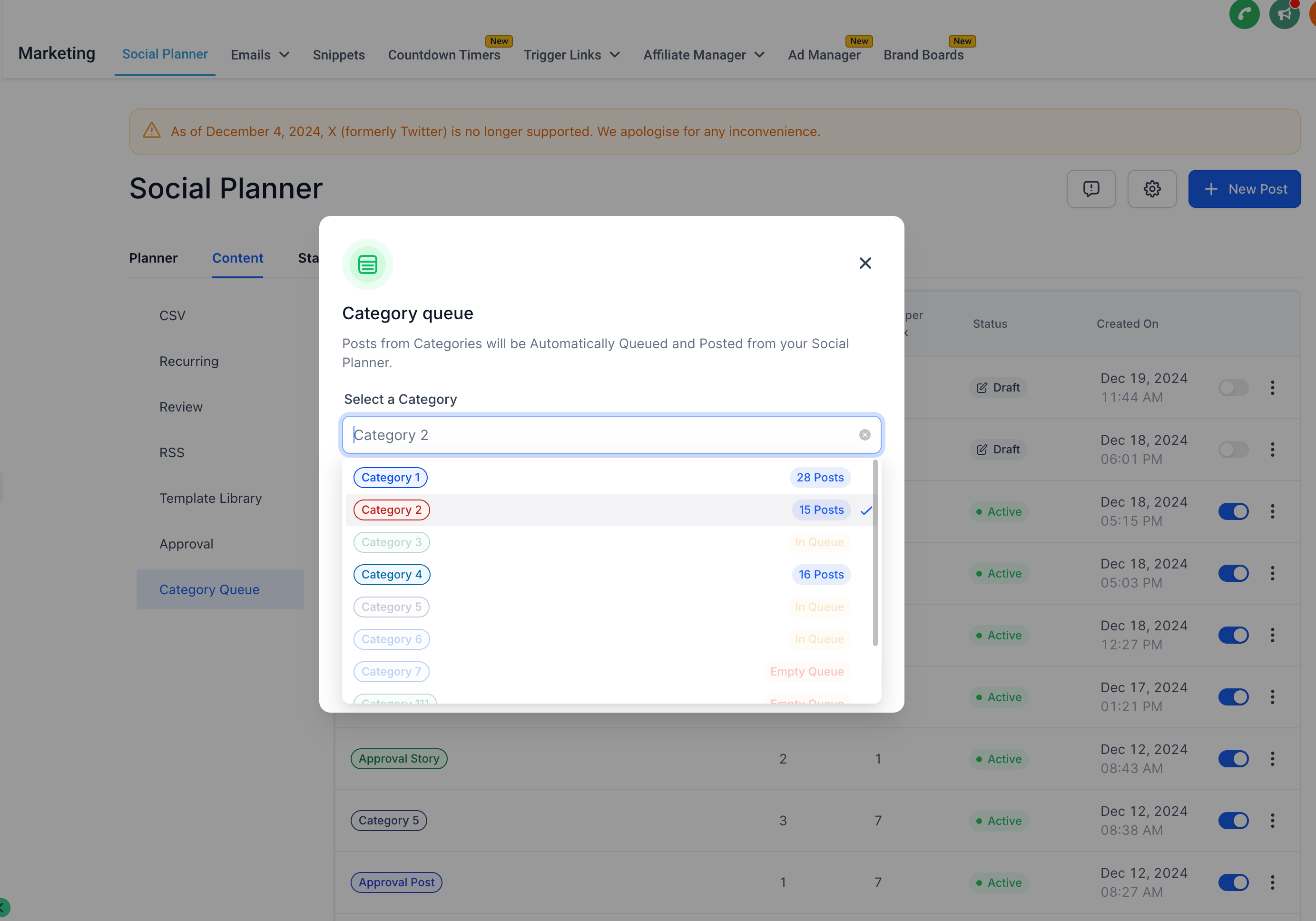
- Enable Preferences- Enable options like Enable Future Posting or Prioritise Content by checking the corresponding checkboxes.
- Future Posting – adds any upcoming content published or added to the queues
- Prioritise Content- adds the new content to the front of the queue to publish first.
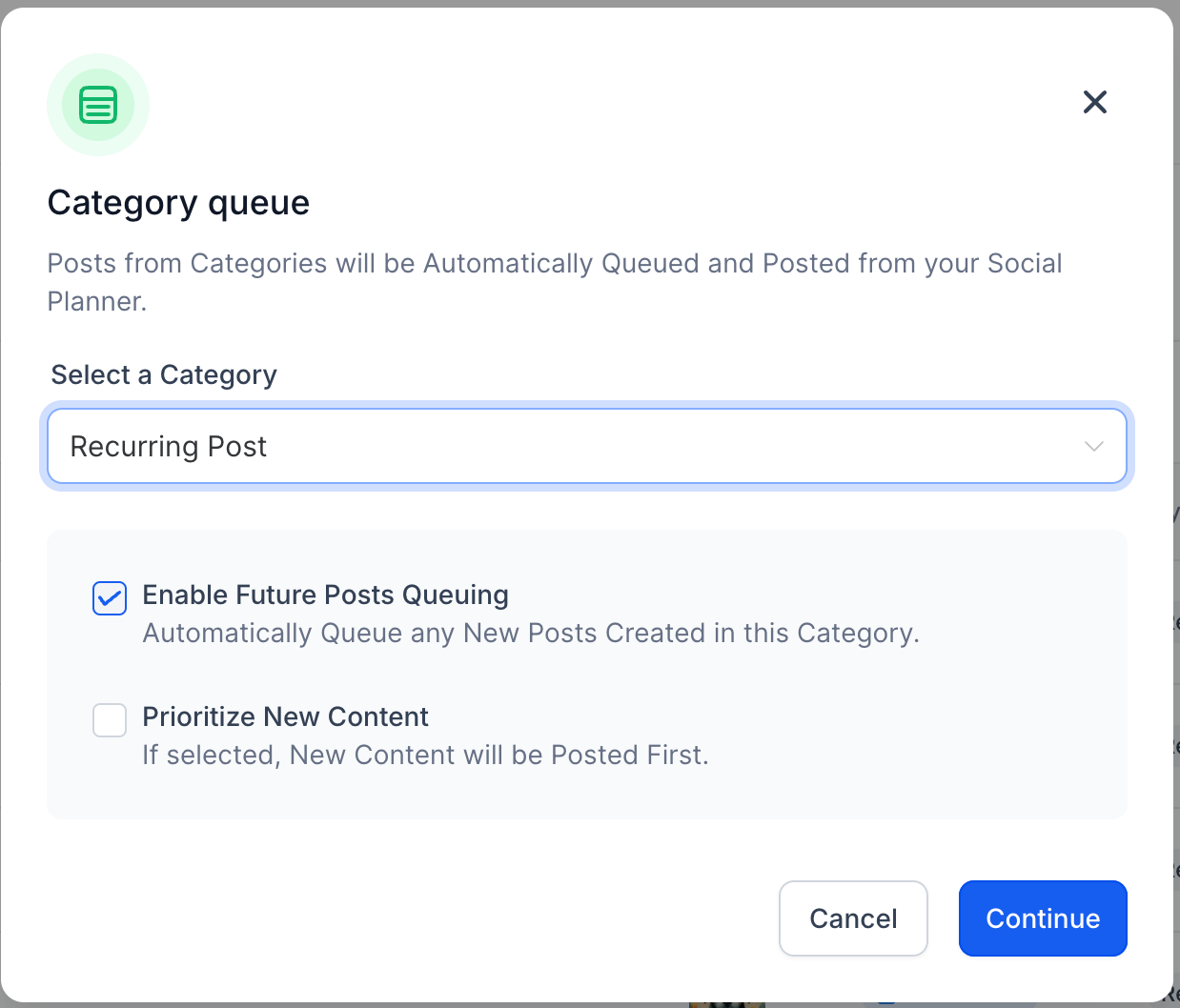
- Set Posting Schedule- Select the preferred Days and Time for your posts.
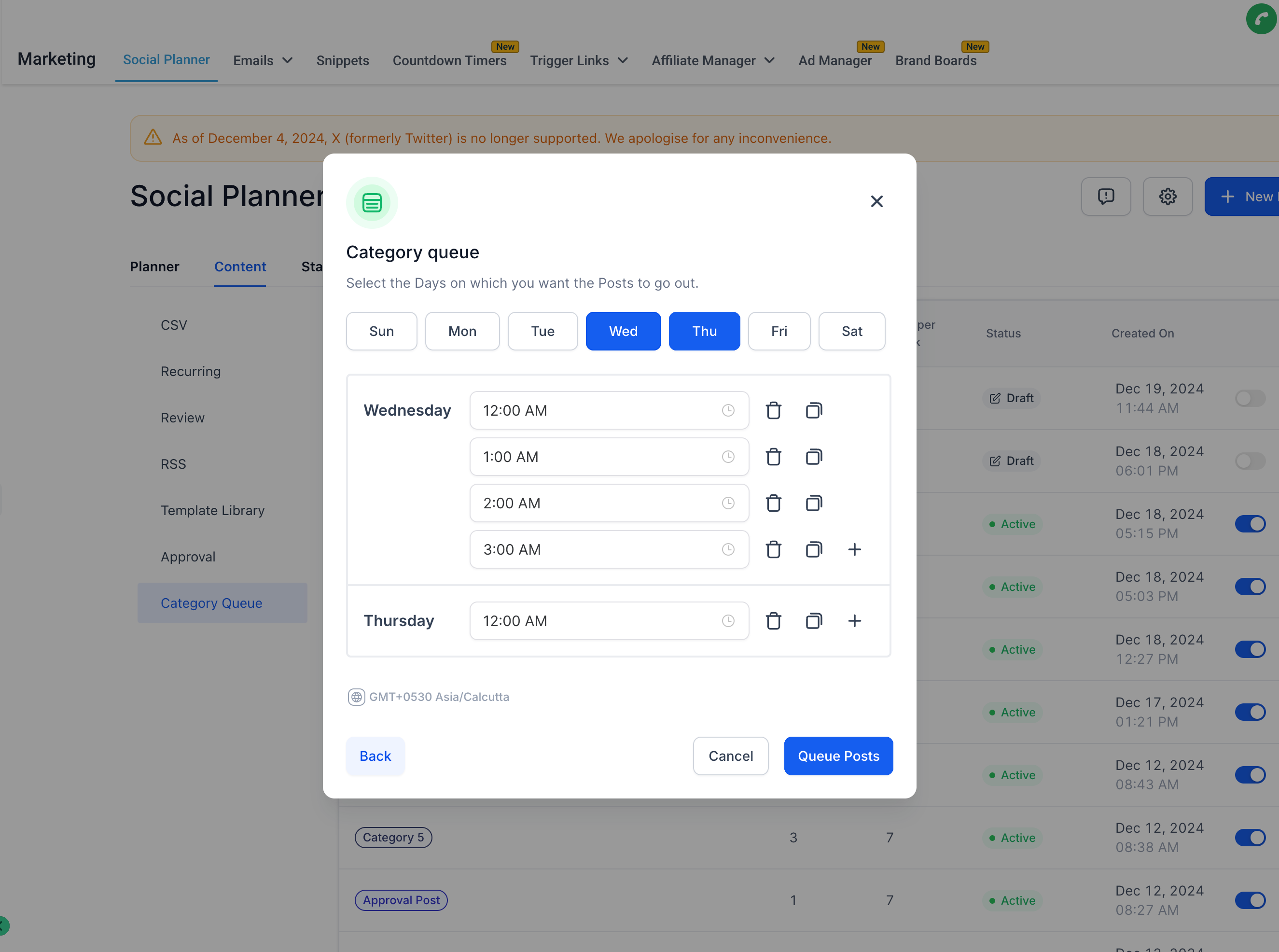
- Edit Content- Review and edit the Media or Content of the posts as needed.
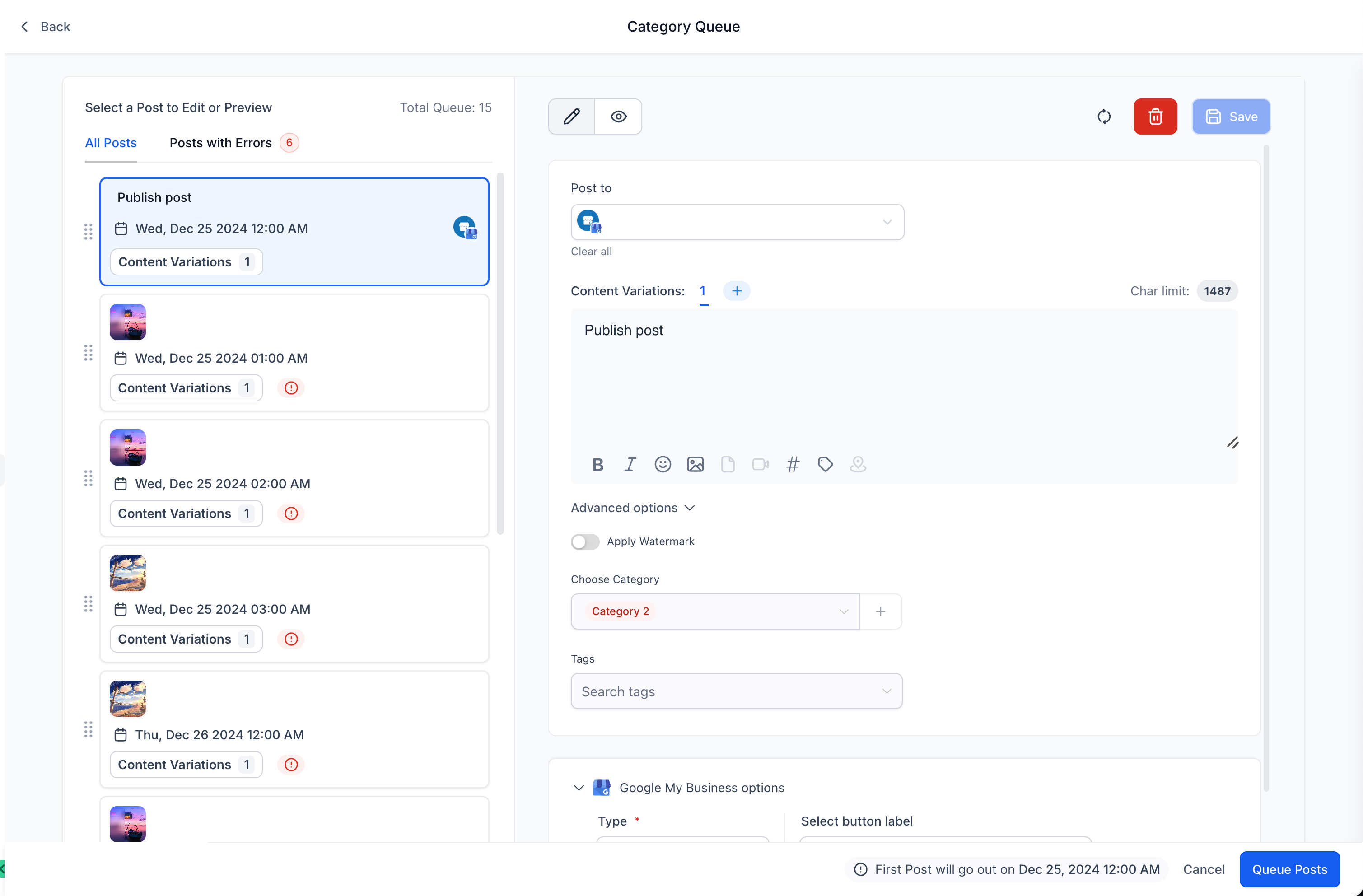
- Fix any Errors identified by the caution, error and warning messages.
- Click Queue Post button to Schedule the posts incase no errors are present.
- Click Queue Post button to finalise and Save as Draft incase any errors are present. Alternatively, click Cancel to save your progress as a draft for future editing.
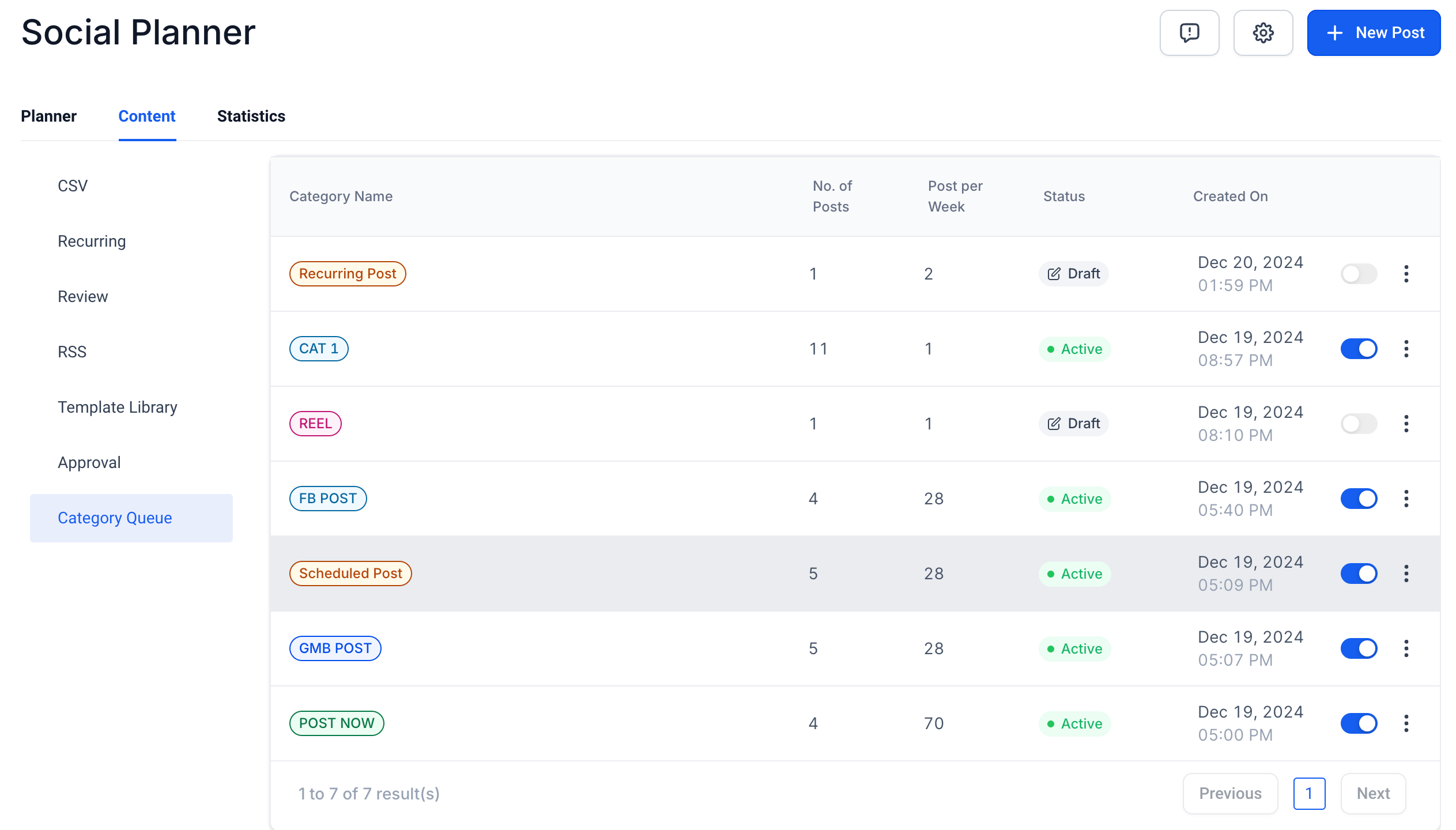
- User can pause or resume the category queues at any given point of time from the ‘content’ tab by enabling/disabling the toggle.
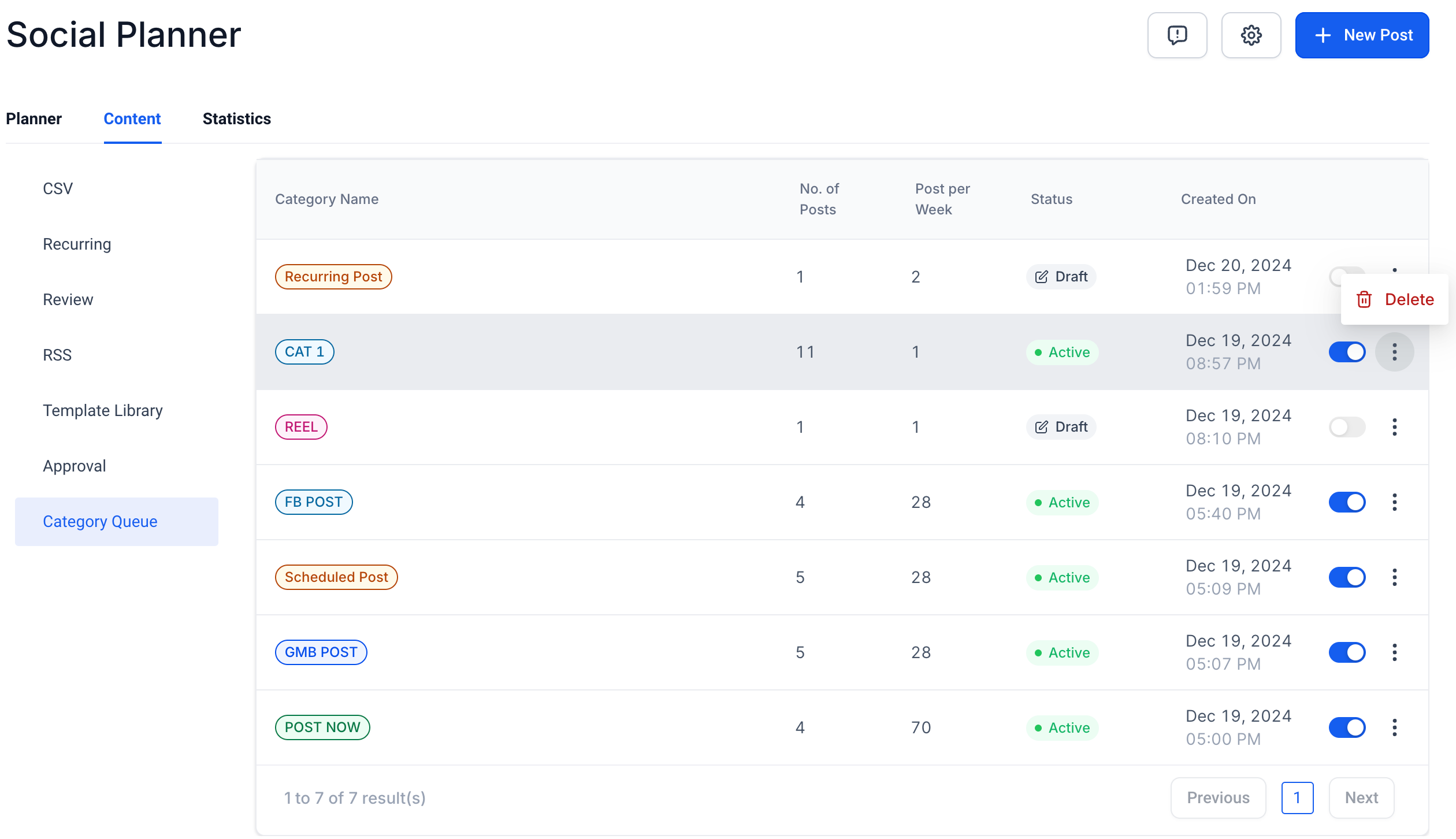
- User can also delete the category queue if needed, from the three dots icon.
- Category queues can be created for already published content, tagged to a certain category.
- Category queues can be paused/ resumed at any point as we deem fit for planning the content.
- It can be deleted incase we do not want the same content to go out.
- The content of the previously published posts- can be edited/ updated while the creation of category queue.
- The category queue created cannot be edited, re-scheduled for a different timeframe currently.
FAQ:
- How can I support future posts in the category queue?
- All the previous and future posts tagged to the ‘category’ will be automatically added to the category queue, incase the new posts needs to be added to front of the queue- please select the option ‘Enable Future Posting’ and ‘Prioritise Content’ .