
Embedded Live Chat Widget
**Summary of the Release:**
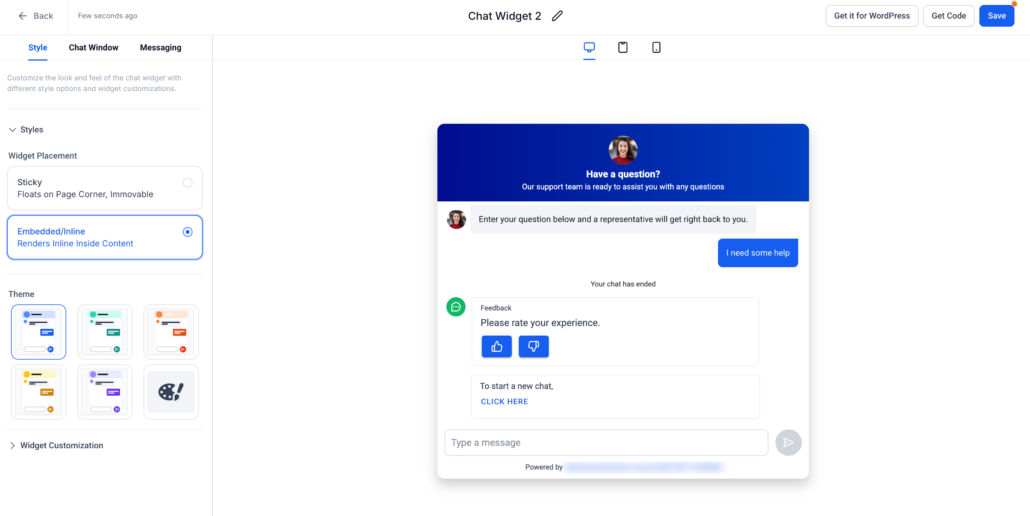
You can now embed the Live Chat Widget directly within your website or funnel content rather than limiting it to a floating chat bubble. This enhances a more integrated, conversion-focused chat experience that aligns seamlessly with your page layout.
**👀 What’s New?**
- Embedded / Inline Placement for Live Chat
- A new Embedded/Inline option is available under Widget Placement.
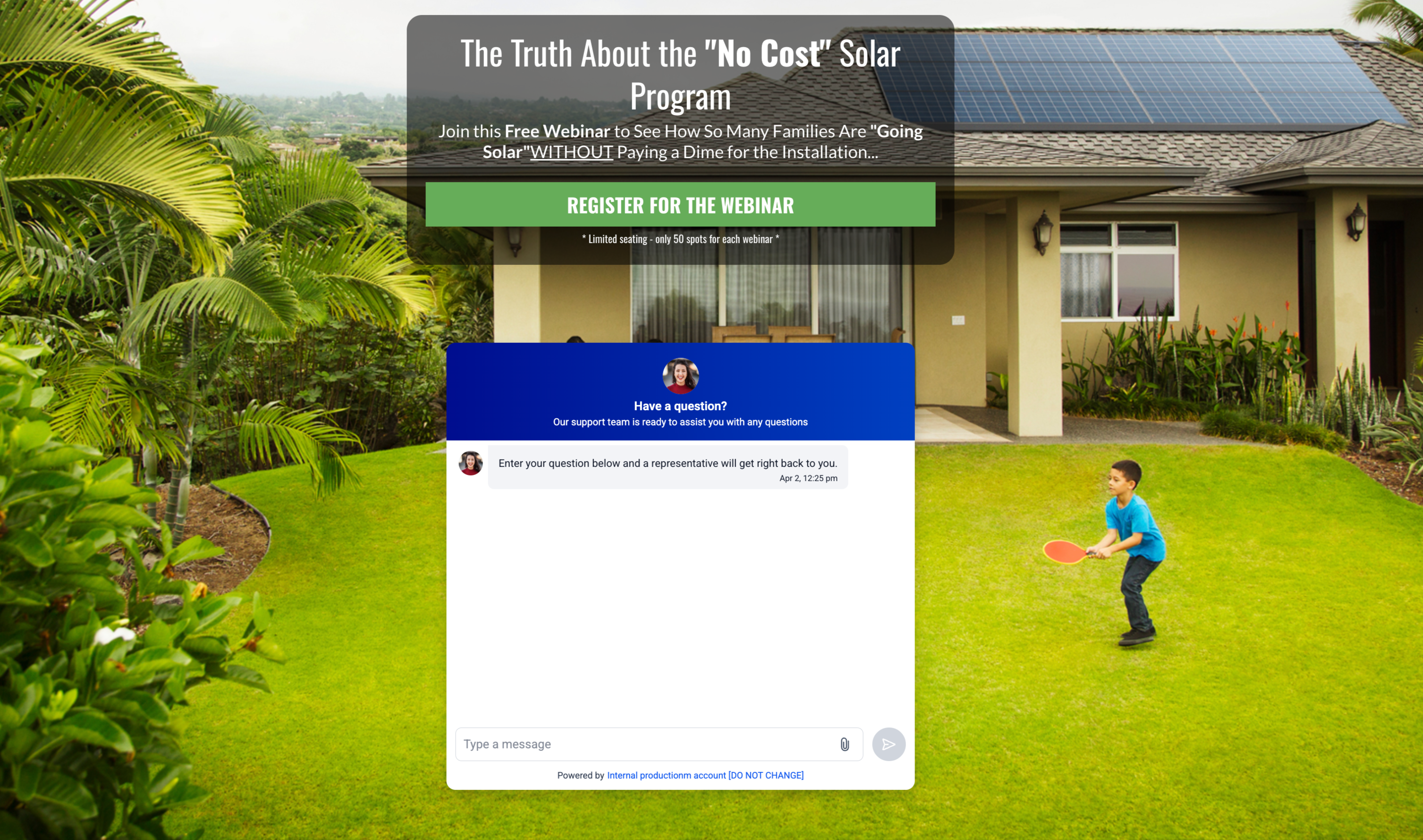
- The chat widget can now render within page content (e.g., below the hero section, inside forms, near CTAs).
- This functionality moves beyond traditional sticky/floating chat bubbles.
- Seamless On-Page Experience
- Chat appears as a native part of your website layout instead of an overlay.
- Enhances visibility and engagement by situating chat precisely where users are inclined to take action.
- Simplified Customisation for Inline Mode
- Customisation options are specifically tailored to the embedded experience.
- The real-time preview reflects inline rendering within the page layout.
- Flexible Deployment Across Digital Properties
- Compatible with: Funnels, Websites, Landing pages, Custom HTML sites, and any other locations where widgets are supported.
- Supports multiple embedded placements across various pages.
- Mobile-Responsive by Default
- Automatically adjusts the layout for smaller screens, ensuring a consistent mobile experience.
**👷 How to Use?**
- Navigate to Sites → Chat Widget.
- Create a new or open an existing Live Chat Widget.
- Go to the Style tab.
- Under Widget Placement, select Embedded/Inline.
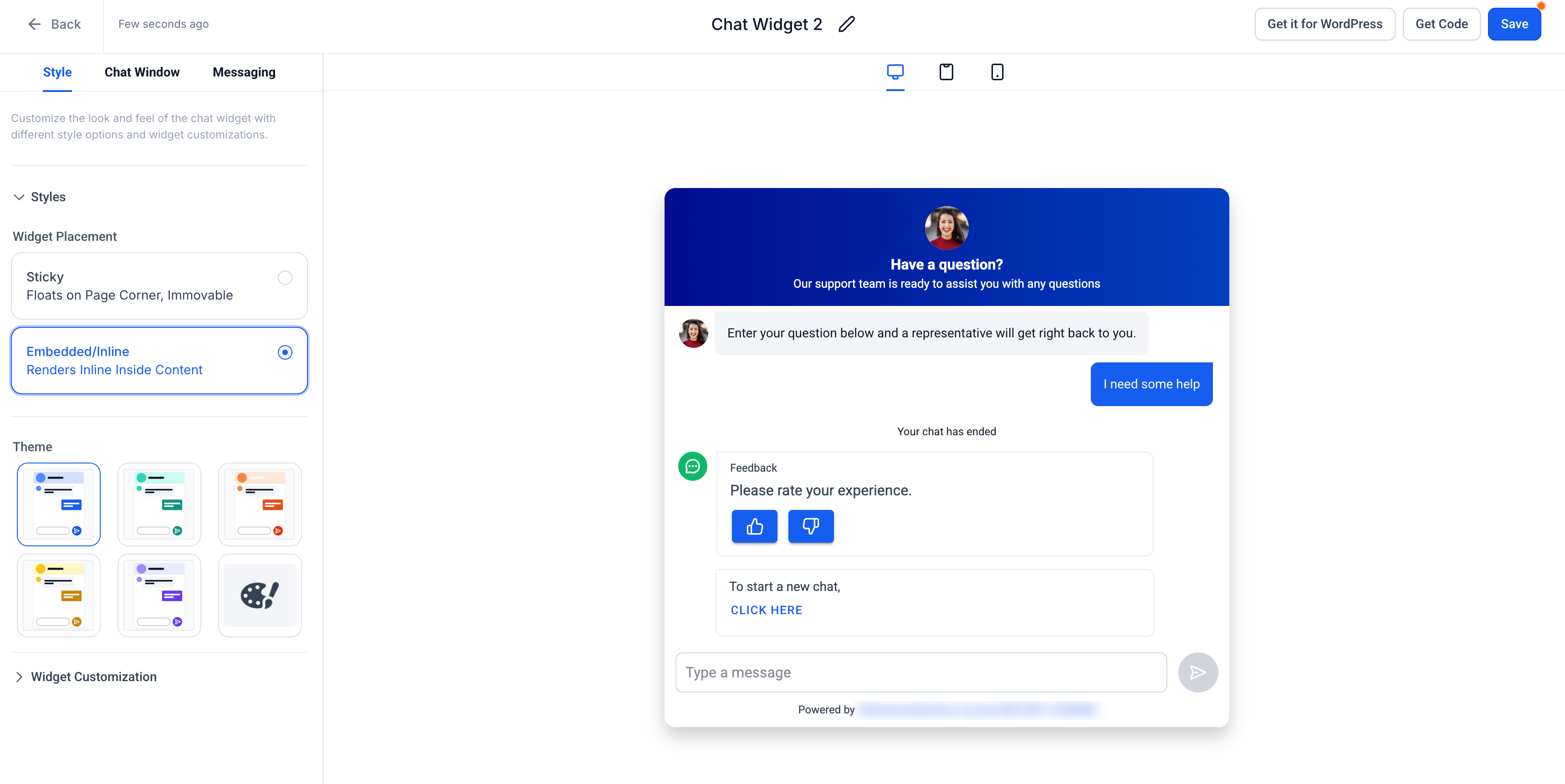
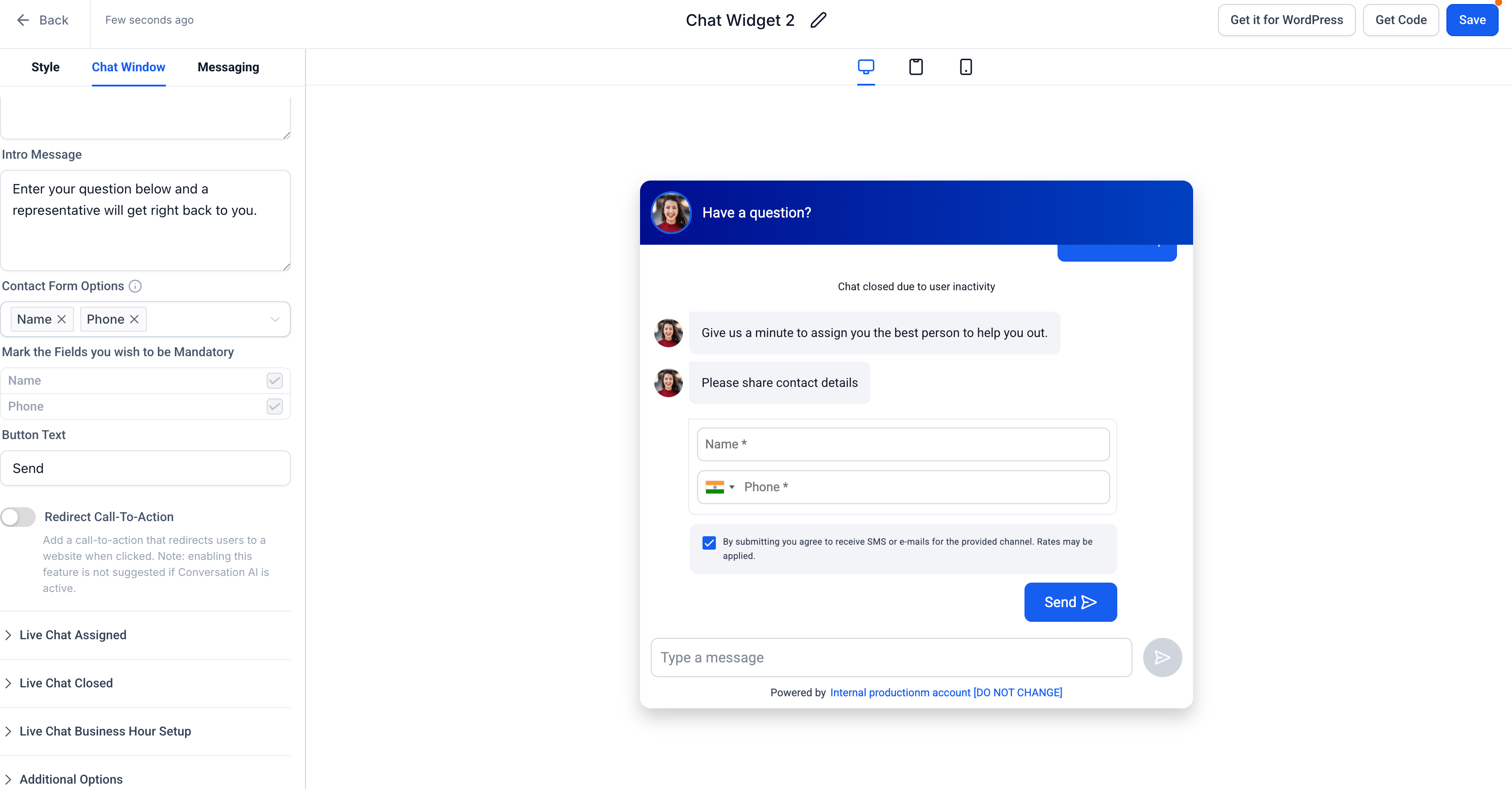
- Customise the widget’s appearance (theme, messaging, branding).
- Click Get Code and copy the embed snippet.
- Add the code to your:
- Funnel (via Code element), or
- Website (HTML/embed section).
- Publish the page — the widget will render inline within your content.
**⭐ Why This Feature?**
- Offers a higher conversion potential by placing chat at essential decision points (CTAs, forms, pricing sections).
- Creates a more natural and less intrusive experience compared to floating widgets.
- Provides businesses with full control over chat placement and user experience design.
- Ensures better alignment with funnel strategy and page storytelling.
**📝 Notes:**
- The existing Sticky widget behaviour remains unchanged.
- Embedded and sticky widgets can be utilised together across different pages.
- No changes to chat routing, messaging, or backend workflows.